Description
The Vision Budget 1440p is an affordable gaming PC that punches well above its price. Most systems around two thousand dollars are built for 1080p. This one uses a Sapphire PULSE Radeon RX 9070 GRE 12GB, a current-generation card with the power for 1440p gaming at high settings, paired with a proven Ryzen 5 7500F, 16GB of memory and a fast NVMe SSD.
Every one is hand-built and stress-tested in our Sydney workshop before it ships.
Who this budget 1440p gaming PC is for
- gamers who want 1440p without spending three thousand dollars or more
- players moving from console to PC for sharper graphics and higher frame rates
- Fortnite, Valorant, Apex Legends, Minecraft and Roblox players
- anyone upgrading from an older GTX 10 or 16 series system
If you mostly play at 1080p and want to spend even less, our budget gaming PC range starts lower.
Radeon RX 9070 GRE: the heart of this budget 1440p gaming PC
The RX 9070 GRE is part of AMD’s RDNA 4 family, with 12GB of GDDR6 on a 192-bit bus. It supports FSR 4 upscaling, Radeon Anti-Lag and much-improved ray tracing over earlier Radeon cards. That makes it a genuine 1440p card at a budget price. AMD has the full specifications on its Radeon RX 9070 GRE page.
Sapphire’s PULSE edition is known for being quiet and well built, with a dual-fan cooler that keeps temperatures in check without much noise.
Ryzen 5 7500F and DDR5
The Ryzen 5 7500F has six cores and twelve threads, plenty for gaming at 1440p, where the graphics card does most of the work. It runs on AMD’s current AM5 platform with DDR5 memory, a fast, modern base that keeps this affordable gaming PC balanced while still fitting a strong graphics card.
Because AM5 is AMD’s current socket, you can drop in a faster Ryzen processor later without changing the motherboard or memory.
Vision Budget 1440p specifications
| Processor | AMD Ryzen 5 7500F, 6 cores / 12 threads |
|---|---|
| Graphics card | Sapphire PULSE Radeon RX 9070 GRE 12GB |
| Memory | 16GB (2 × 8GB) G.Skill Flare X5 DDR5-6000 CL30 |
| Storage | PNY CS1031 1TB NVMe SSD |
| Motherboard | ASUS PRIME B650M-A WIFI II (Wi-Fi and Ethernet) |
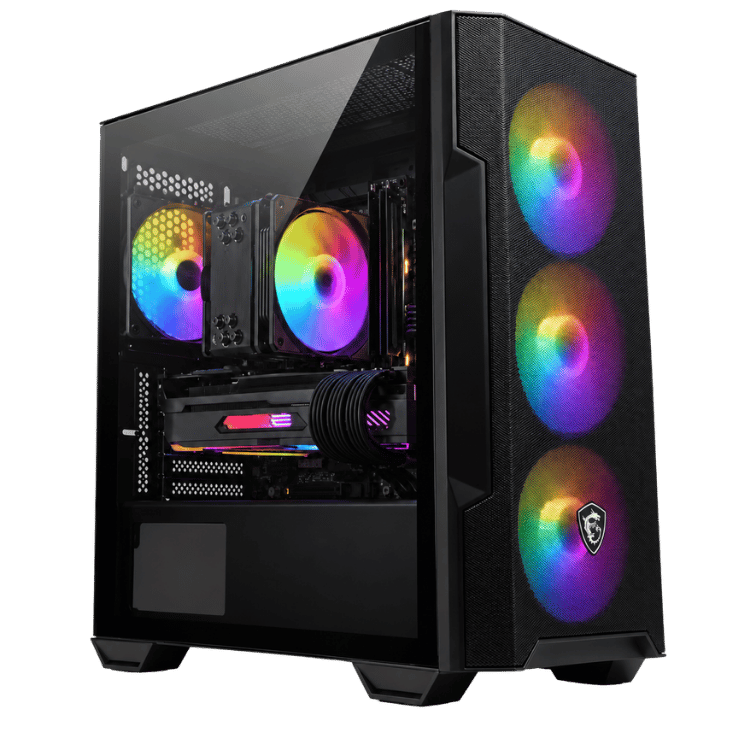
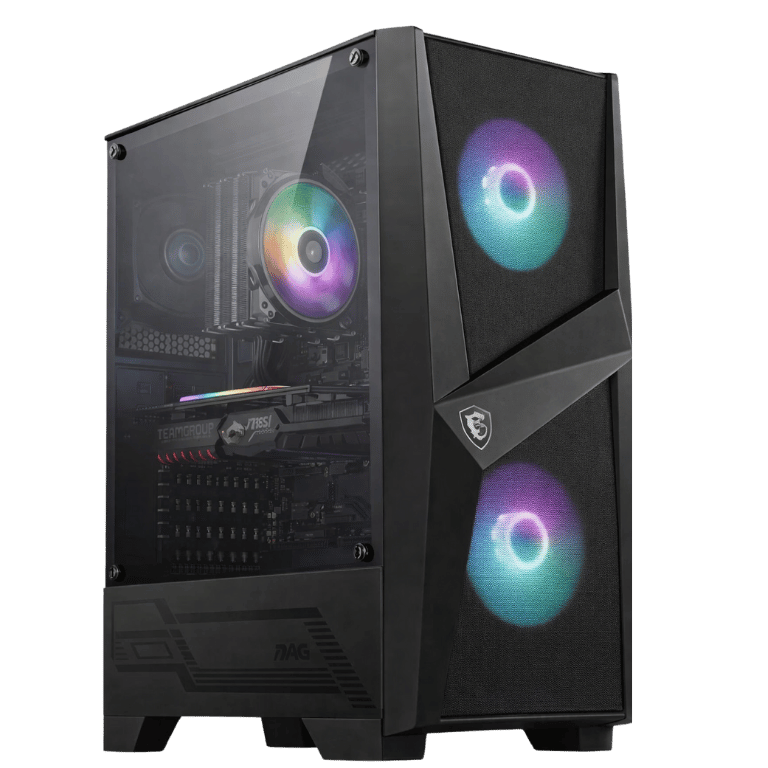
| Case | MSI MAG FORGE M100R RGB |
| Power supply | MSI MAG A650BN 650W 80+ Bronze |
What to expect from this affordable gaming PC
- 1440p: high settings in most current games with smooth frame rates, and FSR for the heaviest titles.
- Esports: very high frame rates in Fortnite, Valorant, CS2 and Overwatch 2.
- 1080p: maxed-out settings in almost everything.
We don’t publish frame-rate charts because they change with every patch. Ask us about your favourite games and we’ll give you an honest answer.
Why an affordable gaming PC can do 1440p
At 1440p the graphics card does most of the work, so the smartest way to build an affordable gaming PC for that resolution is to put the money into the card. We use a mature, lower-cost platform for the processor, motherboard and memory, and spend the savings on a current-generation RX 9070 GRE. The result is better 1440p performance for the money than a build with a newer processor and a weaker card.
Memory, storage and power in an affordable gaming PC
Two 8GB G.Skill Flare X5 sticks give you 16GB of DDR5-6000 CL30 in dual-channel mode, enough for gaming with Discord and a browser open. For streaming or editing, 32GB is better, and we can quote it when you order. The 1TB PNY CS1031 NVMe SSD gives fast boot and load times, with room for a second drive later. An MSI MAG A650BN 650W power supply runs the system comfortably, and during heavy gaming it typically draws around 300 to 350 watts at the wall.
Cooling, lighting and the MSI MAG FORGE M100R
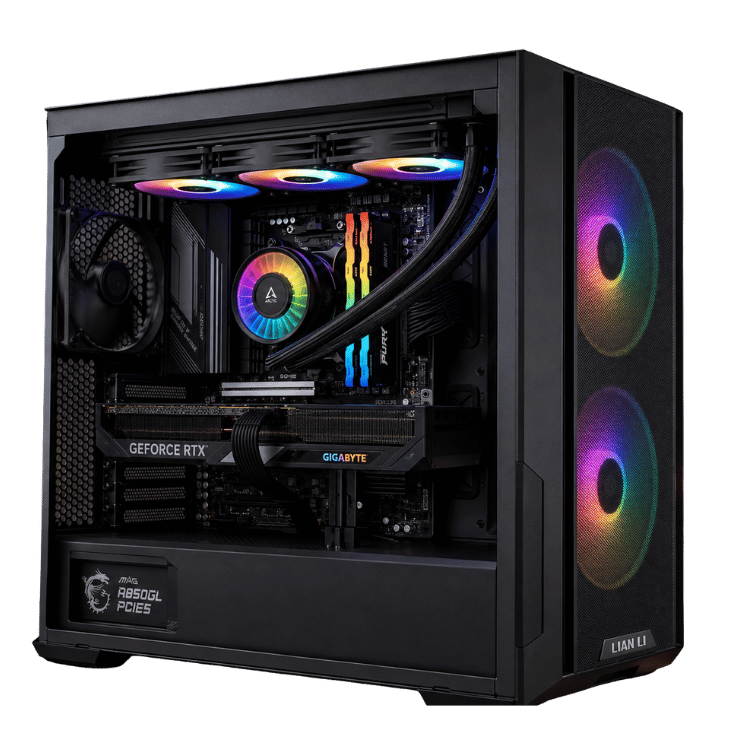
The MSI MAG FORGE M100R RGB is a compact mesh-front case with RGB fans that pull cool air over the graphics card, plus a glass side panel. We set fan curves before shipping so this budget 1440p gaming PC is quiet at the desktop and ramps up gently in games. The RGB lighting can be changed or turned off in software.
Is a budget 1440p gaming PC worth it over 1080p?
If you’re buying a new monitor, yes. A 27-inch 1440p screen looks noticeably sharper than 1080p, and the price difference between good 1080p and 1440p monitors is now small. With the RX 9070 GRE doing the heavy lifting, this affordable gaming PC lets you enjoy that extra sharpness without paying for a high-end system. If you already own a 1080p monitor, it will run games at very high frame rates on that too, and it’s ready when you upgrade.
Wi-Fi and everyday use
The ASUS PRIME B650M-A WIFI II motherboard has Wi-Fi built in, plus wired Ethernet. It’s just as good for study, browsing and video calls as it is for gaming.
AMD software features
AMD Software: Adrenalin Edition adds Radeon Anti-Lag for lower input latency, FSR upscaling, AMD Fluid Motion Frames for extra smoothness in many DirectX 11 and 12 games, and built-in recording and streaming. Fluid Motion Frames is particularly handy on an affordable gaming PC, as it can make demanding games feel smoother at 1440p.
Choosing a monitor
A 27-inch 1440p FreeSync monitor at 144Hz to 180Hz is the perfect match. FreeSync syncs the screen with the Radeon card for smooth, tear-free gameplay. Connect your monitor to the graphics card’s DisplayPort output and turn FreeSync on in AMD Software.
Moving from console to PC
If you’re coming from a PlayStation or Xbox, 1440p on a good monitor is a big step up in sharpness, and frame rates are higher too. Your controller works with most PC games, Fortnite, Valorant, Apex Legends, Rocket League and Marvel Rivals are free to play on PC, and Steam sales make other games cheaper over time.
How it compares with our other builds
- Vision Radeon 9070: RX 9070 16GB with a Ryzen 7 7700X, 32GB DDR5 and 2TB, for more headroom.
- Best Budget Gaming PC Under $2000: RX 9060 XT 16GB on the AM5 platform, at the same price.
Radeon or GeForce at this price?
At around two thousand dollars, Radeon cards often give you more raw performance and more video memory for the money. The RX 9070 GRE’s 12GB is a real advantage over 8GB cards, especially at 1440p. NVIDIA cards have wider upscaling support and stronger path tracing. For most players, this budget 1440p gaming PC delivers more frame rate per dollar.
Why buy a prebuilt affordable gaming PC?
We handle the BIOS update, memory settings, cable management, AMD drivers and stress-testing, so your PC is proven before it reaches you. If a part is faulty, we catch it on our bench. If anything goes wrong later, you have one place to contact instead of several manufacturers. For a first gaming PC, that peace of mind matters.
Upgrades down the track
The easiest upgrades for this budget 1440p gaming PC are more memory (16GB to 32GB of DDR5) and a second SSD as your library grows. The RX 9070 GRE should stay comfortable at 1440p for years with FSR. AM5 also gives you a straightforward processor upgrade path later on.
When it arrives
- Remove any packing material from inside the case.
- Connect your monitor to the graphics card’s DisplayPort output and plug into a surge-protected power board.
- Run updates and install the latest AMD Software: Adrenalin Edition driver.
- Turn on FreeSync and set your monitor’s refresh rate.
Built and tested in Sydney
- BIOS updated and memory set to its rated speed
- chipset, AMD graphics and Wi-Fi drivers installed
- processor and graphics card stress-tested together while we check temperatures
- fan curves and lighting set, cables tidied and secured
We deliver Australia-wide, including regional areas.
Affordable gaming PC FAQs
Can a two-thousand-dollar PC really run 1440p?
Yes. The RX 9070 GRE is a genuine 1440p card. Most current games run at high settings, with FSR for the most demanding ones.
Is 16GB of RAM enough?
For gaming, yes. For streaming or editing, we recommend 32GB.
Is this affordable gaming PC good for streaming?
Yes, for casual streaming. The RX 9070 GRE has a hardware encoder for streaming and recording. For regular streaming, we recommend upgrading to 32GB of memory.
Does it have Wi-Fi?
Yes, Wi-Fi is built into the motherboard, plus wired Ethernet.
Can I use a PlayStation or Xbox controller?
Yes. Both work with most PC games over USB or Bluetooth adapters.
Can I upgrade it later?
Yes. You can add memory, storage and a new graphics card, and because it’s on AM5, a faster Ryzen processor can drop straight in later.