Description
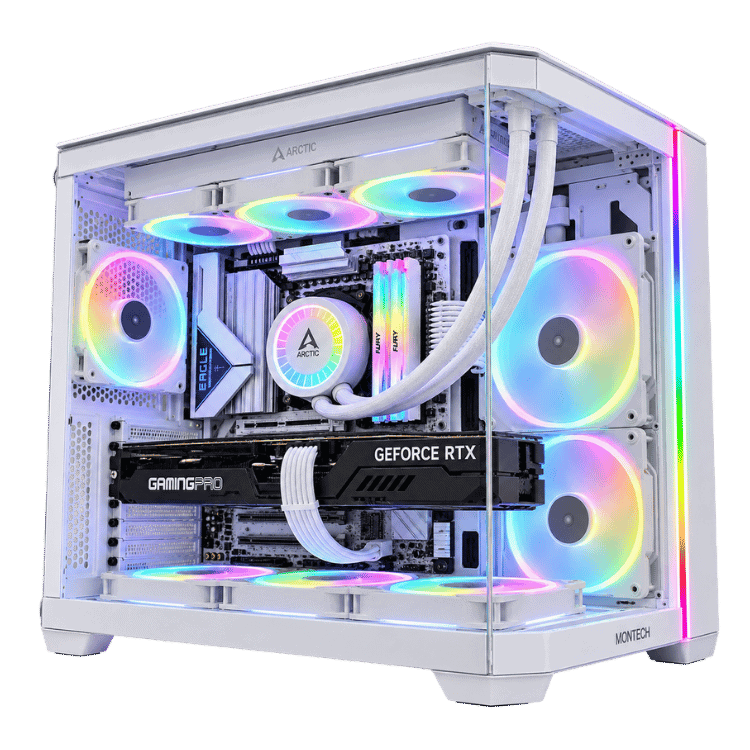
The Extreme Mid Tier is a 5070 Ti PC for people who want high-end gaming without paying flagship prices. It pairs NVIDIA’s GeForce RTX 5070 Ti 16GB with Intel’s Core i5-14600KF, then backs them up with parts that usually only turn up in pricier builds: a Samsung 990 Pro SSD, a 360mm ARCTIC liquid cooler, 32GB of Corsair RGB memory and an 850W Gold power supply, all in a white Corsair iCUE 4000X RGB case.
It’s built by hand and stress-tested in our Sydney workshop before it ships. Below you’ll find what it does well, why we chose each part, and the questions people ask before buying.
Who this RTX 5070 Ti PC is for
“Mid tier” undersells this one a little. The RTX 5070 Ti sits just below the RTX 5080 in NVIDIA’s range, and in a lot of games the gap is smaller than the price difference suggests. That makes this build a great fit for:
- 1440p gamers on a 165Hz to 240Hz monitor who want high settings and high frame rates
- players moving up to 4K who are happy to use DLSS in the heaviest games
- competitive players in Valorant, CS2, Fortnite and Apex Legends
- streamers and creators who want a capable all-rounder
- anyone upgrading from an older GTX or RTX 20 series system
If you only play at 1080p, a 5070 Ti PC is more than you need, and our 1080p gaming PCs will save you money.
The RTX 5070 Ti: the sweet spot of NVIDIA’s range
The GeForce RTX 5070 Ti has 16GB of fast GDDR7 memory, the same amount as the RTX 5080. That matters more than people expect. Modern games with high-resolution textures, large open worlds and ray tracing can easily use more than 12GB at 1440p and 4K, and when a card runs out, you get stutters and texture pop-in. With 16GB, this 5070 Ti PC has room to spare.
It also supports DLSS 4, NVIDIA’s AI upscaling and frame generation, which can raise frame rates substantially in supported games. NVIDIA covers the full specifications on its RTX 5070 family page.
The Intel Core i5-14600KF in this 5070 Ti PC
The i5-14600KF has 14 cores: six performance cores that do the heavy lifting in games, and eight efficient cores that take care of background tasks like Discord, your browser and streaming software. With 20 threads in total, it handles gaming and multitasking comfortably, and it’s a strong match for the RTX 5070 Ti at 1440p and 4K.
The “F” means it has no built-in graphics, which keeps the price down. Since the RTX 5070 Ti handles all the display work, you don’t lose anything.
We install the latest BIOS before testing, which includes Intel’s microcode updates for 13th and 14th gen processors, and the 360mm cooler keeps the chip running cool so it holds its boost clocks under load.
Extreme Mid Tier RTX 5070 Ti PC specifications
| Processor | Intel Core i5-14600KF, 14 cores / 20 threads |
|---|---|
| Graphics card | Palit GeForce RTX 5070 Ti 16GB GDDR7 |
| Memory | 32GB (2 × 16GB) Corsair Vengeance RGB DDR5-6000 |
| Storage | Samsung 990 Pro 2TB NVMe PCIe 4.0 SSD |
| Motherboard | MSI B760M Gaming Plus WiFi (Wi-Fi and Bluetooth) |
| CPU cooler | ARCTIC Liquid Freezer III Pro A-RGB 360mm |
| Case | Corsair iCUE 4000X RGB, white |
| Power supply | Thermaltake Toughpower GT 850W 80+ Gold |
What to expect from this 5070 Ti PC in games
We don’t publish frame-rate charts because they change with every driver, patch and settings menu. Here’s an honest picture instead:
- 1440p: high or ultra settings in current games, with high frame rates that suit a 165Hz to 240Hz monitor.
- Competitive shooters: very high frame rates in Valorant, CS2, Fortnite, Apex Legends and Marvel Rivals.
- 4K: smooth gameplay at high settings in most games, with DLSS doing the work in the heaviest ray-traced titles.
- Ray tracing: the RTX 5070 Ti handles it well, especially combined with DLSS and frame generation.
If there’s one game you care about most, ask us on live chat and we’ll tell you how this RTX 5070 Ti PC will handle it.
Why 1440p is this build’s home turf
At 1080p, even a modest graphics card can run most games well, so the extra power in a 5070 Ti PC mostly goes unused. At 4K, every frame has more than twice as many pixels as 1440p, and you lean on DLSS more often. 1440p sits in between: noticeably sharper than 1080p, especially on a 27-inch screen, while still letting the RTX 5070 Ti run high settings at high refresh rates. That balance is why 1440p is where this RTX 5070 Ti PC feels most at home, and why it’s the resolution most of our customers pair it with.
Choosing a monitor for a 5070 Ti PC
The right screen makes a big difference. These are the pairings we recommend most often for an RTX 5070 Ti PC:
- 1440p at 165Hz to 240Hz: the best match for this build. Sharp, smooth and well within the card’s reach in most games.
- 3440 × 1440 ultrawide: brilliant for racing and flight sims and story games, and still very manageable for the RTX 5070 Ti.
- 4K at 144Hz: very doable with DLSS, especially if you mostly play single-player games.
Plug your monitor into the graphics card rather than the motherboard (the i5-14600KF has no integrated graphics, so the motherboard’s video outputs won’t work anyway), and set the refresh rate in Windows display settings.
Samsung 990 Pro: a premium drive in a 5070 Ti PC
A lot of builds at this price use budget SSDs. This 5070 Ti PC uses the Samsung 990 Pro 2TB, one of the fastest PCIe 4.0 drives available and a long-time favourite with enthusiasts. Windows boots quickly, games load fast, and big file transfers don’t crawl. Two terabytes gives you room for a solid library of modern games, which often take more than 100GB each now, and the motherboard has a spare M.2 slot when you need more.
32GB of Corsair Vengeance RGB DDR5
Thirty-two gigabytes is the right amount for a gaming PC today. It covers current games with a browser, Discord and launchers open in the background, and it’s enough for streaming and light video editing too. The kit is two 16GB Corsair Vengeance RGB sticks at 6000MT/s, running in dual-channel mode for full bandwidth. Two slots stay free if you ever want to go to 64GB.
Cooling your RTX 5070 Ti PC
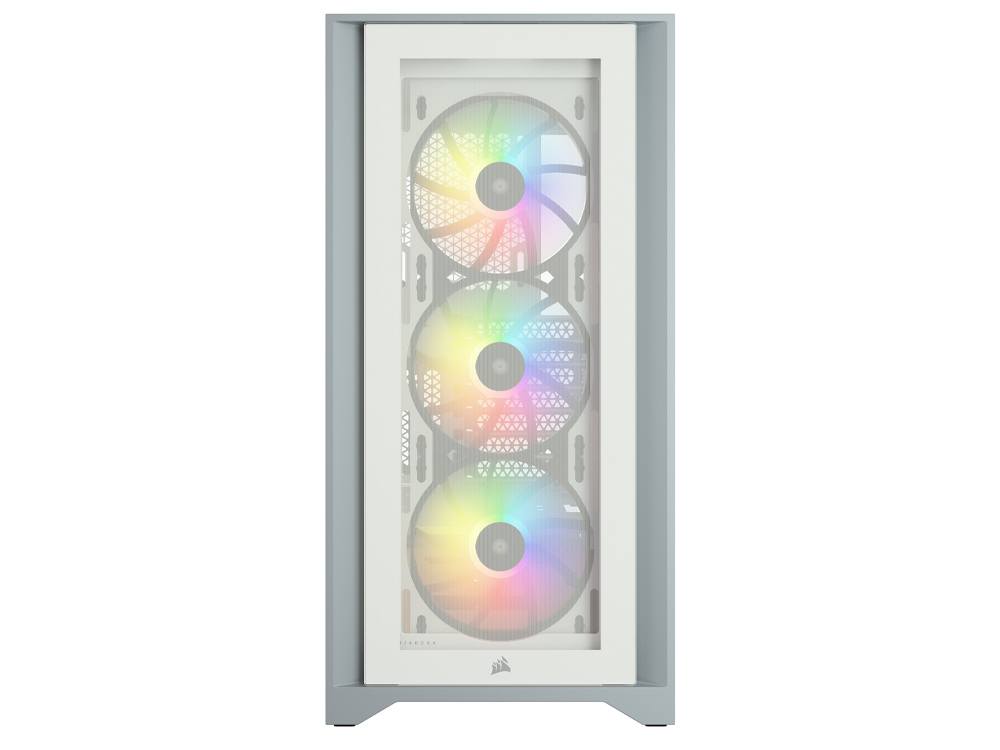
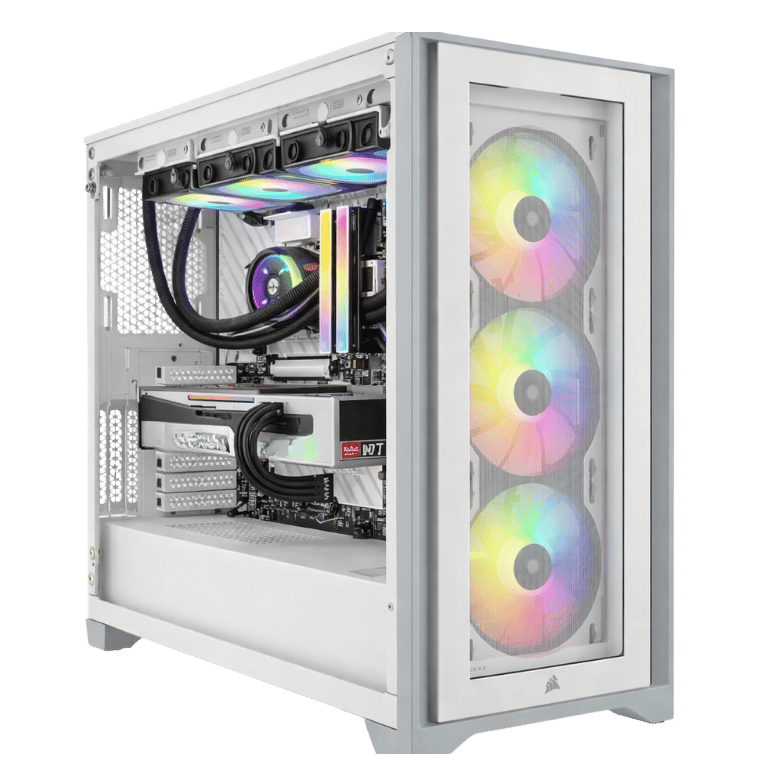
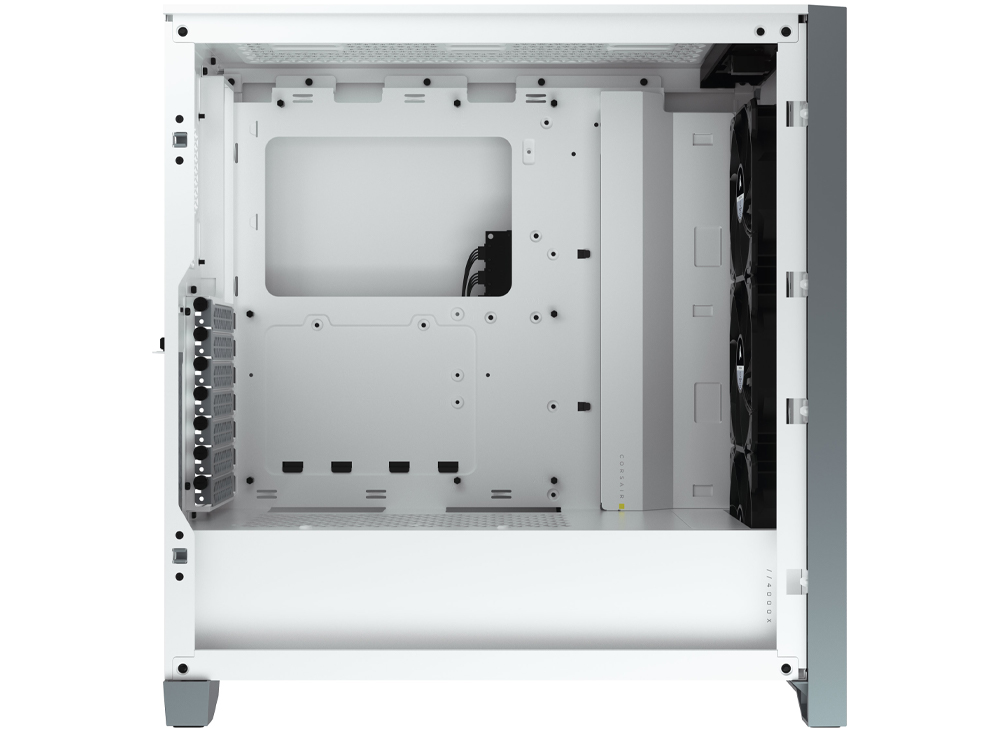
The Corsair iCUE 4000X RGB is a popular mid-tower for good reason. It has a tempered glass front and side, three RGB fans at the front, and a clean interior with plenty of room for cable management. In white, it gives this RTX 5070 Ti PC a bright, tidy look that suits most desk setups.
The ARCTIC Liquid Freezer III Pro 360 is one of the strongest 360mm coolers for the money. Its large radiator lets the fans spin slowly most of the time, which keeps noise down. We set fan curves before shipping, so the system is quiet at the desktop and ramps up gradually under load.
Lighting
The case fans, cooler fans and memory all have RGB lighting. We set a clean default profile before shipping, and you can change colours and effects in software, sync everything to one colour, or turn it off if you prefer a quieter look. In the white 4000X, a single soft colour like ice blue or white looks especially clean.
Noise in everyday use
At the desktop, browsing or watching videos, this 5070 Ti PC is quiet enough that most people won’t notice it’s on. In a demanding game you’ll hear a gentle rush of air as the fans ramp up, but no whine or rattle. The 360mm radiator does a lot of the work here: because it has so much surface area, its fans can stay slow even when the processor is busy.
Power supply
The Thermaltake Toughpower GT 850W is an 80+ Gold unit with comfortable headroom for the RTX 5070 Ti and i5-14600KF. During heavy gaming, a 5070 Ti PC like this typically draws somewhere in the 400 to 500 watt range at the wall, well inside the supply’s comfortable zone. That keeps it efficient and quiet, and leaves room for a bigger graphics card later.
Streaming and content creation
The RTX 5070 Ti includes NVIDIA’s NVENC encoder, which handles streaming and recording on the graphics card so your game barely notices when you go live. The i5-14600KF’s efficient cores pick up background tasks like OBS, chat and browser sources. For editing, Premiere Pro and DaVinci Resolve use the RTX 5070 Ti’s hardware encoders and decoders for smooth timeline playback and quick exports, and Blender’s Cycles renderer makes good use of the card too.
Upgrading your 5070 Ti PC later
We’d rather be upfront: Intel’s LGA1700 platform, which the i5-14600KF uses, won’t get new processors. The good news is that the i5-14600KF is fast enough that the processor is unlikely to be what holds you back for a long while. Upgrades for this RTX 5070 Ti PC are more likely to be more storage, more memory, or eventually a new graphics card, and the 850W power supply has headroom for that.
How it compares with our other RTX 5070 Ti builds
We build several RTX 5070 Ti systems. Here’s how they differ:
- Vision Black 1440p: an Intel Core i7-14700F with 20 cores, for heavier multitasking and creative work, in a black airflow case.
- Vision Vortex 5070 Ti: Intel’s newer Core Ultra 7 in an MSI panoramic case, at a lower price with a 1TB SSD.
- Vision Red Fury: a red HYTE Y40 build with a Core Ultra 7 265K.
- Vision Absolute Zero: a white RTX 5070 Ti build with a Ryzen 7 7800X3D.
The Extreme Mid Tier is the one to pick if you want premium storage and liquid cooling without stepping up to an RTX 5080. You’ll find the rest in our 1440p gaming PC range.
Who should choose a different build?
We’d rather point you to the right system than sell you the wrong one. A different build will suit you better if:
- you only play at 1080p, where a cheaper RTX 5060 or RTX 5070 system does the job
- you play CPU-heavy sims and strategy games, where an AMD Ryzen 7 X3D processor pulls ahead
- you want 4K at very high refresh rates in the heaviest games, which is RTX 5080 territory
- you need a processor upgrade path, in which case an AMD AM5 build makes more sense
For everyone else gaming at 1440p, or at 4K with DLSS, this RTX 5070 Ti PC is one of the best-value builds we make.
Is a 5070 Ti PC enough for 4K?
For most people, yes. The RTX 5070 Ti has the 16GB of video memory that 4K textures need, and DLSS lets it render at a lower internal resolution and upscale with very little visible difference. In practice, that means high settings and smooth frame rates in most current games at 4K. Where it gives ground to the RTX 5080 is in the very heaviest ray-traced and path-traced games at native 4K, or if you want 4K at 144Hz and above in demanding titles. If that’s your goal, our Best Value RTX 5080 Gaming PC is the next step up.
Why buy a prebuilt RTX 5070 Ti PC?
You can certainly buy these parts and build it yourself. Most of our customers prefer not to, and the reasons are practical. Building, updating the BIOS, setting memory profiles, routing cables tidily, installing drivers and stress-testing properly takes most of a weekend. If a part arrives faulty, you have to work out which one and deal with that manufacturer’s returns process yourself.
With a prebuilt 5070 Ti PC from us, the whole system is tested as a unit before it ships, so a dud part gets caught on our bench rather than on your desk. If anything goes wrong later, you have one place to contact.
Built and tested in Sydney
Before your RTX 5070 Ti PC leaves our workshop, we:
- install the latest BIOS, including Intel’s microcode updates
- enable the memory profile so your RAM runs at its rated 6000MT/s
- install chipset and graphics drivers
- stress-test the processor and graphics card together and check temperatures
- set fan curves and lighting, then tidy and secure the cables
We deliver Australia-wide, including regional areas. If you have questions before or after your order, our team is on live chat and happy to help with anything from setup to upgrades.
When your 5070 Ti PC arrives
- Open the side panel and remove any packing material from inside the case.
- Connect your monitor to the RTX 5070 Ti’s outputs, not the motherboard.
- Plug the PC into a surge-protected power board and switch it on.
- Run Windows Update and install the latest NVIDIA driver through the NVIDIA app.
- Set your monitor’s refresh rate and pick a lighting profile you like.
Looking after it
A little maintenance keeps this 5070 Ti PC cool and quiet for years. Leave a few centimetres around the case so the fans can breathe, clean the dust filters every couple of months, and keep your graphics driver updated. Once or twice a year, blow the dust out of the radiator with compressed air while the PC is switched off. If anything ever seems off, message us before you start opening it up.
RTX 5070 Ti PC FAQs
Is the RTX 5070 Ti good for 1440p?
Yes, it’s one of the best 1440p cards available. Expect high or ultra settings and high frame rates in current games.
RTX 5070 Ti or RTX 5070: what’s the difference?
The RTX 5070 Ti is noticeably faster and has 16GB of video memory compared with 12GB on the RTX 5070. For 1440p high refresh and 4K, the 5070 Ti PC is the better long-term buy. If you mainly play esports titles at 1440p and want to save money, see our RTX 5070 PC.
Is the i5-14600KF fast enough?
Yes. It’s a strong gaming processor and pairs well with the RTX 5070 Ti, especially at 1440p and 4K where the graphics card does most of the work.
Does it have Wi-Fi and Bluetooth?
Yes. The MSI B760M Gaming Plus WiFi has both built in, along with wired Ethernet.
Can I stream from this RTX 5070 Ti PC?
Yes. NVENC handles the stream on the graphics card, and 32GB of memory leaves plenty of room for OBS and chat.
How long will an RTX 5070 Ti PC last?
With 16GB of video memory and DLSS support, the RTX 5070 Ti should handle new games at 1440p for years. Most owners will turn a few settings down long before they feel the need to upgrade.
Does the i5-14600KF have integrated graphics?
No, the “F” models don’t. That’s fine here, because your monitor connects to the RTX 5070 Ti, which handles all the graphics work.
Can I add more storage later?
Yes. There’s a spare M.2 slot for another NVMe SSD.
Can I change the case colour?
Message us before ordering and we’ll quote other case options, including black builds.
Do you deliver outside Sydney?
Yes. We deliver Australia-wide, including Melbourne, Brisbane, Adelaide, Perth, Hobart, Darwin and regional areas.