Description
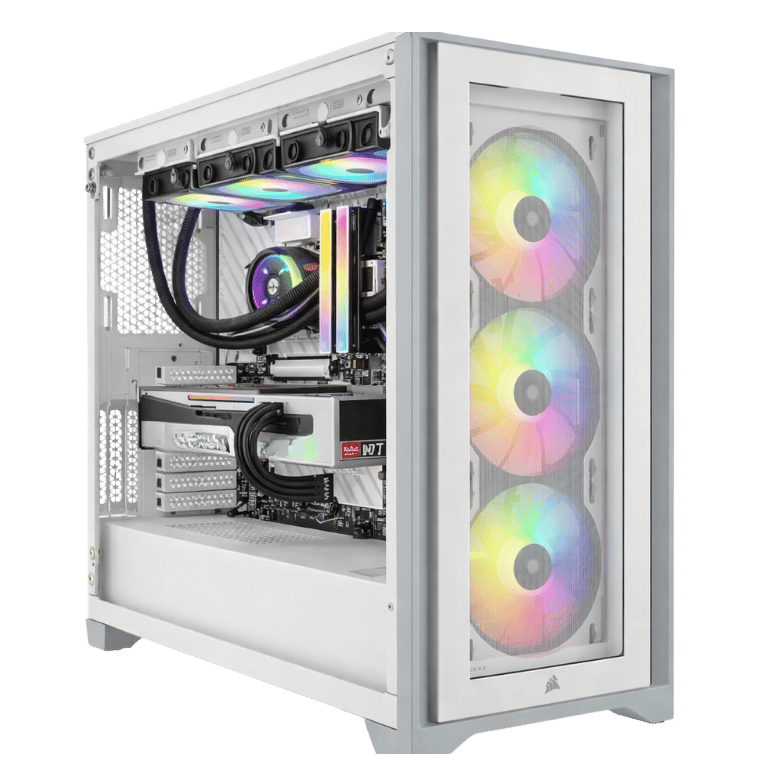
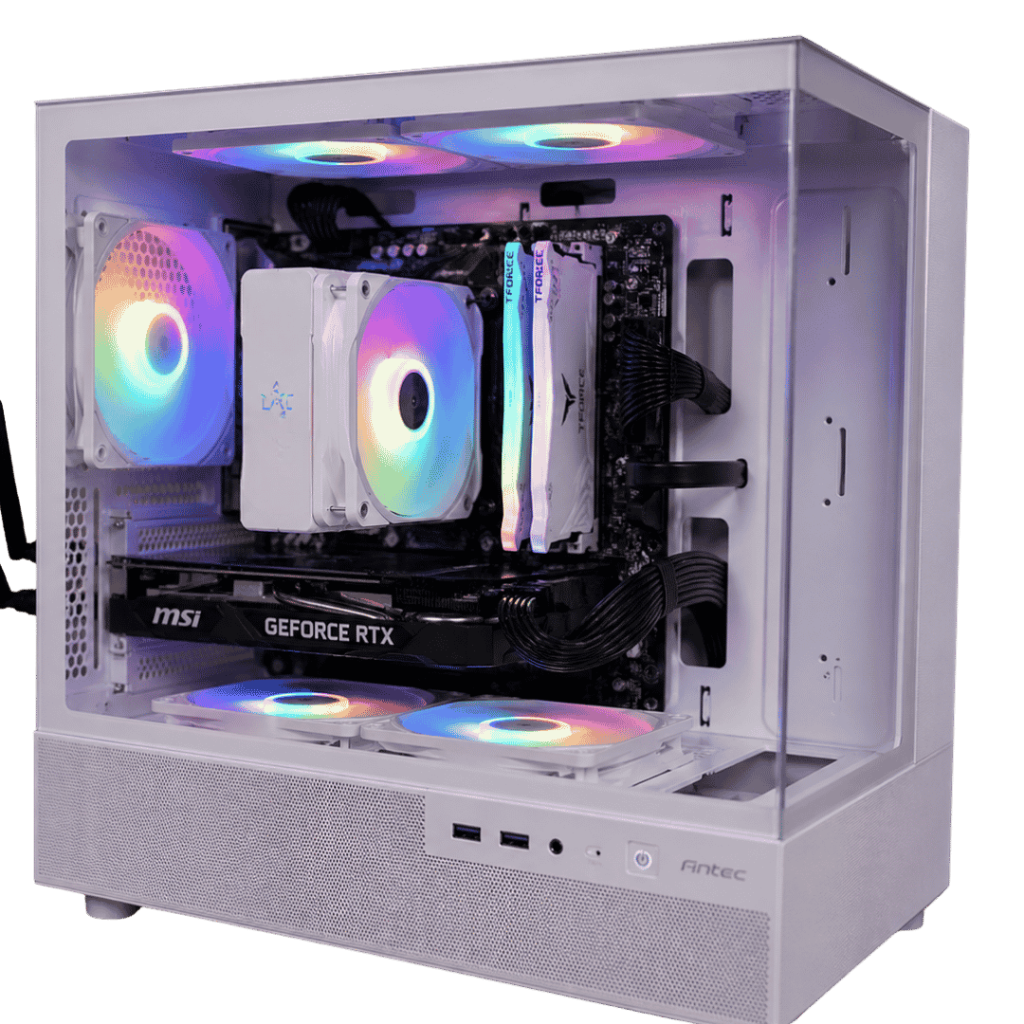
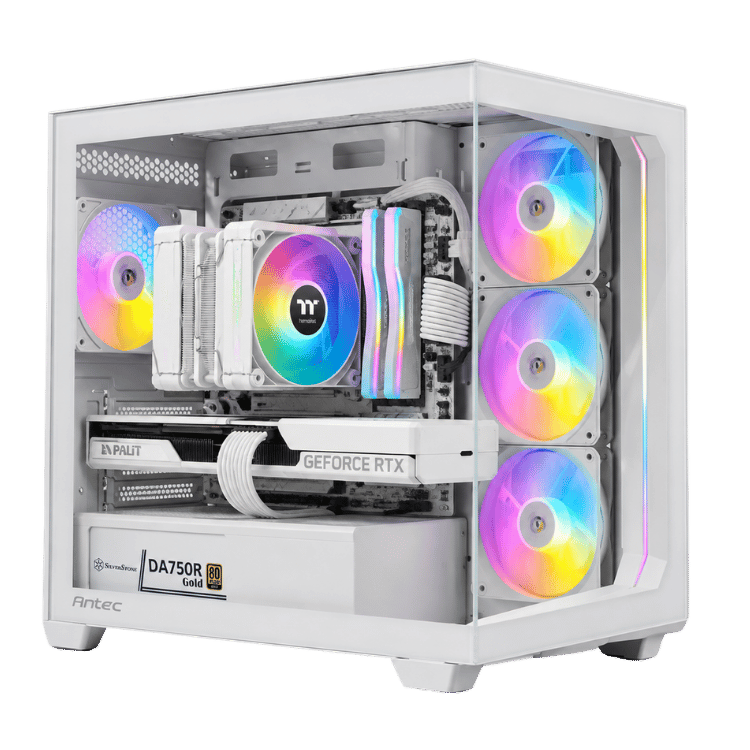
The Vision White Esports is a Fortnite gaming PC built around what competitive players actually care about: high frame rates that stay high when the action gets busy. It pairs AMD’s Ryzen 7 7800X3D, one of the best esports processors you can buy, with a Palit GeForce RTX 5070 12GB, 32GB of DDR5 and a fast NVMe drive, all in a clean white Antec C5 case.
It arrives with Windows 11 Home installed and activated, drivers ready, and every part stress-tested in our Sydney workshop.
Who this esports PC is for
- Fortnite players who want smooth, high frame rates in build fights and end-game circles
- Valorant, CS2, Apex Legends, Overwatch 2, Rocket League and Marvel Rivals players
- anyone on a 1440p or 1080p monitor at 165Hz, 240Hz or higher
- gamers who want a white setup that looks as sharp as it plays
Why the 7800X3D makes a great gaming PC for Fortnite
Average frame rate is only half the story in competitive games. What really matters is how steady it stays when lots is happening on screen: a late-game storm circle full of players, explosions and building. Those moments lean heavily on the processor.
The Ryzen 7 7800X3D has AMD’s 3D V-Cache, a large slab of extra cache stacked with the cores. Games reuse small pieces of data constantly, and keeping more of it close by means fewer stalls. The result is stronger minimum frame rates, which you feel as smoother, more consistent gameplay. That’s why it’s a favourite for any esports PC. AMD has the full details on its Ryzen 7 7800X3D page.
RTX 5070 with DLSS 4 and Reflex
The GeForce RTX 5070 has 12GB of GDDR7 and supports DLSS 4 and NVIDIA Reflex. Reflex reduces system latency, so your clicks reach the screen faster, which you can feel in fast shooters. It’s switched on in the settings of most competitive games, including Fortnite. At 1440p, the RTX 5070 also has plenty of power for high settings in single-player games.
Vision White Esports specifications
| Processor | AMD Ryzen 7 7800X3D, 8 cores / 16 threads |
|---|---|
| Graphics card | Palit GeForce RTX 5070 12GB OC |
| Memory | 32GB (2 × 16GB) Corsair Vengeance RGB DDR5-6000, white |
| Storage | Kingston NV3 1TB PCIe 4.0 NVMe SSD |
| Motherboard | Gigabyte B850M EAGLE WIFI6E ICE (Wi-Fi 6E and Bluetooth) |
| CPU cooler | Thermaltake ASTRIA 600 ARGB dual-tower, white |
| Case | Antec C5 ARGB, white |
| Power supply | SilverStone DA750R 750W 80+ Gold, fully modular |
| Operating system | Windows 11 Home, installed and activated |
What to expect from this Fortnite gaming PC
- Fortnite: very high frame rates at 1440p with competitive settings, and great visuals with higher settings if you prefer.
- Valorant and CS2: frame rates well beyond what most monitors can show.
- Apex Legends, Overwatch 2 and Marvel Rivals: high, steady frame rates at 1440p.
- Single-player games: high settings at 1440p with DLSS in the heaviest titles.
We don’t publish frame-rate charts because they change with every patch and season. Ask us about your games and we’ll give you an honest answer.
Best settings for your Fortnite gaming PC
A few tweaks get the most out of a Fortnite gaming PC:
- Rendering mode: try DirectX 12 for the best visuals, or Performance mode if you want the highest possible frame rates.
- NVIDIA Reflex: set it to On + Boost for the lowest latency.
- Frame rate limit: match or slightly exceed your monitor’s refresh rate.
- View distance: keep it high so you can spot players at range; drop shadows and post-processing first if you want more frames.
We’re happy to walk you through these on live chat after it arrives.
32GB of DDR5 and 1TB of storage
Two 16GB Corsair Vengeance RGB sticks give you 32GB of DDR5-6000 in dual-channel mode, with the memory profile enabled so it runs at its rated speed. That’s plenty for gaming with Discord, a browser and OBS open. The Kingston NV3 1TB PCIe 4.0 SSD gives fast boot and load times, and the motherboard has a spare slot when your library grows.
Quiet air cooling and a white Antec C5 for a clean esports PC
The Thermaltake ASTRIA 600 ARGB is a large white dual-tower air cooler with plenty of capacity for the 7800X3D. There’s no pump to maintain, and it stays quiet through long sessions. The Antec C5 ARGB is a white panoramic case with glass across the front and side and ARGB fans that feed cool air to the graphics card. With the white Gigabyte ICE motherboard, white Corsair memory and white SilverStone power supply, the whole build looks clean and consistent.
More than a Fortnite gaming PC
Fortnite is where a lot of people start, but this system is just as good for everything else. Valorant and CS2 run at frame rates far beyond most monitors. Apex Legends, Warzone, Overwatch 2 and Marvel Rivals all play smoothly at 1440p. For single-player games like Cyberpunk 2077, Hogwarts Legacy or Forza Horizon 5, the RTX 5070 runs high settings at 1440p, with DLSS for the heaviest titles. And because it’s built on AMD’s AM5 platform, you can drop in a faster Ryzen processor down the track without replacing the motherboard.
Upgrades down the track
The most common upgrades for this esports PC are a second NVMe SSD for a bigger game library and, later, a faster graphics card. The 750W Gold power supply has headroom, and the motherboard has spare slots for memory and storage.
Streaming on an esports PC
The RTX 5070’s NVENC encoder handles streaming on the graphics card, so your frame rate barely drops when you go live. The 7800X3D keeps the game smooth, and 32GB of memory leaves room for OBS, alerts and chat. If you stream Fortnite or Valorant, this is a great single-PC setup.
Choosing a monitor
For competitive play, a 1440p 240Hz monitor is the sweet spot for this build. If you mostly play Fortnite or Valorant and want every frame, a 1080p 360Hz screen also works well. Plug it into the graphics card’s DisplayPort output and set the refresh rate in Windows, which is the most common thing people miss after unboxing.
Why buy a prebuilt gaming PC for Fortnite?
Competitive players want to play, not troubleshoot. When you buy a gaming PC for Fortnite from us, the BIOS is configured, the memory profile is enabled, Windows and drivers are installed, and the whole system is stress-tested before it ships. That means no stutters from memory running at the wrong speed and no missing drivers on day one. If anything goes wrong later, you have one place to contact.
1440p or 1080p for esports?
Both work well on this esports PC. At 1080p you’ll get the highest possible frame rates, which some pro players prefer. At 1440p the image is noticeably sharper, which helps you spot players at range, and the 7800X3D and RTX 5070 still deliver very high frame rates. Most of our customers choose a 27-inch 1440p 240Hz monitor as the best balance.
When it arrives
- Remove any packing material from inside the case.
- Connect your monitor to the RTX 5070’s DisplayPort output and plug into a surge-protected power board.
- Run Windows Update and install the latest NVIDIA driver.
- Set your monitor to its full refresh rate in Windows display settings.
- Install Fortnite through the Epic Games Launcher and turn on NVIDIA Reflex.
How it compares with our other builds
- Vision Vector: the same 7800X3D and RTX 5070 pairing in a black Lian Li case with liquid cooling.
- Vision Vector Lite: an RTX 5070 with a Ryzen 5 7500F, for a lower price.
- Vision Absolute Zero: a white RTX 5070 Ti build for more 1440p and 4K headroom.
Built and tested in Sydney
- BIOS configured and memory profile enabled
- Windows 11 Home installed and activated, with all drivers
- processor and graphics card stress-tested together while we check temperatures
- fan curves and lighting set, cables tidied and secured
We deliver Australia-wide, including regional areas.
Fortnite gaming PC FAQs
Is the 7800X3D good for Fortnite?
Yes, it’s one of the best processors for Fortnite and other esports titles, thanks to its large cache and strong minimum frame rates.
Can it run Fortnite at 1440p?
Yes, at very high frame rates with competitive settings, or with higher visual settings if you prefer.
Is this a good gaming PC for Fortnite and streaming at the same time?
Yes. The RTX 5070’s NVENC encoder handles the stream, and 32GB of memory leaves room for OBS, so your Fortnite gaming PC stays smooth while you’re live.
Does it come with Windows?
Yes, Windows 11 Home is installed and activated.
Is 12GB of video memory enough?
For esports titles and 1440p gaming, yes. Competitive games use far less than 12GB, and most single-player games run well at 1440p. For 4K or heavy texture packs, an RTX 5070 Ti with 16GB is the step up.
Does it have Wi-Fi?
Yes, Wi-Fi 6E and Bluetooth are built in, plus wired Ethernet.