Description
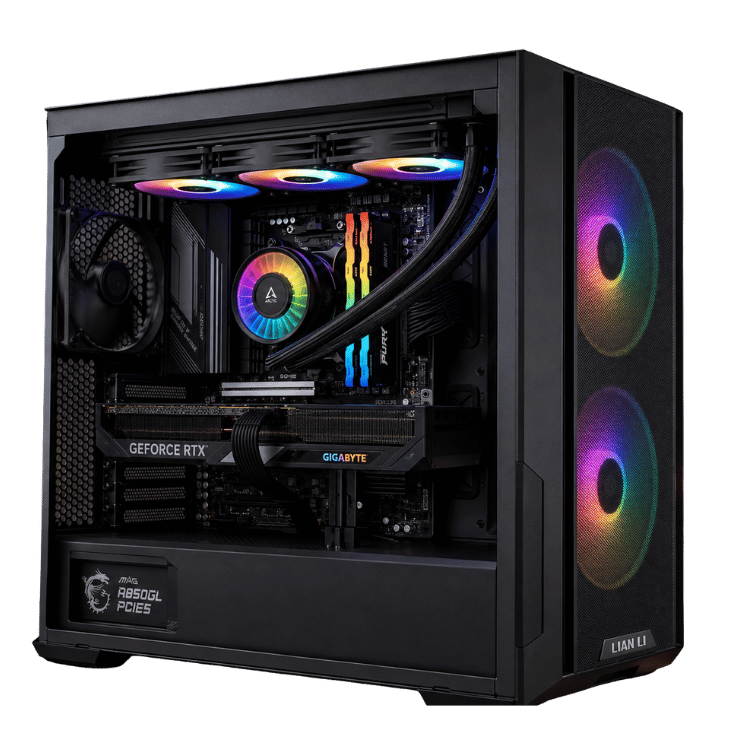
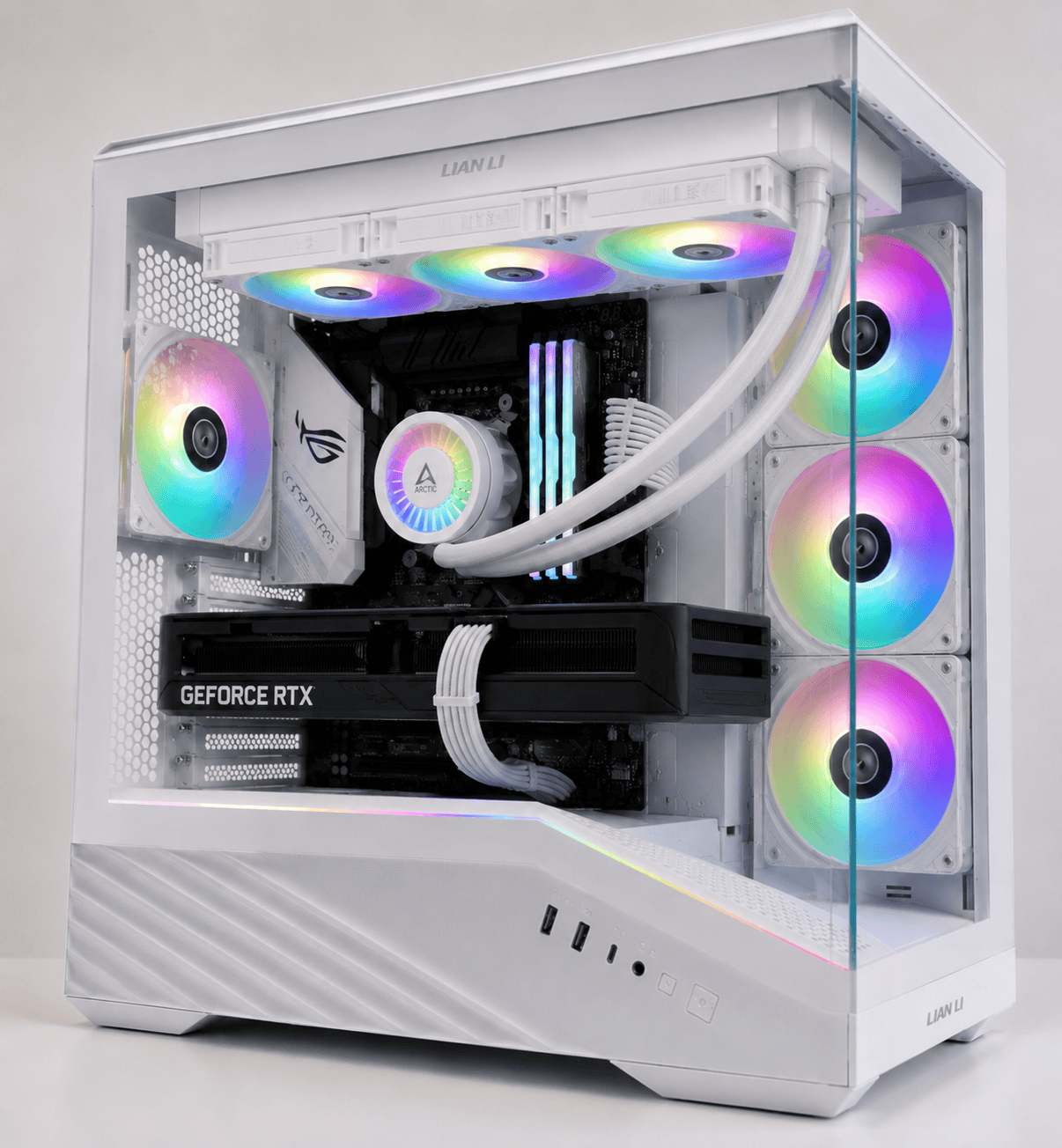
The Vision Arctic Apex is a liquid cooled gaming PC built around two things: an RTX 5080 that runs 4K games properly, and a cooling setup that keeps the whole system calm while it does it. A 360mm ARCTIC Liquid Freezer III Pro sits up top, four more ARGB fans move air through a Lian Li Vector V100R case, and the Ryzen 7 7800X3D underneath is one of the quickest gaming processors you can buy.
It arrives with Windows 11 Pro installed, drivers ready and every part tested in our Sydney workshop.
Who the Arctic Apex is for
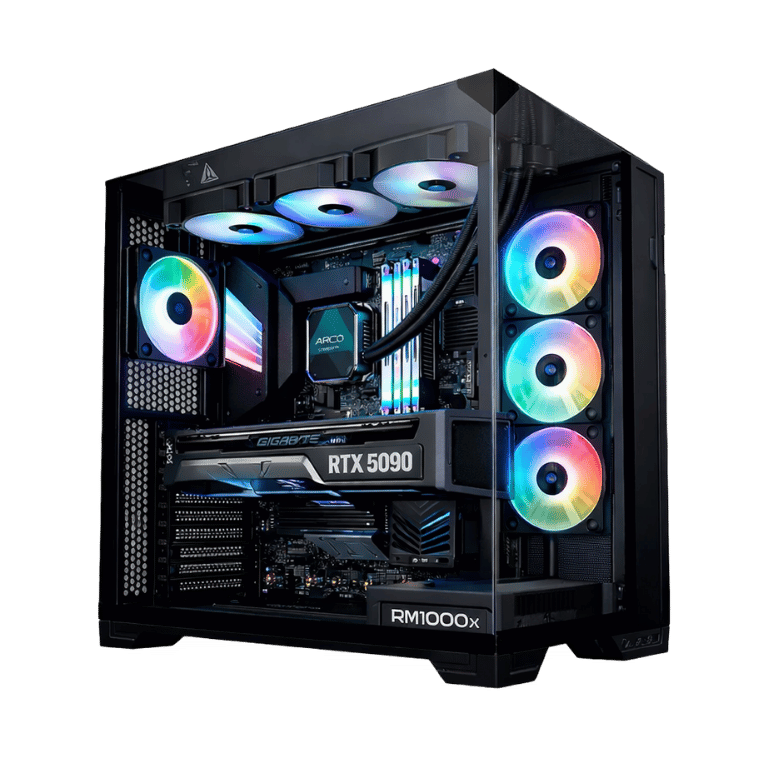
This liquid cooled gaming PC suits people who want serious 4K performance and also care about how their setup looks and sounds. The glass panels show off the cooler, memory and graphics card, and the radiator lets the fans spin slowly for most of the day.
- 4K gamers who want high settings in new releases
- 1440p high-refresh players who want frame rates to stay steady
- anyone who wants a quiet, good-looking RTX 5080 desktop for a bedroom or study
Liquid cooled or water cooled: what you’re actually getting
People search for a water cooled gaming PC and a liquid cooled gaming PC interchangeably, and they mean the same thing. The coolant is mostly water with additives that stop corrosion and growth.
There are two kinds. A custom loop uses separate tubes, reservoir and blocks that you maintain and refill yourself. An all-in-one (AIO) cooler, which is what the Arctic Apex uses, is sealed at the factory. There’s nothing to top up, nothing to drain, and the risk of leaks is very low. You get most of the benefit of water cooling without the upkeep.
The cooler pulls heat off the processor and moves it to a 360mm radiator, where three fans push it out of the case. Because the radiator has so much surface area, those fans don’t need to spin fast. That’s the main reason a liquid cooled gaming PC is quieter than an air-cooled one under long gaming sessions.
Why ARCTIC’s Liquid Freezer III Pro
We use ARCTIC’s Liquid Freezer III Pro because it consistently performs at the top of its class for the money. It has a thick radiator, an efficient pump, and a small fan on the pump block that blows air over the motherboard’s power circuitry, which helps keep the area around the processor cool too. The A-RGB version adds lighting that you can sync with the rest of the system or turn off.
Vision Arctic Apex specifications
| Processor | AMD Ryzen 7 7800X3D, 8 cores / 16 threads |
|---|---|
| Graphics card | ASUS PRIME OC GeForce RTX 5080 16GB GDDR7 |
| CPU cooler | ARCTIC Liquid Freezer III Pro A-RGB 360mm AIO |
| Memory | 32GB (2 × 16GB) Kingston FURY Beast RGB DDR5-6000 CL36 |
| Storage | 2TB Crucial E100 PCIe 4.0 NVMe SSD |
| Motherboard | MSI B650M Gaming Plus WiFi (Wi-Fi and Bluetooth) |
| Case | Lian Li Vector V100R |
| Fans | 7 × ARGB (3 on the radiator, 4 × 120mm case fans) |
| Power supply | MSI MAG A850GL PCIE5 850W 80+ Gold |
| Operating system | Windows 11 Pro |
RTX 5080 desktop performance
The GeForce RTX 5080 is NVIDIA’s second-fastest consumer card, with 16GB of GDDR7 and support for DLSS 4. You can read the full details on NVIDIA’s RTX 5080 page. In everyday terms:
- 4K: high or ultra settings in most current games, with DLSS keeping the heaviest ray-traced titles smooth.
- 1440p: very high frame rates in Fortnite, Valorant, CS2 and Apex Legends, ideal for a 240Hz screen.
- Sims and VR: the 7800X3D’s large cache helps in CPU-heavy racing and flight sims, and the card has room for VR headsets.
We don’t publish frame-rate charts, because they change with every patch. If there’s a game you play most, ask us on live chat and we’ll tell you what to expect from this RTX 5080 desktop.
Temperatures and noise
Inside a liquid cooled gaming PC, the processor’s heat goes straight to the radiator and out of the case instead of warming up the air around the graphics card. The result is a system that stays at sensible temperatures through long sessions, with fans that rise gradually rather than suddenly.
We set the fan curves before shipping. At the desktop you’ll barely hear it. In a demanding game you’ll hear a gentle rush of air, not a whine. If you prefer, the lighting can be switched off for a darker, quieter-looking setup.
Liquid or air: which suits you?
Air coolers are simple and reliable, and for a mid-range system they’re often all you need. The case for a liquid cooled gaming PC gets stronger as the hardware gets more powerful and the sessions get longer.
- Choose liquid if you play for hours at a time, want lower noise under load, or want a clean look through the glass without a big metal heatsink in the way.
- Choose air if you want the simplest possible setup and don’t mind a little more fan noise when gaming.
With an RTX 5080 and a case designed to show the hardware off, liquid is the natural fit, which is why we built the Arctic Apex this way.
Power use
The 7800X3D is a very efficient processor, so most of this system’s power goes to the graphics card. During heavy gaming an RTX 5080 desktop like this one typically draws somewhere around 400 to 500 watts at the wall, and far less when you’re browsing or watching videos. The 850W Gold power supply has a native PCIe 5 connector for the card and plenty of headroom, so it stays cool and quiet too.
Memory and storage
The 32GB Kingston FURY Beast kit runs at 6000MT/s CL36, the sweet spot for Ryzen 7000 processors, and we enable its memory profile in the BIOS so you get the rated speed. The 2TB Crucial E100 is a PCIe 4.0 NVMe drive with room for Windows and a good-sized game library. There’s space on the motherboard for another NVMe drive when you need it.
Choosing a monitor
To get your money’s worth, pair this liquid cooled gaming PC with a screen that can show what it does. A 4K monitor at 144Hz or above is the natural partner. If you mostly play competitive shooters, a 1440p 240Hz screen gives you the smoothest experience. Plug into the graphics card’s DisplayPort or HDMI 2.1 output, not the motherboard, and set the refresh rate in Windows.
Built and tested in Sydney
Every water cooled gaming PC we ship goes through the same process:
- BIOS updated and memory profile enabled
- radiator mounted with the pump and tubing checked for correct orientation
- Windows 11 Pro, chipset and graphics drivers installed
- CPU and GPU stress-tested together while we watch temperatures
- fan curves and ARGB lighting configured, cables tidied and secured for transport
We deliver Australia-wide, including regional areas.
When your liquid cooled gaming PC arrives
- Open the side panel and remove any packing material from inside the case.
- Connect your monitor to the RTX 5080’s outputs and plug the power cable into a surge-protected power board.
- Sign in to Windows, run Windows Update, and install the latest NVIDIA driver.
- Choose a lighting profile, or turn the RGB off if you prefer a darker setup.
Looking after your water cooled gaming PC
There’s very little to do. Every couple of months, check the dust filters and give them a quick clean. Once or twice a year, blow the dust out of the radiator fins with a can of compressed air while the PC is switched off. Keep the case a few centimetres away from walls so the radiator fans can breathe, and keep your graphics driver updated through the NVIDIA app.
If you ever notice a new noise, like a rattle or gurgle, or temperatures that seem higher than usual, message us before you start taking things apart. A small amount of pump noise in the first few days is normal while any air in the loop settles.
How it compares with our other RTX 5080 builds
The Best Value RTX 5080 Gaming PC uses the same processor and graphics card in a high-airflow LANCOOL case, if you prefer mesh to glass. The Vision X steps up to the Ryzen 7 9800X3D and 64GB of memory. You’ll find the rest in our 4K gaming PC range.
Liquid cooled gaming PC FAQs
Will an AIO cooler leak?
Leaks from quality sealed AIO coolers are very rare. The loop is closed at the factory, and we check the tubing and fittings during the build and again after stress-testing.
Do I need to top up or maintain the coolant?
No. An AIO is sealed for life. All you need to do is dust the radiator and filters every few months.
Is a liquid cooled gaming PC quieter than air cooling?
Usually, yes, under long gaming loads. The large radiator lets the fans run slower for the same temperatures.
Does it have Wi-Fi and Bluetooth?
Yes, both are built into the MSI B650M Gaming Plus WiFi motherboard, along with wired Ethernet.
Is the RTX 5080 good for 4K?
Yes. It handles most current games at 4K on high settings, and DLSS gives extra headroom in the most demanding ones. It’s the card we recommend for most 4K buyers.
Is a water cooled gaming PC worth it over air cooling?
For a high-end system you’ll use for long sessions, we think so. You get lower noise, steadier temperatures and a cleaner look through the glass.
Can I change the case colour?
Message us before ordering and we’ll confirm the case colours we can supply for this build.