Description
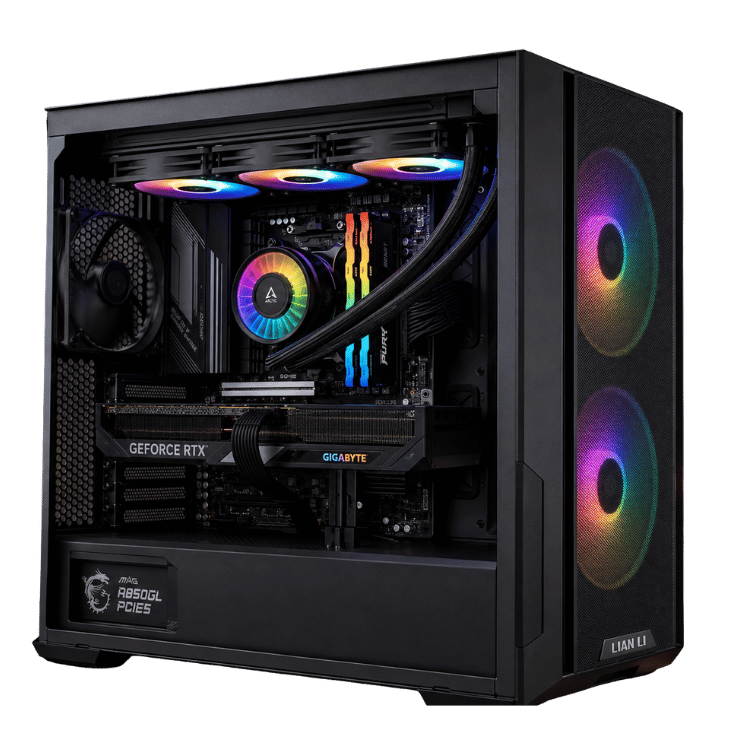
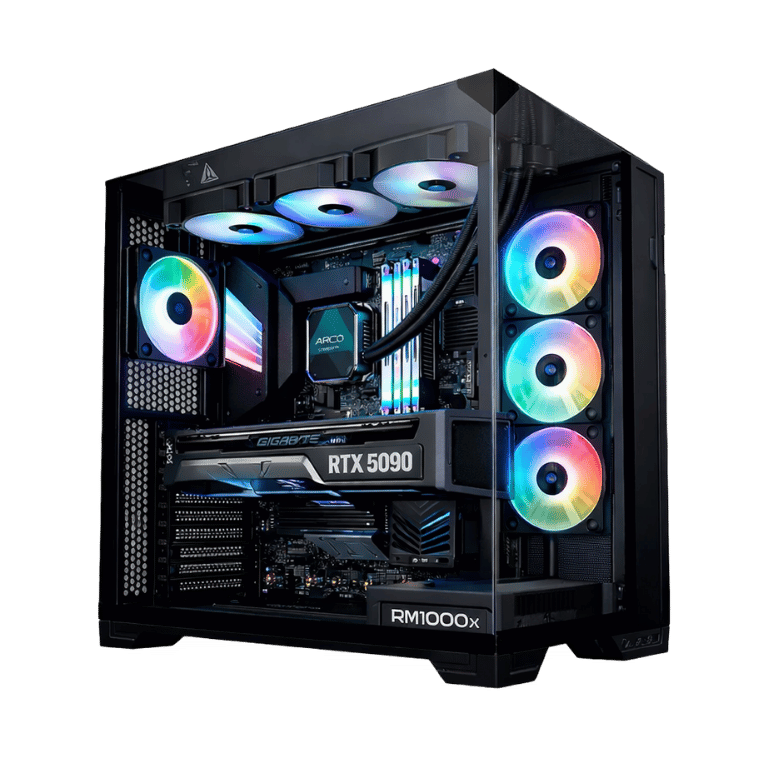
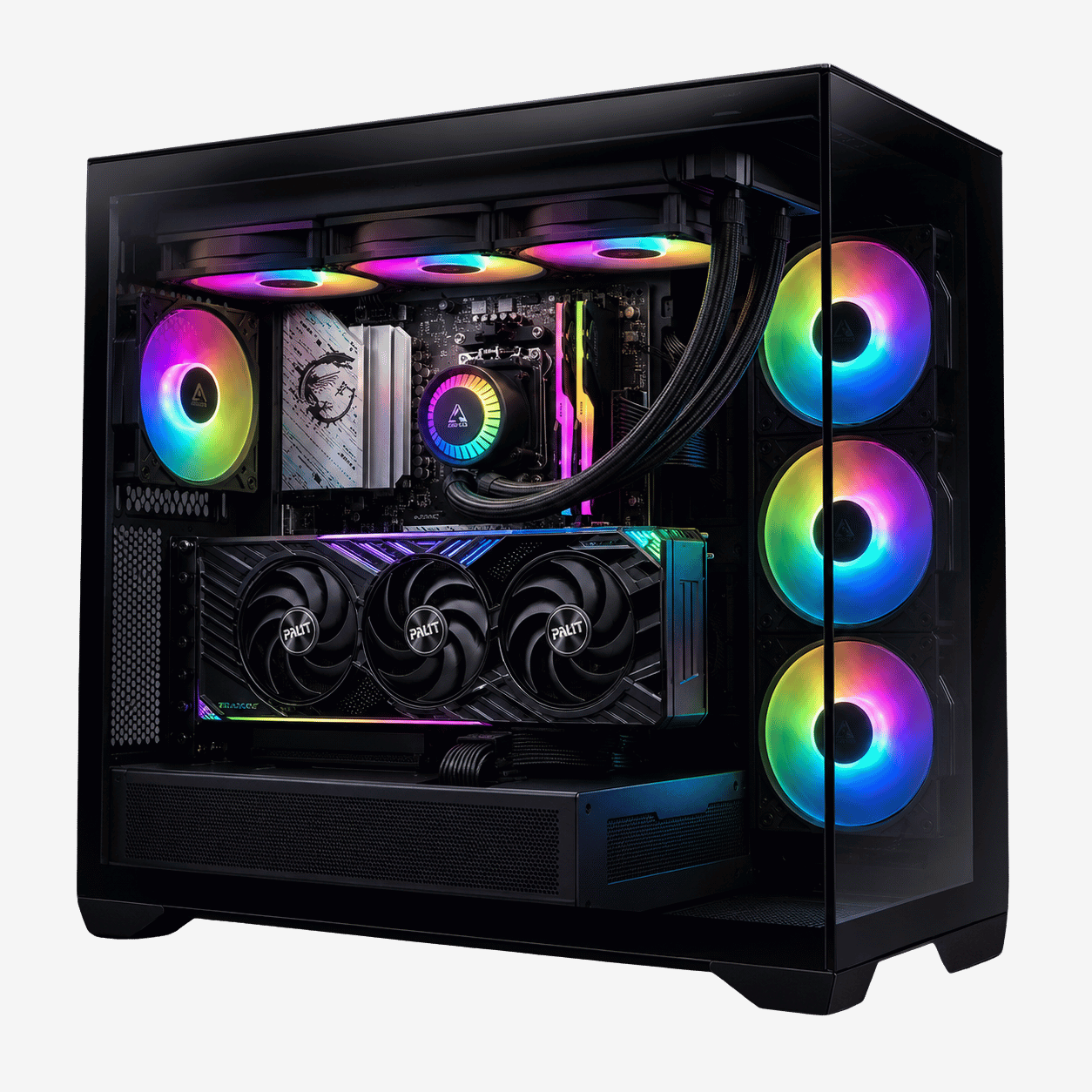
The Vision X is the RTX 5080 PC we point people towards when they want proper 4K gaming without fiddling with settings every time a new game comes out. Inside is an AMD Ryzen 7 9800X3D, an ASUS PRIME GeForce RTX 5080 16GB, 64GB of DDR5, a 2TB Samsung NVMe drive and a 360mm ARCTIC liquid cooler, all in a Lian Li O11 Vision Compact with glass on three sides.
We build every one by hand in our Sydney workshop, tune the BIOS, install the drivers and stress-test it before it’s packed. This page covers what this 5080 PC is good at, where it’s more than you need, and the questions people usually ask us before they order.
What the Vision X RTX 5080 PC is built for
Most people buying at this level fall into one of three camps. Some have a 4K monitor or a big OLED TV and want games to look the way the developers intended. Some play fast shooters on a 240Hz or 360Hz 1440p screen and care about every frame. And some do a bit of both, then open OBS or Premiere Pro when they’re done.
The Vision X handles all three. The RTX 5080 has the muscle for 4K with ray tracing switched on, especially once DLSS is doing its job, and the 9800X3D is the quickest gaming processor AMD makes, so high-refresh play doesn’t get held back by the CPU.
Where an RTX 5080 PC makes less sense is if you only play older esports titles at 1080p. You’d be paying for performance you can’t see. A build from our 1440p gaming PC range would suit you better and leave money for a nicer monitor.
Why a 9800X3D PC pairs so well with the RTX 5080
AMD’s X3D processors stack an extra slab of cache memory directly on top of the cores. Games constantly shuffle small chunks of data around, and having more of it sitting right next to the cores means the processor spends less time waiting. You notice it most in minimum frame rates: the dips that happen when lots of players, physics or AI are on screen at once get smaller and less frequent.
That matters with a card as strong as the RTX 5080. Pair it with a mid-range processor and, in plenty of games, the graphics card ends up idling while the CPU catches up. In a 9800X3D 5080 PC neither part is holding the other back, which is what you want after spending this much.
For the technical details on the graphics card itself, NVIDIA’s RTX 5080 page covers DLSS 4, ray tracing and the full card specifications.
Vision X RTX 5080 PC specifications
| Processor | AMD Ryzen 7 9800X3D, 8 cores / 16 threads |
|---|---|
| Graphics card | ASUS PRIME GeForce RTX 5080 16GB GDDR7 |
| Memory | 64GB Lexar THOR RGB DDR5-6000 CL36 (4 × 16GB) |
| Storage | Samsung 990 EVO Plus 2TB NVMe SSD |
| Motherboard | MSI B650M Gaming Plus WiFi (Wi-Fi and Bluetooth) |
| CPU cooler | ARCTIC Liquid Freezer III Pro A-RGB 360mm |
| Case | Lian Li O11 Vision Compact, black |
| Fans | 7 × 120mm ARGB (3 on the radiator, 4 case fans on a hub) |
| Power supply | SilverStone Triton 850Rx 850W 80+ Gold |
With four memory sticks installed, the final memory speed is set during stability testing.
What to expect from this RTX 5080 PC in real games
We’d rather not quote frame-rate numbers, because they change with every driver, patch and settings menu. Here’s the honest picture instead.
- Big single-player games at 4K: high or ultra settings are realistic in most current releases. In the heaviest ray-traced games, turning on DLSS keeps things smooth without an obvious hit to image quality.
- Competitive shooters at 1440p: expect very high frame rates in games like Valorant, CS2, Apex Legends and Fortnite, comfortably enough to make use of a high-refresh monitor.
- Sims and strategy: flight sims, racing sims, city builders and grand strategy games lean hard on the processor. This is where a 9800X3D PC earns its keep.
- VR: the RTX 5080 has the headroom for modern headsets, including demanding sim racing and flight setups.
If one particular game matters to you, ask us on live chat and we’ll tell you what to expect from this 5080 PC before you buy.
Choosing a monitor for your 5080 PC
The quickest way to waste money on a high-end gaming PC is to plug it into an old 60Hz screen. A few pairings that work well with the Vision X:
- 4K at 144Hz to 240Hz: the natural match for an RTX 5080 PC. Sharp, smooth and within reach of the card in most games.
- 1440p at 240Hz or 360Hz: the pick for competitive players who want the lowest input lag.
- Ultrawide 3440 × 1440: great for sims and story games, and a little easier on the graphics card than full 4K.
Plug the monitor into the graphics card, not the motherboard, use a DisplayPort or HDMI 2.1 cable, and check that Windows is set to the screen’s full refresh rate. It sounds obvious, but it’s the most common thing we help people fix after delivery.
64GB of DDR5: when it actually matters
For gaming on its own, 32GB is enough today. We fit 64GB in this RTX 5080 PC because a lot of people who buy at this level don’t only game. Streaming while you play, keeping Chrome, Discord and a game open together, editing 4K video, running a heavily modded Skyrim or Cities: Skylines, or using virtual machines all chew through memory quickly.
The kit is four 16GB Lexar THOR RGB DDR5 sticks rated at 6000MT/s. With all four slots filled, we set the final speed during stability testing, because a system that’s rock solid matters more than a number on a box.
Storage, upgrades and what you can add later
The 2TB Samsung 990 EVO Plus is quick and roomy enough for Windows, your apps and a healthy library of modern games, which these days can run past 150GB each. When you need more space, the motherboard has room for extra NVMe storage.
The 850W SilverStone Triton is an 80+ Gold unit with headroom for the parts inside. AM5 is also a platform AMD has committed to supporting for a while yet, so a processor upgrade for your 9800X3D PC down the track is a real option rather than a full rebuild.
Cooling, noise and the Lian Li case
The O11 Vision Compact is a dual-chamber case. The power supply and most of the cabling sit in the rear chamber, which keeps the main window clean and leaves the graphics card with a clear supply of fresh air. With glass on three sides, this RTX 5080 PC looks good from just about any angle on a desk.
There are seven ARGB fans in total: three on the 360mm radiator and four case fans on a hub. We set sensible fan curves before shipping, so it stays quiet at the desktop and ramps up gradually under load. You’ll hear airflow when a demanding game is running, but not a whine or a rattle. The lighting can be changed in software or switched off entirely.
Power use and running costs
An RTX 5080 and 9800X3D system typically draws somewhere around 450 to 550 watts at the wall during heavy gaming, and far less when you’re browsing or watching videos. That sits well inside the 850W supply’s comfort zone, which also helps keep it quiet. If electricity prices are on your mind, it’s worth knowing the 9800X3D is an efficient chip for the performance it gives you.
Why we chose the supporting parts
The processor and graphics card get the attention, but the rest of a 5080 PC decides how it behaves day to day. Here’s the thinking behind the parts that don’t make the headline.
- MSI B650M Gaming Plus WiFi: a solid AM5 board with good power delivery for an eight-core chip, built-in Wi-Fi and Bluetooth, and no money wasted on overclocking features a 9800X3D doesn’t need.
- ARCTIC Liquid Freezer III Pro 360: one of the best-performing 360mm coolers around for the price. It keeps the processor cool with the fans running slowly, which is what keeps the system quiet.
- SilverStone Triton 850Rx: an 80+ Gold power supply with enough headroom that it never has to work hard, even with the RTX 5080 at full tilt.
- Samsung 990 EVO Plus: a fast, reliable NVMe drive from a brand with a strong track record, rather than an unnamed bulk drive.
- Lian Li O11 Vision Compact: a well-built dual-chamber case that shows the hardware off and is easy to work in when you upgrade.
None of these are the cheapest option, and that’s deliberate. An RTX 5080 PC should feel as solid in year three as it does on day one.
How this RTX 5080 PC compares with our other builds
We sell a few RTX 5080 systems, and each is aimed at a slightly different buyer:
- Best Value RTX 5080 Gaming PC: Ryzen 7 7800X3D and 32GB of memory, for buyers who want an RTX 5080 for less.
- Vision Arctic Apex: a liquid-cooled 7800X3D build in a panoramic Lian Li case.
- Vision Vortex: the same 9800X3D and RTX 5080 pairing in a white HYTE Y70.
- RTX 5090 gaming PC: for anyone who wants the very top of the range.
The Vision X sits in the sweet spot: the faster 9800X3D, double the usual memory, and a case that shows the hardware off properly.
Built and tested in Sydney
Every RTX 5080 PC we sell is put together by hand, not pulled off a pallet. Before the Vision X leaves us, we:
- set up the BIOS, memory profile and fan curves
- install the chipset and graphics drivers
- run memory stability tests
- stress-test the CPU and GPU together and check temperatures
- check every cable, fan and lighting connection
We deliver Australia-wide, including regional areas.
When your 9800X3D PC arrives
A few minutes of setup gets the best out of it:
- Open the side panel and remove any packing material from inside the case before you power it on.
- Connect your monitor to the RTX 5080’s ports, not the ports on the back of the motherboard.
- Install the latest graphics driver through the NVIDIA app.
- Set your monitor’s refresh rate in the display settings.
- Pick a lighting profile, or switch the RGB off if you prefer a darker setup.
Buying an RTX 5080 PC versus building one yourself
If you enjoy building, you can absolutely buy these parts and put them together at home. Plenty of our customers have done it before. The reasons people buy a built and tested RTX 5080 PC from us instead are usually practical ones.
Firstly, we deal with the compatibility details: BIOS versions, memory that actually runs at its rated speed, fan headers, radiator clearance and cable routing in a dual-chamber case. Secondly, the system is stress-tested as a whole, so a dud part is caught here rather than on your desk. And if something does go wrong later, you have one place to call instead of chasing four different manufacturers.
It also saves a weekend. Building, updating and testing a high-end 5080 PC properly takes longer than most people expect, especially with four memory sticks and a 360mm radiator involved.
Is a 5080 PC future-proof?
Nothing in PC hardware stays on top forever, but this is about as safe a bet as you can make right now. The RTX 5080 supports the latest DLSS features, which tend to extend a card’s useful life by years, and its 16GB of video memory is comfortable for 4K today.
The bigger long-term advantage is the platform. AM5, DDR5 and an 850W Gold power supply mean the core of this 9800X3D PC can carry a future graphics card or processor upgrade without starting again. Realistically, most people will get several years of high-settings gaming out of it before they even think about changing anything.
Content creation on a 9800X3D PC
The Vision X isn’t a dedicated workstation, but it’s very capable when the gaming stops. Premiere Pro and DaVinci Resolve use the RTX 5080’s hardware encoders and decoders for smooth timeline playback and fast exports. Blender’s Cycles renderer uses the card’s ray tracing hardware, and Photoshop and Lightroom run comfortably with 64GB of memory behind them.
Where you’d want something different is very heavy multi-core work, like long CPU renders or big code compiles running all day. The 9800X3D has eight cores, which is plenty for gaming and most creative work, but a 16-core chip finishes those jobs faster. Our workstation range is built around that kind of load.
Looking after your RTX 5080 PC
A little maintenance keeps it running cool and quiet for years:
- Leave a few centimetres of space around the case so the fans can breathe.
- Check the dust filters every couple of months and give them a quick clean.
- Keep your graphics driver updated, as new drivers regularly improve performance in recent games.
- Plug it into a decent surge-protected power board.
If anything ever seems off, like new noises, higher temperatures or crashes in one particular game, message us before you start pulling parts out. Most issues turn out to be settings or drivers.
Questions people ask before buying a 5080 PC
Can the Vision X run games at 4K?
Yes, that’s what it’s built for. Most current games run well at 4K on high settings, and DLSS gives you extra headroom in the really demanding ones. Exact frame rates depend on the game and the settings you choose.
Is 64GB of RAM overkill in a 5080 PC?
For gaming alone, 32GB is plenty. The extra 32GB earns its keep if you stream, edit video, run heavily modded games or keep a lot of apps open while you play.
Should I get the 9800X3D or the 7800X3D?
Both are excellent gaming chips. The 9800X3D is newer and a bit faster, particularly in CPU-heavy games and when you’re doing other work at the same time. If budget is tight, our 7800X3D builds give up surprisingly little in most games.
RTX 5080 or RTX 5090?
The RTX 5090 is faster and has 32GB of video memory, but it costs a lot more and draws more power. For most people gaming at 4K, an RTX 5080 PC is the better buy. The 5090 makes sense for 4K at very high refresh rates, heavy AI work or serious 3D rendering.
Can I stream and game at the same time?
Yes. The RTX 5080’s NVENC encoder handles the stream with very little impact on game performance, and 64GB of memory leaves plenty of room for OBS, chat and browser sources.
Can I upgrade this RTX 5080 PC later?
Yes. AM5, the 850W Gold power supply and room for more storage leave you options down the track, depending on what you add.
Does it have Wi-Fi and Bluetooth?
Yes. The MSI B650M Gaming Plus WiFi motherboard has both built in, along with wired Ethernet if you’d rather plug in.
Can I change parts before I order?
Get in touch before ordering and we’ll let you know what’s possible, such as more storage or a different colour scheme, and quote any difference in price.
Do you deliver outside Sydney?
Yes. We deliver Australia-wide, including Melbourne, Brisbane, Adelaide, Perth, Hobart, Darwin and regional areas.