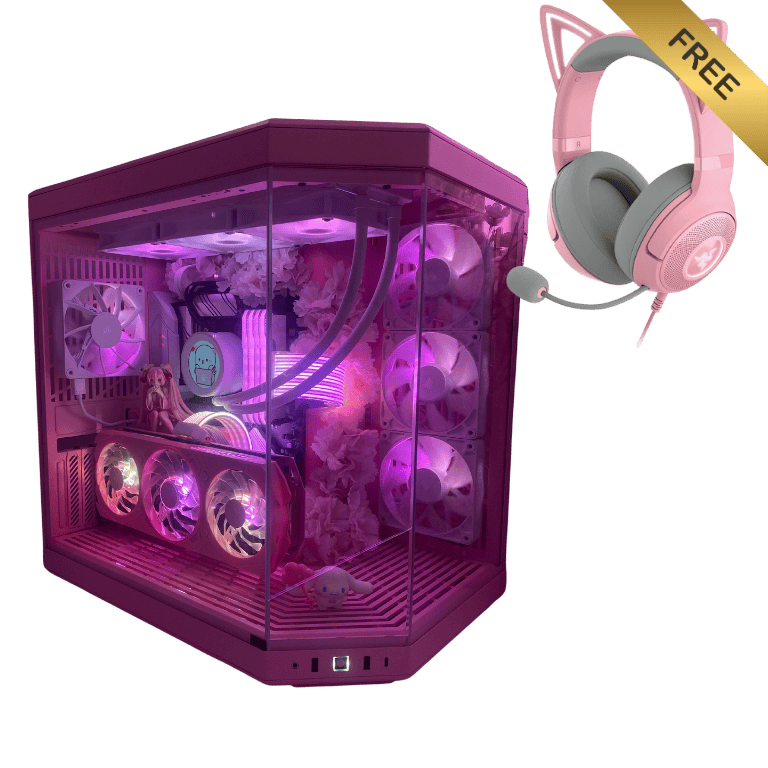
Description
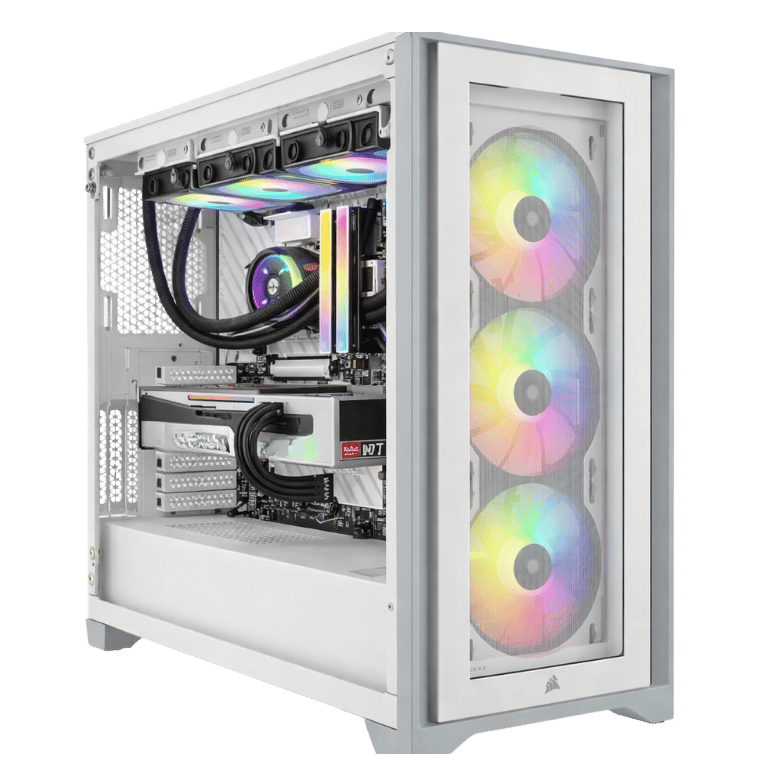
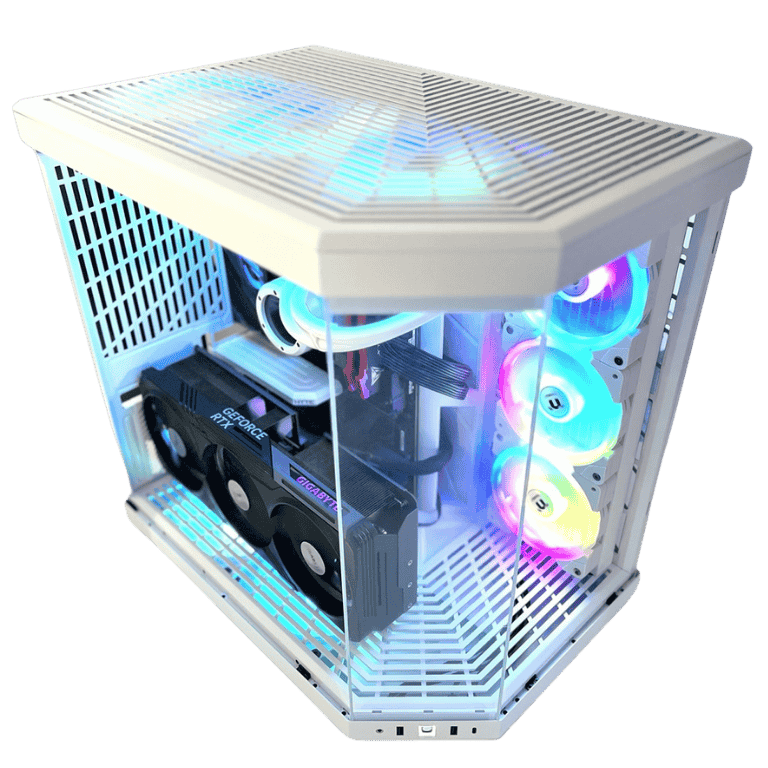
The Vision Vortex is the white gaming PC we build for people who want their desk setup to look as good as it plays. It’s built in a white HYTE Y70, a panoramic case with glass on the front and side, and inside is the same Ryzen 7 9800X3D and GeForce RTX 5080 pairing we use in our fastest 4K builds. Add 64GB of RGB DDR5, Wi-Fi 7 and a 360mm NZXT liquid cooler, and you have a system that’s as happy in a streaming setup as it is on a gaming desk.
Every Vortex is built by hand and stress-tested in our Sydney workshop. Below you’ll find what it’s good at, why we chose each part, and the questions people usually ask before buying a white PC.
Who this white gaming PC is for
Most people who buy this white gaming PC have already decided on two things: they want top-tier 4K performance, and they want a build that looks clean and bright rather than dark and aggressive. It suits:
- gamers putting together a white desk setup with matching peripherals, monitor arms and lighting
- streamers and content creators whose PC is visible on camera
- 4K and high-refresh 1440p players who want high settings in new releases
- anyone who wants a white PC that still feels fast in five years’ time
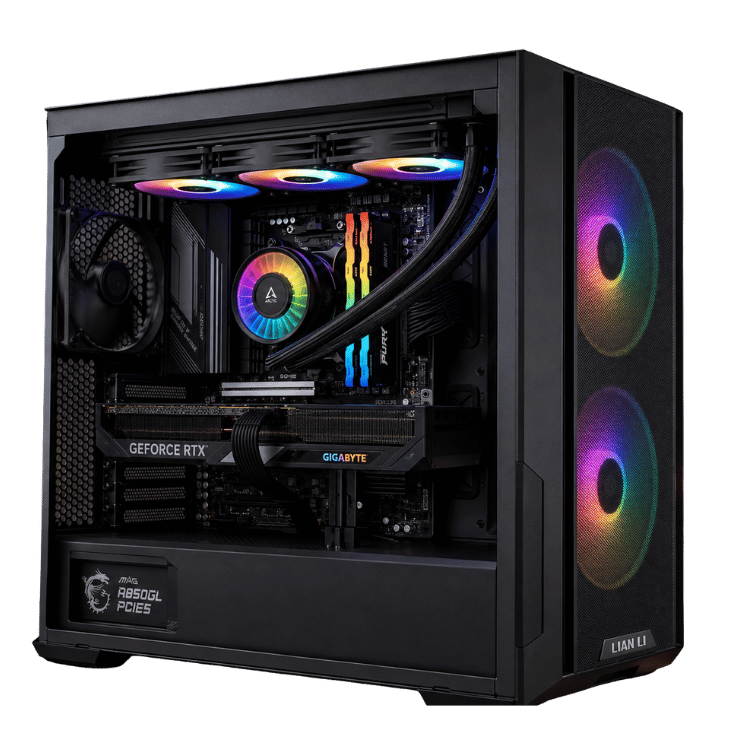
If you’d rather keep things dark, the Vision X RTX 5080 PC has the same processor and graphics card in a black Lian Li case.
White PC or black PC?
Performance is identical either way, so this is all about taste and the space your PC lives in. A white PC tends to suit bright rooms, light timber desks and minimal setups, and RGB lighting looks softer and more even bouncing off white panels. A black build hides dust a little better and suits darker gaming rooms. If you’ve been browsing desk setups and keep saving the white ones, that’s usually your answer.
One thing worth knowing: white versions of some parts cost a little more and can be harder to find, which is why a good white gaming PC is often priced slightly above the same parts in black. We source the white components so you don’t have to chase them.
Why we build it in the HYTE Y70
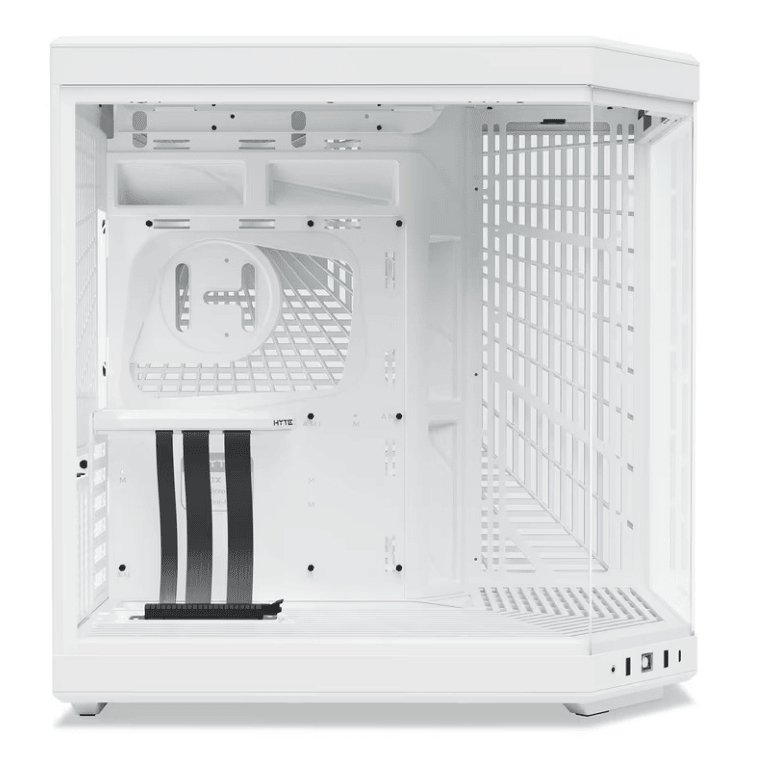
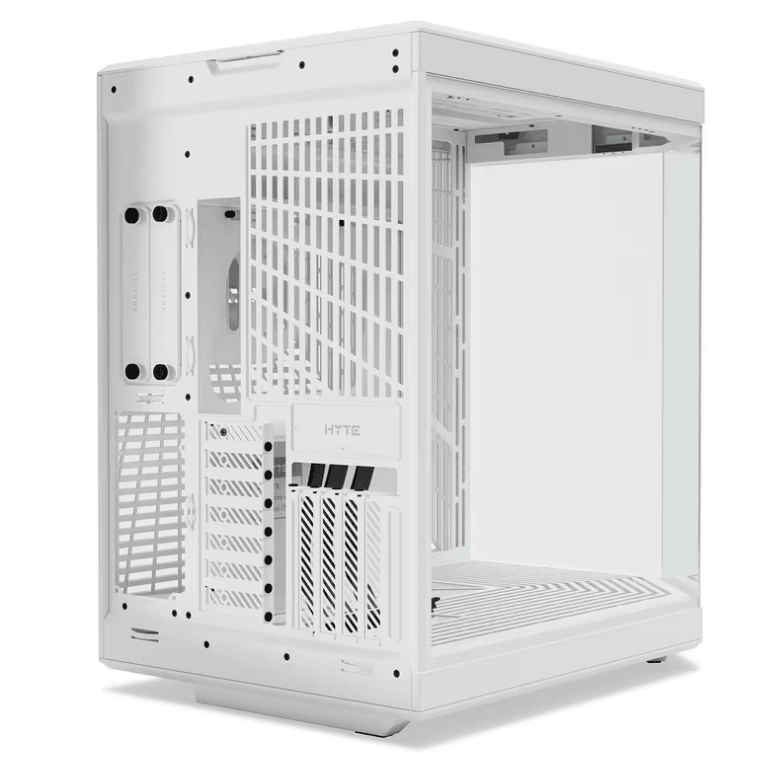
The HYTE Y70 is one of the best-looking cases you can buy, and it’s become the go-to choice for a white gaming PC for good reason. The front and side glass meet at a seamless corner with no pillar in the way, so you see the whole build from almost any angle.
It’s also designed around the graphics card. The Y70 presents the card face-on through the glass rather than hiding it on its side, which makes the RTX 5080 the centrepiece of the build. A dual-chamber layout tucks the power supply and cables behind the motherboard tray, so the main window stays tidy.
That’s why a HYTE Y70 PC looks so clean in photos: there’s very little visual clutter, just the components, the cooler and the lighting.
A 9800X3D and RTX 5080 inside a white PC
Looks are only half the story. The Ryzen 7 9800X3D is AMD’s fastest gaming processor, using a second-generation 3D V-Cache design that stacks extra cache memory directly with the cores. Games constantly reuse small pieces of data, and keeping more of it close by means fewer stalls and steadier frame rates. AMD lists the full specifications on its Ryzen 7 9800X3D page.
The GeForce RTX 5080 has 16GB of GDDR7 and supports DLSS 4, NVIDIA’s AI upscaling and frame generation. Together, the two parts mean this white gaming PC doesn’t trade performance for style.
Vision Vortex specifications
| Processor | AMD Ryzen 7 9800X3D, 8 cores / 16 threads |
|---|---|
| Graphics card | ASUS PRIME OC GeForce RTX 5080 16GB GDDR7 |
| Memory | 64GB (4 × 16GB) TEAMGROUP T-Force Delta RGB DDR5-7200 |
| Storage | Kingston NV3 2TB PCIe 4.0 NVMe SSD |
| Motherboard | ASUS ROG STRIX B850-A GAMING WIFI (Wi-Fi 7 and Bluetooth) |
| CPU cooler | NZXT Kraken Plus 360 RGB |
| Case | HYTE Y70, white |
| Power supply | SilverStone DA850R 850W 80+ Gold |
With four memory sticks installed, the final memory speed is confirmed during stability testing.
What to expect in games
We don’t publish frame-rate charts because they change with every driver and patch. Here’s an honest picture of how the Vortex plays:
- 4K: high or ultra settings in most current games. In heavy ray-traced titles, DLSS keeps things smooth without an obvious loss in image quality.
- 1440p high refresh: very high frame rates in Fortnite, Valorant, CS2, Apex Legends and Marvel Rivals, plenty for a 240Hz monitor.
- Sims and strategy: CPU-heavy games like Microsoft Flight Simulator, iRacing and Cities: Skylines II are where the 9800X3D really pulls ahead.
- VR: the RTX 5080 has the headroom for modern headsets, including demanding sim setups.
Tell us the games you play on live chat and we’ll give you a straight answer on how this white gaming PC will handle them.
64GB of fast DDR5 with RGB
We fit four 16GB TEAMGROUP T-Force Delta RGB sticks. They look great through the Y70’s glass, with wide light bars that suit a white build, and 64GB means you can game, stream and keep a dozen apps open without running short.
The kit is rated at 7200MT/s. With all four slots filled, AM5 systems don’t always hold speeds that high, so we test and set the fastest speed that’s completely stable on your system. A computer that never crashes is worth more than a number on a box, and in games the difference is small.
ASUS ROG STRIX B850-A and Wi-Fi 7
The ROG STRIX B850-A GAMING WIFI is ASUS’s silver-and-white styled board, which is exactly why we picked it for a white PC. It has strong power delivery for the 9800X3D, plenty of USB, multiple M.2 slots for extra storage, and Wi-Fi 7 with Bluetooth built in. If your router supports Wi-Fi 7, you’ll get excellent wireless speeds; if not, it works with older Wi-Fi standards too, and there’s wired Ethernet as well.
Streaming and content creation
Because so many Vortex owners stream or make videos, we built it to handle that comfortably. The RTX 5080’s NVENC encoder takes care of the stream on the graphics card, so your game barely notices when you go live. With 64GB of memory, OBS, browser sources, Discord and a game can all run together without slowdowns.
For editing, Premiere Pro and DaVinci Resolve use the RTX 5080’s hardware encoders and decoders for smooth 4K playback and quick exports. Blender’s Cycles renderer uses the card’s ray tracing hardware, and Photoshop runs well with plenty of memory behind it. The 9800X3D’s eight cores handle all of this nicely. If your work is mostly long CPU renders or code compiles running for hours, a 16-core system from our workstation range would finish those jobs faster.
Cooling: NZXT Kraken Plus 360 RGB
A 360mm NZXT Kraken Plus RGB keeps the 9800X3D cool and quiet. The radiator mounts up top, where its three RGB fans push warm air straight out of the case, and the Y70’s side fans bring fresh air in for the graphics card. Because the radiator is large, the fans rarely need to spin quickly, which keeps noise low through long gaming sessions.
It’s an all-in-one cooler, sealed at the factory, so there’s no coolant to top up or maintain. We set the pump and fan curves before shipping so the system is near-silent at the desktop and ramps up gradually when a game is working it hard.
Storage and power
The Kingston NV3 2TB is a PCIe 4.0 NVMe SSD with plenty of room for Windows, your apps and a good library of modern games. Since many new games are now over 100GB each, you might eventually want more, and the ROG STRIX board has spare M.2 slots for that.
Power comes from a SilverStone DA850R, an 850W 80+ Gold unit with comfortable headroom for the RTX 5080 and 9800X3D. During heavy gaming the whole system typically draws around 450 to 550 watts at the wall, well inside the supply’s comfortable range, so it stays cool and quiet too.
Lighting on your white PC
This white PC has RGB on the cooler fans, case fans and memory. We set a clean default profile before shipping, but you can change colours and effects in software, sync everything to one colour, or switch it all off. A lot of owners of a white gaming PC go for a single soft white or ice-blue glow, which makes the case look almost like a display piece. Others prefer full rainbow effects. Either way, it’s your call.
Keeping a white PC looking white
White cases show dust a little more than black ones, so a few minutes of care every couple of months keeps the Vortex looking new:
- wipe the glass with a microfibre cloth and a little glass cleaner sprayed onto the cloth, never directly onto the case
- clean the dust filters at the bottom and side of the case
- keep the PC off carpet and out of direct sunlight, which can fade some plastics over time
- once or twice a year, blow dust off the radiator and fans with compressed air while the PC is off
Building a white desk setup around it
A white PC looks its best with a few matching pieces around it. White or silver monitor arms, a white keyboard and mouse, and a desk mat in a light colour all help the setup feel finished. For the monitor itself, we’d suggest:
- 4K at 144Hz to 240Hz if you play story-driven games and want them to look their best
- 1440p at 240Hz or more if competitive shooters are your main thing
- ultrawide 3440 × 1440 for sims and immersive single-player games
Plug the monitor into the RTX 5080’s DisplayPort or HDMI 2.1 output, not the motherboard, and set the refresh rate in Windows.
Upgrading your white gaming PC later
This HYTE Y70 PC is built on AMD’s AM5 platform, which AMD has committed to supporting with new processors for a while yet. The ROG STRIX board has spare M.2 slots for more storage, and the Y70 has room for large graphics cards. If you want to upgrade the processor or add another SSD in a few years, it’s a simple job rather than a rebuild.
How the Vortex compares with our other builds
We build a few white and RTX 5080 systems. Here’s how they line up:
- Vision Ultra Phantom: a white RTX 5080 build with 96GB of memory in a Montech KING 95 PRO, for those who want even more memory.
- Vision Phantom 5090: our white RTX 5090 build, for 4K at the highest refresh rates.
- Vision Arctic Apex: a liquid-cooled RTX 5080 build with a Ryzen 7 7800X3D, at a lower price.
The Vortex is the balance point: the fastest gaming processor, a top 4K card, 64GB of memory and one of the most striking cases on the market.
Buying a white gaming PC versus building one
Plenty of people consider building their own white PC, and if you enjoy it, it’s a fun project. The tricky parts are availability and matching. White components are often out of stock or only sold by certain retailers, and the shades of white vary between brands, so a build can end up looking mismatched. Then there’s the cable management, BIOS tuning and testing, which take longer in a showcase case where every cable is on display.
When you buy a white gaming PC from us, we take care of all of that. The parts are chosen to match, the cables are routed neatly, the memory is tuned and the whole system is tested before it ships. And if anything goes wrong later, you have one place to contact.
Noise and temperatures
A showcase case can sometimes mean compromises on airflow, but the Y70 handles it well. Fans along the side and bottom feed the graphics card directly with cool air, while the radiator up top exhausts the processor’s heat. In practice, this HYTE Y70 PC stays at sensible temperatures through long sessions, with a soft hum under load rather than a whine. At the desktop or while watching videos, you’ll barely hear it.
Built and tested in Sydney
Every white gaming PC we sell is hand-built and tested before it goes out. For the Vortex, that means:
- BIOS updated, memory speed tuned and tested for stability with all four sticks
- chipset and graphics drivers installed
- processor and graphics card stress-tested together while we watch temperatures
- pump and fan curves set, lighting configured
- cables tidied and secured for transport
We deliver this white gaming PC Australia-wide, from Sydney to Perth, Darwin, Hobart and regional towns in between.
When your white gaming PC arrives
- Open the side panel and remove any packing material from inside the case.
- Connect your monitor to the graphics card and plug the PC into a surge-protected power board.
- Sign in to Windows, run Windows Update and install the latest NVIDIA driver.
- Pick a lighting profile, or switch the RGB off if you prefer.
- Connect to your Wi-Fi network, or plug in Ethernet for the most consistent online play.
White gaming PC FAQs
Is the whole build white?
The case, motherboard styling and lighting are built around a white theme. Some components, such as the graphics card, come in the colours the manufacturer makes them. If an all-white graphics card matters to you, message us before ordering and we’ll quote the options.
Can this white PC run games at 4K?
Yes. The RTX 5080 handles most current games at 4K on high settings, with DLSS for extra headroom in the most demanding ones.
Is 64GB of RAM worth it?
For gaming alone, 32GB is enough. The extra memory helps when you stream, edit video, run lots of apps at once or play heavily modded games.
Does it have Wi-Fi and Bluetooth?
Yes. The ASUS ROG STRIX B850-A has Wi-Fi 7 and Bluetooth built in, plus wired Ethernet.
Will the white case turn yellow?
Quality painted steel cases like the Y70 hold their colour well indoors. Keeping the PC out of direct sunlight is the best way to keep it bright for years.
Is a HYTE Y70 PC hard to upgrade?
No. The dual-chamber layout gives good access to the motherboard and drives, and there’s plenty of room for large graphics cards.
Do you deliver a white gaming PC Australia-wide?
Yes. We deliver to every state and territory, including regional areas, with the PC packed securely for transport.
Should I get the RTX 5080 or step up to an RTX 5090?
For most people gaming at 4K, the RTX 5080 is the better buy. The RTX 5090 is faster and has 32GB of video memory, but it costs a lot more and draws more power. It makes sense for 4K at very high refresh rates, serious 3D rendering or large AI models.
9800X3D or 7800X3D: is the difference noticeable?
At 4K the graphics card does most of the work, so the gap is small. The 9800X3D pulls ahead in CPU-heavy games like sims and strategy titles, and when you stream or multitask while gaming.
Can I customise the build?
Yes. Message us before ordering if you’d like more storage, a different memory amount or matching white peripherals, and we’ll quote any difference in price.