
Black Friday monitor deals are some of the most common discounts of the year, and some of the easiest to get wrong. Monitors come with a pile of numbers on the box, from refresh rates and response times to HDR badges and panel types, and the biggest discount isn’t always on the screen that suits your PC. A 4K monitor paired with an entry-level graphics card, or a 1080p screen on a high-end build, wastes money either way. Our guides to the best gaming monitor and 1080p vs 1440p explain the choices in more depth.
We’ll be upfront: we don’t sell monitors ourselves. We sell the PCs that plug into them, and we get asked about screens all the time. So this guide is purely about helping you choose well: resolution, refresh rate, panel types, HDR, ports and, most importantly, how to match a monitor to your graphics card.
Quick answer
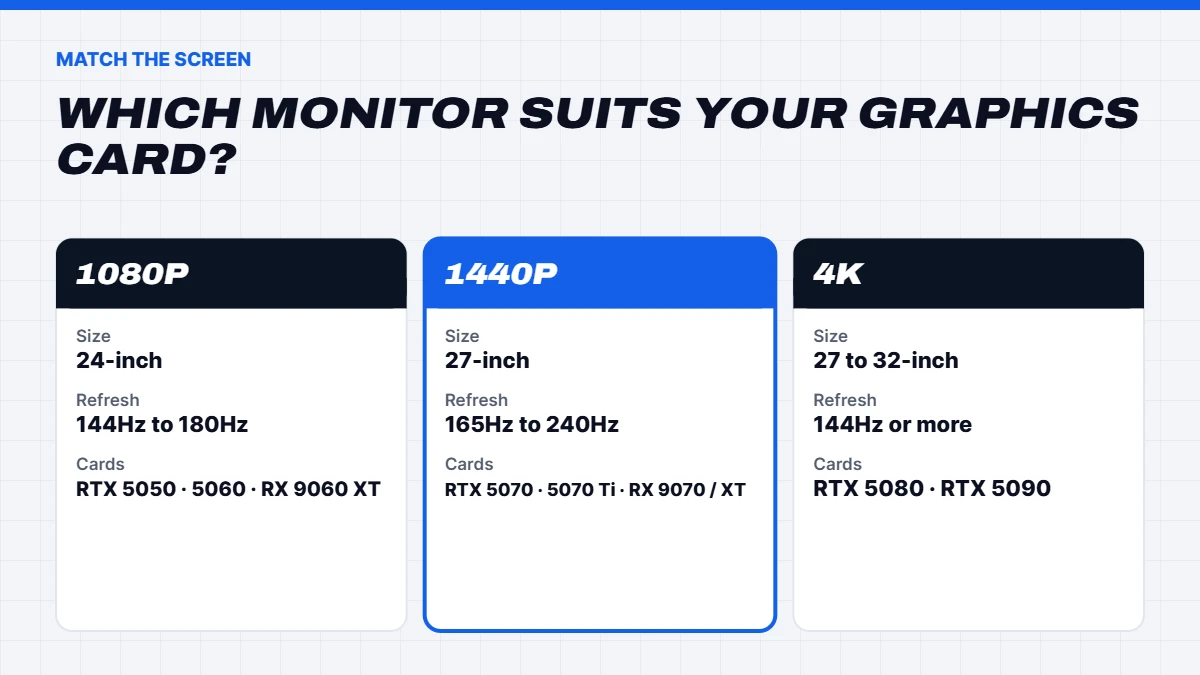
Match the monitor to your graphics card. A 24-inch 1080p screen at 144Hz to 180Hz suits an RTX 5050, RTX 5060 or RX 9060 XT. A 27-inch 1440p screen at 165Hz or more suits an RTX 5070, RTX 5070 Ti or RX 9070. A 27 to 32-inch 4K screen suits an RTX 5080 or RTX 5090. Choose IPS or OLED for colour, and ignore HDR badges below DisplayHDR 600.
In this guide
Why the monitor matters as much as the PC
Your monitor is the only part of the PC you look at for hours every day. It decides how sharp text looks, how smooth games feel and how accurate photos appear. A great gaming PC on a dim, slow screen feels ordinary, while a well-matched monitor makes a mid-range PC feel quick.
That’s why a monitor Black Friday purchase deserves the same care as the PC itself. The good news is that monitors are reliably discounted in November, so once you know what you need, there’s a decent chance you’ll find it on sale.
Resolution: 1080p, 1440p or 4K
Resolution is the number of pixels on the screen. More pixels means a sharper image and more room for windows, but it also means more work for your graphics card.
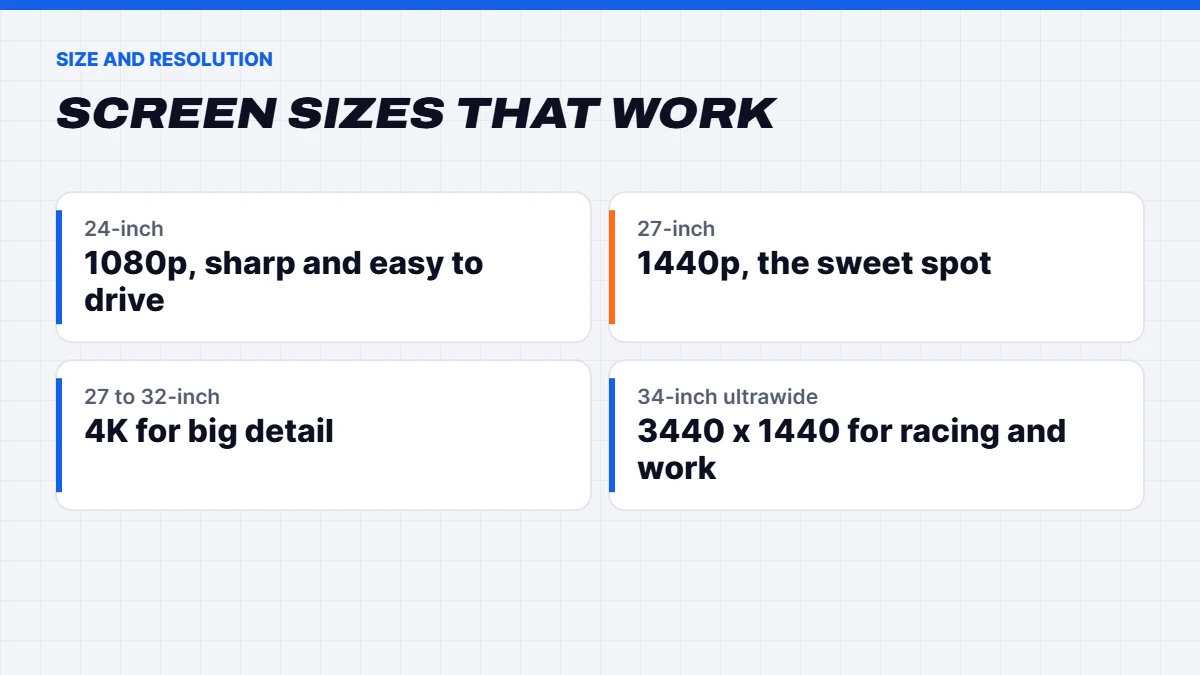
- 1080p (1920 x 1080) is about two million pixels. It looks sharp on a 24-inch screen and is easy for any modern graphics card to drive at high frame rates.
- 1440p (2560 x 1440) is about 3.7 million pixels. On a 27-inch screen it’s noticeably sharper than 1080p, and it’s the sweet spot for most gamers in 2026.
- 4K (3840 x 2160) is about 8.3 million pixels, four times 1080p. It looks superb on 27 to 32-inch monitors and TVs, but it needs a powerful graphics card for smooth gaming.
Screen size and resolution go together. A 1080p image stretched over 27 inches starts to look soft, while 4K on a 24-inch monitor is so sharp that you’ll likely need to scale up the text in Windows anyway.
Refresh rate and response time
Refresh rate is how many times per second the screen updates, measured in hertz. A 60Hz office monitor updates 60 times a second. A 144Hz, 165Hz or 240Hz gaming monitor updates far more often, which makes movement look smoother and makes fast games feel more responsive.
The catch is that you only see the benefit if your PC can produce that many frames. A 240Hz monitor paired with a graphics card that manages 90 frames in your favourite game will look no smoother than a 144Hz one. For most people, 144Hz to 180Hz at 1080p and 165Hz to 240Hz at 1440p is the practical range. Esports players chasing every advantage can go higher.
Response time is how quickly pixels change colour. Lower is better, but the numbers on the box are measured in ideal conditions and vary a lot between brands, so treat them as a rough guide. Independent reviews are a better way to judge motion clarity.
Panel types: IPS, VA and OLED
The panel type affects colour, contrast and viewing angles more than anything else on the spec sheet.
| Panel | Strengths | Weaknesses | Best for |
|---|---|---|---|
| IPS | Accurate colour, wide viewing angles | Weaker blacks in dark rooms | Most gaming and creative work |
| VA | Deep contrast, good blacks | Can smear in fast motion | Movies, slower games, curved screens |
| OLED | Perfect blacks, instant response | Higher price, care needed with static images | Premium gaming and HDR |
| TN | Cheap and fast | Poor colour and viewing angles | Rarely worth buying now |
IPS is the safe all-rounder. OLED is the most impressive and has dropped in price, which makes a gaming monitor Black Friday deal on an OLED tempting. Just know that OLED panels can retain images that stay on screen for very long periods, so most come with care features and you’ll want to hide static taskbars if you work on it all day.
HDR: what the badges mean
HDR, or high dynamic range, can make games and films look far more vivid, but only on screens bright enough to show it. Many monitors advertise HDR without the hardware to do it well. The most useful guide is the VESA DisplayHDR certification. DisplayHDR 400 is the entry tier and usually looks only slightly different from standard mode. DisplayHDR 600 and 1000 deliver real HDR on LCD screens, and the True Black tiers cover OLED panels. You can check what each badge means on the VESA DisplayHDR site.
If HDR matters to you, look for DisplayHDR 600 or higher, or an OLED with a True Black rating. If a monitor just says “HDR” with no certification, assume it’s a nice extra rather than a reason to buy.
G-Sync and FreeSync
Adaptive sync lets the monitor match its refresh rate to your graphics card’s frame rate, which removes screen tearing and stutter. AMD calls it FreeSync and NVIDIA calls it G-Sync, and most gaming monitors now support both through a shared standard. Look for “G-Sync Compatible” if you have a GeForce card and FreeSync Premium if you have a Radeon card. It’s one of those features you stop noticing because everything simply looks smooth.
Ports and cables
Check the inputs before you buy any of the Black Friday monitor deals. For a gaming PC, DisplayPort is the usual choice, and DisplayPort 1.4 or newer handles high refresh rates at 1440p. For 4K at high refresh, DisplayPort 2.1 or HDMI 2.1 gives you the bandwidth you need. If you also play on a PS5 or Xbox, HDMI 2.1 lets the console run at 120Hz. A USB-C port with power delivery is handy if you’ll plug in a work laptop with one cable.
Matching a monitor to your graphics card
This is the part of choosing Black Friday monitor deals that saves the most money. Here’s how we’d pair screens with the graphics cards in our builds:
| Graphics card | Best-matched monitor | Our builds |
|---|---|---|
| RTX 5050, RTX 5060, RX 9060 XT | 24-inch 1080p, 144Hz to 180Hz | Budget gaming PCs |
| RTX 5070, RX 9070 | 27-inch 1440p, 165Hz | 1440p gaming PCs |
| RTX 5070 Ti, RX 9070 XT | 27-inch 1440p, 240Hz, or entry 4K | 1440p gaming PCs |
| RTX 5080 | 27 to 32-inch 4K, 144Hz or more | 4K gaming PCs |
| RTX 5090 | 32-inch 4K OLED or high-refresh 4K | Extreme gaming PCs |
If you’re buying a new PC and monitor together, set the budget for both at once. A common mistake is spending everything on the PC and plugging it into an old 60Hz screen. Our guide to choosing a Black Friday gaming PC covers the PC side in detail.
Monitor Black Friday red flags
Some monitor Black Friday listings look better than they are. Watch for these:
- “HDR” with no certification and low brightness. It won’t deliver real HDR.
- High refresh rates only at lower resolutions. Some screens hit their headline refresh rate only in a special mode.
- TN panels sold as “gaming” monitors. Fast, but the colours and viewing angles are poor.
- “Up to” response times. The best-case figure, measured under perfect conditions.
- Refurbished or open-box stock without clear labelling. It can be a great deal, but you should know before you buy.
- No model number. Every reputable listing names the exact model so you can check reviews.
How to check a Black Friday monitor sale price
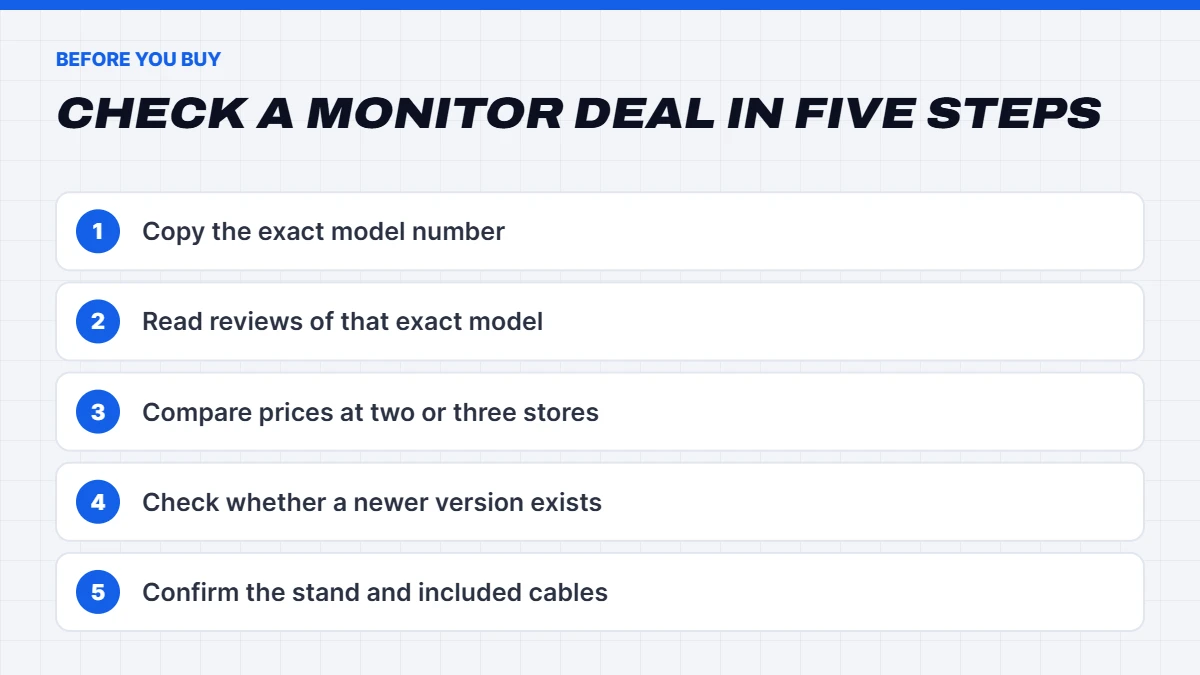
A Black Friday monitor sale can be genuinely good, but monitor ranges are confusing. Brands release near-identical models with small changes to the panel, stand or ports, and older versions are often the ones on the deepest discount. Here’s how we’d check a deal:
- Copy the exact model number from the listing, including any letters at the end.
- Look up reviews of that exact model. Panel quality varies a lot, and reviews tell you about motion clarity, brightness and build quality that specs don’t.
- Compare the price at two or three reputable stores, and if you can, what it sold for a few weeks before the sale.
- Check whether a newer version exists. If the replacement is only slightly more expensive and fixes a known weakness, it may be the better buy.
- Confirm the stand and cables. Some cheaper models ship with a basic stand that only tilts, and some leave out the DisplayPort cable.
Black Friday monitor deals for work and study
Gaming gets most of the attention, but some of the best Black Friday monitor deals are on plain office screens. If you work or study from home, a second monitor is one of the cheapest productivity upgrades you can make. Two 24-inch 1080p screens side by side, or a single 27-inch 1440p screen, give you room for a document on one side and research or email on the other.
For work, prioritise an IPS panel for clear text, a stand that adjusts in height, and a USB-C port with power delivery if you use a laptop. One cable then charges the laptop, carries the picture and connects any USB devices plugged into the monitor. Refresh rate matters less for office work, though 75Hz to 100Hz screens do make scrolling feel smoother, and they rarely cost much more than 60Hz ones.
When to buy: monitor Black Friday timing
Monitor Black Friday pricing usually appears at the start of Black Friday week and holds until Cyber Monday, so you don’t need to rush on the first morning. Popular 1440p gaming monitors and new OLED models can sell out, though, and stock is often replaced by slightly different models in the new year.
If you’ve found a Black Friday gaming monitor you like at a price you’re happy with, buy it during the week rather than waiting for a further drop on Cyber Monday. Monitor prices rarely fall again before Christmas, and Boxing Day deals tend to focus on older stock.
Gaming monitor Black Friday checklist
Before you buy, run through this quick list for any gaming monitor Black Friday deal:
- Resolution matches what your graphics card can drive.
- Refresh rate is achievable at that resolution with your card.
- Panel type suits your games and room: IPS or OLED for most people.
- HDR is certified at DisplayHDR 600 or higher, or you’re not paying extra for it.
- Adaptive sync works with your card: G-Sync Compatible or FreeSync.
- Ports include DisplayPort, plus HDMI 2.1 if you also use a console.
- The stand adjusts in height, or you’re planning a monitor arm.
If a Black Friday monitor sale ticks all of those for your setup, it’s a good buy.
Size and desk setup
Before you grab one of the Black Friday monitor deals, measure your desk. Sit about an arm’s length from the screen. At that distance, 24 inches is comfortable for 1080p, 27 inches is the sweet spot for 1440p, and 32 inches works well for 4K if your desk is deep enough. Ultrawide monitors at 34 inches are brilliant for racing and flight games and for spreadsheets, but they need a desk around 120 centimetres wide and a graphics card that can drive the extra pixels.
Mount the screen so the top sits at or slightly below eye level, and consider a monitor arm if your desk is shallow. It frees up space and makes it easy to get the height right.
Black Friday gaming monitor prices: what’s good value?
Prices vary with brand and features, but as a rough guide for 2026, a solid 24-inch 1080p 180Hz IPS gaming monitor is usually one of the cheapest upgrades you can make, a good 27-inch 1440p 165Hz IPS sits in the mid-range, and 4K high-refresh and OLED monitors cost the most. If a Black Friday gaming monitor deal puts a well-reviewed model noticeably below its usual price, it’s a good buy. If the discount is on an older model that’s been replaced, check what the newer version adds before you pounce.
As with any purchase, check the price a few weeks before the sale if you can, and read the full model number. Monitor ranges often have near-identical names with different panels.
PCs to pair with your new monitor
If your Black Friday monitor sale purchase is part of a bigger upgrade, here’s how our builds line up. All of them are 25% off their original price until 11:59pm on Cyber Monday, 30 November (Sydney time), or less where they were already discounted further.
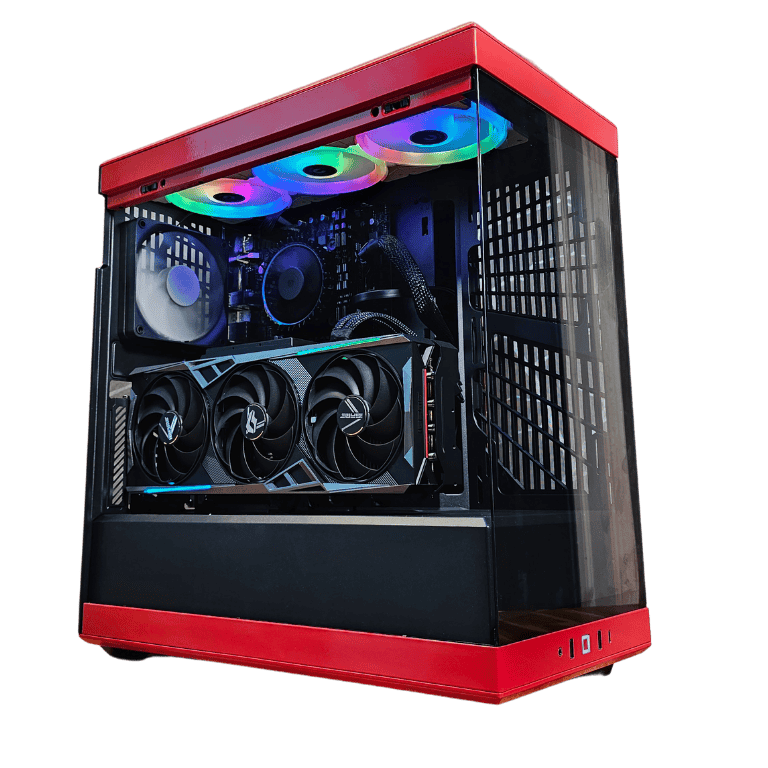
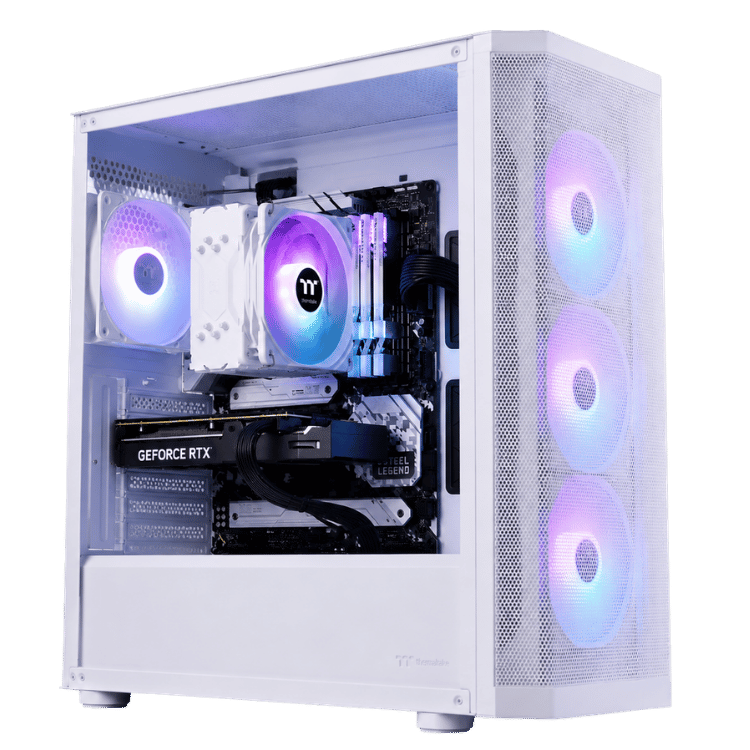
 Vision Storm – White Budget Gaming PC, RTX 5050 Original price was: $1,699.00.$1,274.00Current price is: $1,274.00.See the build
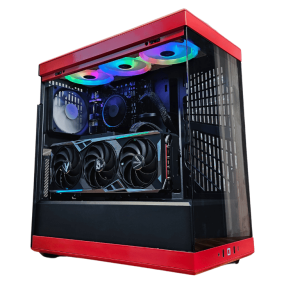 Vision Red Fury – Red Gaming PC, RTX 5070 Ti & Core Ultra 7 Original price was: $4,799.00.$3,599.00Current price is: $3,599.00.See the build
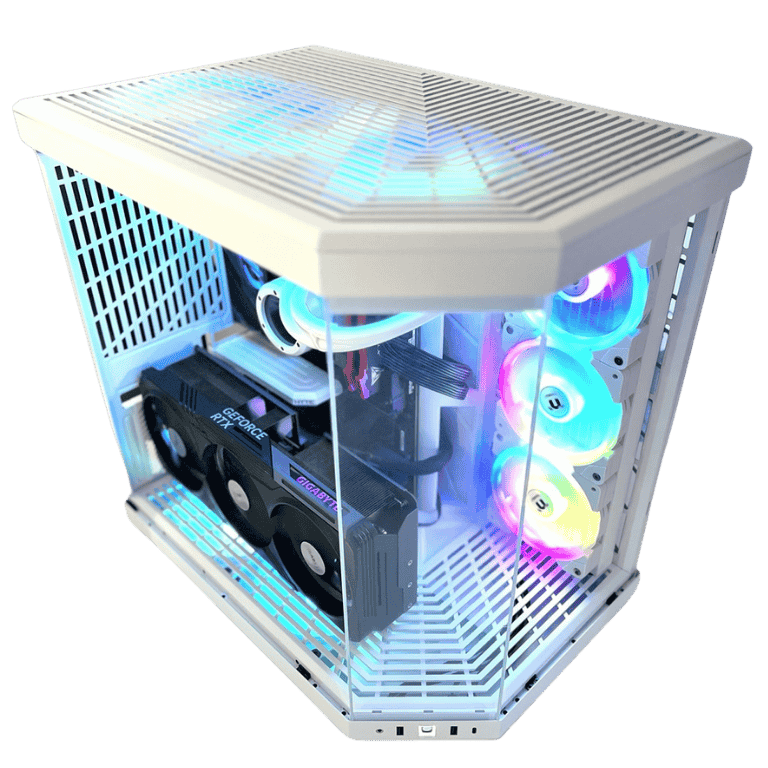
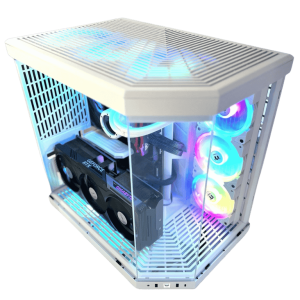 Vision Vortex – White Gaming PC, RTX 5080 & Ryzen 7 9800X3D Original price was: $7,500.00.$5,625.00Current price is: $5,625.00.See the build
Black Friday monitor FAQs
Are Black Friday monitor deals worth it?
Usually, yes. Black Friday monitor deals are among the most consistent discounts of the year. Just make sure the monitor suits your graphics card and has the panel type you want.
What’s the best gaming monitor Black Friday buy for most people?
For most gamers, a 27-inch 1440p IPS or OLED monitor at 165Hz or more, paired with an RTX 5070 or RX 9070 class graphics card.
Is a 4K monitor worth it for gaming?
If you have an RTX 5080 or RTX 5090, yes. With a mid-range card, 1440p usually gives a better balance of sharpness and smoothness.
Do I need HDMI 2.1?
Only if you’ll connect a PS5 or Xbox Series X at 120Hz, or run 4K at high refresh rates over HDMI. For a gaming PC, DisplayPort usually does the job.
When do Black Friday monitor deals end?
Most Black Friday monitor deals in Australia end at 11:59pm on Cyber Monday, 30 November 2026. Some stores start their monitor Black Friday pricing in mid November.
Is a monitor Black Friday deal better than Boxing Day?
For current models, usually yes. A Black Friday gaming monitor deal on a popular model is often the lowest price before Christmas, while Boxing Day leans towards older stock and clearance.
Does Vision Gaming PC sell monitors?
No, we focus on PCs and laptops. We’re always happy to help you pick a monitor to match one of our builds, though. Just message us on live chat.