

Once you’ve got a gaming PC you love, it’s natural to start looking at the room around it. The best gaming room ideas aren’t about filling a space with LEDs. They’re about building a room that’s comfortable for long sessions, looks great on camera and in person, stays cool in summer, and still works as a normal room when the PC is off.
This guide covers how to plan a gaming room from scratch or improve the one you’ve got, including layout, lighting, colours, sound, furniture, renter-friendly tips and popular themes like a white gaming setup. For the desk itself, our gaming setup guide covers desk, chair and monitor position in detail.
Quick answer
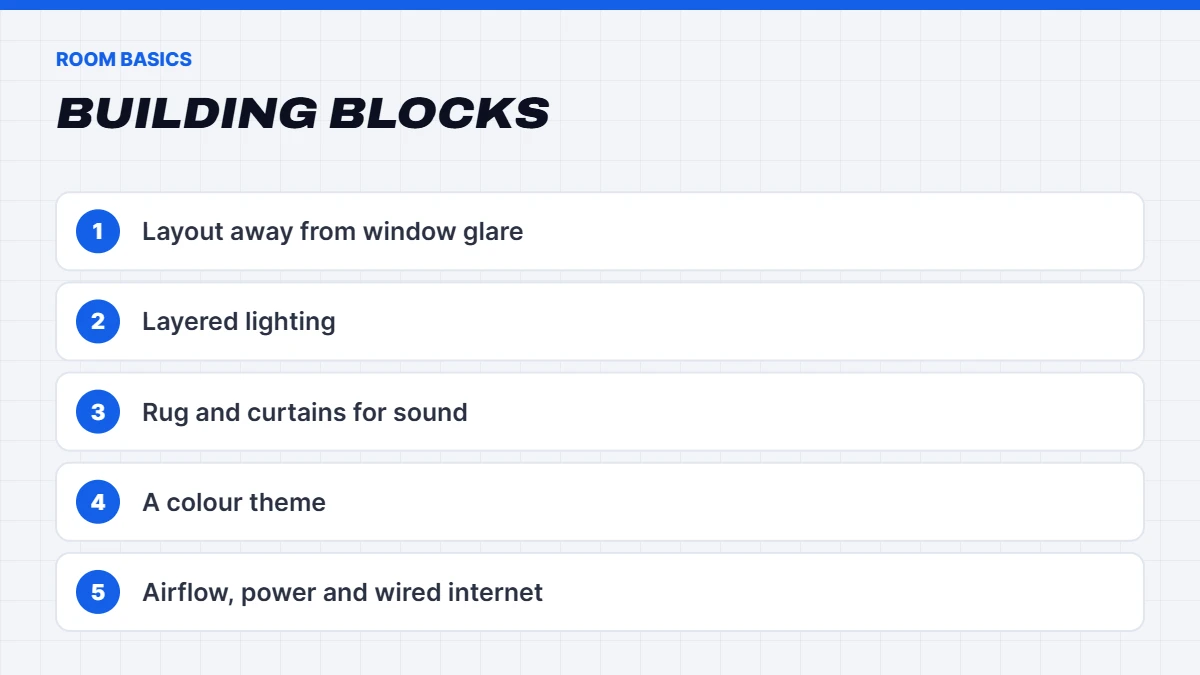
Start with layout: put the desk where a window won’t reflect on the screen and you’re not facing a doorway. Layer your lighting with a warm main light, bias lighting behind the monitor and accent lighting on walls or shelves. Add a rug and curtains to soften sound, choose a colour theme that ties everything together, and plan for airflow, power points and a wired internet connection.
In this guide
Planning your gaming room layout
Layout matters more than decoration. A few principles for any gaming room:
- Mind the windows. Avoid placing the monitor directly opposite a window, where reflections cause glare, or with a window directly behind it, which makes the screen harder to see during the day. A window to the side is ideal.
- Face into the room. Many people prefer not to sit with their back to the door. A desk against a side wall is often the best compromise.
- Think about the camera. If you stream or video call, what’s behind you is what people see. Plan a tidy, well-lit backdrop.
- Leave walking space around the desk and chair, at least 90cm behind the chair if you can.
- Know where the power points are. Plan the desk near power and, ideally, near a network point.
If the room has a bed, place it out of the camera’s view and away from the PC’s exhaust, so the PC doesn’t blow warm air across where you sleep.
Lighting: the key to a great gamer room
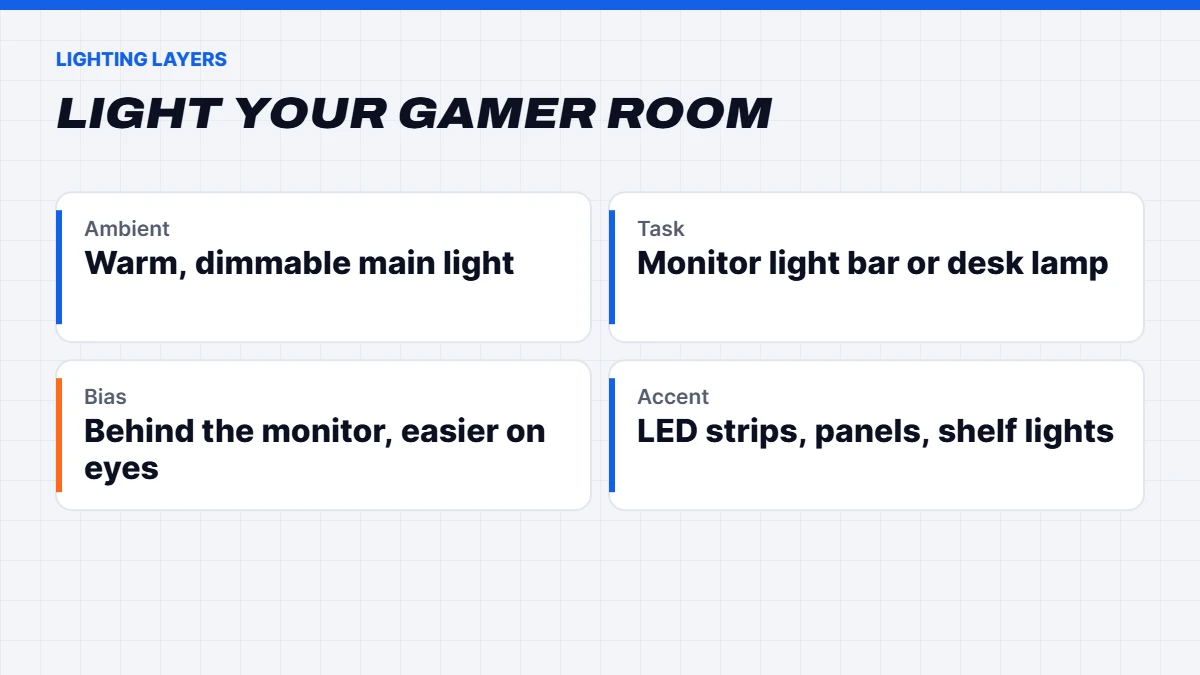
Lighting does more for a gamer room than almost anything else. Think in three layers:
- Ambient lighting for general use. A warm white ceiling light or floor lamp, ideally dimmable.
- Task lighting at the desk. A monitor light bar or desk lamp that lights your keyboard without glare on the screen.
- Accent lighting for atmosphere. LED strips behind the desk or monitor, wall panels, shelf lighting or a neon-style sign.
Bias lighting behind the monitor is the single best lighting upgrade for comfort. It reduces eye strain in a dark room and makes the screen look more contrasty. Smart bulbs and strips let you switch scenes, such as bright for working and dim with colour for gaming, from your phone or voice assistant.
The desk and chair come first
However good the room looks, you’ll only enjoy it if you’re comfortable. A deep, sturdy desk, a supportive chair and a monitor at the right height matter more than any decoration. Our gaming setup guide walks through desk size, chair features, monitor position and cable management step by step, so it’s worth reading before you start buying decor.
Colours and themes
A colour theme ties a gaming room together. Some popular directions:
- Dark and moody. Charcoal or navy walls with coloured accent lighting. Great for atmosphere, but use warm lamps so it doesn’t feel gloomy during the day.
- Clean and bright. White or light grey walls with white furniture and subtle lighting. Feels open and works well in small rooms.
- Pastel and playful. Soft pinks, purples and blues, often with matching peripherals and plush decor.
- Warm and cosy. Timber desks, plants, warm lighting and textiles, for a room that feels relaxed rather than techy.
Painting a feature wall behind the desk is an easy way to give the room a focal point and a great background for streams and video calls.
White gaming setup ideas
A white gaming setup is one of the most popular looks, and it’s easy to get right with a bit of planning:
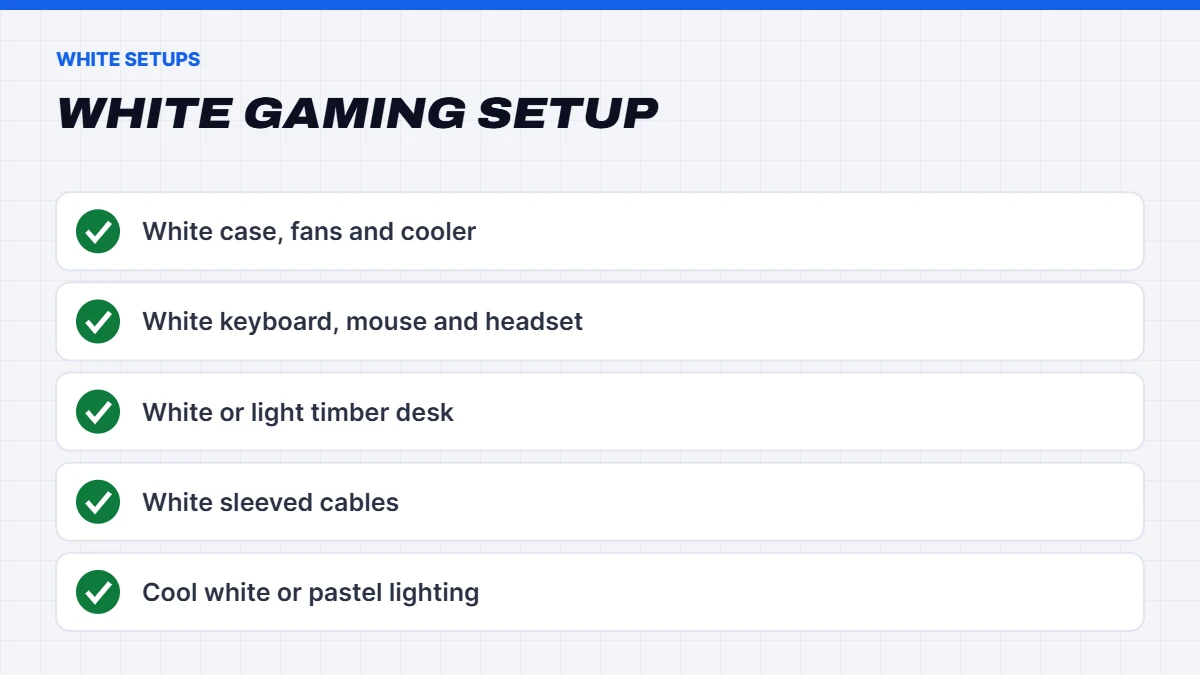
- Start with the PC. A white case with white fans and cooler makes the biggest statement. Our white gaming PC in a panoramic case and our white prebuilt gaming PC are built for this look, and our white RGB PC suits smaller budgets.
- Match the peripherals. White keyboard, mouse, headset and desk mat.
- Choose a white or light timber desk and a white monitor arm.
- Hide or sleeve cables in white, as black cables stand out more against white.
- Use cool white or pastel accent lighting to keep the look clean.
The catch with a white gaming setup is that it shows dust and marks more easily, so a quick wipe-down every week or two keeps it looking sharp.
Wall art and feature walls
The wall behind your desk is the one you and your camera see most, so it’s the best place to make a statement. Ideas that work well include a painted feature wall in a deep colour, a large framed print or poster of a favourite game, a pegboard for headsets and controllers, a row of floating shelves with lit collectibles, or a set of light panels arranged in a pattern. Keep the area directly behind the monitor fairly simple so it doesn’t distract you while you play.
Sound and acoustics
Hard rooms with bare floors and walls echo, which makes voice chat and streams sound hollow and lets noise travel through the house. To soften the sound:
- Add a rug, especially on hard floors.
- Use heavy curtains over windows.
- Fill the walls with shelves, art or acoustic panels.
- Add soft furnishings like a couch, cushions or a bean bag.
You don’t need studio panels everywhere. Even a rug and curtains make a noticeable difference for microphones and for anyone sleeping in the next room.
Furniture beyond the desk
A gaming room that works for more than gaming tends to be more enjoyable:
- Shelving for collectibles, games and decor, ideally lit with a small LED strip.
- A couch or comfortable chair for console gaming, watching streams or relaxing.
- Storage for controllers, cables and accessories so they’re not cluttering the desk.
- A side table or small fridge within reach, if space allows.
Displaying collectibles and memorabilia
Figures, art prints, signed jerseys and retro consoles give a room personality. A few tips for displaying them well: group items by colour or theme rather than spreading them everywhere, use glass-front cabinets or acrylic cases to keep dust off, and light shelves from the front or above so items don’t sit in shadow. Rotating what’s on show every few months keeps the space feeling fresh without buying anything new.
A console corner
If you play on console as well as PC, a separate corner with a TV, a comfortable couch or bean bag and a small media unit makes the room more versatile and more social. It’s also a great spot for friends to watch or play local multiplayer. Mount the TV at a comfortable height for sitting, and keep controllers on a charging stand so they’re always ready.
Plants and natural touches
Plants soften all the hard edges of tech and make a room feel more relaxed. Low-light, low-maintenance plants like pothos, ZZ plants and snake plants cope well with rooms that get little sun. Timber shelves, a natural fibre rug or a few cushions do the same job if you don’t have a green thumb.
Temperature and airflow
A gaming PC and monitor put out heat, and in a small room during an Australian summer it adds up quickly. Make sure the room has airflow, keep blinds closed on hot afternoons, and use a ceiling fan or air conditioning if you can. The Australian Government’s Your Home guide has practical advice on keeping rooms cool efficiently. Keeping the PC clean also helps it run cooler and quieter.
Internet and power
Online gaming is far more reliable over a wired connection than Wi-Fi. If the router is in another room, an Ethernet cable run, powerline adapters or a mesh Wi-Fi system with a wired backhaul are all good options. For power, use a quality surge-protected power board, and avoid daisy-chaining power boards. If you’re renovating, adding extra power points and a network point near the desk is well worth it.
If the room is also your bedroom
Plenty of setups share space with a bed. A few things help the room work for sleep as well as play. Use lighting with a warm, dim setting for the evening, and turn off bright RGB at night. Set the PC to sleep after a short idle period, or switch it off, so fans and lights don’t keep you awake. Position the desk so the screen isn’t visible from the bed, and keep cables away from where you walk in the dark.
Rooms for kids and teens
For younger players, plan a room that can grow with them. An adjustable chair and desk, durable peripherals and plenty of storage go a long way. Keep lighting fun but not too bright at night, and consider where the PC sits: a shared family space makes it easier to keep an eye on screen time and online chat, while a bedroom setup works better for older teens. Microsoft Family Safety and in-game parental controls help either way.
Keeping it tidy
A few habits keep the room looking good: a place for every controller and headset, a weekly wipe of the desk and screens, a basket or drawer for random cables, and a quick dust of the PC’s filters every couple of months. It’s easier to enjoy a space that doesn’t need a big clean-up every time you sit down.
Smart home touches
Smart plugs, bulbs and LED strips make it easy to switch scenes with a single tap or voice command. A simple “game mode” scene might dim the main light, turn on bias and accent lighting, and switch on your speakers, while a “work mode” brings up bright, neutral light. Smart plugs can also switch off monitors and speakers completely when you’re done, saving a little power.
A few safety notes
Keep LED strip power supplies and transformers where air can reach them, not buried under cushions or carpet. Use quality surge-protected power boards rated for the load, and don’t plug power boards into each other. Tidy cables away from walkways so nobody trips over them, especially in the dark.
Renter-friendly gaming room ideas
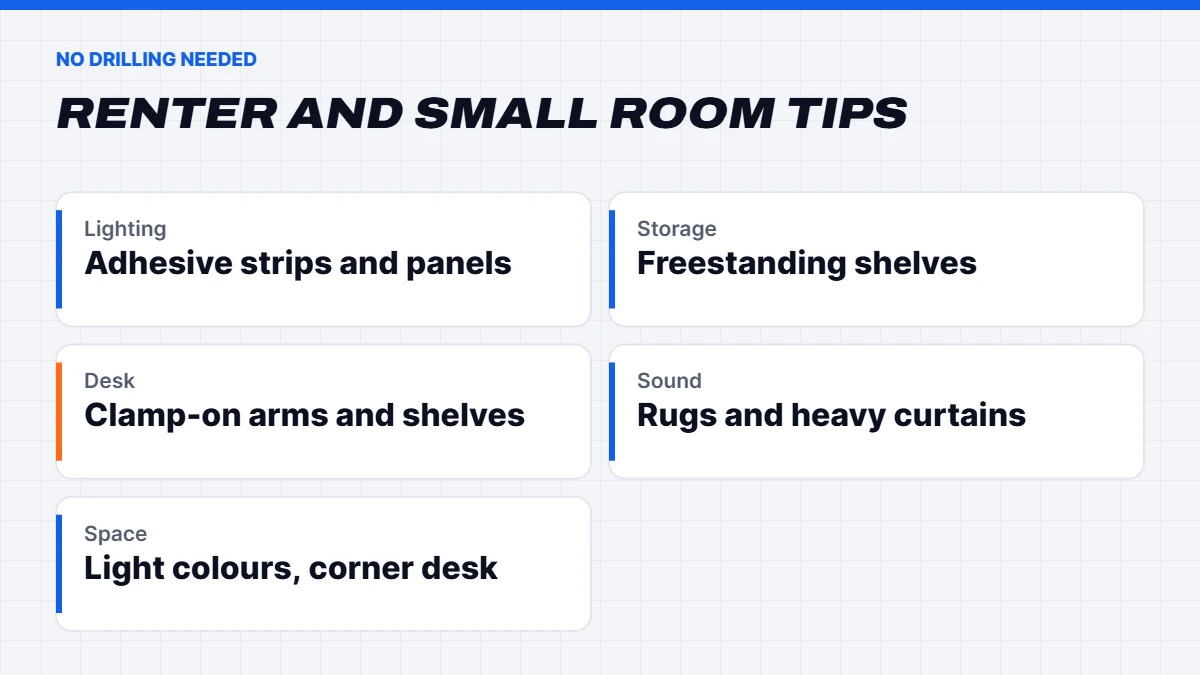
You can transform a rented room without drilling a single hole:
- Adhesive LED strips and light panels that remove cleanly.
- Freestanding shelves and bookcases rather than wall-mounted ones.
- Clamp-on monitor arms and desk shelves.
- Rugs, curtains and plants to soften and personalise the space.
- Removable wallpaper or large posters for a feature wall.
Small gaming room ideas
A gaming room doesn’t need to be big. In a small space:
- Go vertical with shelves above the desk.
- Use a monitor arm to free up desk space.
- Choose light colours to make the room feel larger.
- Pick a compact PC case that fits beside the monitor or under the desk.
- Use a corner desk to make the most of awkward spaces.
Gaming room ideas on a budget
You don’t need a big budget for a big change. The most effective cheap upgrades are bias lighting behind the monitor, a single LED strip for accent lighting, tidy cable management, a rug, a few plants and a feature wall. Spend on comfort first, then add decoration over time.
A simple plan to get started
If you’re not sure where to begin, work through it in this order:
- Clear the room and decide where the desk and screen will go.
- Sort comfort first: desk, chair and monitor height.
- Fix the lighting: a warm main light, bias lighting and one accent light.
- Tame the cables and sort power and internet.
- Soften the sound with a rug and curtains.
- Add personality: a feature wall, shelves, collectibles and plants.
Doing it in this order means every step makes the room more usable, and the decorating becomes the fun part at the end.
Build the room around the right PC
The PC is the centrepiece of any gaming room. If you’re planning a themed room, our pink gaming PC range and white builds are designed to match, and every build uses the same quality parts as our standard machines. For accessories to complete the look, see our guide to gaming accessories, and for the screen, our best gaming monitor guide.
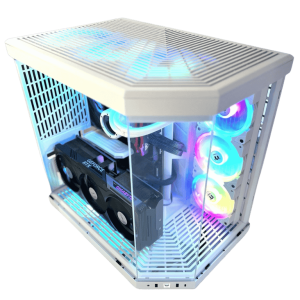 Vision Vortex – White Gaming PC, RTX 5080 & Ryzen 7 9800X3D Original price was: $7,500.00.$5,625.00Current price is: $5,625.00.See the build
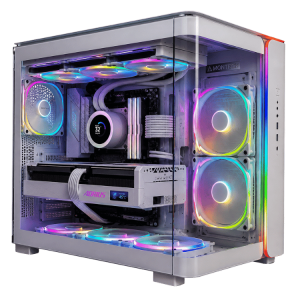 Vision Ultra Phantom – White Prebuilt Gaming PC, RTX 5080, 96GB Original price was: $8,599.00.$6,449.00Current price is: $6,449.00.See the build
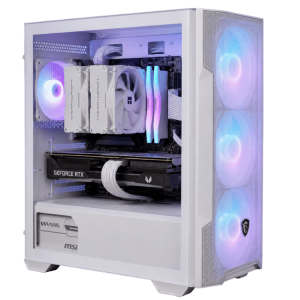 Vision White RGB PC – RTX 5070, Ryzen 5 7500F, 16GB RGB Original price was: $2,999.00.$2,249.00Current price is: $2,249.00.See the build
Planning a themed setup? Message us on live chat and tell us the look you’re going for, and we’ll suggest a build to match.
The short version
Plan the layout around the windows and door, layer your lighting, and soften the sound with a rug and curtains before you think about decoration. Choose a colour theme you’ll still like in a year, give the PC room to breathe, and sort out power and a wired internet connection. Then add the personal touches, like collectibles, posters and plants, that make the space feel like yours.
Gaming room FAQs
How do I make my room a gaming room?
Start with a good desk and chair, position the monitor away from window glare, add bias and accent lighting, tidy the cables and choose a colour theme.
What are some cheap gaming room ideas?
Bias lighting, an LED strip, a rug, a feature wall, plants and good cable management give a big visual change for little cost.
What colour is best for a gamer room?
Darker walls suit atmospheric lighting, while white or light grey makes small rooms feel bigger. Choose what you’ll enjoy during the day too.
How do I keep a gaming room cool?
Keep the PC clean, give it airflow, close blinds on hot afternoons and use a fan or air conditioning.
Is a white gaming setup hard to keep clean?
It shows dust more easily, so a quick wipe every week or two keeps it looking fresh.