Description
The Vision AI Powerhouse is a Threadripper PC for work that has outgrown desktop processors: AI development, large simulations, heavy rendering and data pipelines that run for hours. It’s built on AMD’s 24-core, 48-thread Ryzen Threadripper 9960X with 64GB of ECC registered DDR5, an NVIDIA GeForce RTX 5080 16GB and a 2TB Samsung 9100 PRO PCIe 5.0 SSD. It ships with Ubuntu Linux installed, ready for development work, and Windows is available on request.
It’s $14,999. Like every system we sell, it’s assembled, configured and stress tested by our team in Sydney.
Who this Threadripper workstation is for
- AI and machine learning engineers prototyping, fine-tuning and running models locally
- researchers and data scientists working with large datasets and long-running jobs
- engineers running FEA, CFD and other simulation solvers that scale across many cores
- VFX and 3D studios rendering on both the processor and the graphics card
- software teams compiling large codebases and running virtual machines
If your work fits on a desktop platform, our AI workstation with a Ryzen 9 and RTX 5070 Ti costs a third as much. If you mainly need memory capacity, look at our 128GB RAM PC with a Core i9.
Why the Threadripper 9960X?
The Threadripper 9960X is AMD’s latest Zen 5 high-end desktop processor. It has 24 cores and 48 threads with boost clocks up to 5.4GHz, so it combines strong single-core speed with far more parallel throughput than a desktop chip. Just as important is the platform around it:
- Four memory channels: twice the memory bandwidth of a desktop platform, which helps simulation, data processing and CPU rendering.
- ECC registered memory: error-correcting memory detects and fixes memory errors, which matters for long jobs and results you need to trust.
- Far more PCIe lanes: room for more fast NVMe drives, high-speed networking and additional graphics cards.
RTX 5080 for AI, rendering and visualisation
The GeForce RTX 5080 has 16GB of GDDR7 memory and full CUDA support, so PyTorch, TensorFlow, JAX and the wider NVIDIA ecosystem work out of the box. It also handles GPU rendering in Blender Cycles, V-Ray GPU, Redshift and Octane, and drives smooth viewports in large scenes. NVIDIA has full details on its RTX 5080 page.
Is it a deep learning workstation? An honest answer
Yes, with a caveat. As a deep learning workstation, the RTX 5080 is excellent for prototyping, fine-tuning smaller models with techniques like LoRA, running quantised large language models and computer vision work. Its 16GB of video memory is the limit to plan around: training large models from scratch, or running the biggest LLMs at full precision, needs more video memory. The good news is that this platform is built to grow. Message us about a higher-memory card, such as an RTX 5090 or an NVIDIA RTX PRO card, or about adding a second GPU, which would also need a larger power supply.
Threadripper PC specifications
| Processor | AMD Ryzen Threadripper 9960X (24 cores, 48 threads) |
|---|---|
| CPU cooler | Noctua NH-U14S TR5-SP6 |
| Motherboard | Gigabyte TRX50 AERO D |
| Memory | 64GB DDR5 ECC registered (4 x 16GB) |
| Graphics card | NVIDIA GeForce RTX 5080 16GB |
| Storage | 2TB Samsung 9100 PRO PCIe 5.0 NVMe SSD |
| Power supply | 1000W 80+ Gold |
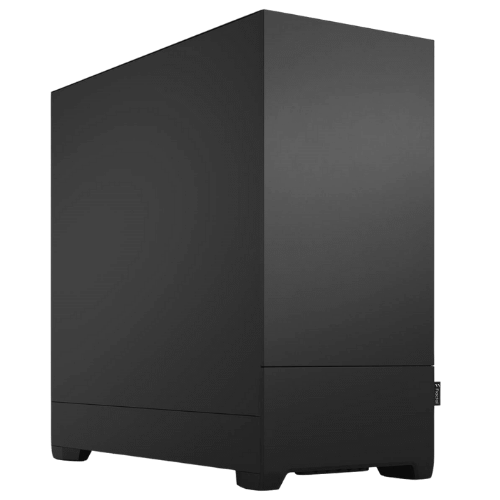
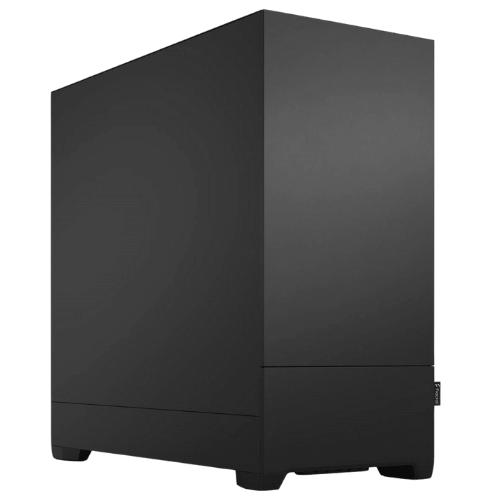
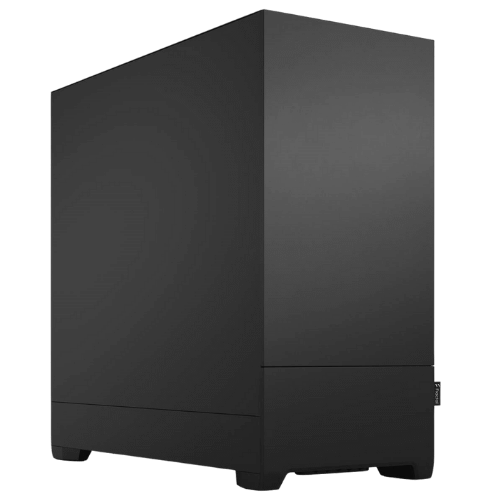
| Case | Fractal Design Pop XL Silent |
| Operating system | Ubuntu Linux, Windows available on request |
Threadripper 9960X or a desktop Ryzen 9?
Desktop Ryzen 9 processors top out at 16 cores and two memory channels, and they don’t support registered ECC memory. They’re excellent value for many workloads, and for plenty of people they’re the right call. The Threadripper 9960X makes sense when your work scales across lots of cores for hours at a time, when memory bandwidth is a bottleneck, when you need ECC for confidence in long-running results, or when you want room for more GPUs, drives and networking than a desktop board can offer.
Memory: ECC across four channels
The 64GB is installed as four 16GB ECC registered modules, one per memory channel, so you get the full four-channel bandwidth. Because every channel is populated, adding capacity means moving to larger modules, for example 128GB or 256GB in total. We can build it that way from the start if you already know you need more.
PCIe 5.0 storage
The Samsung 9100 PRO is one of the fastest consumer SSDs available, using PCIe 5.0. That speed helps when you’re loading large datasets, model checkpoints, simulation results or big scene files. Most customers also add a second drive for datasets or a large hard drive for archives, and the platform has plenty of room for more storage.
Ubuntu Linux, ready for development
We install Ubuntu because it’s the standard for AI and scientific computing. Most tools, tutorials and containers assume it. It’s ready for you to install the NVIDIA driver and CUDA toolkit, Python environments and Docker. If your workflow needs Windows, for example for CAD or Adobe software, ask us and we’ll install Windows instead or set up dual boot.
Software that makes the most of a Threadripper PC
- AI and data: PyTorch, TensorFlow, JAX, RAPIDS, Jupyter and Docker.
- Simulation: ANSYS, Abaqus, COMSOL, OpenFOAM and MATLAB.
- Rendering: Blender, Houdini, V-Ray, Corona, Redshift and Arnold.
- Development: large C++ and Rust builds, Unreal Engine shader compiles and virtual machines.
Send us your software list and typical job sizes, and we’ll tell you honestly whether this Threadripper workstation is the right fit or whether something cheaper will do the job.
Running local LLMs
For running large language models locally with tools like Ollama, vLLM or llama.cpp, the RTX 5080 handles quantised models that fit in its 16GB quickly. Larger models can be split between the GPU and system memory, which is slower but workable, and the four-channel memory helps here. If local LLMs are your main use, a deep learning workstation with more video memory will serve you better, and we can configure one on this platform.
Cooling and noise
The Threadripper 9960X is cooled by Noctua’s NH-U14S TR5-SP6, an air cooler designed specifically for this socket with a cold plate that covers the large processor. Air cooling means no pump to wear out, which suits a machine that runs long jobs. The Fractal Design Pop XL Silent has sound-dampening panels and room for the large graphics card. Under sustained full load the fans are audible, as on any Threadripper workstation, and it’s quiet during everyday work.
Monitors and remote access
The RTX 5080 drives up to four displays for local work. Many AI and research customers also run this kind of machine headless and connect over SSH or remote desktop from a laptop, which works well with Ubuntu.
Why buy a prebuilt Threadripper PC?
High-end desktop platforms are less forgiving than desktop builds. ECC registered memory, BIOS settings and cooling all need to be right for long-term stability. We handle the BIOS, memory configuration and operating system, then stress test the whole system before it ships. If anything goes wrong, you deal with one team in Australia.
Upgrading your Threadripper workstation
- Memory: move to larger ECC registered modules for 128GB or more.
- Graphics: a higher-memory GPU or a second GPU for AI work, with a larger power supply if needed.
- Storage: more PCIe 5.0 or 4.0 NVMe SSDs for datasets.
- Processor: the sTR5 socket also takes higher-core-count Threadripper 9000 series processors.
When it arrives
- Remove any packing material from inside the case.
- Connect your monitor to the RTX 5080.
- Log in to Ubuntu and run system updates.
- Install the NVIDIA driver and CUDA toolkit versions your frameworks need.
- Set up your Python environments, containers and project data.
How it compares with our other AI and workstation PCs
- Vision AI Pro: a Ryzen 9 9900X with an RTX 5070 Ti 16GB and 64GB, with Linux installed.
- Vision Local AI Creator: a Ryzen 9 9900X and RTX 5070 12GB for getting started with local AI.
- Engineering Workstation PC: a Core i9-14900KF and RTX 5080 with Windows 11 Pro for CAD and rendering.
Browse all of our AI computers and workstations.
Support after you buy
You deal directly with the people who built and tested your machine. Questions about drivers, CUDA, operating system setup, upgrades or a problem after delivery go straight to our team on live chat.
Built and tested in Sydney
- assembled by our team with tidy cable management
- BIOS updated and ECC memory configured
- stress tested for stability and temperatures
- packed carefully and shipped Australia-wide
Threadripper PC FAQs
Why Threadripper instead of a Ryzen 9?
More memory bandwidth, ECC memory and far more PCIe lanes. If your work scales across cores or needs more memory and expansion, it’s worth it.
Can it run Windows?
Yes. Ubuntu is installed by default, and we can install Windows or set up dual boot on request.
Do I really need ECC memory?
Not for every job. It’s most valuable for long-running simulations, training runs and any work where a silent memory error would be costly.
Can you build several for a lab or team?
Yes. Tell us how many you need and your software, and we’ll quote matching systems.
Can I add a second GPU?
The platform supports it. A second high-end card would need a larger power supply, so message us to plan it.
Do you deliver Australia-wide?
Yes, to every state and territory, including regional areas.