
DDR4 vs DDR5 used to be a simple question: DDR5 was newer and faster, DDR4 was cheaper, and the gap in price shrank every year. Then 2026 happened. The global memory shortage turned the market upside down, with DDR4 prices at times rising even faster than DDR5, and AMD bringing an old AM4 favourite back into production. If you’re deciding whether to upgrade an older PC or buy into a new platform, the answer has genuinely changed.
This guide explains the real differences between DDR4 and DDR5, what they mean for gaming, how AM4 and AM5 fit in, the best AM4 CPU options if you’re staying put, and when it’s time to move on.
Quick answer
DDR5 is faster and the only option on new platforms like AMD AM5 and Intel’s Core Ultra 200S. For gaming, the difference is modest but real, especially with newer processors. If you already own an AM4 or DDR4 Intel system, upgrading the processor, for example to a Ryzen 7 5800X3D or 5700X3D, is often the best value move. If you’re buying a new PC, go DDR5 on AM5 or a current Intel platform for the longest upgrade path.
In this guide
DDR4 vs DDR5: the key differences
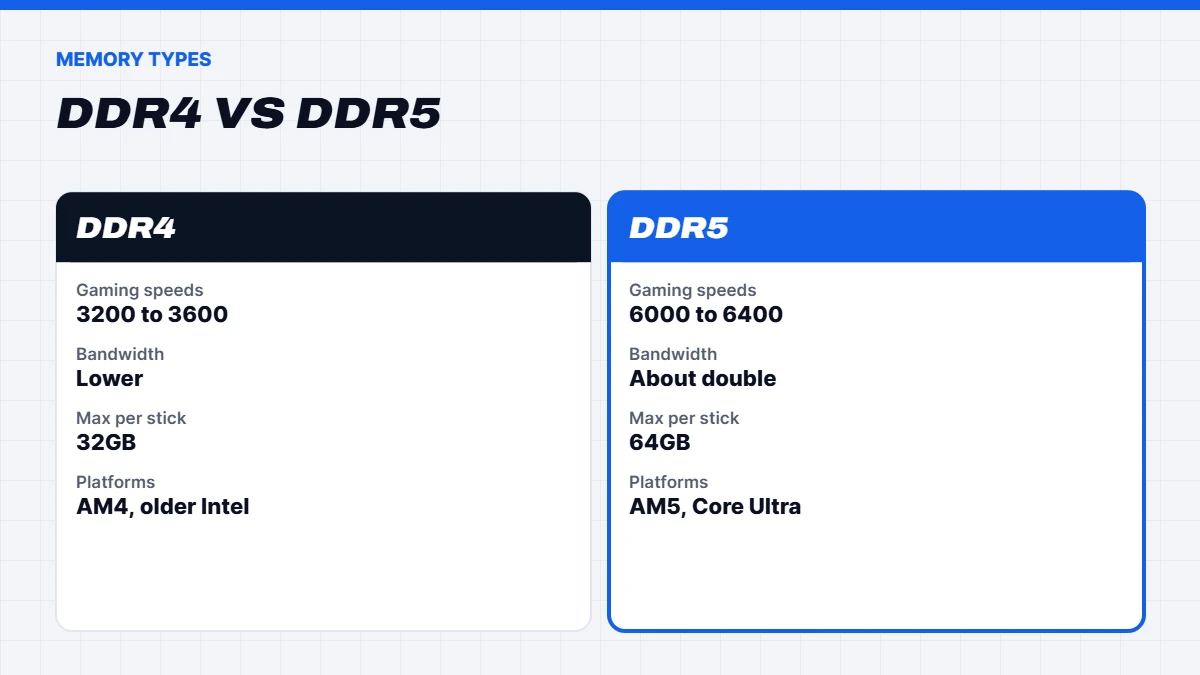
Here’s how DDR4 vs DDR5 compares on the things that matter:
| DDR4 | DDR5 | |
|---|---|---|
| — | — | — |
| Typical gaming speeds | 3200 to 3600MT/s | 6000 to 6400MT/s |
| Bandwidth | Lower | Roughly double at typical speeds |
| Max capacity per stick | Usually 32GB | Up to 64GB |
| Channel design | One 64-bit channel per stick | Two 32-bit sub-channels per stick |
| Power management | On the motherboard | On the memory stick |
| Platforms | AMD AM4, Intel 12th to 14th gen (some boards) | AMD AM5, Intel 12th to 14th gen (some boards), Intel Core Ultra 200S |
The headline is bandwidth. DDR5 moves far more data per second, which helps processors with lots of cores, integrated graphics, and modern games that stream large amounts of data.
How DDR5 works differently
Beyond speed, DDR5 changes how memory is built. Each DDR5 stick is split into two smaller independent channels, which lets the processor handle more memory requests at once. Power management moved from the motherboard onto the stick itself, through a small chip called a PMIC, which gives cleaner power at high speeds. DDR5 also includes on-die error correction inside each memory chip, which helps reliability as chips get denser.
DDR5 also brought new capacities. As well as 16GB and 32GB sticks, you’ll find 24GB and 48GB sticks, so kits like 48GB (2 x 24GB) and 96GB (2 x 48GB) are common. That flexibility is handy for creators who need more than 32GB but less than 64GB.
What about latency?
You’ll often hear that DDR5 has worse latency because its CL (CAS latency) numbers look higher. In practice, what matters is the actual delay in nanoseconds, which depends on both the CL number and the speed. DDR4-3200 CL16 and DDR5-6000 CL30 both work out to about 10 nanoseconds, so the real-world latency is similar, while DDR5 offers much more bandwidth.
That’s why DDR5-6000 CL30 has become the go-to recommendation for AMD AM5 gaming PCs. It’s fast, stable and a sweet spot for Ryzen processors.
Is DDR5 faster for gaming?
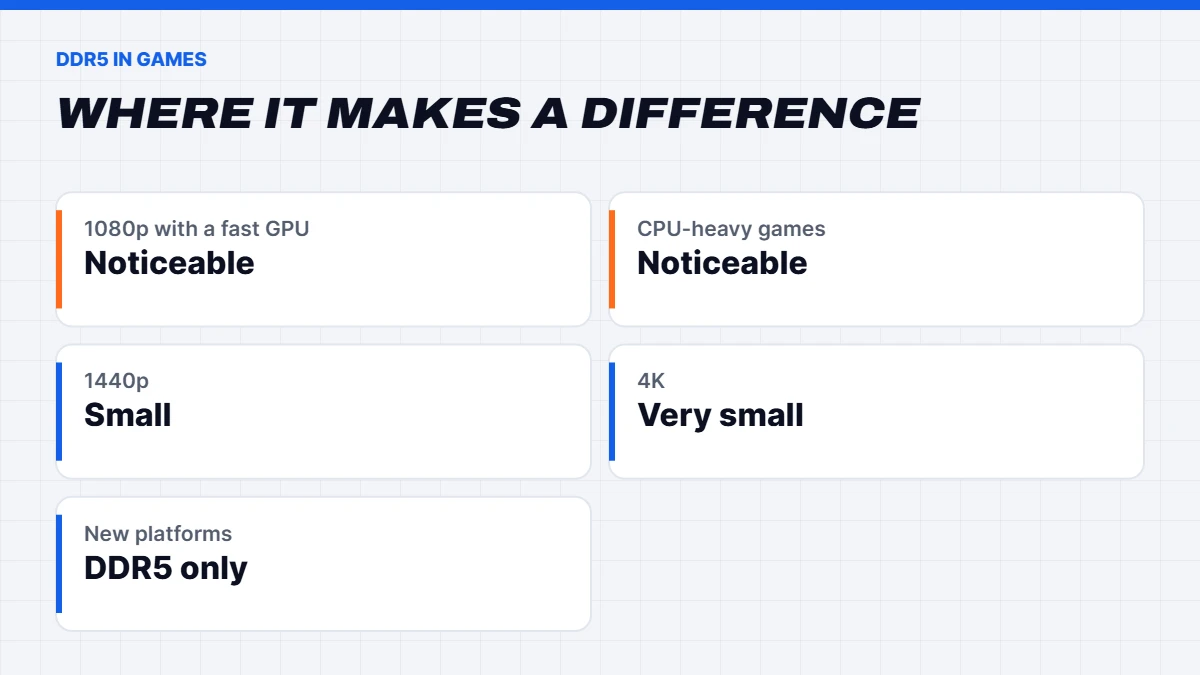
Yes, but not by as much as the raw numbers suggest. In many games, especially at 1440p and 4K where the graphics card does most of the work, the difference between a good DDR4 kit and a good DDR5 kit is small. It’s more noticeable at 1080p with a fast graphics card, in CPU-heavy games like simulators and strategy titles, and on newer processors designed around DDR5.
The bigger reason to choose DDR5 is the platform it comes with. New processors from AMD and Intel are DDR5 only, so the memory type is really a proxy for which generation of PC you’re buying into.
DDR4 vs DDR5 on Intel
Intel’s 12th, 13th and 14th generation Core processors support both memory types, but each motherboard supports only one. That means two people with the same processor could have different memory, depending on their board. Intel’s newer Core Ultra 200S processors on the LGA1851 socket support DDR5 only.
Intel platforms also tend to run faster DDR5 than AMD, so you’ll see Intel builds with DDR5-6400 or higher. For DDR4 Intel owners, the DDR4 vs DDR5 question usually comes down to whether the rest of the platform needs replacing anyway. If your processor is 12th gen or newer, upgrading the graphics card is often the smarter first step.
DDR4 vs DDR5 in laptops
On laptops, the choice is usually made for you. Many laptops use LPDDR5 or LPDDR5X memory soldered to the motherboard, which is fast and efficient but can’t be upgraded. Gaming laptops and business laptops more often use removable SO-DIMM sticks, either DDR4 on older models or DDR5 on newer ones. If you’re buying a laptop, check the memory type and whether it’s soldered, and choose enough RAM up front if you can’t upgrade later.
The 2026 twist: memory prices
Normally, older memory gets cheaper as it ages. Not this time. The memory shortage driven by AI data centres pushed up prices for both types, and as the big manufacturers wound down DDR4 production, DDR4 prices rose sharply too. At various points in 2026, DDR4 was rising faster than DDR5, and in some channels it even cost more. We explain the bigger picture in why RAM is so expensive.
What this means in practice:
- DDR4 is no longer a guaranteed bargain. Compare actual prices before assuming the older platform is cheaper.
- Reusing existing DDR4 is the real saving. If you already own 16GB or 32GB of DDR4, keeping it is where AM4 upgrades shine.
- Buy the right amount once. Upgrading memory later is more expensive than it used to be, whichever type you choose.
AM4 vs AM5: what’s the difference?
AMD’s processors sit on different platforms, called sockets:
- AM4 supports Ryzen 1000 to 5000 series processors, uses DDR4 only, and supports PCIe 4.0 on newer motherboards. It’s been around since 2016 and is no longer getting new mainstream processor generations, although AMD has kept some popular chips in production.
- AM5 supports Ryzen 7000, 8000 and 9000 series processors, uses DDR5 only, and supports PCIe 5.0 on many motherboards. AMD has committed to supporting it for years to come, so there’s a clear upgrade path.
If you’re building or buying a new gaming PC, AM5 is the better long-term choice. If you already own an AM4 system, it can still have plenty of life left with the right processor.
The best AM4 CPU options in 2026
If you’re staying on AM4, here’s how we’d think about the best AM4 CPU for your needs:
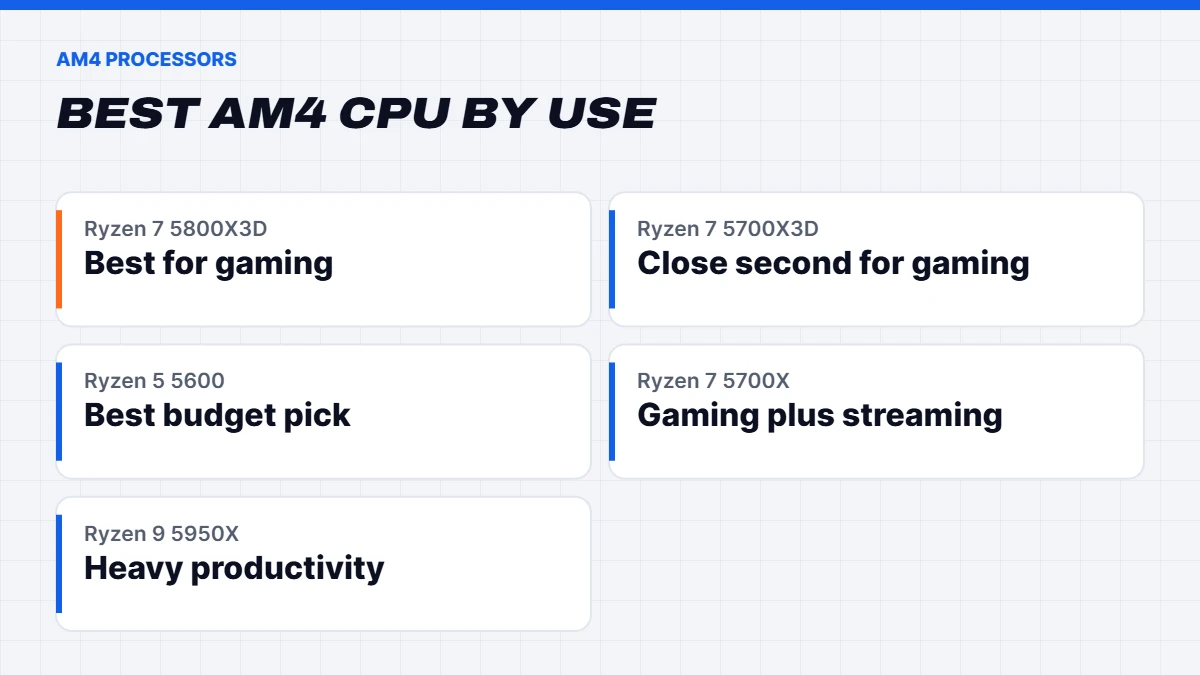
- Ryzen 7 5800X3D. The best AM4 CPU for gaming, thanks to its large 3D V-Cache. Production had ended, but AMD brought it back in mid-2026 as a 10th Anniversary Edition, which the ASUS Edge Up guide to AM4 builds in 2026 covers. It makes a great final upgrade for an AM4 gaming PC.
- Ryzen 7 5700X3D. Slightly slower than the 5800X3D but also excellent for gaming, when you can find it at a good price.
- Ryzen 5 5600 or 5600X. The budget favourite: six cores, efficient, and plenty for 1080p gaming with a mid-range graphics card.
- Ryzen 7 5700X. Eight cores for gamers who also stream or do some creative work.
- Ryzen 9 5950X. Sixteen cores for heavy productivity, but overkill for gaming alone.
For most people, the best AM4 CPU for gaming is the 5800X3D or 5700X3D, while the 5600 is the value pick. Before upgrading, update your motherboard’s BIOS, as older AM4 boards often need it to recognise Ryzen 5000 processors.
Upgrading an AM4 PC step by step
If you’ve picked the best AM4 CPU for your budget, here’s how to fit it safely:
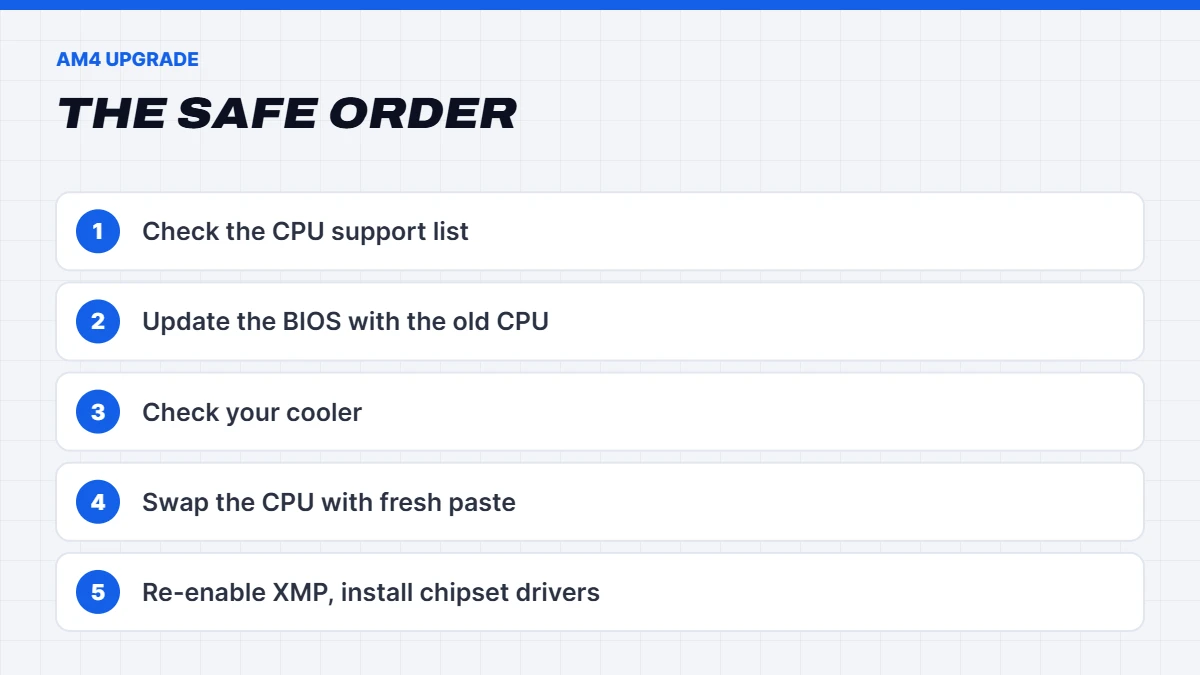
- Check your motherboard’s CPU support list on the maker’s website. Most B450, X470, B550 and X570 boards support Ryzen 5000 processors with the right BIOS.
- Update the BIOS first, while your old processor is still installed. Without it, the board may not recognise the new chip.
- Check your cooler. X3D processors run warm, so a decent tower cooler or a 240mm liquid cooler is a good idea.
- Swap the processor, using fresh thermal paste.
- Reset BIOS settings, then turn XMP back on for your DDR4.
- Install the latest AMD chipset drivers in Windows.
That’s usually all it takes to give an older AM4 gaming PC a meaningful boost, often for far less than a whole new platform.
Is it time to upgrade?
Here’s a simple way to decide:
| Your current PC | Our suggestion |
|---|---|
| — | — |
| AM4 with a Ryzen 1000, 2000 or 3000 CPU | Update the BIOS, drop in a 5700X3D or 5800X3D |
| AM4 with a Ryzen 5000 non-X3D CPU | Only upgrade the CPU if you’re CPU-limited, otherwise upgrade the GPU |
| Intel 12th to 14th gen with DDR4 | Upgrade the GPU first, keep the platform |
| Intel 10th gen or older | Usually time for a new platform |
| Buying a brand new PC | Choose AM5 or a current Intel platform with DDR5 |
The graphics card is still the biggest factor in gaming performance, so if your processor is reasonably modern, a GPU upgrade often gives more improvement than switching memory types.
When to move to DDR5 and AM5
It’s worth moving to a new platform if:
- Your processor is several generations old and holding back a new graphics card.
- Your motherboard can’t take a faster processor or is showing its age.
- You’re buying a new PC anyway, so you might as well get the longest upgrade path.
- You do heavy multitasking or creative work, where DDR5’s bandwidth and higher capacities help.
If you do move, our guide to AMD vs Intel helps you choose a platform, and our 9800X3D guide covers the best gaming processors on AM5.
DDR4 vs DDR5 in our gaming PCs
Every new build we sell now uses DDR5. Even our budget 1080p builds have moved to AM5 with a Ryzen 5 7500F, so you get a clear upgrade path. Our mid-range and high-end builds use AM5 or current Intel platforms with DDR5-6000, for the extra performance and upgrade path.
If you want a new PC with room to grow, our Ryzen gaming PC range includes AM5 builds with Ryzen 7000 and 9000 processors. If you want the best value at 1080p, our budget gaming PC range includes AM4 builds.
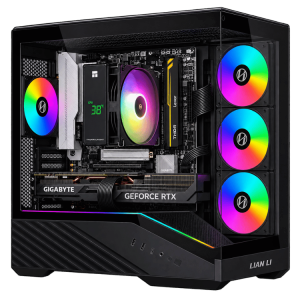 Vision Vector Lite – RTX 5070 PC, Ryzen 5 7500F Original price was: $3,099.00.$2,324.00Current price is: $2,324.00.See the build
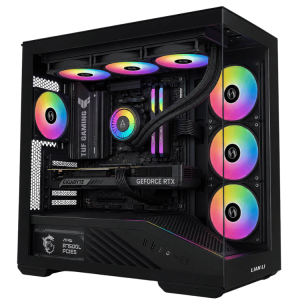 Vision Vector – 7800X3D PC with RTX 5070, 32GB DDR5 Original price was: $4,399.00.$3,299.00Current price is: $3,299.00.See the build
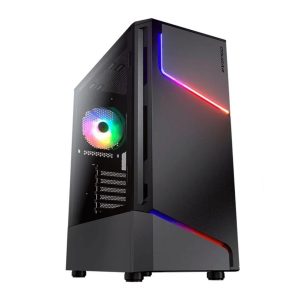 Vision Budget RTX 5060 PC – Ryzen 5 7500F, 16GB, 1TB Original price was: $1,950.00.$1,462.00Current price is: $1,462.00.See the build
16GB or 32GB?
Whichever type you choose, the amount matters more than the generation for many people. 16GB is enough for 1080p gaming and everyday use, but 32GB is the sweet spot for modern games with Discord and a browser open. With memory prices high, buying the right amount up front matters more than ever. When thinking about DDR4 vs DDR5, remember that 32GB of either beats 16GB of the faster type for most gamers who multitask.
Mixing and installing memory
A few practical tips whichever type you use:
- DDR4 and DDR5 aren’t interchangeable. The slots are keyed differently, so a DDR5 stick won’t fit a DDR4 motherboard, and vice versa.
- Use two matched sticks for dual channel. Mixing different kits can cause instability.
- Turn on XMP or EXPO in the BIOS so the memory runs at its rated speed.
- Expect a long first boot with new DDR5 memory, as the system trains the memory. That’s normal.
Our guide to what RAM is and how much you need covers capacity, and if you’re unsure which memory your PC takes, message us on live chat with your motherboard model.
Common myths
- “DDR5 doubles your gaming performance.” It doubles bandwidth, not frame rates. Gains in games are usually modest.
- “DDR5 has worse latency.” The CL numbers are higher, but the real delay in nanoseconds is similar at typical speeds.
- “DDR4 is always cheaper.” Not in 2026. Compare current prices.
- “AM4 can’t game anymore.” With the best AM4 CPU options like the 5800X3D, it still handles modern games well with a capable graphics card.
- “You need the fastest RAM available.” For AMD, DDR5-6000 CL30 is the sweet spot, and faster kits add cost for little gain.
Our verdict on DDR4 vs DDR5
The DDR4 vs DDR5 decision is really a platform decision. If you’re buying or building a new PC, choose DDR5 on AM5 or a current Intel platform, as it offers better performance and a real upgrade path. If you already own a DDR4 system, especially AM4, don’t rush to replace it: dropping in the best AM4 CPU for gaming you can afford, and upgrading the graphics card, often gives you years more life for far less money.
DDR4 vs DDR5 FAQs
Is DDR5 worth it over DDR4?
For a new PC, yes, because new platforms are DDR5 only and offer a longer upgrade path. For an existing DDR4 PC, keeping DDR4 and upgrading the processor or graphics card is often better value.
Can I put DDR5 in a DDR4 motherboard?
No. The slots are physically different, so each motherboard supports only one type.
What is the best AM4 CPU for gaming?
The Ryzen 7 5800X3D, followed closely by the 5700X3D. The Ryzen 5 5600 is the best budget option.
Is the DDR4 vs DDR5 difference noticeable in games?
Sometimes. At 1440p and 4K the difference is usually small. It’s more noticeable at 1080p with a fast graphics card and in CPU-heavy games.
What’s the best AM4 CPU to pair with an RTX 5070?
A Ryzen 7 5800X3D or 5700X3D will make the most of an RTX 5070. A Ryzen 5 5600 works well too, especially at 1440p.
What’s the best AM4 CPU for gaming on a budget?
The Ryzen 5 5600. It’s affordable, efficient and pairs well with mid-range graphics cards for 1080p and 1440p gaming.
Is AM4 dead?
It’s no longer getting new mainstream processor generations, but it’s still a capable gaming platform, and AMD has kept popular chips available.
What speed DDR5 should I buy?
DDR5-6000 CL30 is the sweet spot for AMD Ryzen systems. Intel systems often run faster DDR5 well.