
What is RAM, and why does every computer listing make such a fuss about it? RAM is one of the most important specs on any PC or laptop, and one of the easiest to get wrong. Too little and your computer slows to a crawl when you open a few tabs. Too much and you’ve spent money that could have gone on a better graphics card or a bigger SSD.
This guide explains what RAM is and what it does in plain English, then answers the questions we get asked most: how much RAM do I need, is 16GB RAM enough for gaming, and when it’s worth upgrading.
Quick answer
RAM, or random-access memory, is your computer’s short-term working memory. It holds the apps, files and game data you’re using right now so the processor can reach them instantly. In 2026, 16GB is the minimum we’d recommend for a Windows PC, 32GB is the sweet spot for gaming, and 64GB or more suits heavy video, 3D and AI work.
In this guide
What is RAM?
RAM stands for random-access memory. It’s the fast, temporary memory your computer uses to hold whatever you’re working on right now: the operating system, your open apps, the browser tabs you’ve got going, and the parts of a game that are currently loaded.
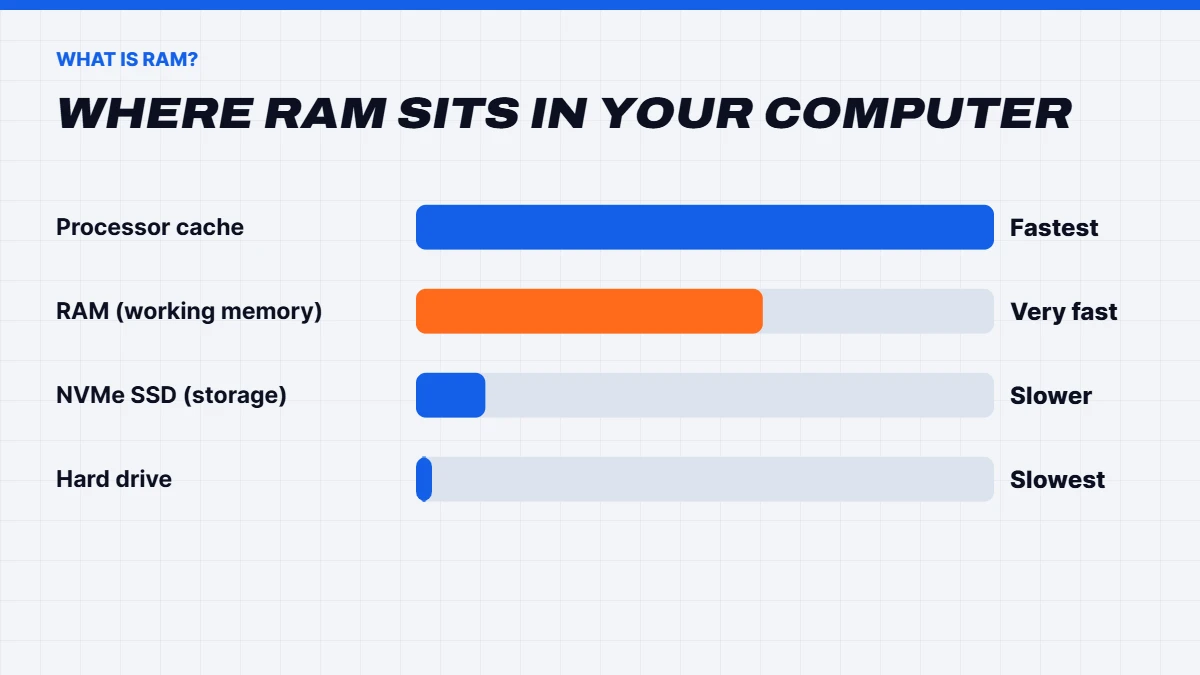
“Random access” means the computer can read any piece of it directly, in any order, very quickly. That’s what makes it so much faster than storage. The catch is that RAM is volatile: it forgets everything when the power goes off. That’s why your files live on an SSD or hard drive, and get copied into RAM when you open them.
Physically, desktop RAM comes on small circuit boards called sticks or modules, which clip into slots on the motherboard. In many laptops, the RAM is soldered directly to the board and can’t be changed. Microsoft lists 4GB as the minimum RAM for Windows 11, but that’s a bare minimum for installing it, not a comfortable amount to use it.
What does RAM do?
So what does RAM do day to day? The easiest way to picture it is as your desk. Your SSD is the filing cabinet, holding everything you own. RAM is the desk where you spread out the things you’re working on. The bigger the desk, the more you can have open at once without constantly getting up to fetch something from the cabinet.
When you open an app, Windows copies it from the SSD into RAM. When you switch between apps, the ones in RAM appear instantly. If RAM fills up, Windows starts moving things back to the SSD to make room, which is much slower. That’s when a computer starts to feel sluggish: tabs reload, apps pause, and games stutter.
In games, RAM holds the game’s code, the world around you, sounds and data waiting to be sent to the graphics card. Graphics cards have their own separate memory, called VRAM, for textures and images, which is a different spec.
RAM vs storage vs VRAM
These three get mixed up all the time, so here’s the difference:
| RAM | Storage (SSD) | VRAM | |
|---|---|---|---|
| What it is | Short-term working memory | Long-term storage for files and apps | Memory on the graphics card |
| Typical size | 16GB to 64GB | 512GB to 4TB | 8GB to 32GB |
| Keeps data when off? | No | Yes | No |
| Speed | Very fast | Fast, but much slower than RAM | Very fast |
| Affects | Multitasking and smoothness | Load times and how much you can store | Texture quality and high resolutions |
A computer with lots of storage but little RAM can hold plenty of files and still feel slow. A computer with lots of RAM but a small SSD runs smoothly but fills up quickly. A balanced system needs enough of both.
How much RAM do I need?
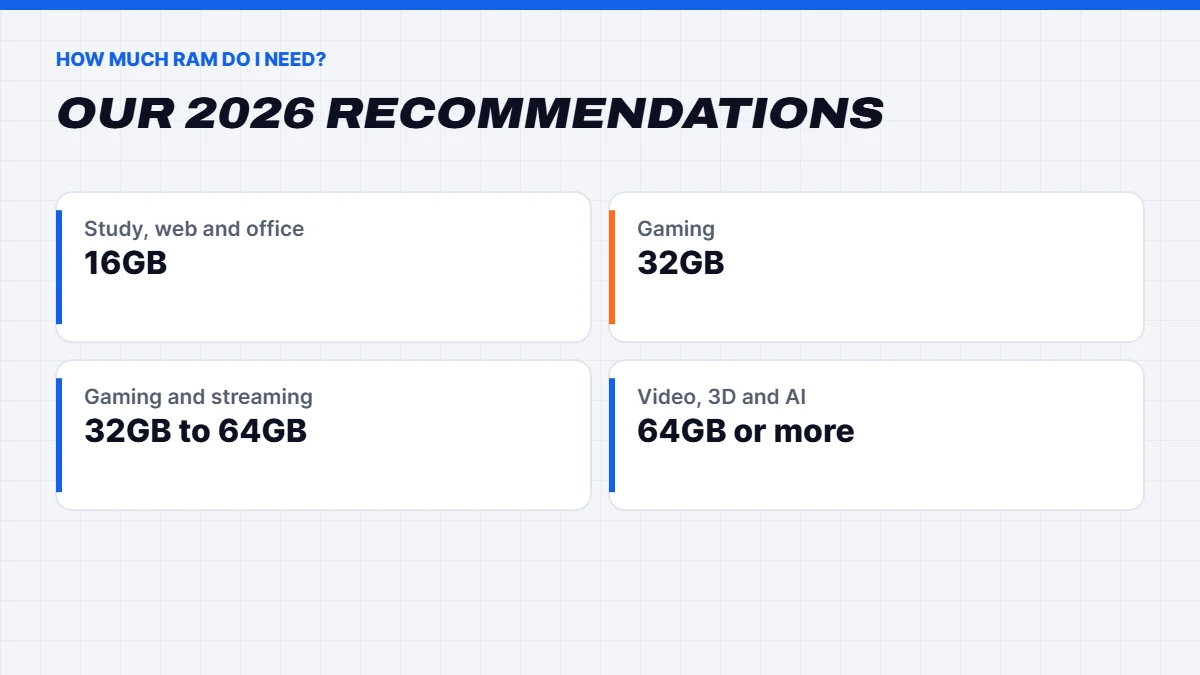
How much RAM do I need is the question we hear most. Here’s our answer for 2026, by use:
| Use | Minimum | Recommended | Heavy use |
|---|---|---|---|
| Web, email, study | 8GB | 16GB | 16GB |
| Office and home office | 16GB | 16GB | 32GB |
| Gaming | 16GB | 32GB | 32GB |
| Gaming and streaming | 32GB | 32GB | 64GB |
| Photo and video editing | 32GB | 32GB to 64GB | 64GB+ |
| 3D rendering, CAD, local AI | 32GB | 64GB | 128GB+ |
The jump from “minimum” to “recommended” is where computers go from usable to comfortable. If you keep a PC for four or five years, aim for the recommended column, because apps and games keep asking for more.
Is 16GB RAM enough?
For many people, yes. Is 16GB RAM enough for web browsing, study, office work, video calls and light photo editing? Absolutely. It’s the amount we’d put in any everyday Windows computer, and it leaves room for Windows 11 plus a busy browser.
Where 16GB starts to feel tight is with heavy multitasking: dozens of browser tabs, video editing, large spreadsheets and design apps open together. Windows will cope, but you’ll notice more pauses as it shuffles data back to the SSD.
Is 16GB RAM enough for gaming?
Is 16GB RAM enough for gaming in 2026? It works, but it’s no longer generous. Most games still run on 16GB, but several big recent releases recommend 32GB, and once you add Discord, a browser and a launcher or two in the background, 16GB fills up quickly. That can cause stutter in busy moments, even when the frame rate looks fine.
Our advice: 16GB is acceptable for a budget gaming PC that mostly plays esports titles like Fortnite, Valorant and Counter-Strike 2. For anything else, especially new big-budget games or if you stream, 32GB is the sweet spot. It’s why nearly all of our mid-range and high-end gaming PCs come with 32GB.
What is RAM used for in a gaming PC?
What is RAM actually doing while you play? When a game loads, it copies its code, the current level, character models, sounds and lots of other data from your SSD into RAM. As you move through the world, the game streams new areas into RAM and drops old ones, while the processor reads and writes game data constantly. The graphics card’s own VRAM holds the textures it’s drawing, and RAM acts as the staging area that feeds it.
That’s why running out of RAM in a game causes stutter rather than a lower average frame rate. The game keeps running, but every so often it has to wait for data that’s been pushed out to the SSD. More RAM means fewer of those waits, especially in open-world games and when you have other apps running alongside.
What does RAM do in a laptop?
What does RAM do differently in a laptop? Nothing, in principle. It’s the same short-term memory. The difference is that laptop RAM is often soldered to the board to save space and power, so you can’t add more later. Some laptops also share their RAM with the built-in graphics, which means part of it is reserved for the display. A laptop with 16GB of RAM and integrated graphics may only have around 14GB available to apps.
That’s why we’re firm about laptops: buy with at least 16GB, and choose 32GB if you’ll keep it for years or do creative work.
How much RAM do I need for work and study?
For students, 16GB covers essays, research, video calls, online classes and light design work comfortably. If your course involves video editing, CAD, data science or programming with virtual machines, 32GB is a sensible step up.
For office work, 16GB handles email, documents, spreadsheets and video meetings. If you run large Excel files, use several monitors with lots of apps open, or work with design and photo software, 32GB keeps things smooth. For heavy creative and technical work, like 4K video, 3D rendering, CAD assemblies or running AI models locally, 64GB or more makes a real difference.
RAM myths
A few common beliefs about RAM aren’t quite right:
- “More RAM always makes your PC faster.” Only until you have enough. Beyond that, extra RAM sits unused.
- “Free RAM is good RAM.” Windows deliberately uses spare RAM to cache things you might need, which speeds things up. High use isn’t a problem unless it’s near the limit.
- “RAM cleaner apps help.” They usually make things slower by clearing useful cached data. Windows manages memory well on its own.
- “Faster RAM is a big upgrade.” Capacity and dual channel matter more. Speed is a small extra.
DDR4 vs DDR5
Current desktop platforms use DDR5 memory, which is faster than the older DDR4 standard and comes in bigger sizes per stick. AMD’s AM5 processors and Intel’s Core Ultra chips require DDR5. Some Intel 12th to 14th-gen boards and older AMD AM4 systems use DDR4. The two aren’t interchangeable, because the slots are physically different, so always buy the type your motherboard supports. Our full DDR4 vs DDR5 guide covers AM4, AM5 and when to upgrade.
For a new gaming PC, DDR5 is the way to go. If you’re upgrading an older DDR4 system, adding more DDR4 is perfectly fine and often cheaper.
Speed, timings and dual channel
RAM speed is measured in megatransfers per second, written like DDR5-6000. Faster RAM helps a little in games and more in some productivity tasks. For AMD Ryzen systems, DDR5-6000 is the well-known sweet spot. Timings, the CL number, measure delay. Lower is better, but the difference is small for most people.
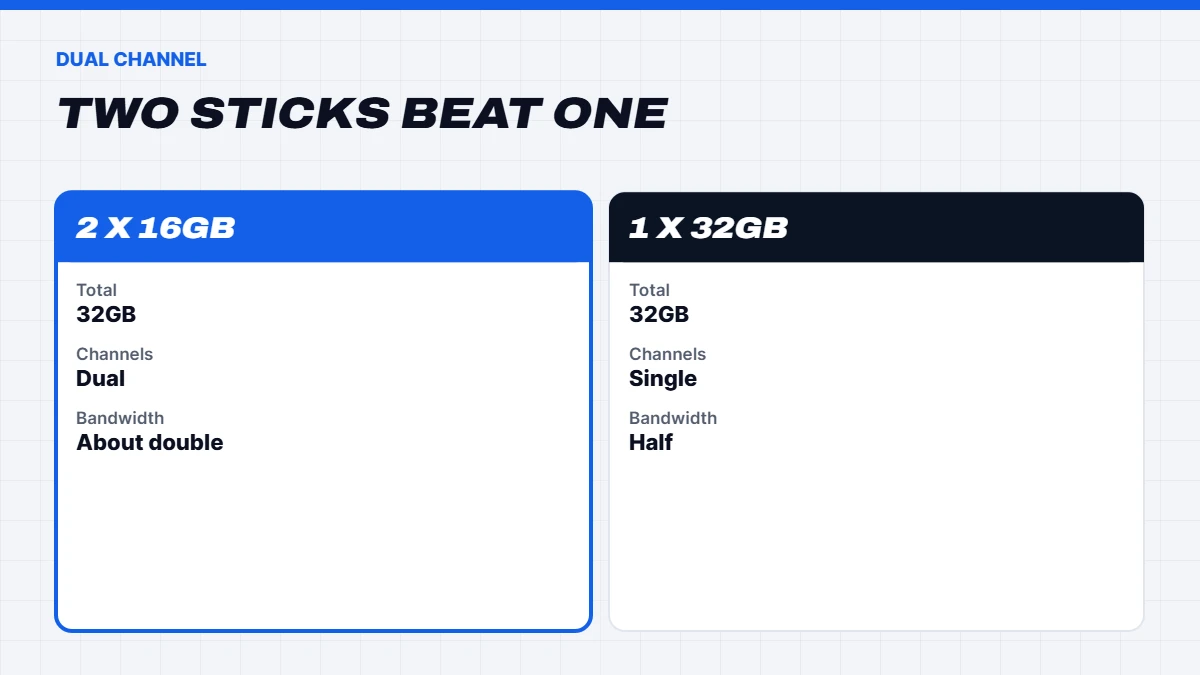
The bigger factor is dual channel. Two sticks of RAM work together and roughly double the bandwidth compared with one stick of the same total size. So 32GB as 2 x 16GB is better than a single 32GB stick. It’s one of the most common shortcuts in cheap prebuilt PCs, so it’s worth checking.
How much RAM do I need for gaming? A quick checklist
If you’re buying or building a gaming PC, here’s a simple way to decide:
- Mostly esports titles, tight budget: 16GB in two sticks.
- New releases at 1080p or 1440p: 32GB in two sticks.
- Gaming plus streaming or video editing: 32GB, or 64GB if you edit 4K footage.
- Heavily modded games or big simulators: 32GB to 64GB.
- 4K gaming with a high-end card: 32GB is plenty for games themselves.
Whatever you choose, make sure it’s dual channel and the type your platform needs, usually DDR5 for a new PC.
How to check how much RAM you have
In Windows 11, right-click the Start button, open Task Manager and choose Performance, then Memory. You’ll see the total amount, how much is in use, the speed and how many slots are used. If memory use regularly sits above 80 to 90% while you work or play, more RAM would help. If you are adding more, our guide on how to install RAM walks through it step by step.
You can also see it in Settings, under System, then About, where it’s listed as installed RAM.
Signs you need more RAM
You probably need more RAM if:
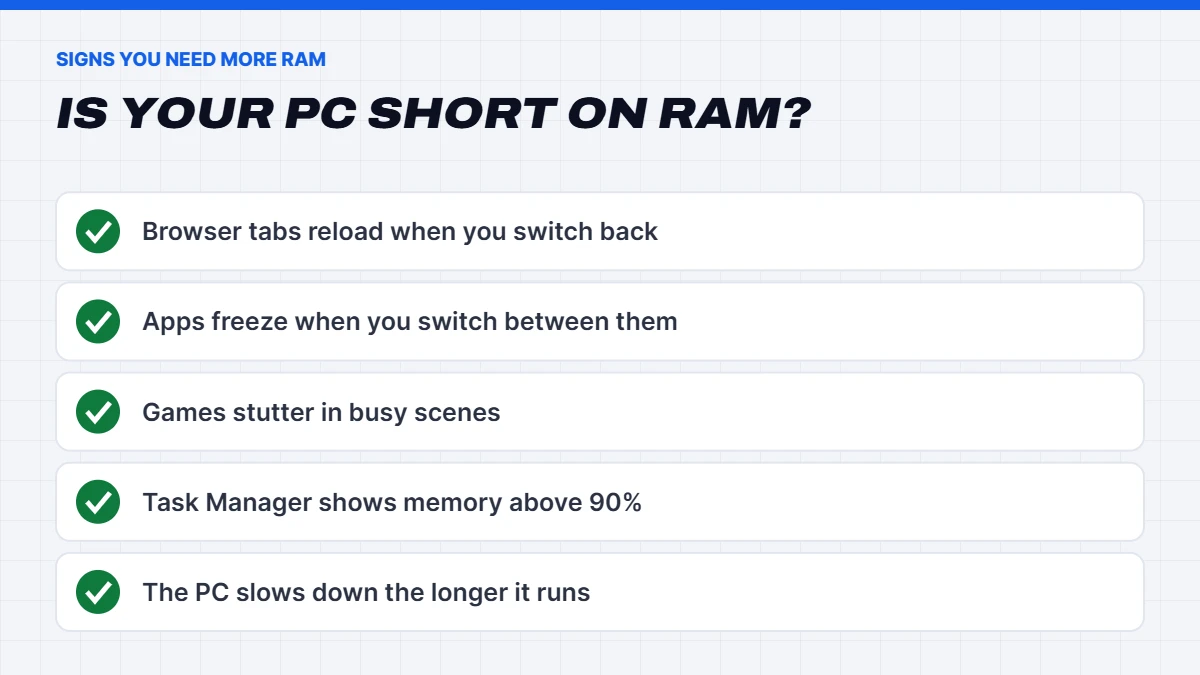
- Browser tabs reload when you switch back to them.
- Apps freeze briefly when you switch between them.
- Games stutter in busy scenes even though the graphics card isn’t maxed out.
- Task Manager shows memory use above 90% often.
- Your computer slows down the longer it’s been on.
Not every slowdown is RAM, though. An almost-full drive, an old hard drive instead of an SSD, or too many startup apps can feel similar.
Upgrading your RAM
On most desktops, adding RAM is one of the easiest and most affordable upgrades. Check your motherboard’s supported type, speed and maximum capacity, and try to buy a matched kit so all your sticks are identical. If you have two free slots, adding a matching pair is ideal.
On laptops, check first whether the memory is soldered. Many thin laptops can’t be upgraded at all, which is why we always suggest buying a laptop with enough RAM from the start. Some gaming and business laptops do have upgradeable slots.
Why is RAM so expensive right now?
If you’ve priced RAM recently, you’ll have noticed it’s much more expensive than it was a couple of years ago. A global shortage of memory chips, driven by huge demand from AI data centres, has pushed prices up sharply since late 2025. Our guide to why RAM is so expensive explains what’s happening and what it means for buyers. The practical takeaway is to buy the right amount the first time, because upgrading later costs more than it used to.
Our PCs and RAM
We fit RAM in matched pairs so it always runs in dual channel, and we size it to the job. Budget gaming PCs start at 16GB, most of our gaming PCs have 32GB of DDR5, and our creator and AI builds go further. The Vision Apex X is a 64GB RAM PC with an RTX 5080, and the Vision Ultimate Workstation is a 128GB RAM PC for heavy rendering and engineering work. You’ll find more in our workstation PCs.
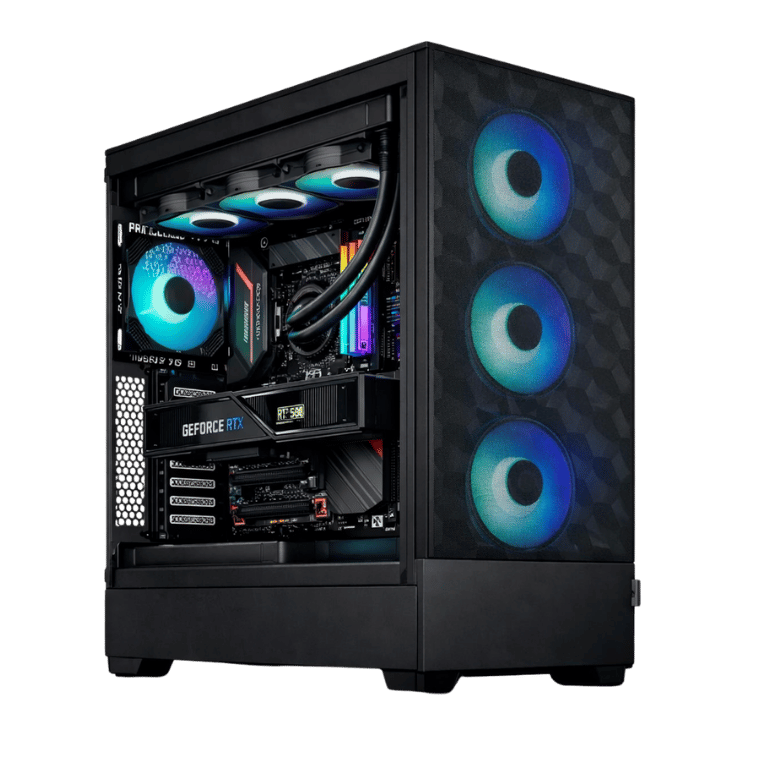
 Vision Apex X – 64GB RAM PC, RTX 5080 & Ryzen 7 7800X3D Original price was: $6,699.00.$5,024.00Current price is: $5,024.00.See the build
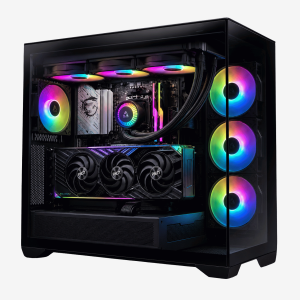 Vision X RTX 5080 PC – Ryzen 7 9800X3D, 64GB DDR5 Original price was: $6,999.00.$5,249.00Current price is: $5,249.00.See the build
 Vision Ultimate Workstation – 128GB RAM PC, Core i9-14900KF + RTX 5080 Original price was: $8,500.00.$6,375.00Current price is: $6,375.00.See the build
RAM FAQs
What is RAM in simple terms?
It’s your computer’s short-term memory, where it keeps whatever you’re working on right now so the processor can reach it instantly.
How much RAM do I need for a laptop?
At least 16GB for a Windows laptop you’ll keep for a few years, and 32GB for creative work, programming or gaming. Many laptops can’t be upgraded later, so choose carefully.
What does RAM stand for?
Random-access memory. It’s the computer’s fast, temporary working memory.
Is 16GB RAM enough for gaming in 2026?
For esports and lighter games, yes. For new big-budget games, streaming or heavy multitasking, 32GB is the better choice.
How much RAM do I need for video editing?
32GB for 1080p and light 4K editing, and 64GB or more for heavy 4K, 6K or 8K projects.
Does more RAM make games faster?
Only up to the point where you have enough. Going from 8GB to 16GB, or 16GB to 32GB in demanding games, can reduce stutter. Going from 32GB to 64GB rarely changes gaming performance.
Can I mix different RAM sticks?
It sometimes works, but it can cause instability or force all sticks to run at the slowest speed. A matched kit is the safest choice.