

Finding the best budget laptop is mostly about knowing where it’s safe to save money and where it isn’t. A cheap laptop with the right basics can feel quick for years. A cheap laptop with the wrong ones can feel slow the day you open the box. The price tag alone won’t tell you which is which.
We sell laptops at a range of prices, and we’d much rather you buy a modest laptop that suits you than stretch for one you don’t need. This guide covers what to expect for under $1,000, the corners budget laptops cut and which ones actually matter, the traps to avoid, and our honest picks.
Quick answer
The best budget laptop has an SSD, at least 8GB of RAM (16GB if you can), a recent Ryzen 5 or Core i5 class processor and a Full HD screen. Avoid 4GB of RAM, eMMC storage and very old processors. Spending a little more for 16GB and a 512GB SSD often buys years of extra life, which makes it better value in the long run.
In this guide
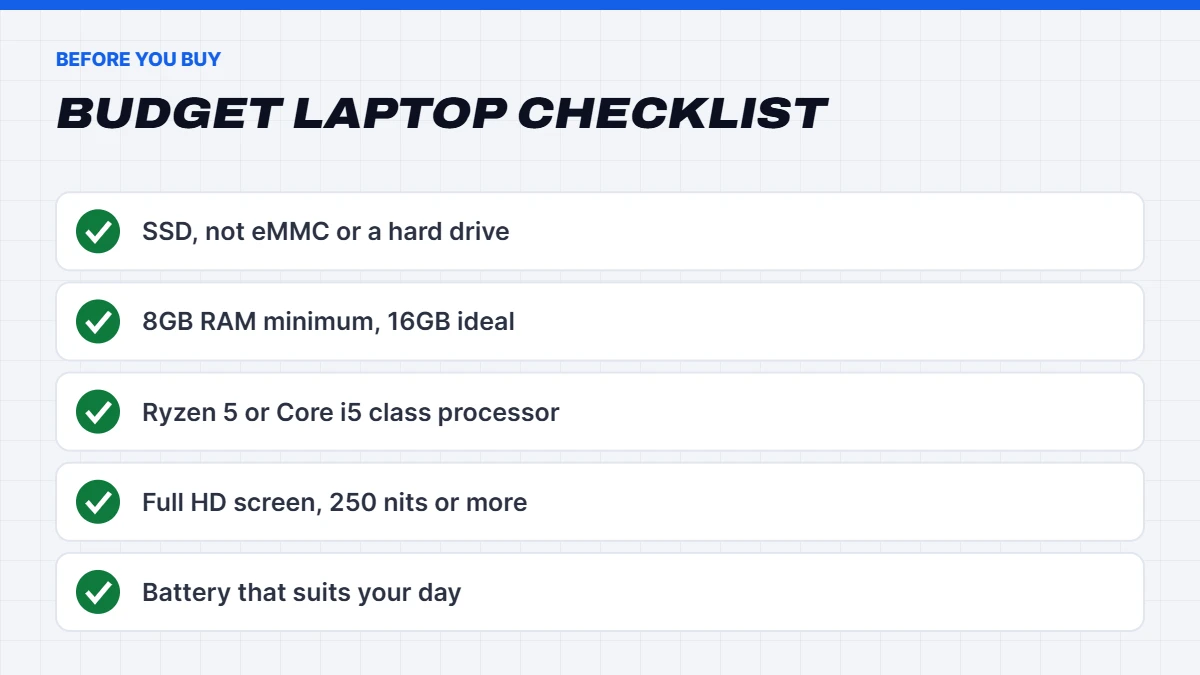
What makes the best budget laptop?
Here’s what matters most in a budget laptop, roughly in order:
- An SSD. It’s the single biggest factor in how quick a laptop feels. Avoid spinning hard drives and slow eMMC storage.
- Enough RAM. 8GB is the minimum for Windows 11 today. 16GB keeps a laptop feeling quick for longer, especially with lots of browser tabs.
- A recent processor. A current or recent AMD Ryzen 5 or Intel Core i5 class chip handles everyday work easily.
- A Full HD screen. 1920 x 1080 at minimum. Lower resolutions look fuzzy and fit less on screen.
- Battery life that suits your day.
- Build quality, especially the hinge and keyboard.
Get the first three right and the best budget laptop for you will feel far more expensive than it is.
What to expect for under $1,000
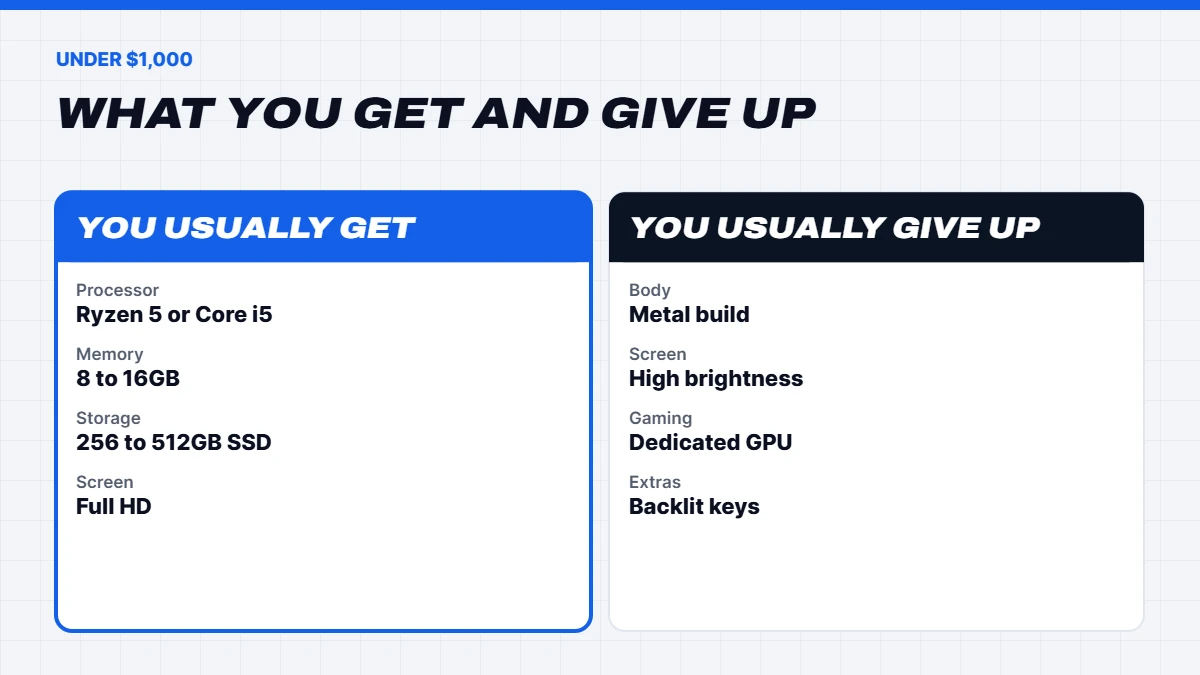
So what does the best laptop under $1000 Australia has to offer actually look like? In this price range you can expect:
- A Ryzen 5 or Core i5 class processor, sometimes a generation or two old, which is fine for everyday use.
- 8 to 16GB of RAM.
- A 256 to 512GB SSD.
- A Full HD screen, usually 14 or 15.6 inches, with modest brightness.
- A plastic build that’s perfectly sturdy if treated reasonably.
What you generally won’t get under $1,000 is a premium metal body, a very bright high-resolution screen, or strong gaming performance. Entry-level gaming laptops start around the $1,000 mark, often a little above, and usually only dip below it during big sales.
Where budget laptops cut corners
Every budget laptop saves money somewhere. Some cuts barely matter; others make a big difference to daily use.
Usually fine:
- A plastic body rather than aluminium.
- No backlit keyboard, unless you often work in the dark.
- An older-generation processor, as long as it’s a Ryzen 5 or Core i5 class chip and supported by Windows 11.
- A basic webcam, fine for video calls.
Worth paying attention to:
- The screen. Budget screens are often dim, so check the brightness, ideally 250 nits or more, especially if you’ll use it near windows.
- Soldered RAM. Many budget laptops have memory soldered to the board, so you can’t add more later. If it’s soldered, buy 16GB up front if you can.
- Single-channel memory, which can slow down the built-in graphics.
- Storage size. 256GB fills up quickly with photos and apps, so make sure there’s room to grow, or use cloud storage.
- Battery life. Real-world battery life on cheaper models is often shorter than advertised.
Screen size: 14 or 15.6 inches?
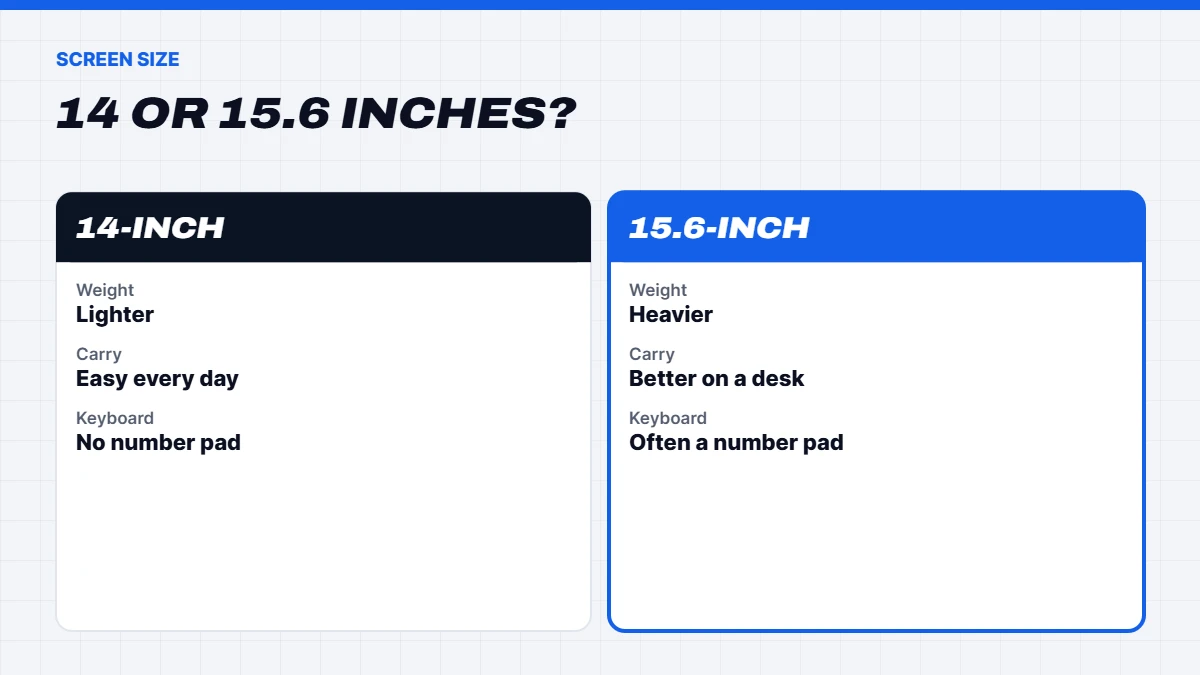
Most budget laptops come in two sizes. A 14-inch laptop is lighter and easier to carry, which suits students and anyone on the move. A 15.6-inch laptop gives you a bigger screen and often a full keyboard with a number pad, which is handy for spreadsheets and comfortable for home use.
If the laptop will mostly live on a desk or the kitchen table, 15.6 inches is usually the more comfortable choice. If it’ll be in a bag most days, 14 inches is worth the slightly smaller screen.
Battery life on a budget
Battery life is one area where budget laptops vary a lot. Manufacturer ratings are measured under light, ideal conditions, so expect real-world use to be shorter, especially with a bright screen and video calls. As a rough guide, plan on about two-thirds of the advertised figure.
AMD Ryzen and recent Intel processors are generally efficient, so even a modest laptop can last a good part of the day. If you’ll be away from power for long stretches, read real-world battery reviews of the exact model before buying.
Our best budget laptop picks
Here’s how we’d choose from our current range. Live prices are shown in the product cards below, as they can change.
ASUS Vivobook Go 15. Our pick for the best value laptop for everyday use. It pairs a Ryzen 5 with 16GB of RAM and a 512GB SSD in a light 15.6-inch body. That 16GB and 512GB combination is exactly where we’d want a budget laptop to be: enough memory for lots of tabs and apps, and enough storage that you’re not constantly deleting things. It’s great for home, study and general work.
Lenovo IdeaPad 5 2 in 1. Worth stretching for if you can go past $1,000. This 14-inch 2-in-1 has a touchscreen that folds back into a tablet, a Ryzen AI 7 350, 24GB of RAM and a 1TB SSD in a body around 1.5kg. It’s lovely for reading, note-taking and watching shows, and it’ll stay quick for years. If budget is the priority, the Vivobook Go 15 is the better buy.
Stretching for gaming: MSI Cyborg 15. If you need a laptop that can game and you can stretch past $1,000, this RTX 5050 laptop is our most affordable gaming option. It handles esports and popular games well, and it comes with 16GB of DDR5 with a free slot to add more.
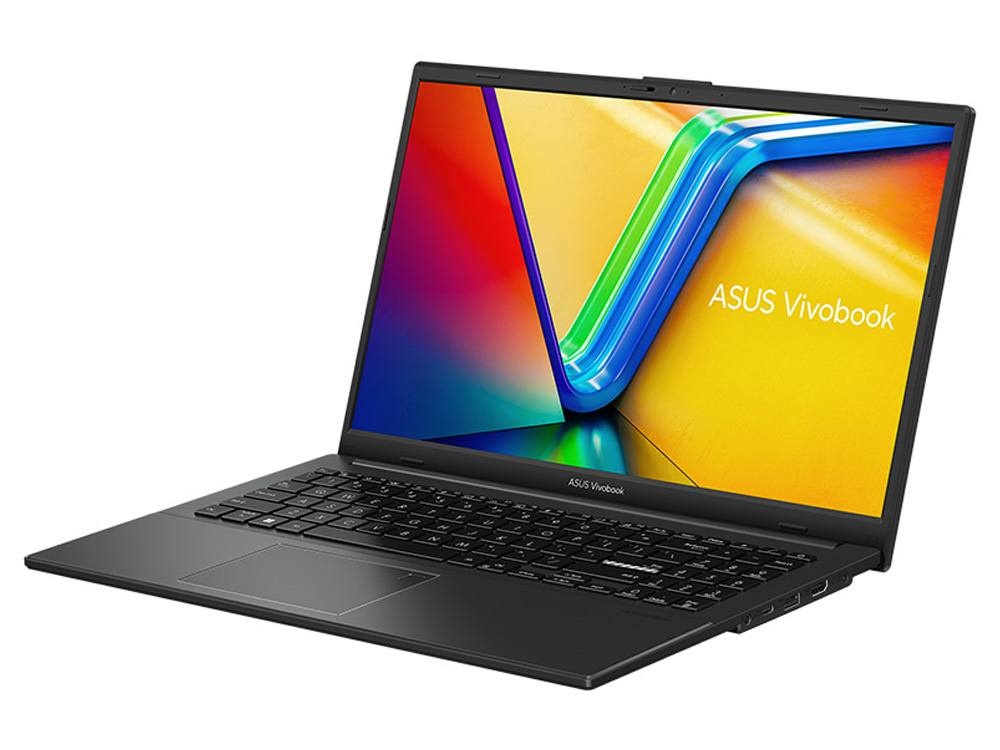
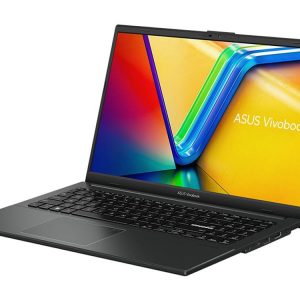 ASUS Vivobook Go 15 – Ryzen 5 7520U, 16GB RAM, 512GB SSD Original price was: $1,099.00.$824.00Current price is: $824.00.See the build
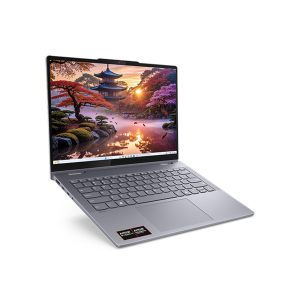 Lenovo IdeaPad 5 2 in 1 – 14-inch Touchscreen Laptop, Ryzen AI 7, 24GB RAM, 1TB SSD Original price was: $899.00.$674.00Current price is: $674.00.See the build
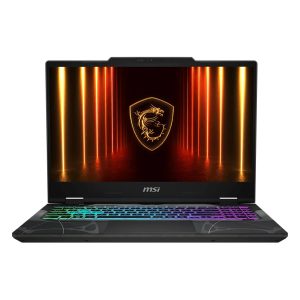 MSI Cyborg 15 – RTX 5050 Laptop, Core i5-13420H, 144Hz Original price was: $1,399.00.$1,049.00Current price is: $1,049.00.See the build
You’ll find our full range in laptops, with RAM, storage and screen specs listed clearly.
Best cheap laptop traps to avoid
The best cheap laptop isn’t the cheapest one you can find. Watch out for these:
- 4GB of RAM. Windows 11 technically runs, but it’s painfully slow with a modern browser.
- eMMC storage, often 64GB or 128GB. It’s slower than an SSD and fills up almost immediately, leaving little room for Windows updates.
- Very low-end processors, such as older entry-level chips sold under budget brand names. Check reviews for the exact processor model.
- Low-resolution screens like 1366 x 768. Everything looks blurry and cramped.
- Grey imports from overseas sellers, which may have a foreign keyboard layout, a different plug, and no local warranty support.
- Old refurbished models without checking Windows 11 support. If you’re buying refurbished, check whether the processor is officially supported and what that means for future updates.
If a deal looks too good to be true, check these specs before anything else.
Windows laptop, Chromebook or tablet?
On a tight budget, it’s tempting to look at a Chromebook or a tablet with a keyboard. They can be fine for web browsing, email and streaming, and they’re often cheaper. The catch is that they don’t run full Windows software, and some schools, unis and workplaces need apps that only run on Windows or macOS.
A budget Windows laptop gives you the most flexibility: full Microsoft Office, any printer, any app, and the option to play lighter games. For most people, the best budget laptop is still a Windows one, unless you’re certain everything you do happens in a web browser.
New, refurbished or ex-lease?
Refurbished and ex-lease business laptops can be excellent value. Business models are built tougher than many consumer laptops, with better keyboards and easier repairs. A few things to check:
- Warranty. Look for at least 6 to 12 months from a reputable seller.
- Battery condition. Ask whether the battery has been tested or replaced.
- Windows 11 support. Check the processor generation and whether it’s officially supported.
- Cosmetic grade. Know what condition to expect.
A new budget laptop gives you a full warranty, a fresh battery and the latest Windows support, which is often worth the small difference in price. For many people, that makes a new model the best value laptop overall.
Best value laptop: why spending a little more can save money
The best value laptop isn’t necessarily the one with the lowest price. Think about cost per year of use. A laptop with 8GB of soldered RAM and a 256GB SSD might feel tight in two or three years, while one with 16GB and 512GB can comfortably last five or more.
If the difference between two models is a small amount and the more expensive one doubles the RAM or storage, it’s usually the better buy. That’s especially true right now, with memory prices high, as we explain in why RAM is so expensive.
The best budget laptop Australia buyers should consider by need
The best budget laptop Australia buyers can get depends on what it’s for:
- Students: light, long battery, 16GB if possible. Our guide to the best laptop for students covers uni, TAFE and school needs.
- Gaming: you’ll need a dedicated graphics card, which usually means spending a bit more. See our guide to the best gaming laptop for every budget.
- Home and family: a 15.6-inch screen with a number pad is comfortable for everyday tasks.
- Seniors and casual users: a simple, light laptop with a clear screen and a comfortable keyboard. Skip anything with fancy features you won’t use.
When to buy
Laptop prices drop most during Black Friday in late November, the back-to-school period in January and February, and end of financial year in June. Our Black Friday laptop deals guide explains how to tell a genuine discount from a fake one.
Setting up a new budget laptop
A few minutes of setup makes a budget laptop feel noticeably quicker:
- Remove apps you don’t want. Many laptops come with trial software. Uninstall anything you won’t use in Settings > Apps > Installed apps.
- Run Windows Update until there’s nothing left to install, and restart.
- Check for S mode. Some cheaper laptops ship in Windows S mode, which only allows apps from the Microsoft Store. You can switch out of it for free in Settings if you need other apps, but it’s a one-way change.
- Set up OneDrive backup for your Documents, Desktop and Pictures folders.
- Stick with Windows Security. The built-in antivirus is good, and extra security suites can slow a budget laptop down.
Do these and even the best cheap laptop will feel more responsive than it did out of the box.
How long will a budget laptop last?
With the right specs, a budget laptop can easily last four to five years of everyday use. The ones that age fastest are those with 4GB of RAM, eMMC storage or very low-end processors, which can feel sluggish within a year or two as software gets heavier.
The best budget laptop for longevity has 16GB of RAM, a 512GB SSD and a processor that’s comfortably supported by Windows 11. Look after the battery by not leaving it at 100% all the time, if your laptop offers a charge limit setting, and keep it clean and updated.
Accessories worth adding
A few inexpensive extras make a budget laptop much nicer to use:
- A padded sleeve or bag, the cheapest insurance you can buy.
- A wireless mouse, far more comfortable than a touchpad for longer sessions.
- A USB-C hub if your laptop has limited ports.
- An external drive or cloud storage for photos and backups, especially with a 256GB SSD.
Your rights when buying a budget laptop
A low price doesn’t mean fewer rights. In Australia, the consumer guarantees under Australian Consumer Law apply automatically to laptops bought from an Australian business, on top of any manufacturer’s warranty. The ACCC’s guide to consumer rights and guarantees explains what you’re entitled to if something goes wrong.
Making a budget laptop last
A few habits help a budget laptop stay quick for years: keep 15 to 20% of the storage free, limit startup apps, keep Windows updated and use a padded sleeve. If it does slow down, our guide on how to fix a slow laptop covers the free fixes worth trying first.
Still not sure which suits you? Message us on live chat and tell us what you’ll use it for, and we’ll give you a straight recommendation.
Budget laptop FAQs
What is the best budget laptop in Australia?
For most people, a laptop with a Ryzen 5 or Core i5, 16GB of RAM, a 512GB SSD and a Full HD screen is the best budget laptop for the money.
Is 8GB of RAM enough in a budget laptop?
For light use, yes. For lots of tabs, multitasking or keeping a laptop for many years, 16GB is better, especially if the RAM is soldered.
What’s the best laptop under $1000 in Australia?
Look for an SSD, 8 to 16GB of RAM, a recent Ryzen 5 or Core i5 and a Full HD screen. Our current pick is the ASUS Vivobook Go 15.
Which is the best budget laptop Australia students should buy?
A light 14-inch laptop with 16GB of RAM and a 512GB SSD suits most students. Check your course requirements first.
Are cheap laptops worth it?
They can be, as long as you avoid 4GB of RAM, eMMC storage and very low-end processors.
Should I buy an older premium laptop or a new budget one?
An older premium laptop can feel nicer to hold, but check its battery, warranty and Windows 11 support. A new budget laptop with 16GB of RAM and a full warranty is often the safer choice.
Can a budget laptop play games?
Light and older games, yes, using the built-in graphics. For modern games, you’ll need a laptop with a dedicated graphics card.