
Shopping for the best gaming laptop can feel like decoding a spec sheet in another language. Two laptops with the same graphics card can perform very differently, a big discount can hide a weak screen, and the model everyone raves about overseas may not even be sold here. We sell gaming laptops and desktops, so we hear what people end up happy with and what they wish they’d known before buying.
This guide covers how to choose, what each graphics tier is really good for, and our honest picks by budget, from an entry RTX 5050 machine to an RTX 5090 desktop replacement. We’ll also look at where the RTX 5060 laptop fits in, and when a desktop would honestly serve you better.
Quick answer
For most players, the best gaming laptop is one with an RTX 5060 or RTX 5070 class GPU running at a decent wattage, 16GB or more of dual-channel RAM, and a 144Hz or faster screen. On a tight budget, an RTX 5050 laptop handles esports and popular games. If you need the fastest machine you can carry, an RTX 5090 laptop is it.
In this guide
What makes the best gaming laptop?
There isn’t one best gaming laptop for everyone. The right one is the laptop whose strengths line up with how you actually play. Here’s what matters, roughly in order:
- Graphics card (GPU). It does most of the work in games, and you can’t upgrade it later, so it’s the most important choice.
- GPU power limit. Laptop GPUs run at different wattages depending on the design. More on this below, because it catches a lot of people out.
- Screen. Resolution, refresh rate and size shape how the laptop feels every day.
- Memory. 16GB is the minimum we’d buy for gaming in 2026, ideally in two sticks.
- Cooling. A laptop that runs cooler holds its speed for longer in long sessions.
- Storage. Games are big, so 1TB is comfortable and 512GB fills quickly.
The processor matters too, but almost any recent Core i5, Core i7, Ryzen 5 or Ryzen 7 in a gaming laptop is enough to keep the GPU busy. If you’re curious about the differences between the two brands, our AMD vs Intel guide covers it.
Laptop graphics tiers explained
Laptop GPUs share names with desktop cards, but they’re cut down to fit inside a slim chassis and run on far less power. A laptop RTX 5070 is not the same as a desktop RTX 5070, and it’s slower. With that in mind, here’s how the current tiers line up:
| GPU | Video memory | Best suited to |
|---|---|---|
| — | — | — |
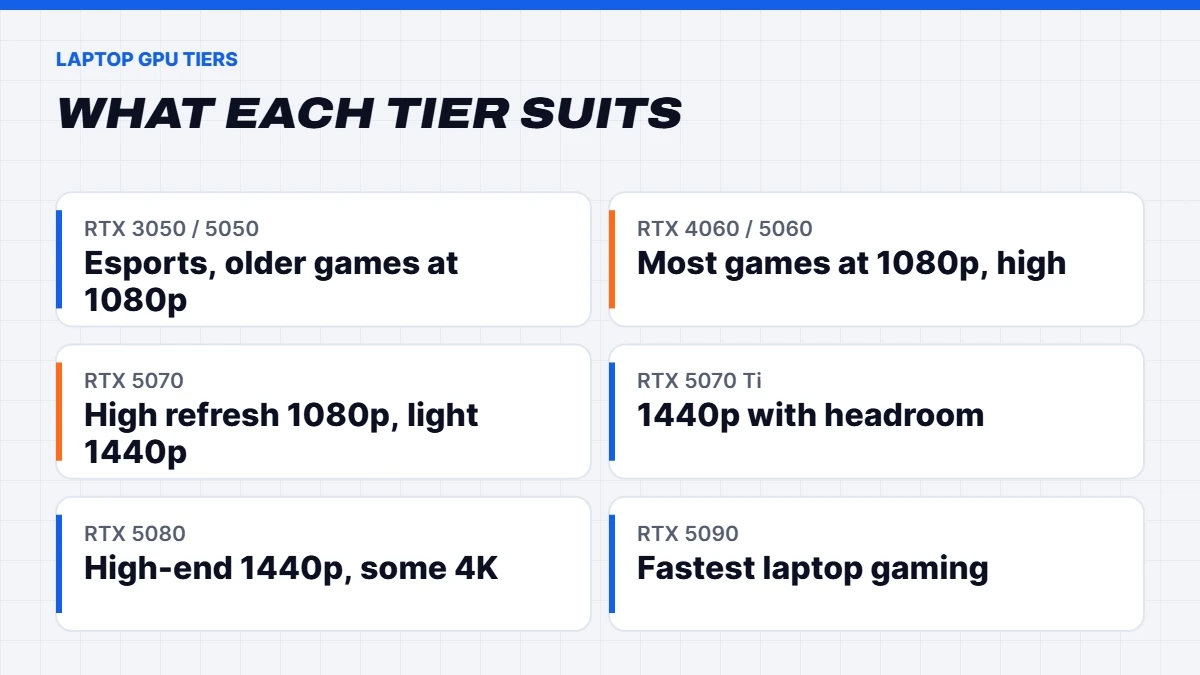
| RTX 3050 or RTX 5050 | 4 to 8GB | Esports and older games at 1080p |
| RTX 4060 or RTX 5060 | 8GB | Most games at 1080p on high settings |
| RTX 5070 | 8GB | High refresh 1080p, lighter 1440p |
| RTX 5070 Ti | 12GB | 1440p with room to spare |
| RTX 5080 | 16GB | High-end 1440p and some 4K |
| RTX 5090 | 24GB | The fastest laptop gaming, plus creative work |
Video memory (VRAM) is worth a look. 8GB is fine at 1080p, but newer games at 1440p with high texture settings can push past it, so you may need to drop textures a notch on an 8GB card at that resolution. The 12GB, 16GB and 24GB cards give you more headroom.
Why GPU wattage matters as much as the name
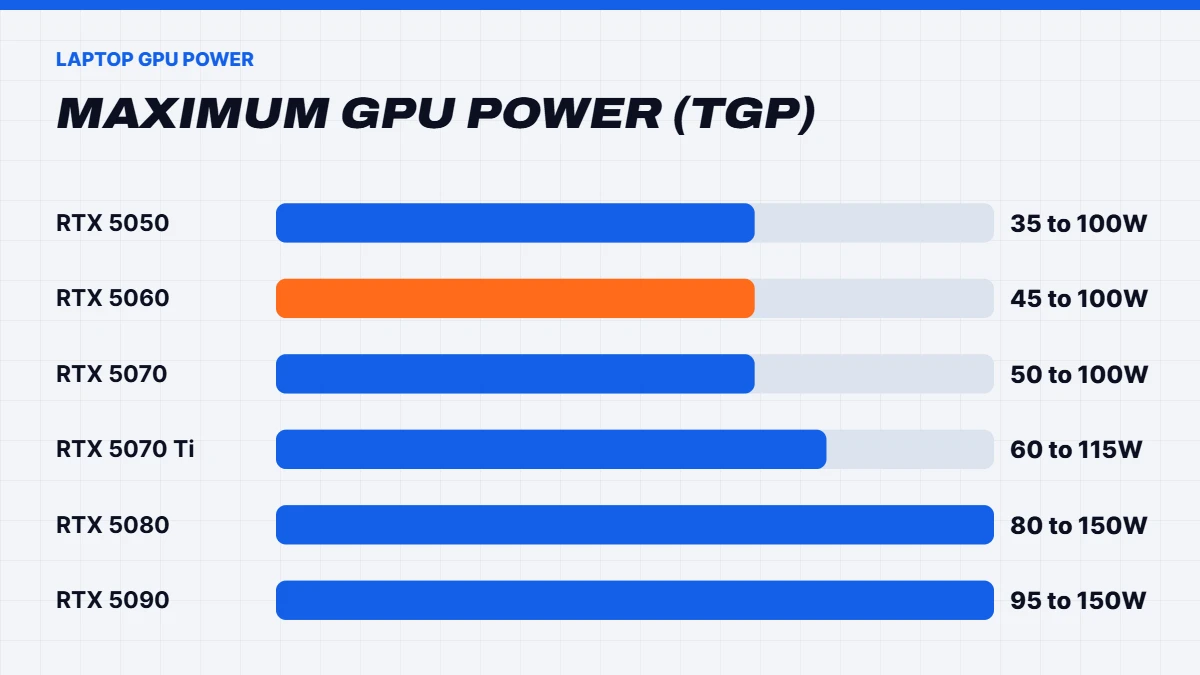
This is the single most useful tip we can give anyone buying a gaming laptop. Each laptop GPU has a range of power limits, called TGP, and the laptop maker decides where in that range their design runs. NVIDIA’s own laptop GPU comparison lists the ranges. The RTX 5060 laptop GPU, for example, can be set anywhere from 45 to 100 watts, and the RTX 5090 laptop GPU from 95 to 150 watts.
In practice, a thin laptop running its GPU at the bottom of the range can be noticeably slower than a thicker one running the same GPU near the top. A high-wattage RTX 5050 can even keep pace with a low-wattage RTX 5060. So when comparing two laptops with the same GPU name, look for the wattage in the specs or in reviews. Thicker gaming laptops with bigger fans usually run higher.
Best budget gaming laptop picks
The best budget gaming laptop is one that doesn’t cut the wrong corners. At the budget end, you’re usually choosing between an RTX 5050 and an RTX 5060 class GPU, and the gap between them is bigger than the price difference suggests. Here’s how we’d think about our current options.
MSI Cyborg 15. An RTX 5050 machine with 8GB of GDDR7 video memory, a Core i5-13420H and a 144Hz Full HD screen. It’s the most affordable way into laptop gaming in our range and handles esports titles like Valorant, Fortnite and CS2 well. The honest catch is that its RTX 5050 runs at a modest 45W, and it ships with a single 16GB memory stick, so adding a second stick for dual-channel is worthwhile.
ASUS TUF A16. Also an RTX 5050 machine, but ASUS runs it at up to 115W, with a Ryzen 7 260, 16GB of DDR5, a bigger 16-inch 144Hz screen and the TUF range’s tough build. It costs a little more than the MSI Cyborg 15, but the extra graphics power makes a real difference in newer games.
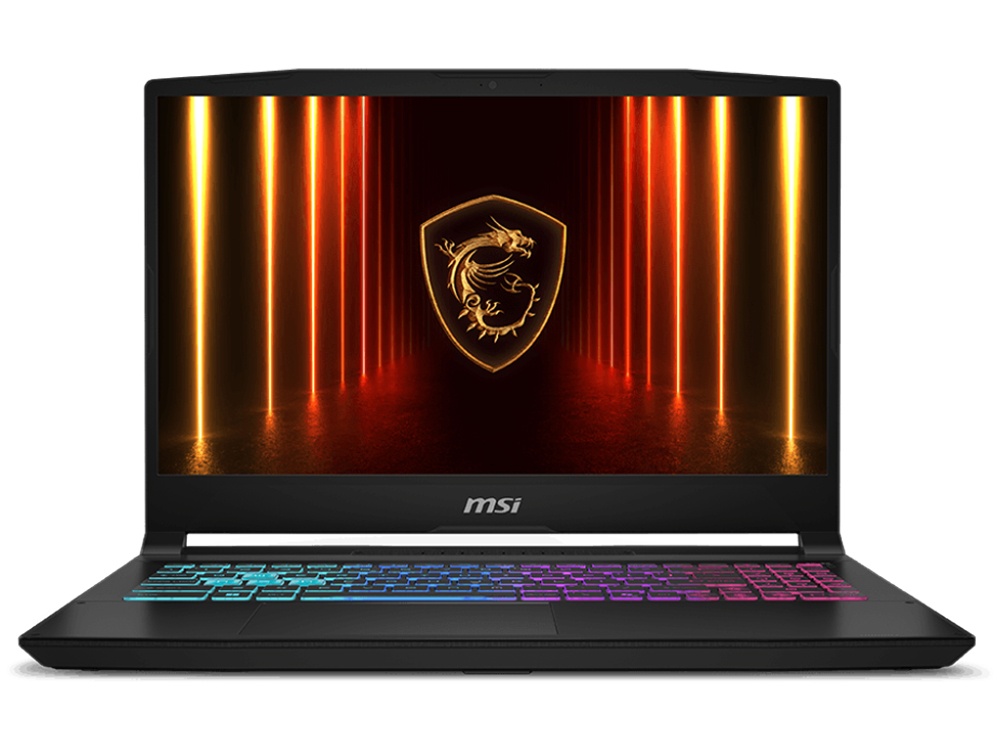
MSI Katana 15 HX with RTX 5060. This is the one we’d point most budget buyers towards. The RTX 5060 laptop GPU is a big step up from the RTX 5050, with 8GB of GDDR7 at up to 115W, and this model pairs it with a 16-core Intel Core i7-14650HX, 16GB of DDR5 and a QHD 165Hz screen. For many people it’s the best budget gaming laptop because it plays modern games comfortably without stretching into RTX 5070 money.
 MSI Cyborg 15 – RTX 5050 Laptop, Core i5-13420H, 144Hz Original price was: $1,399.00.$1,049.00Current price is: $1,049.00.See the build
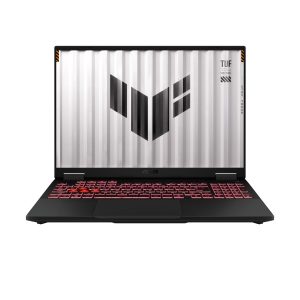 ASUS TUF Gaming A16 – RTX 5050, Ryzen 7 260, 16GB RAM, 512GB SSD Original price was: $2,099.00.$1,574.00Current price is: $1,574.00.See the build
 MSI Katana 15 HX – RTX 5060 Laptop, i7-14650HX, QHD 165Hz Original price was: $1,699.00.$1,274.00Current price is: $1,274.00.See the build
Is an RTX 5060 laptop worth it?
The RTX 5060 laptop GPU is the newer replacement for the RTX 4060. It has 3,328 CUDA cores and 8GB of faster GDDR7 memory, and it supports DLSS 4 with Multi Frame Generation, NVIDIA’s latest frame generation tech. In raw performance without frame generation, it’s a moderate step up over a well-cooled RTX 4060 rather than a giant leap.
So is an RTX 5060 laptop worth paying extra for? If the price difference is small, yes, because the newer features and better efficiency are nice to have. If an RTX 4060 model is noticeably cheaper, it’s still excellent value, and the difference in everyday gaming is modest. As always, check the wattage, because a high-power RTX 4060 can match a low-power RTX 5060.
Our MSI Katana 15 HX RTX 5060 laptop runs its RTX 5060 at up to 115W, which is the kind of high-power model worth looking for. For the desktop version of the card, see our guide to the RTX 5060 and other budget graphics cards.
Mid-range: RTX 5070 gaming laptops
Step up to an RTX 5070 and you get noticeably smoother performance at 1080p, plus the option of a 1440p screen. Both of our RTX 5070 models have a lot going for them, but they suit different people.
Lenovo LOQ 17. A 17.3-inch Full HD screen, a Core i7-14700HX with 20 cores, 24GB of DDR5 and a 1TB SSD. The bigger screen is lovely if the laptop mostly lives on a desk, and pairing an RTX 5070 with 1080p means it can run high settings in demanding games. The trade-off is size and weight: a 17-inch laptop is less fun to carry around campus every day.
MSI Katana 15 HX. A 15.6-inch QHD 165Hz screen, a Core i7-14650HX and 16GB of DDR5 in two sticks. The sharper 1440p screen looks fantastic, and the smaller body is easier to carry. Keep the 8GB of video memory in mind though: in the newest games at 1440p you may want to lower texture settings a little. Its 512GB SSD will also fill quickly, so plan for a second drive or an external one.
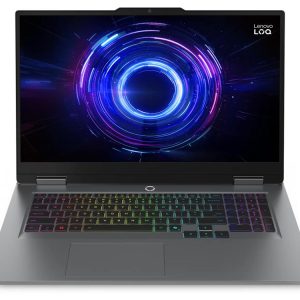 Lenovo LOQ 17 – RTX 5070 Gaming Laptop, i7-14700HX, 24GB DDR5, 1TB Original price was: $3,199.00.$2,399.00Current price is: $2,399.00.See the build
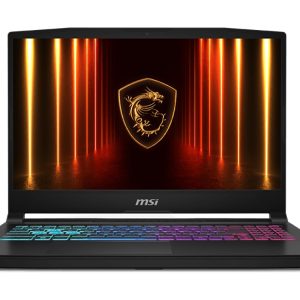 MSI Katana 15 HX – RTX 5070 Gaming Laptop, i7-14650HX, QHD 165Hz Original price was: $3,999.00.$2,999.00Current price is: $2,999.00.See the build
If you want the desktop version of this GPU explained, our RTX 5070 guide covers it.
High end: the RTX 5090 laptop
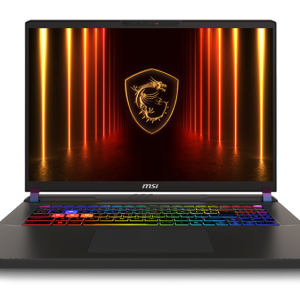
At the top, the RTX 5090 laptop in our range is the MSI Vector 17 HX AI. Its GPU has 24GB of GDDR7 and runs at up to 175 watts with boost, alongside a Core Ultra 9 275HX, a 17-inch QHD+ 240Hz screen, 32GB of DDR5, a 2TB SSD and Thunderbolt 5.
It’s the fastest gaming laptop we sell, and that 24GB of video memory makes it genuinely useful for 3D work, video editing and local AI tools as well as games. Be realistic about the trade-offs though. It’s big, it’s heavy, it comes with a large power brick, and under full load the fans are loud. For the same money, a desktop would be faster and quieter. It makes sense if you truly need top performance on the move, such as for work travel, a FIFO roster or a small apartment where a desktop won’t fit.
Buying the best gaming laptop in Australia
A few things are worth keeping in mind when looking for the best gaming laptop Australia has to offer, rather than simply following overseas reviews:
- Model names vary by country. The same laptop name can come in different configurations here, with a different GPU wattage, RAM or screen. Check the exact specs of the model you’re buying.
- Warranty and support. Buying from a local business means Australian Consumer Law protections apply, and repairs don’t involve shipping a laptop overseas.
- Prices here include GST. Overseas prices usually don’t include tax, so direct comparisons can mislead.
- Big sales. Black Friday and end of financial year are the main times gaming laptops drop in price. Our Black Friday laptop deals guide covers what to look for.
In short, the best gaming laptop Australia buyers can get is the one with the right specs at a fair local price, backed by local support.
Choosing the right screen
The screen is the part you look at every minute, so it’s worth getting right.
Resolution. 1080p (Full HD) is still the sweet spot for most gaming laptops, especially at 15 inches where the pixels are already small. 1440p (QHD) looks sharper and suits RTX 5070 and above. 4K screens on laptops are rare for gaming and drain the battery.
Refresh rate. 144Hz is the minimum we’d want, and 165Hz or 240Hz makes fast games feel smoother. A 60Hz screen on a gaming laptop is a red flag.
Size. 15 and 16-inch laptops balance portability and screen space. 17 and 18-inch models are nicer to play on but less fun to carry.
If you’ll mostly play at a desk, think about plugging into an external monitor. Most gaming laptops support high refresh monitors through HDMI or USB-C.
RAM and storage
16GB of RAM is the minimum we’d recommend in a gaming laptop, and 32GB gives more headroom for streaming, editing or heavy multitasking. Two sticks run in dual channel and are faster than one. Check whether the RAM is soldered or in slots: many gaming laptops have two SO-DIMM slots, which makes upgrades easy, but thinner designs sometimes solder it. Our guide to what RAM is and how much you need goes deeper, and with memory prices high, it’s worth reading why RAM is so expensive before planning an upgrade.
For storage, 1TB is comfortable, and many gaming laptops have a spare M.2 slot for a second SSD later on.
Cooling, noise and battery life
Every gaming laptop gets warm and loud under heavy load. That’s normal, as it’s a lot of power in a small space. A few honest expectations:
- Battery life in games is short, often an hour or two. Plug in for gaming, as the GPU only runs at full power on mains power.
- For everyday tasks, most switch to the processor’s built-in graphics and get far better battery life.
- Keep the vents clear. Playing on a bed or a blanket blocks airflow. A hard surface or a simple laptop stand helps.
- Clean the fans every year or so, as dust build-up is the most common reason a gaming laptop gets hotter and slower over time. Our guide on how to clean laptop fan vents shows how.
Gaming laptop or gaming desktop?
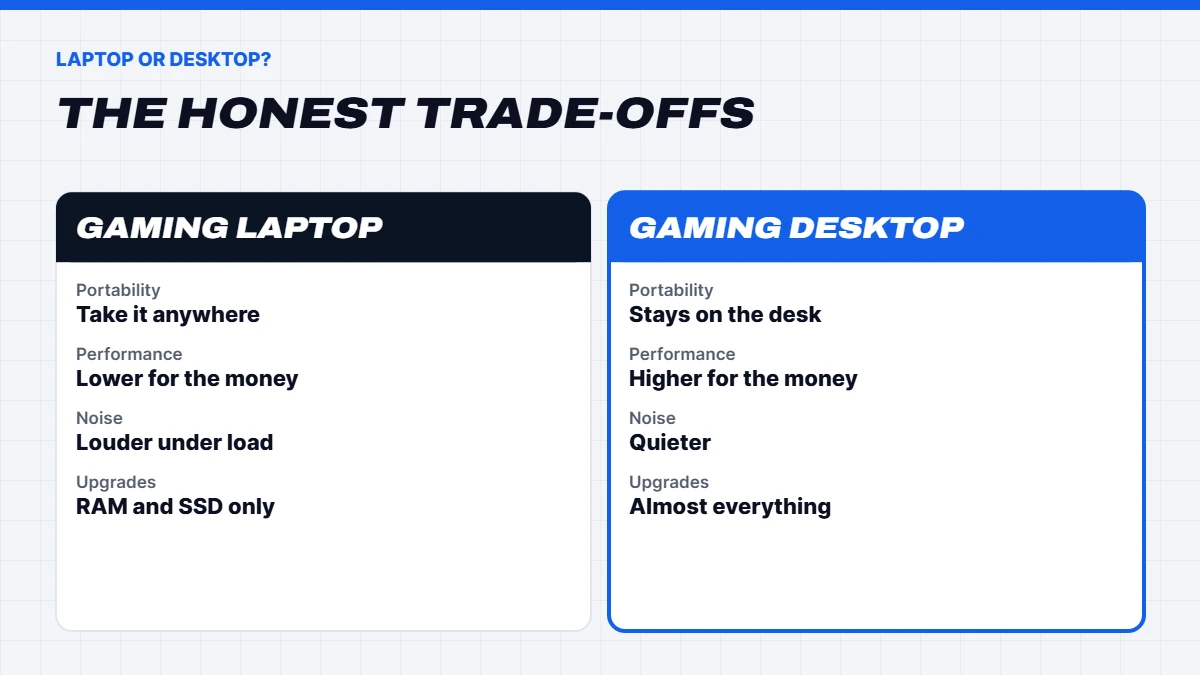
Here’s the honest bit from a shop that sells both. For the same money, a desktop is faster, quieter, cooler and much easier to upgrade. A desktop RTX 5070 is considerably faster than a laptop RTX 5070, and you can swap the graphics card in a few years rather than replacing the whole machine.
A gaming laptop is the right choice when you genuinely need to move it: uni, travel, shared housing, or swapping between home and work. If your PC will sit on one desk almost all the time, have a look at our gaming PCs too. A budget gaming PC often beats a similarly priced laptop by a wide margin.
Common mistakes when buying a gaming laptop
We see the same few mistakes again and again, and they’re all easy to avoid:
- Buying on the GPU name alone. Check the wattage and the cooling, not just the model number.
- Ignoring the screen. A cheap 60Hz panel can make even the best gaming laptop feel sluggish.
- Too little RAM. 8GB machines save money upfront but struggle with modern games and background apps.
- Overspending on the processor. For gaming, the GPU matters far more than a top-tier CPU.
- Forgetting about weight. If you’ll carry it every day, a big 17-inch machine gets old quickly.
- Skipping the warranty details. Know who handles repairs and how long it takes before you need it.
Our picks at a glance
Here’s a quick summary of what we’d consider the best gaming laptop at each budget in our current range:
| Pick | Model | Why |
|---|---|---|
| — | — | — |
| Cheapest way in | MSI Cyborg 15 | RTX 5050, 144Hz, light 2.1kg body |
| Budget all-rounder | ASUS TUF A16 | RTX 5050 at up to 115W, Ryzen 7, 16-inch |
| Best value | MSI Katana 15 HX (RTX 5060) | Big GPU step up, QHD 165Hz screen |
| Big screen | Lenovo LOQ 17 | RTX 5070, 24GB RAM, 17.3 inch |
| Best for 1440p | MSI Katana 15 HX | RTX 5070, QHD 165Hz |
| No compromise | MSI Vector 17 HX AI | RTX 5090, 24GB VRAM, 32GB RAM |
You’ll find every model in our gaming laptops range with full specs listed. If you’re not sure which suits you, message us on live chat and tell us what you play.
Best gaming laptop FAQs
What is the best gaming laptop in Australia?
It depends on your budget and how you play. For most people, an RTX 5060 or RTX 5070 machine with 16GB of RAM and a 144Hz or faster screen is the best gaming laptop for the money.
What is the best budget gaming laptop?
An RTX 5060 model is the best budget gaming laptop for most players. An RTX 5050 model costs less and suits esports and popular games.
Is an RTX 5060 laptop good for gaming?
Yes. An RTX 5060 laptop handles most games at 1080p on high settings, especially with DLSS. Check the GPU wattage, as it varies between models.
How much RAM does a gaming laptop need?
16GB minimum, and 32GB for heavy multitasking or creative work.
How long does a gaming laptop last?
Typically four to six years of comfortable gaming, depending on the GPU tier and how well it’s looked after. Keeping the fans clean helps a lot.
Is a gaming laptop good for uni?
It can be, if you’ll game on it. If you mainly need it for study, a lighter laptop for students will have better battery life and be easier to carry.