Description
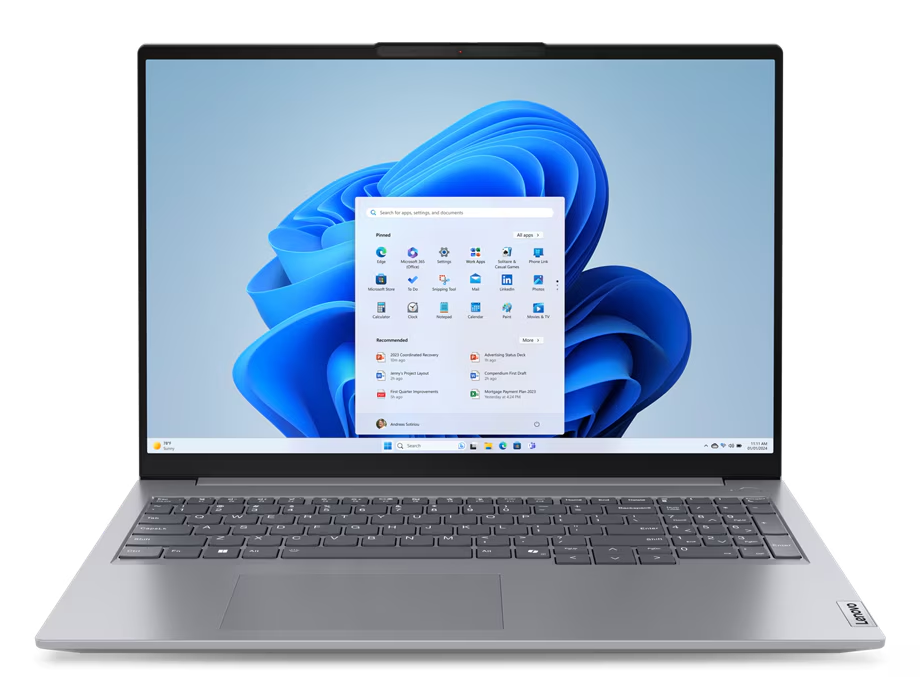
The Lenovo ThinkBook 16 G7 is a big-screen business laptop for people who spend all day working on it. This model has an Intel Core Ultra 7 155U processor, 16GB of DDR5 RAM, a 512GB SSD and a 16-inch anti-glare display, with Windows 11 Pro, a fingerprint reader and TPM 2.0 security. It’s built for long work days, spreadsheets, video calls and serious multitasking, at home, in the office or on the road.
Who the ThinkBook 16 suits
- small business owners and professionals who want a large screen for spreadsheets and documents
- accountants, bookkeepers and analysts working in Excel all day
- remote workers who want one laptop that docks neatly at a desk
- university students who prefer a bigger screen for study and research
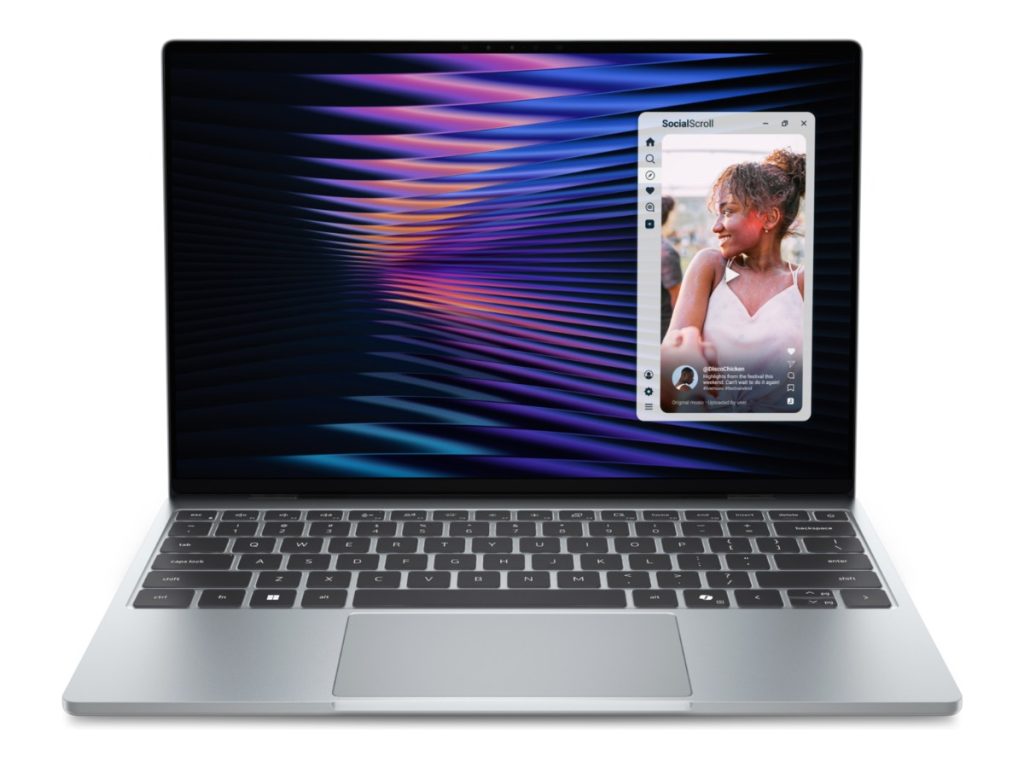
Want something smaller and lighter? Our Dell Pro 14 Plus 14-inch business laptop is easier to carry. For a budget study laptop, see our ASUS Vivobook Go 15.
Intel Core Ultra 7 performance
The Core Ultra 7 155U has 12 cores (2 performance, 8 efficient and 2 low-power efficient) and 14 threads, with turbo speeds up to 4.8GHz. Intel’s Core Ultra processors combine performance cores, efficient cores and a built-in NPU for AI features in Windows 11 and supported apps. In everyday terms, that means quick, responsive performance in Microsoft 365, Teams and business software, with good efficiency for battery life. With 16GB of RAM, you can keep plenty of apps and browser tabs open without slowdowns.
A 16-inch screen for real work
The 16-inch display uses a taller 16:10 shape, which shows more rows of a spreadsheet and more lines of a document than a traditional widescreen laptop. The anti-glare finish reduces reflections in bright offices and near windows. If you’ve been squinting at a 14-inch screen all day, the difference is noticeable.
Lenovo ThinkBook 16 G7 specifications
| Processor | Intel Core Ultra 7 155U (12 cores, 14 threads, up to 4.8GHz) |
|---|---|
| Memory | 16GB DDR5-5600 (2 x 8GB) |
| Storage | 512GB SSD |
| Display | 16-inch WUXGA (1920 x 1200), 16:10, IPS, anti-glare |
| Security | Fingerprint reader, TPM 2.0 |
| Operating system | Windows 11 Pro |
Model 21MS0003AU. Message us on live chat if you have any questions before you order.
Built for business
ThinkBook is Lenovo’s line for small and medium businesses. It sits between consumer IdeaPads and corporate ThinkPads, combining a professional, understated design with business features. The ThinkBook 16 G7 range includes plenty of ports for a desk setup, including Thunderbolt 4, USB-C, USB-A, HDMI and Ethernet, and it supports multiple external monitors. Lenovo lists the full range details in its ThinkBook 16 G7 PSREF sheet.
Windows 11 Pro and security
Windows 11 Pro is installed, so you get BitLocker drive encryption, Remote Desktop and the ability to join a company domain or Microsoft Entra ID. The fingerprint reader lets you sign in with Windows Hello in a second, and the TPM 2.0 chip protects encryption keys. It’s a sensible, secure setup for client and financial data.
Docking and multiple monitors
Many people use a 16-inch laptop as their main computer: portable when they need it, docked at a desk the rest of the time. With a Thunderbolt or USB-C dock, a single cable can connect your monitors, keyboard, mouse, network and power. The range supports up to three external monitors alongside the laptop screen, which makes it a very capable desk setup for finance, admin and project work.
A typical working day
Morning: docked at your desk with two monitors, working through emails and a big Excel model. Midday: unplug and head to a meeting room for a Teams presentation. Afternoon: a client visit, then a train ride where you finish a proposal. The large screen, 16GB of memory and fast SSD keep everything smooth through each part of the day.
Clear video calls
The ThinkBook 16 G7 range includes a dual-microphone array with noise cancelling and Dolby Audio speakers, which helps on calls in busy homes and offices. Pair it with a headset for the clearest audio in open-plan spaces.
Battery and charging
Battery life depends on brightness and workload. For long days away from a desk, use Windows’ battery saver, lower the brightness a little and close apps you don’t need. The range supports rapid charging, so a short top-up during lunch goes a long way.
Memory and storage
16GB of RAM is the sweet spot for business multitasking. The ThinkBook 16 G7 range uses standard memory slots, so memory can be increased later. The 512GB SSD gives you fast start-up and plenty of room for business files and applications.
What the ThinkBook 16 handles well
- Microsoft 365 and Google Workspace all day
- large Excel models, Power BI dashboards and accounting software
- Teams and Zoom calls with screen sharing
- CRMs, project tools and remote desktop sessions
- research, assignments and study
Keeping business data safe
Good security is mostly good habits. Turn on BitLocker, use fingerprint sign-in or a strong PIN, enable multi-factor authentication on your Microsoft 365 and accounting logins, keep Windows Update on, and back up important files to OneDrive or SharePoint. Together, those steps protect you from the most common risks small businesses face.
Choosing a dock
A dock turns a laptop into a full desk setup with one cable. Choose one that matches the ports you’ll use: the number of monitors and their connections, USB devices, a network cable and enough power delivery to charge the laptop. Message us and we’ll recommend a compatible option.
What it isn’t designed for
As a business laptop with integrated graphics, it isn’t built for modern gaming or heavy 3D work. For those, choose a laptop with a dedicated graphics card.
Business laptop or consumer laptop?
Consumer laptops often look appealing on the shelf, but they’re designed for lighter, shorter use. A business laptop is built for long days, daily commuting and docking, with Windows 11 Pro, security features and a more conservative, durable design. If your income depends on your laptop working every day, a business laptop is the safer investment.
Laptop or desktop for your office?
A desktop gives more performance per dollar, but it stays put. With a dock and a monitor or two, the ThinkBook 16 gives you a full desktop-style setup at your desk and a large-screen laptop when you leave. For hybrid workers, that flexibility usually wins.
Who should choose something else
If you travel constantly and want the lightest possible laptop, a 14-inch model will be easier to carry. If you need a dedicated graphics card for CAD, video editing or games, choose a gaming or creator laptop instead. For office work on a large, comfortable screen, this is a strong choice.
Rolling out several
Standardising on one model makes setup, support and spare parts simpler for small businesses. Tell us how many you need and we’ll quote matching laptops with Windows 11 Pro installed.
Looking after your laptop
- Use a padded 16-inch laptop bag or sleeve.
- Keep it on a hard surface so the vents stay clear.
- Avoid leaving it in a hot car.
- Keep Windows and Lenovo Vantage updates switched on.
Accessories worth adding
- a Thunderbolt or USB-C dock
- one or two external monitors
- a wireless keyboard and mouse
- a headset with a noise-cancelling microphone
Setting it up
- Charge the battery and switch on.
- Connect to Wi-Fi and sign in with your work or Microsoft account.
- Set up Windows Hello fingerprint sign-in.
- Run Windows Update and Lenovo Vantage updates.
- Turn on BitLocker and cloud backup.
How it compares with our other laptops
- Dell Pro 14 Plus: a 14-inch business laptop with an Intel Core Ultra 5 and Windows 11 Pro.
- ASUS Vivobook 18: an 18-inch laptop with a Ryzen 7 and a 1TB SSD.
- ASUS Vivobook Go 15: an affordable 15.6-inch study laptop.
Browse all of our laptops.
Delivery
We deliver Australia-wide, including regional areas.
Support from a local store
If you have questions about docking, Windows 11 Pro features or setup, message our team on live chat and we’ll help.
Lenovo ThinkBook 16 FAQs
Is the ThinkBook 16 a good business laptop?
Yes. It combines a large screen, Windows 11 Pro, a fingerprint reader and business ports at a sensible price.
Is it good for large Excel files?
Yes. The Core Ultra 7 and 16GB of RAM handle big workbooks comfortably, and the tall 16-inch screen shows more rows at once.
Can I connect external monitors?
Yes. The range supports multiple external monitors through HDMI, USB-C and Thunderbolt.
How heavy is the Lenovo ThinkBook 16?
Around 1.7kg depending on configuration, which is typical for a 16-inch laptop.
Does it come with Windows 11 Pro?
Yes, Windows 11 Pro is installed.
Is it good for university students?
Yes, especially for students who want a large screen for research, writing and spreadsheets. It’s heavier than a 14-inch laptop, so keep that in mind if you carry it every day.
Can I add more storage later?
The range supports additional M.2 storage, so more space can be added. Message us if you’d like help.
Does it have AI features?
Intel Core Ultra processors include an NPU that supports AI features in Windows 11 and compatible apps, such as background blur and noise reduction on video calls.
Can it handle video calls all day?
Yes. Teams and Zoom run smoothly, even while you share your screen and work in other apps. A headset helps in noisy spaces.
Do you deliver Australia-wide?
Yes, to every state and territory, including regional areas.