
The RX 9070 XT is AMD’s best gaming card right now, and it’s one of the best-value graphics cards you can buy for 1440p. Alongside its slightly smaller sibling, it gives you 16GB of memory, strong performance in traditional games and AMD’s much-improved FSR 4 upscaling, usually for less than NVIDIA’s closest equivalents.
This guide explains both Radeon cards, how they differ, where AMD’s RDNA 4 architecture shines and where it still trails, and the bigger AMD vs NVIDIA question for 2026. We build PCs with both brands, so we’ve tried to keep this fair.
Quick answer
The Radeon RX 9070 XT has 64 compute units and 16GB of GDDR6, and launched at US$599. The RX 9070 has 56 compute units, the same 16GB and launched at US$549. Both are excellent for 1440p and capable at 4K with upscaling. They match NVIDIA closely in traditional games and cost less, but NVIDIA still leads in heavy ray tracing and upscaling support.
In this guide
What are the RX 9070 XT and RX 9070?
These two are the top cards in AMD’s Radeon RX 9000 series, built on the RDNA 4 architecture. Both launched on 6 March 2025. AMD chose not to chase NVIDIA’s most expensive cards this generation, and instead aimed these two squarely at the busiest part of the market: gamers spending sensible money on a 1440p or entry 4K card.
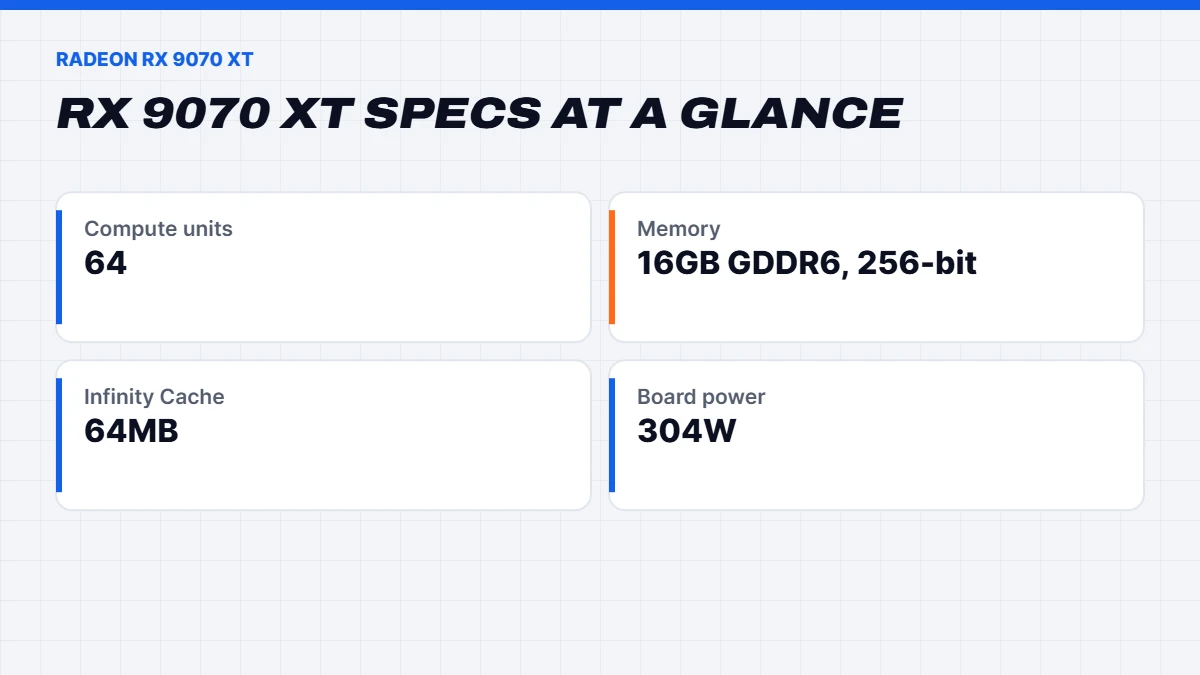
Both use the same Navi 48 chip with 16GB of GDDR6 memory on a 256-bit bus, backed by 64MB of AMD’s Infinity Cache. RDNA 4 brings much stronger ray tracing than AMD’s previous generation, new AI accelerators that power FSR 4 upscaling, and better video encoding for streamers.
Specs
Here are the official figures from AMD’s RX 9070 XT page and AMD’s launch announcement, with the RX 9070 GRE for context:
| Spec | RX 9070 GRE | RX 9070 | RX 9070 XT |
|---|---|---|---|
| Compute units | 48 | 56 | 64 |
| Memory | 12GB GDDR6 | 16GB GDDR6 | 16GB GDDR6 |
| Memory interface | 192-bit | 256-bit | 256-bit |
| Boost clock | Up to about 2.8GHz | Up to 2.52GHz | Up to 2.97GHz |
| Board power | About 220W | 220W | 304W |
| US launch price | Regional | US$549 | US$599 |
Partner cards from brands like Sapphire, PowerColor, ASUS and Gigabyte vary in clock speed, size and power connectors, so check the details of the exact model.
9070 vs 9070 XT: what’s the difference?
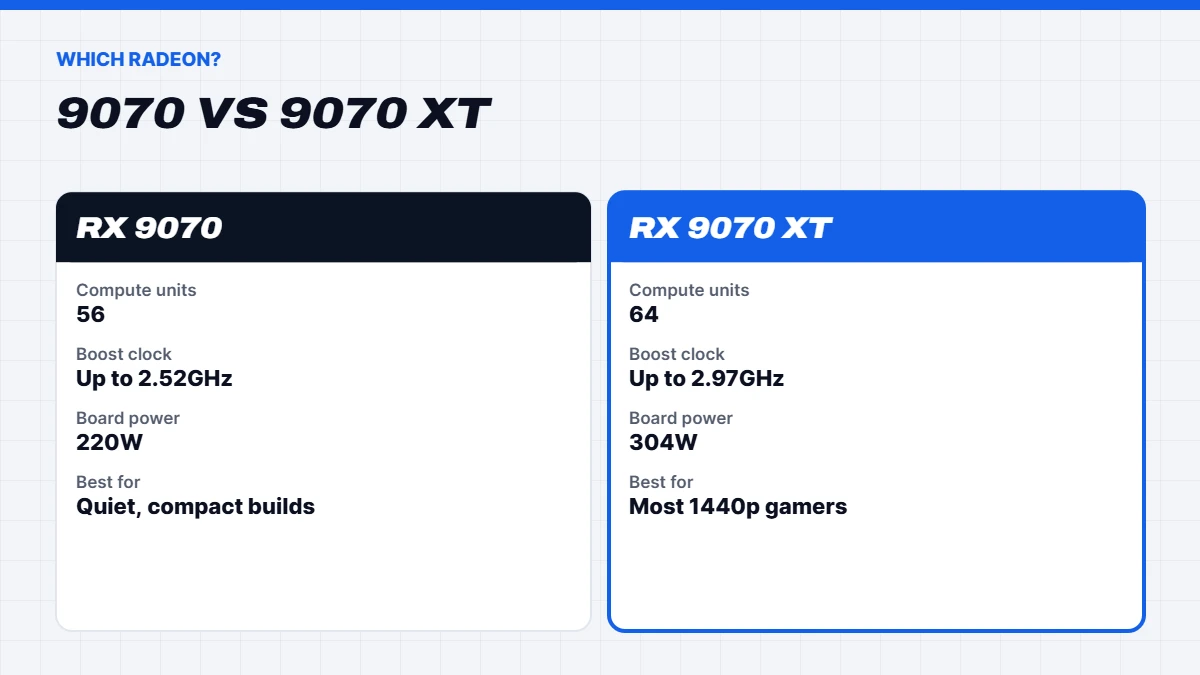
The 9070 vs 9070 XT choice is closer than the names suggest. Both have 16GB of memory and the same features. The difference is horsepower and power draw.
The XT has eight more compute units and runs at much higher clocks, which makes it noticeably faster, roughly 10 to 15% in most games. It also draws considerably more power, around 304 watts against 220 watts.
The non-XT card is the efficient one. It runs cooler and quieter, suits smaller cases and needs a smaller power supply, while still delivering excellent 1440p performance.
Because the price gap is usually small, the XT tends to be the better value for most gamers. The cheaper card makes sense if you want a quieter, cooler build, have a compact case, or find it at a good discount.
FSR 4: AMD’s big leap
FSR 4 is the feature that changed the conversation around Radeon this generation. Earlier versions of AMD’s upscaling were hand-tuned algorithms that could look soft or shimmery. FSR 4 uses machine learning running on RDNA 4’s new AI accelerators, and the image quality jump is substantial. In supported games, it’s now competitive with NVIDIA’s DLSS.
The catch is support. FSR 4 is in a growing list of games, but DLSS is still in more. AMD’s driver can also upgrade some games’ older FSR versions to FSR 4, which helps. If upscaling matters to you, check that your favourite games support it before you buy.
Ray tracing on RDNA 4
AMD’s previous Radeon cards were well behind NVIDIA in ray tracing. RDNA 4 closes a lot of that gap, with redesigned ray accelerators that roughly double ray tracing throughput per compute unit. In games with light ray tracing, AMD’s flagship holds its own.
With heavy ray tracing and full path tracing, NVIDIA still pulls ahead. If you mainly play games like Cyberpunk 2077 or Alan Wake 2 with every lighting effect on, a GeForce card is the better tool. For most other games, the difference is small enough that price matters more.
AMD vs NVIDIA in 2026
The AMD vs NVIDIA debate is as old as PC gaming, and in 2026 the honest answer is that both make excellent cards. Here’s how they compare across the things that matter:
| Area | AMD Radeon | NVIDIA GeForce |
|---|---|---|
| Traditional performance per dollar | Usually better | Usually a little behind |
| Ray tracing and path tracing | Much improved, still behind | Clear leader |
| Upscaling | FSR 4, excellent but in fewer games | DLSS 4, in the most games |
| Frame generation | FSR frame generation and driver-level options | Multi Frame Generation on RTX 50 |
| Video memory at mid-range prices | 16GB common | 12GB to 16GB |
| Streaming encoder | Good, improving | Best in class |
| Creative and AI apps | Improving support | CUDA leads in most apps |
In short, AMD wins on value and memory, NVIDIA wins on ray tracing, upscaling support and creative software. Neither is a bad choice.
NVIDIA vs AMD: which should you choose?
Here’s the simple version of the NVIDIA vs AMD decision:
- Choose AMD Radeon if you play mostly traditional and esports games, want the most frames for your money, value 16GB of memory at a lower price, or game on Linux, where AMD’s open-source drivers are excellent.
- Choose NVIDIA GeForce if you love ray-traced single-player games, want DLSS 4 in the widest range of games, stream regularly, or use creative and AI apps that rely on CUDA.
If you’re comparing the RX 9070 XT directly with NVIDIA’s closest rival, our RTX 5070 Ti vs RX 9070 XT guide goes through it in detail. If you’re looking at the RX 9070 against the RTX 5070, our RTX 5070 guide covers that matchup.
Games where Radeon shines
AMD’s cards are at their best in games that rely on traditional rendering, which is still the majority. Competitive shooters like Counter-Strike 2, Valorant, Apex Legends and Marvel Rivals run at very high frame rates, making the most of a 240Hz monitor. Big open-world games with lots of geometry and large textures appreciate the 16GB of memory. Strategy games and simulators, which lean heavily on the processor, perform just as well as on NVIDIA when paired with a strong Ryzen chip.
Some games are developed with AMD hardware in mind because the PlayStation 5 and Xbox Series consoles use AMD graphics, and those titles tend to run especially well on Radeon. The games where you’ll notice NVIDIA’s lead are the ray-tracing showcases, particularly with path tracing switched on.
Noise, heat and size
The RX 9070 is one of the coolest and quietest cards in its class, thanks to its 220-watt board power. Even compact partner models stay pleasantly quiet. The XT runs hotter at around 304 watts, so it benefits from a larger cooler and a case with good front intake. Partner cards range from fairly slim dual-fan designs to big triple-fan models, so check the length and thickness against your case, especially in smaller builds.
AMD Software: Adrenalin Edition
AMD’s driver app, Adrenalin, has become one of the nicest parts of owning a Radeon card. It handles driver updates, per-game settings, recording and streaming, and includes a simple one-click performance tuner if you want to squeeze a little more out of your card or make it run cooler. It also offers features like Radeon Anti-Lag to reduce input lag in supported games, and AMD Fluid Motion Frames, which can add frame generation at the driver level in games that don’t support it natively.
Driver stability has been good this generation. As with any new card, keep your drivers up to date for the best results in new releases.
Radeon on Linux
If you game on Linux, including on SteamOS or distributions built for gaming, AMD is the easy choice. Its graphics drivers are open source and built into the Linux kernel, so Radeon cards work out of the box with excellent performance in Steam’s Proton compatibility layer. NVIDIA has improved its Linux support, but AMD remains the smoother experience for most users.
Upgrading from an older card
From an RX 5700 XT, RX 6600 or GTX 1080, the jump is enormous, with far higher frame rates, 16GB of memory and modern features like FSR 4. From an RX 6800 XT or RTX 3070, it’s a solid upgrade with much better ray tracing. From an RX 7900 XT or RX 7900 XTX, the gain in traditional games is small, and we’d only upgrade for FSR 4 and better ray tracing.
Check your power supply first. A quality 750-watt unit is the safe target for the XT, and look at which power connectors your chosen model uses. If your processor is several years old, a complete new PC may give you more for the money than a card swap.
Which monitor suits it?
A 27-inch 1440p monitor at 165Hz to 240Hz with FreeSync Premium is the perfect match. AMD’s FreeSync removes screen tearing and stutter as your frame rate moves around, and most gaming monitors support it. For 4K, choose a 144Hz screen and lean on FSR 4. Our guide to Black Friday monitor deals covers matching a monitor to your card.
Streaming and creative work
RDNA 4 brought a big improvement to AMD’s video encoder, with much better quality for H.264 streams, the format Twitch still relies on, and support for AV1 and HEVC for recording and YouTube. It’s now perfectly good for streaming, though NVIDIA’s encoder still holds a small edge in quality at low bitrates.
For creative work, it depends on your software. Video editing in DaVinci Resolve runs well on Radeon, and photo editing is no problem. 3D rendering and AI tools are where NVIDIA’s CUDA platform still has much wider support, so if Blender, Stable Diffusion or local language models are a big part of your week, a GeForce card or one of our AI computer builds is the safer choice.
How future-proof is it?
The 16GB of memory gives both cards real staying power. Games keep using more video memory, and 16GB leaves room for the next few years at 1440p and for most games at 4K with upscaling. FSR 4 support is also growing as more developers add it, and AMD’s driver can upgrade some older FSR implementations automatically.
Reports suggest AMD’s next big graphics architecture is still some way off, so these cards will remain current for a while, which is good news for driver support and game optimisation. Expect several years of comfortable 1440p gaming from either one.
Price in Australia
AMD launched the RX 9070 XT at US$599 and the RX 9070 at US$549, well under NVIDIA’s RTX 5070 Ti at US$749. That gap carried through to Australian shops, where AMD’s card has generally been the cheaper 16GB option.
As with every graphics card in 2026, the memory shortage has pushed prices up and made stock less predictable. Both cards have spent much of the year above their launch prices. Compare prices on the day, check for a local warranty, and remember that a complete PC with the card built in is often the easier way to buy right now.
Building a PC around the RX 9070 XT
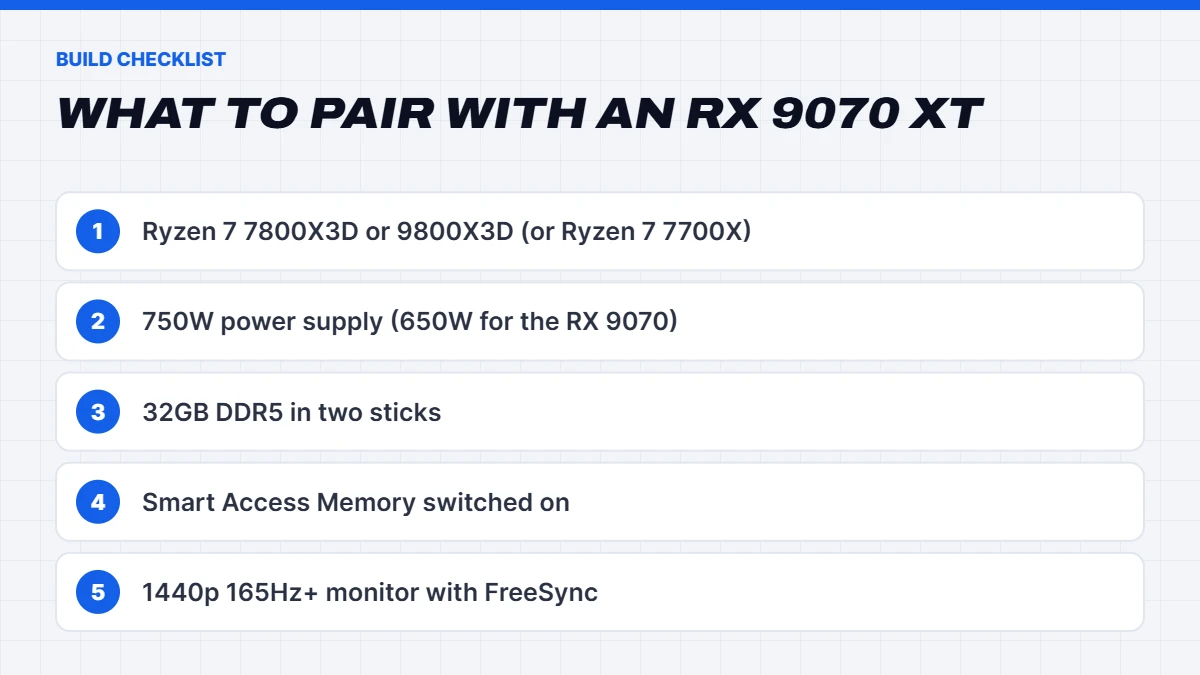
- An AMD Ryzen processor. The Ryzen 7 7800X3D or 9800X3D is a superb partner for high refresh rates. A Ryzen 7 7700X or Ryzen 5 7500F works well for 1440p on a tighter budget.
- A 750-watt power supply from a reputable brand for the RX 9070 XT, or 650 watts for the RX 9070. Check whether your card uses two or three 8-pin connectors.
- 32GB of DDR5 in two sticks.
- Smart Access Memory switched on. It’s AMD’s name for Resizable BAR and gives a free performance boost on Ryzen systems. It’s enabled in the motherboard settings.
- A 1440p monitor at 165Hz or more with FreeSync.
Our Radeon gaming PCs
Our Radeon gaming PCs cover every RDNA 4 card. A few highlights:
- The Vision Phantom XT, a 9070 XT PC with a Ryzen 7 7800X3D, one of our most popular builds.
- The Vision Phantom Core, a 9070 XT gaming PC with the same pairing in a different case.
- The Vision Phantom X3D, a 9070 XT prebuilt with the Ryzen 7 9800X3D for the highest frame rates.
- The Vision Radeon 9070, a 9070 PC with a Ryzen 7 7700X and a 2TB SSD.
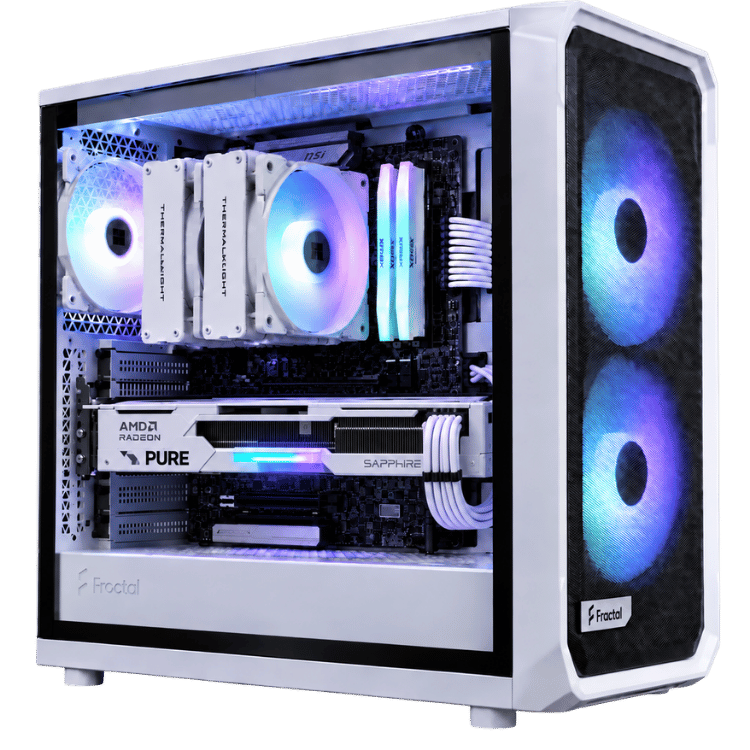
- The Vision White Fang, a white AMD gaming PC with the RX 9070 and 7800X3D.
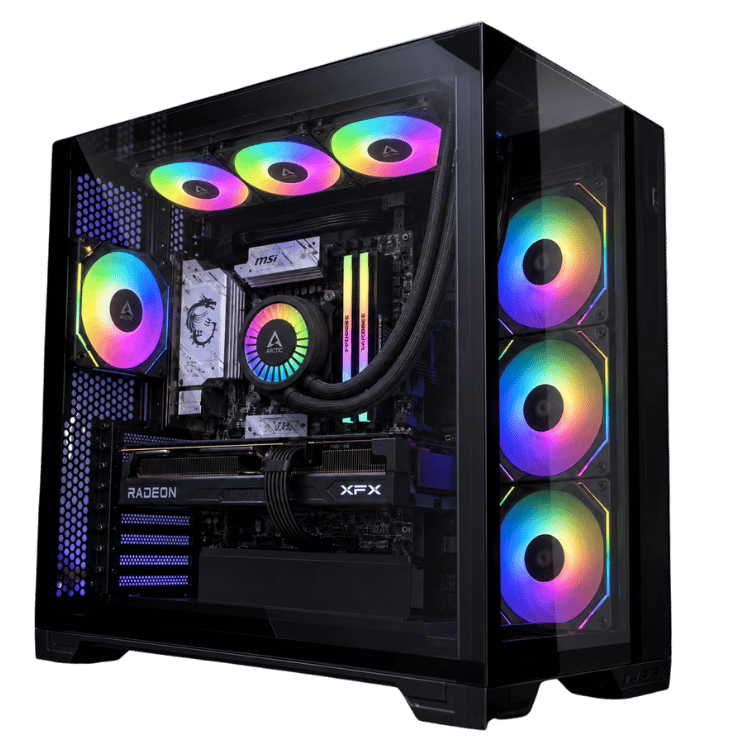
 Vision Phantom XT – 9070 XT PC, Ryzen 7 7800X3D Original price was: $4,100.00.$3,075.00Current price is: $3,075.00.See the build
 Vision Phantom X3D – 9070 XT Prebuilt, Ryzen 7 9800X3D Original price was: $4,499.00.$3,374.00Current price is: $3,374.00.See the build
 Vision Radeon 9070 – RX 9070 PC, Ryzen 7 7700X, 2TB SSD Original price was: $3,699.00.$2,774.00Current price is: $2,774.00.See the build
Who should buy the RX 9070 XT?
The XT is the right card if you game at 1440p on a fast monitor, want 16GB of memory without paying a premium, care more about frames per dollar than ray tracing, or prefer AMD’s software and Linux support. Choose the RX 9070 instead if you want a cooler, quieter build. If heavy ray tracing, streaming or CUDA apps are central to how you use your PC, the GeForce side is likely the better fit.
RX 9070 XT FAQs
How much VRAM does the RX 9070 XT have?
16GB of GDDR6 on a 256-bit bus, plus 64MB of Infinity Cache. The RX 9070 has the same amount.
Is the RX 9070 XT good for 4K?
Yes, with FSR 4 upscaling in supported games. It’s at its best at 1440p, and very capable at 4K with sensible settings.
Is the Radeon RX 9070 XT better than the RTX 5070 Ti?
In traditional games they’re close and the Radeon usually costs less. The RTX 5070 Ti is better at heavy ray tracing and has wider DLSS support.
What power supply does the RX 9070 XT need?
We recommend a quality 750-watt power supply for a system with the RX 9070 XT, and 650 watts for the RX 9070.
Does FSR 4 work on older Radeon cards?
FSR 4 was designed for RDNA 4’s AI accelerators, so it’s built for the RX 9000 series. Older Radeon cards use earlier FSR versions.