
If you’ve looked at a graphics card box or a game’s settings menu lately, you’ve seen the terms everywhere: ray tracing, DLSS, frame generation, path tracing. So what is ray tracing, and why does every new graphics card make such a fuss about it? And why does turning it on seem to need a second set of AI features just to keep games running smoothly?
This guide explains it all in plain English. We’ll cover what ray tracing actually does, how DLSS and frame generation work, what the RTX 50 series adds, how AMD’s alternatives compare, and whether any of it is worth paying for. No maths degree required.
Quick answer
Ray tracing is a way of rendering light in games by simulating how rays of light bounce around a scene, giving more realistic reflections, shadows and lighting. It’s very demanding, so NVIDIA’s DLSS uses AI to render at a lower resolution and upscale the image, and frame generation uses AI to create extra frames between the ones your graphics card renders. Together, they make ray tracing practical on today’s cards.
In this guide
What is ray tracing?
In the real world, you see things because light bounces off them and into your eyes. Ray tracing copies that idea. The game traces paths of light from the camera into the scene, works out what each ray hits, and follows it as it bounces off surfaces, towards light sources, or into shadow. The result is lighting that behaves much more like real life.
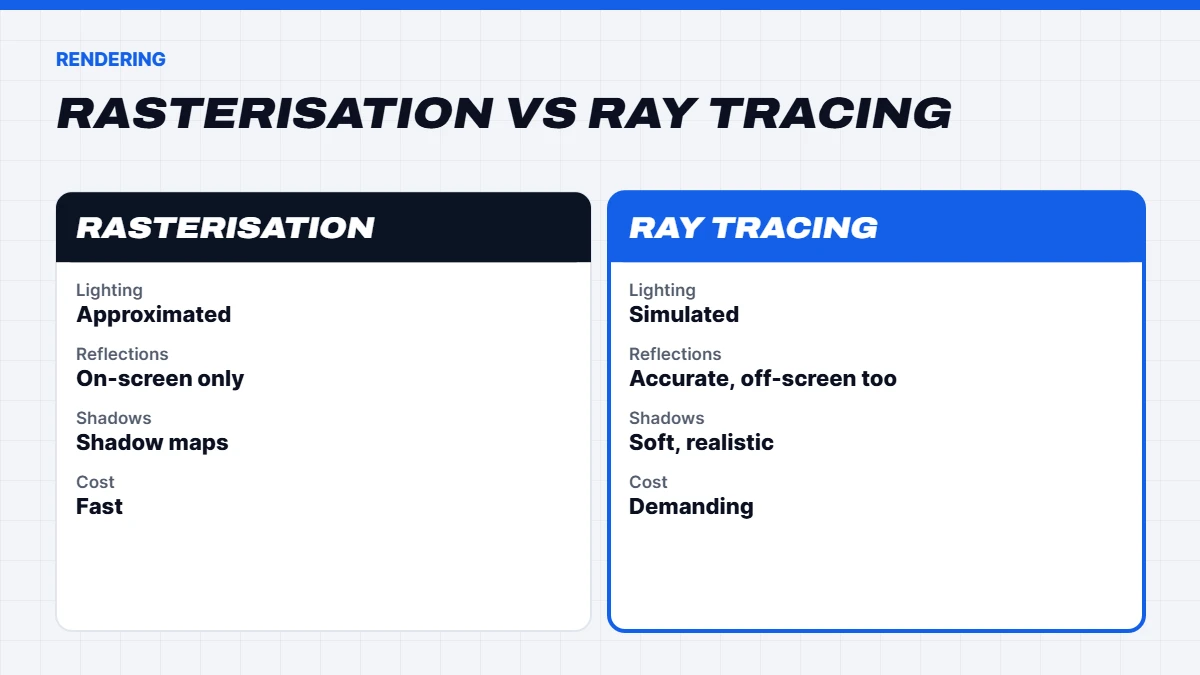
For decades, games have used a different method called rasterisation. It’s very fast, but it fakes lighting with clever shortcuts: shadow maps, pre-baked lighting and screen-space reflections that can only reflect what’s already on screen. Rasterisation can look excellent, but it breaks down in certain situations, like a reflection that disappears when the object goes off screen.
So when people ask what is ray tracing doing differently, the short answer is that it calculates light rather than approximating it.
A short history of ray tracing in games
Ray tracing has been used in films for decades, where a single frame can take hours to render. Doing it in real time, many times a second, only became practical for home PCs in 2018, when NVIDIA’s RTX 20 series added dedicated ray tracing hardware. The PlayStation 5 and Xbox Series X|S followed in 2020 with ray tracing support of their own.
Since then, it’s gone from a novelty to a standard feature. Some recent games, such as Indiana Jones and the Great Circle and Doom: The Dark Ages, even require a graphics card with ray tracing hardware to run at all. That’s a big part of why understanding what is ray tracing matters when choosing a new graphics card today.
What ray tracing improves
Most games use ray tracing for specific effects rather than everything. The common ones are:
- Reflections. Mirrors, puddles, windows and shiny floors that accurately reflect the world, including things off screen.
- Shadows. Softer, more natural shadows that change realistically with distance from the light.
- Global illumination. Light bouncing between surfaces, so a red wall casts a subtle red glow onto the floor nearby. This is often the most transformative effect.
- Ambient occlusion. Subtle darkening in corners and crevices that makes objects feel grounded.
The difference can be dramatic in some games and subtle in others. Dense cities at night, with neon and wet streets, tend to show it off best.
Ray tracing vs path tracing
You’ll also see path tracing, sometimes called full ray tracing. Instead of using ray tracing for a few effects, path tracing uses it for essentially all of the lighting in a scene. It’s the closest games get to the lighting in animated films, and it looks stunning in games that support it.
The catch is cost. Path tracing is far more demanding than standard ray tracing, so it’s realistic mainly on high-end cards like the RTX 5080 and RTX 5090, and even then it leans heavily on DLSS.
The catch: ray tracing is demanding
Tracing millions of rays every frame takes enormous processing power. Modern graphics cards have dedicated hardware for it, called RT cores on NVIDIA cards and ray accelerators on AMD cards, but turning ray tracing on still lowers frame rates noticeably, often significantly.
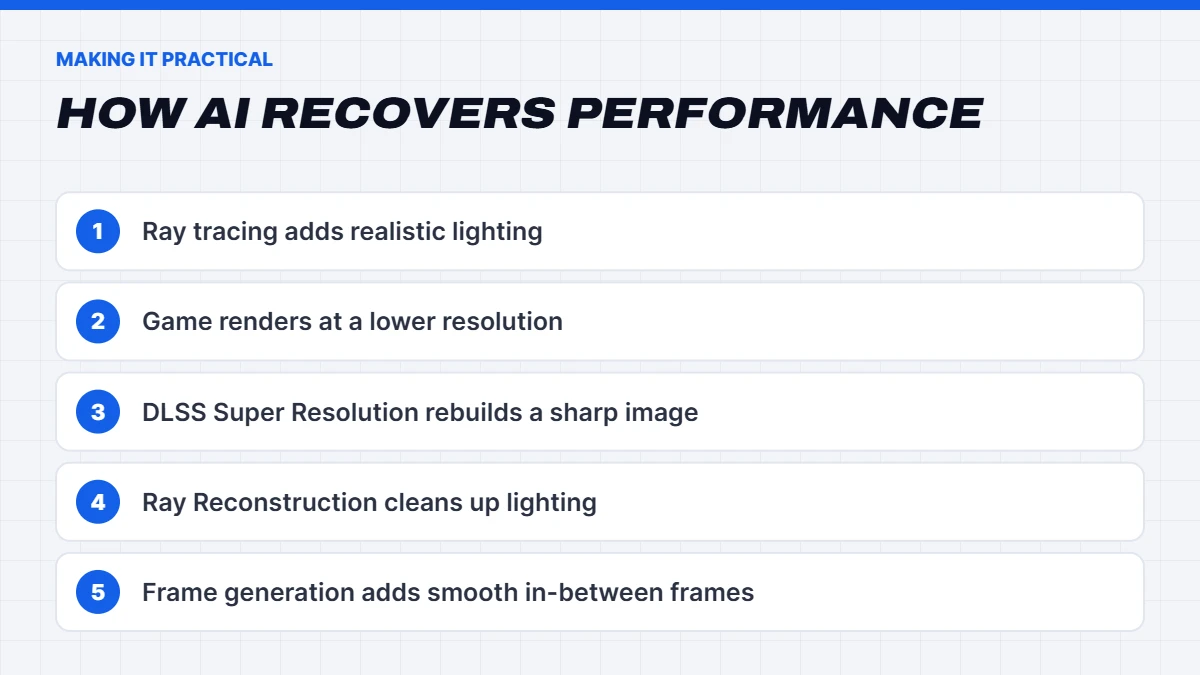
That’s where AI comes in. Rather than brute-forcing every pixel, modern cards render fewer pixels and fewer frames, then use AI to fill in the rest. That’s what DLSS and frame generation do.
What is DLSS?
So, what is DLSS? DLSS stands for Deep Learning Super Sampling. It’s a family of NVIDIA AI technologies that run on the Tensor cores in GeForce RTX graphics cards. The main parts are:
- Super Resolution. The game renders at a lower resolution, and an AI model rebuilds a sharp, high-resolution image using detail from previous frames. You choose a mode like Quality, Balanced or Performance, which sets how low the starting resolution is.
- DLAA. Deep Learning Anti-Aliasing uses the same AI at full resolution, purely for the cleanest possible image quality.
- Ray Reconstruction. An AI model that cleans up the noisy results of ray tracing, giving sharper reflections and lighting than traditional denoisers.
- Frame Generation. AI-generated frames inserted between rendered ones, covered below.
DLSS has improved a lot over the years. DLSS 4 introduced a transformer-based AI model for sharper, more stable images. At CES 2026, NVIDIA announced DLSS 4.5, with a second-generation transformer model for Super Resolution that’s available on all GeForce RTX cards through the NVIDIA app.
In practice, DLSS Quality mode at 1440p or 4K often looks as good as native resolution, and sometimes better, because it cleans up shimmering edges. Performance mode trades a little sharpness for a big speed boost, which is often worthwhile at 4K.
DLSS quality modes explained
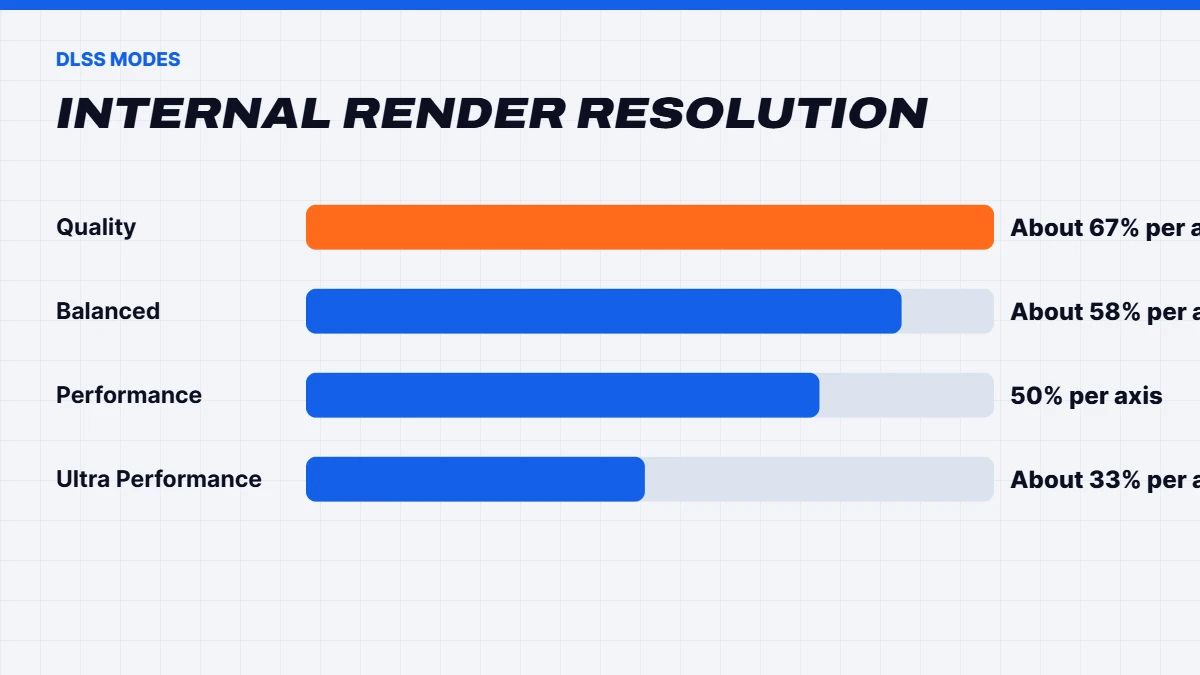
When you turn on DLSS Super Resolution, you choose a mode. Each mode renders the game at a lower internal resolution, then upscales it to your screen’s resolution:
- Quality renders at about two-thirds of your screen resolution on each axis. Best image quality, smaller speed boost.
- Balanced renders a little lower again, for a middle ground.
- Performance renders at half the resolution on each axis, a big speed boost that looks surprisingly good at 4K.
- Ultra Performance renders at about one-third, intended mainly for 8K or very demanding situations.
The higher your screen resolution, the more aggressive you can be. At 1080p, stick with Quality. At 4K, Performance mode often looks great.
What is frame generation?
What is frame generation, and how is it different from upscaling? Upscaling makes each frame cheaper to render. Frame generation creates whole extra frames. Your graphics card renders a frame, then an AI model creates one or more in-between frames using motion data, so the game looks much smoother on a high refresh rate monitor.
There are a few versions on NVIDIA cards:
- Frame Generation (RTX 40 and 50 series) creates one extra frame for each rendered frame.
- Multi Frame Generation (RTX 50 series) creates up to three extra frames per rendered frame.
- DLSS 4.5 Dynamic Multi Frame Generation (RTX 50 series) adds higher 5X and 6X modes and automatically adjusts how many frames it generates to match your target.
The honest caveat: generated frames make motion look smoother, but they don’t make the game respond faster. How responsive it feels still depends on the frames your card renders itself. That’s why frame generation works best when the base frame rate is already decent, and why it’s paired with NVIDIA Reflex to cut input lag. For fast competitive shooters, most players leave it off and lower settings instead.
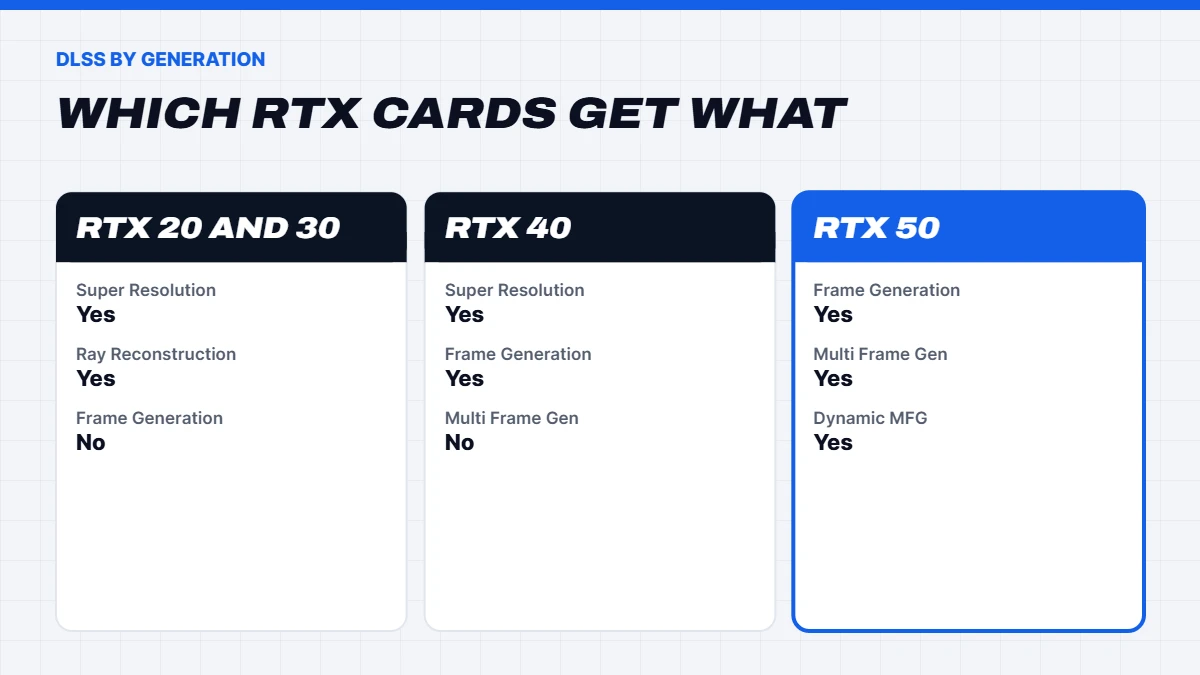
DLSS features by RTX generation
| Feature | RTX 20 and 30 | RTX 40 | RTX 50 |
|---|---|---|---|
| — | — | — | — |
| DLSS Super Resolution and DLAA | Yes | Yes | Yes |
| Ray Reconstruction | Yes | Yes | Yes |
| Frame Generation | No | Yes | Yes |
| Multi Frame Generation | No | No | Yes |
| Dynamic Multi Frame Generation | No | No | Yes |
What does the RTX 50 series add?
The RTX 50 series, built on NVIDIA’s Blackwell architecture, is the current generation. Compared with earlier cards, it brings newer Tensor cores for AI features, faster GDDR7 video memory, and exclusive support for Multi Frame Generation and Dynamic Multi Frame Generation.
The range runs from the entry-level RTX 5050 and RTX 5060 through the RTX 5070 and RTX 5070 Ti to the RTX 5080 and RTX 5090. We’ve written detailed guides on several of them: the RTX 5060 for budget builds, the RTX 5070 for 1440p, the RTX 5070 Ti, the RTX 5080 for 4K, and the flagship RTX 5090. A mid-generation RTX 50 Super refresh had been rumoured, but it hasn’t arrived as of late 2026.
What about AMD and Intel?
AMD and Intel have their own answers. AMD’s FSR Redstone, launched in December 2025 for Radeon RX 9000 series cards, combines machine-learning upscaling (previously called FSR 4), ML frame generation, Ray Regeneration (AMD’s equivalent of Ray Reconstruction) and Radiance Caching. Older Radeon cards get the earlier FSR 3.1 versions. Intel’s XeSS offers AI upscaling and frame generation on Intel Arc graphics, with a version that runs on other cards too.
NVIDIA still has the broadest game support and the most mature ray tracing features, while AMD’s RX 9000 cards often offer strong value for traditional rendering. Our RX 9070 XT guide covers how AMD’s current cards compare.
Common myths about ray tracing and DLSS
- “DLSS is just blurry upscaling.” Older upscalers were, but modern DLSS often matches or beats native resolution with standard anti-aliasing.
- “Frame generation is the same as real performance.” It makes motion smoother, but responsiveness still depends on the frames your card renders.
- “Ray tracing always looks better.” In some games the difference is subtle, and a higher frame rate may matter more to you.
- “You need an RTX 5090 for ray tracing.” Mid-range cards handle it well at 1440p with DLSS.
If you’re still asking what is frame generation worth to you, try it in a single-player game on a high refresh monitor. Most people find it makes a big difference to smoothness in slower-paced games.
Ray tracing on gaming laptops
Gaming laptops with RTX graphics support ray tracing and DLSS too, but laptop GPUs are less powerful than their desktop namesakes. DLSS and frame generation matter even more on a laptop, and we’d suggest an RTX 5070 laptop or above if ray tracing is a priority. Our guide to the best gaming laptop for every budget explains how laptop GPUs compare.
Is ray tracing worth it?
It depends on the game, your graphics card and your screen:
- Entry-level cards like the RTX 5060: light ray tracing at 1080p with DLSS works in many games, but you’ll often get a better experience with it off or low.
- Mid-range cards like the RTX 5070 and RTX 5070 Ti: ray tracing at 1440p with DLSS is very enjoyable in most games.
- High-end cards like the RTX 5080 and RTX 5090: full ray tracing and even path tracing at 4K, with DLSS and frame generation.
For fast competitive games, most players turn ray tracing off for maximum responsiveness. For story-driven, atmospheric games, ray tracing can be the difference between good and breathtaking.
Good settings to start with
If you’re not sure where to start, try this:
- Turn on DLSS Super Resolution. Quality mode at 1440p, Balanced or Performance mode at 4K.
- Turn on NVIDIA Reflex whenever a game offers it.
- Start with ray tracing on medium and see how it feels before going higher.
- Add Frame Generation if you have an RTX 40 or 50 card and a high refresh monitor, as long as the game already feels responsive without it.
- Use the NVIDIA app to update games to the latest DLSS version where supported.
Video memory and ray tracing
One thing that often gets overlooked is video memory. Ray tracing, high-resolution textures and frame generation all use extra VRAM, and when a card runs out, games can stutter or textures can look blurry. An 8GB card is usually fine at 1080p, but at 1440p with ray tracing on, newer games can push past it.
That’s why we’d suggest a card with 12GB or more if you want ray tracing at 1440p, and 16GB for 4K. It’s one of the reasons the RTX 5070 Ti and RX 9070 XT, both with 16GB, are popular picks for players who want ray tracing to last a few years.
Choosing a PC for ray tracing
If ray tracing matters to you, an RTX 50 series card gives you the full set of DLSS features. For most players, an RTX 5070 or RTX 5070 Ti is the sweet spot for ray tracing at 1440p, while 4K with path tracing calls for an RTX 5080 or RTX 5090. You’ll find every build with an RTX card in our NVIDIA gaming PC range.
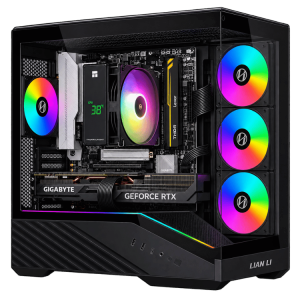 Vision Vector Lite – RTX 5070 PC, Ryzen 5 7500F Original price was: $3,099.00.$2,324.00Current price is: $2,324.00.See the build
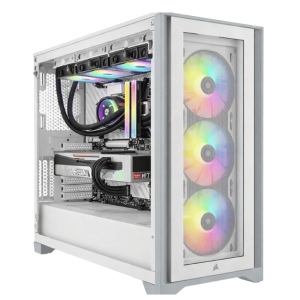 Extreme Mid Tier – RTX 5070 Ti PC, Intel Core i5-14600KF Original price was: $4,999.00.$3,749.00Current price is: $3,749.00.See the build
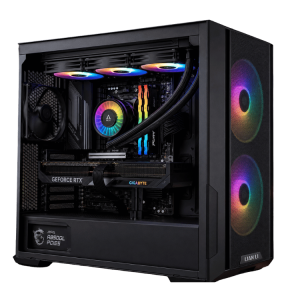 Best Value RTX 5080 Gaming PC – Ryzen 7 7800X3D, 32GB DDR5 Original price was: $5,999.00.$4,499.00Current price is: $4,499.00.See the build
Not sure which card suits the games you play? Message us on live chat and we’ll help you choose.
Ray tracing FAQs
What is ray tracing in simple terms?
A way of rendering light by simulating how rays bounce around a scene, giving more realistic reflections, shadows and lighting than traditional methods.
What is ray tracing’s biggest benefit?
More realistic lighting, especially reflections and global illumination, which makes scenes look more natural and grounded.
What is DLSS and do I need it?
DLSS is NVIDIA’s AI upscaling and frame generation technology for RTX cards. You don’t need it, but it boosts performance a lot, especially with ray tracing on.
What is frame generation and does it add lag?
Frame generation creates extra frames with AI for smoother motion. It doesn’t make the game more responsive, and adds a little latency, which NVIDIA Reflex helps offset.
Do I need an RTX 50 series card for ray tracing?
No. Any RTX card supports ray tracing, as do recent AMD Radeon cards. The RTX 50 series adds Multi Frame Generation, which helps most with demanding ray tracing.
Is ray tracing worth it for competitive games?
Usually not. Most competitive players turn it off for maximum responsiveness.