Description
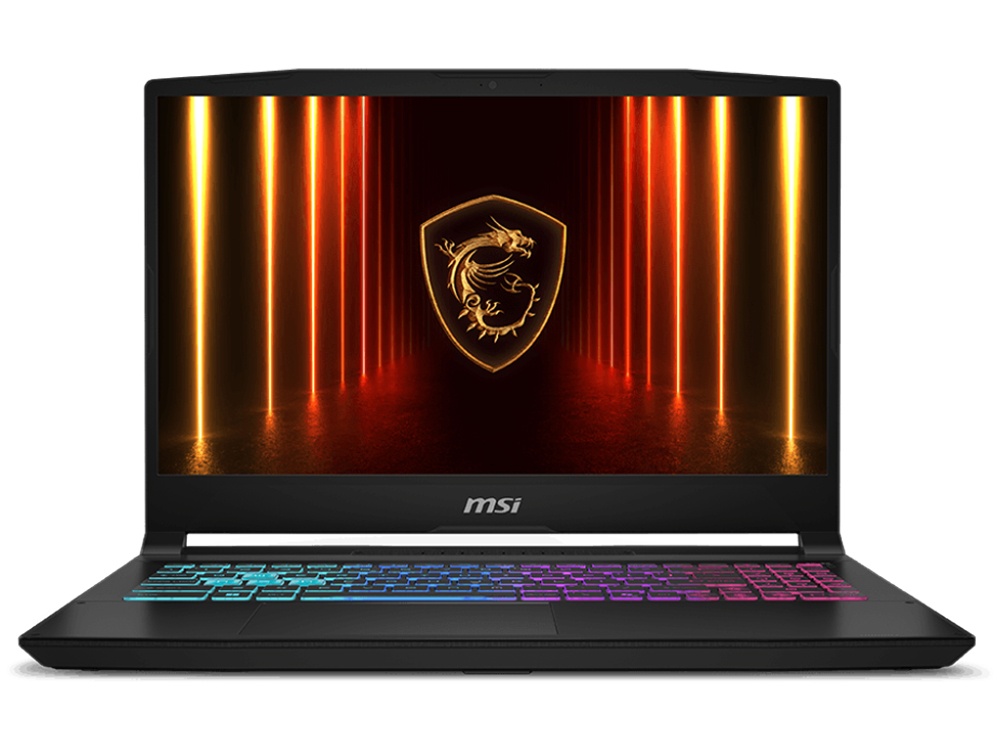
The MSI Katana 15 HX is a 15.6-inch gaming laptop that puts NVIDIA’s RTX 5070 Laptop GPU together with Intel’s 16-core Core i7-14650HX and a sharp QHD 165Hz screen. With 16GB of dual-channel DDR5 and a 512GB NVMe SSD, it’s built for modern games at high settings, plus streaming, video editing and 3D work when you’re not playing.
It’s currently $3,499, down from $3,999, and it comes with a 1-year manufacturer’s warranty.
Who the Katana 15 HX suits
- gamers who want high settings at 1440p in a portable machine
- students in game design, animation, architecture or engineering
- streamers and content creators who need one machine for everything
- anyone upgrading from an older gaming laptop who wants a big jump in performance
Want a bigger 17.3-inch screen? Our Lenovo LOQ 17 with an RTX 5070 is the alternative. On a tighter budget, see our RTX 5060 laptop, the MSI Katana 15 HX. For the ultimate portable setup, there’s our RTX 5090 laptop.
RTX 5070 laptop graphics
The GeForce RTX 5070 Laptop GPU in the MSI Katana 15 HX has 8GB of fast GDDR7 memory and runs at up to 115W with Dynamic Boost. As part of NVIDIA’s RTX 50 series, it supports:
- DLSS 4 with Multi Frame Generation in supported games, for much higher frame rates
- ray tracing for realistic lighting, reflections and shadows
- NVIDIA Reflex to cut input lag in competitive shooters
- NVENC hardware encoding, including AV1, for streaming and fast video exports
One honest note: like most RTX 5070 laptop models, it has 8GB of video memory. That’s fine for 1440p gaming with sensible texture settings, but the most demanding new games may need textures turned down a notch at maximum settings.
A 16-core Intel Core i7-14650HX
The HX in the name matters. HX processors are Intel’s most powerful laptop chips, built for gaming and creative work rather than maximum battery life. The Core i7-14650HX has 16 cores (8 performance and 8 efficient) and 24 threads, with turbo speeds up to 5.2GHz. That’s plenty for high frame rates in CPU-heavy games, plus streaming, compiling and rendering. MSI lists the full model details on its Katana 15 HX specifications page.
MSI Katana 15 HX specifications
| Processor | Intel Core i7-14650HX (16 cores, 24 threads, up to 5.2GHz) |
|---|---|
| Graphics | NVIDIA GeForce RTX 5070 Laptop GPU, 8GB GDDR7, up to 115W with Dynamic Boost |
| Display | 15.6-inch QHD (2560 x 1440), 165Hz, IPS-level |
| Memory | 16GB DDR5-5600 (2 x 8GB) |
| Storage | 512GB NVMe SSD |
| Keyboard | Four-zone RGB backlit |
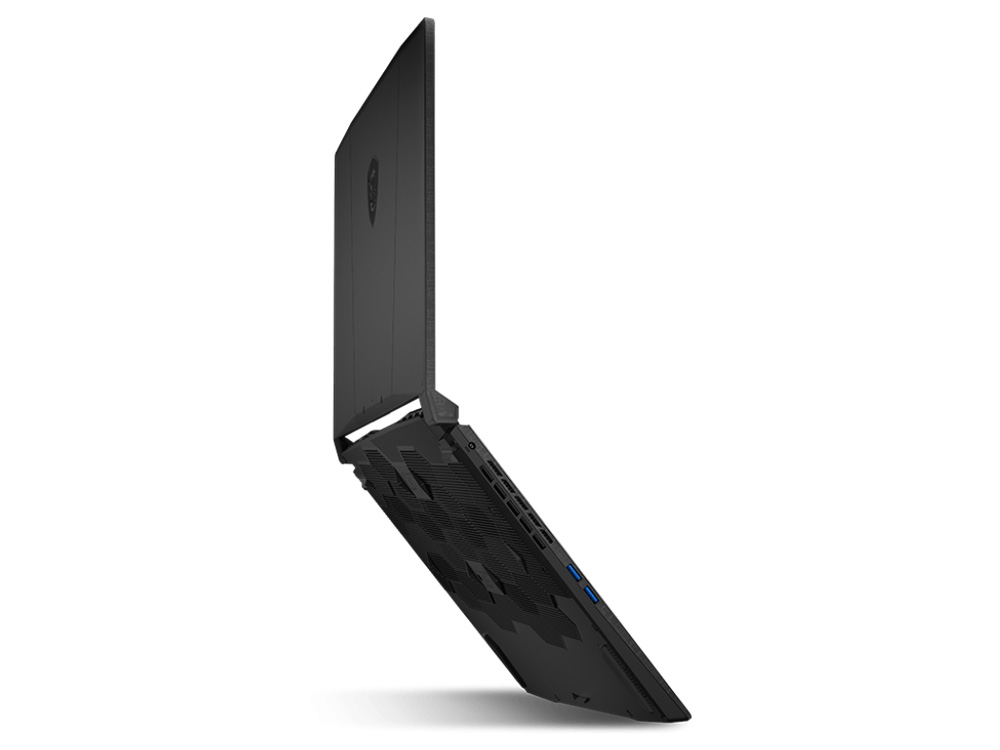
| Battery | 75Wh, with a 240W adapter |
| Weight | Around 2.4kg |
| Colour | Black |
| Operating system | Windows 11 Home |
| Warranty | 1-year manufacturer’s warranty |
A QHD 165Hz screen
Many laptops at this level still use 1080p screens. The Katana 15 HX steps up to QHD (2560 x 1440), which looks noticeably sharper on a 15.6-inch panel, and the 165Hz refresh rate keeps fast games smooth. MSI specifies wide colour coverage for this panel, which also makes it a good screen for photo and video work.
Getting the most from the QHD screen
Check that Windows is set to the full 165Hz refresh rate in Display settings, and use 125% or 150% scaling so text is comfortable to read at QHD resolution. In games, choose 2560 x 1440 and let DLSS handle the heavy lifting in demanding titles.
Memory and storage
The 16GB of DDR5-5600 is installed as two 8GB modules, so it runs in dual-channel mode, which matters for gaming performance. It’s enough for gaming, streaming and most creative work, and memory can be upgraded later if you move into heavier projects.
The 512GB NVMe SSD is fast, but modern games are big, and a few large titles can fill it. If you keep a large game library installed, message us about adding more storage before shipping.
What to expect in games
- Esports titles: Valorant, CS2, Fortnite and Apex Legends run at high frame rates, taking full advantage of the 165Hz screen.
- Modern AAA games: high settings at QHD in most titles, with DLSS available to push frame rates higher.
- Ray tracing: very playable in supported games with DLSS turned on.
- The heaviest new releases: may need texture settings lowered slightly because of the 8GB of video memory.
A four-zone RGB keyboard
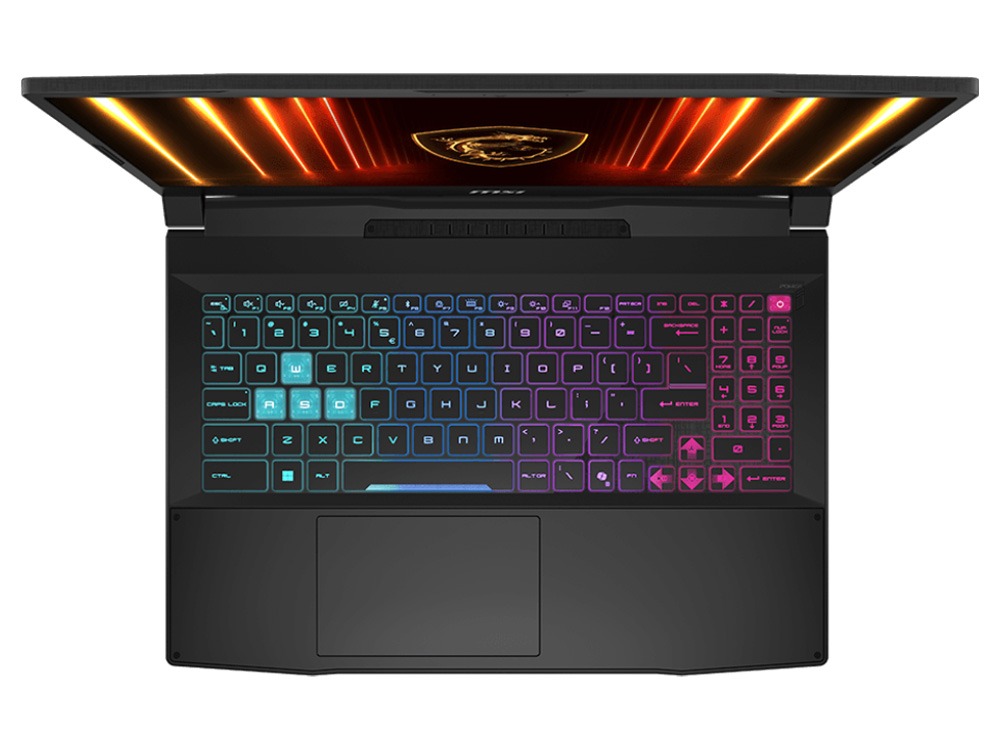
The keyboard has four-zone RGB backlighting that you can customise to suit your setup or turn down for class or the office. The full-size layout gives you a dedicated number pad, which is handy for spreadsheets and some games.
Cooling and noise
A laptop with this much performance produces a lot of heat, and the fans work hard during long gaming sessions. That’s normal for any RTX 5070 laptop. For the best results, use it on a hard, flat surface, consider a cooling pad for long sessions, and use MSI Center to choose a quieter mode when you’re studying or watching videos.
For creators and students
The same hardware that runs games well also speeds up creative and technical work. The RTX 5070 accelerates Premiere Pro, DaVinci Resolve, Blender, Unreal Engine and many CAD and AI tools, and the 16-core processor helps with exports, compiling and simulations. The QHD screen gives you more room for timelines and toolbars.
A Katana 15 HX for game design and 3D students
Students in game design, animation, architecture and engineering often need a laptop that can run demanding software on campus and at home. The Katana 15 HX handles Unreal Engine, Unity, Blender, Maya, SketchUp and Revit comfortably, with the RTX 5070 accelerating viewports and rendering. If your course lists recommended specs, send them to us and we’ll confirm this laptop meets them before you buy.
Competitive gaming at 165Hz
In fast shooters, a high refresh rate makes a real difference. The 165Hz QHD screen shows more frames per second than a standard 60Hz display, so motion looks smoother and targets are easier to track. Pair it with NVIDIA Reflex in supported games for lower input lag, and the MSI Katana 15 HX becomes a genuinely competitive machine.
Streaming and recording
NVIDIA’s hardware encoder lets you stream to Twitch or YouTube with OBS while gaming, with very little impact on performance. AV1 encoding gives sharper recordings and streams at the same bitrate on platforms that support it.
Recording gameplay and clips
The NVIDIA app includes Instant Replay, which quietly records the last few minutes of gameplay so you can save a great moment after it happens. Clips are encoded by the graphics card’s hardware encoder, so recording has very little effect on performance.
Battery and portability
The 75Wh battery is fine for study, browsing and video away from a power point. Gaming on battery reduces performance and drains it quickly, so plug in the 240W adapter whenever you play. At around 2.4kg, the Katana 15 HX is portable enough to take between home, campus and a friend’s place.
Getting the most from your RTX 5070 laptop
- Always plug in the charger when gaming.
- Turn on DLSS and, where available, frame generation in supported games.
- Use the NVIDIA app to keep drivers updated and apply recommended settings.
- Choose MSI Center’s performance mode when plugged in.
- Connect an external 1440p monitor at your desk for an even better experience.
RTX 5070 laptop or RTX 5060 laptop?
An RTX 5060 laptop is great value, with the same GDDR7 memory and DLSS 4 with Multi Frame Generation. An RTX 5070 laptop steps up with more graphics power and more headroom for 1440p screens like the Katana 15 HX’s QHD panel. If you want higher settings at higher resolution for the next few years, the extra spend is worth it.
Settings tips by game type
- Competitive shooters: favour frame rate over visual detail. Lower shadows and effects, keep textures sensible, and turn on Reflex.
- Open-world games: use DLSS on its Quality setting for a sharp image with smoother performance.
- Story-driven single-player games: this is where ray tracing and frame generation shine, so turn them on and enjoy the visuals.
- Older or lighter games: max everything out. There’s plenty of headroom.
Gaming laptop or desktop?
A laptop RTX 5070 is designed to run within the power and cooling limits of a portable chassis, so it isn’t as fast as a desktop RTX 5070 graphics card. What you gain is portability: one machine you can take anywhere. If you mostly game at one desk and never move it, a desktop gaming PC gives you more performance for the money. If you need to move between places, the Katana 15 HX is a great balance.
Buying for a teenager?
A gaming laptop is a popular gift for teens, and it doubles as a study machine. Set up a child account with Microsoft Family Safety and Xbox family settings to manage screen time, purchases and who they can chat with online. Agreeing on a few simple rules up front, such as homework before games, helps everyone enjoy it.
Upgrading later
The two areas most people upgrade on a gaming laptop are memory and storage. Moving to 32GB helps if you stream while gaming or work on big creative projects, and more SSD space lets you keep more games installed. Message us and we’ll recommend compatible parts.
Who should choose something else
If you want a lighter laptop for everyday study and don’t game, choose a thin and light model. If you want the absolute best performance in a laptop, step up to an RTX 5080 or RTX 5090 model. For a big jump in gaming performance at a sensible price, though, the MSI Katana 15 HX is hard to beat.
Using it for uni or school
Outside gaming, the Katana 15 HX is a powerful study laptop. It runs Office, research tabs, Zoom and Teams without effort, and the QHD screen makes long documents comfortable to read. Just note the 2.4kg weight and gaming-laptop battery life: carry the charger on long days and switch to a quiet power mode in lectures.
Looking after a gaming laptop
- Keep the vents clear and use it on hard surfaces.
- Blow dust out of the vents every few months.
- Don’t leave it in a hot car.
- Keep the NVIDIA driver and MSI Center updated.
- Use a padded backpack when you travel.
Software we recommend
For the best experience, keep the NVIDIA app installed for drivers and game settings, and use MSI Center to switch between performance and quiet modes. Steam, Battle.net, the EA app and the Xbox app cover most game libraries, while OBS Studio and Discord are the go-to tools for streaming and chatting with friends.
Setting up a gaming desk
At home, a laptop can become a full gaming station. Connect a 27-inch 1440p high-refresh monitor, a mechanical keyboard and a good mouse, and put the laptop on a stand to the side so its fans have plenty of airflow. You get a desktop-style experience at your desk and still have a portable machine for LAN nights, travel or class.
Gaming on the go
Taking your setup to a friend’s place or a LAN event is easy: pack the laptop, the 240W charger, a mouse and a headset, and you’re set. Remember the charger is fairly large, so a gaming backpack with a separate accessory pocket helps.
Keeping it secure and up to date
Keep Windows Update and Windows Security switched on, only download games and mods from trusted sources, and use two-factor authentication on Steam, Epic and your other gaming accounts. Those simple steps protect both your laptop and your game library.
Accessories worth adding
- a gaming mouse and a large mouse pad
- a headset with a microphone
- a laptop cooling pad
- a 27-inch 1440p high-refresh monitor for your desk
- a 15.6-inch gaming backpack
Setting it up
- Charge it fully and switch on.
- Connect to Wi-Fi and sign in to Windows 11.
- Run Windows Update and MSI Center updates.
- Install the latest NVIDIA driver through the NVIDIA app.
- Plug in the charger and set MSI Center to performance mode before gaming.
How it compares with our other gaming laptops
- Lenovo LOQ 17: a 17.3-inch RTX 5070 laptop with an i7-14700HX and 24GB of DDR5.
- MSI Katana 15 HX RTX 5060: the same QHD 165Hz laptop with an RTX 5060, for less.
- MSI Vector 17 HX AI: a flagship RTX 5090 laptop with 32GB and a 2TB SSD.
Browse all of our gaming laptops.
Our honest take
The MSI Katana 15 HX isn’t the slimmest or lightest gaming laptop, and the fans get loud when you push it. What it does very well is performance for the money: an RTX 5070, a 16-core HX processor and a QHD 165Hz screen at a price well below premium brands. If gaming performance matters most to you, it’s an excellent choice.
Delivery
We deliver Australia-wide, including regional areas.
Why buy from a local store?
We’ll give you straight answers about whether this RTX 5070 laptop suits the games and software you use, before you buy. After it arrives, our team is a message away if you need help with drivers, settings or upgrades.
Warranty and support
The Katana 15 HX comes with a 1-year manufacturer’s warranty. If you need help with drivers, settings or an upgrade, message our team on live chat.
MSI Katana 15 HX FAQs
Is the MSI Katana 15 HX good for gaming?
Yes. With an RTX 5070, a 16-core HX processor and a QHD 165Hz screen, it handles modern games at high settings.
Can the Katana 15 HX run Cyberpunk 2077?
Yes, at high settings at QHD with DLSS turned on, and ray tracing is very playable with DLSS frame generation.
Can I connect it to a monitor or TV?
Yes, through its video outputs. Message us and we’ll confirm the right cable for your screen.
Is 8GB of video memory enough?
For 1440p gaming with sensible texture settings, yes. Some of the heaviest new games may need textures lowered at maximum settings.
Can I upgrade the memory and storage?
Yes. Memory can be increased, and storage can be expanded. Message us if you’d like help.
Is it good for video editing?
Yes. The RTX 5070 accelerates Premiere Pro and DaVinci Resolve, and the QHD screen gives you more workspace.
How loud is it?
Quiet during study and browsing. Under heavy gaming loads the fans are clearly audible, as on any performance gaming laptop, so a headset helps.
Can it run Minecraft with shaders?
Yes. Minecraft with shaders and texture packs runs very well on the RTX 5070.
Should I game at QHD or 1080p?
QHD looks sharper, and DLSS makes it very playable in most games. Dropping to 1080p is an option in competitive shooters if you want the highest possible frame rates.
Can I use a controller?
Yes. Xbox and PlayStation controllers work over USB or Bluetooth, and most PC games support them.
Does it come with Windows?
Yes, Windows 11 Home is installed.
How heavy is it?
Around 2.4kg, which is typical for a 15.6-inch gaming laptop.
Does it have a number pad?
Yes. The full-size keyboard includes a number pad, which is handy for spreadsheets and some games.
Do you deliver Australia-wide?
Yes, to every state and territory, including regional areas.