Description
This is a PC for video editing that doesn’t cost workstation money. It pairs Intel’s 20-core Core Ultra 7 265KF with an NVIDIA GeForce RTX 5070 12GB, so you get plenty of processor threads for encoding and effects, plus a modern graphics card that speeds up playback, colour work and exports in Premiere Pro, DaVinci Resolve and CapCut. It’s just as comfortable with photo editing, graphic design and lighter CAD work.
Every system is assembled, set up and stress tested by our team in Sydney before it’s packed.
Who this video editing PC suits
- YouTubers and content creators cutting 1080p and 4K footage
- wedding, event and real estate videographers who need a quick turnaround
- freelance designers who mix video with Photoshop, Illustrator and After Effects
- students in film, media and design courses
Just starting out or working to a tighter budget? Our entry level workstation with an RTX 5060 is a cheaper way in. If photography is your main focus, have a look at our PC for photo editing with an RX 9070 XT.
Why the RTX 5070 makes this a strong computer for video editing
Modern editing software leans heavily on the graphics card. The RTX 5070’s 12GB of video memory and NVIDIA’s dedicated video engines take a lot of work off the processor, including:
- decoding H.264 and HEVC footage, so scrubbing through the timeline feels smoother
- GPU-accelerated effects, colour grading and noise reduction in DaVinci Resolve
- hardware encoding with NVENC, including AV1, for faster exports and uploads
- AI-assisted tools such as masking, upscaling and auto reframe
The RTX 50 series also adds hardware support for 4:2:2 colour video, which a lot of newer mirrorless cameras record. In editors that support it, that footage plays back far more smoothly than it would on older cards. NVIDIA covers the details on its RTX 5070 family page.
A 20-core Intel Core Ultra 7 for encoding and effects
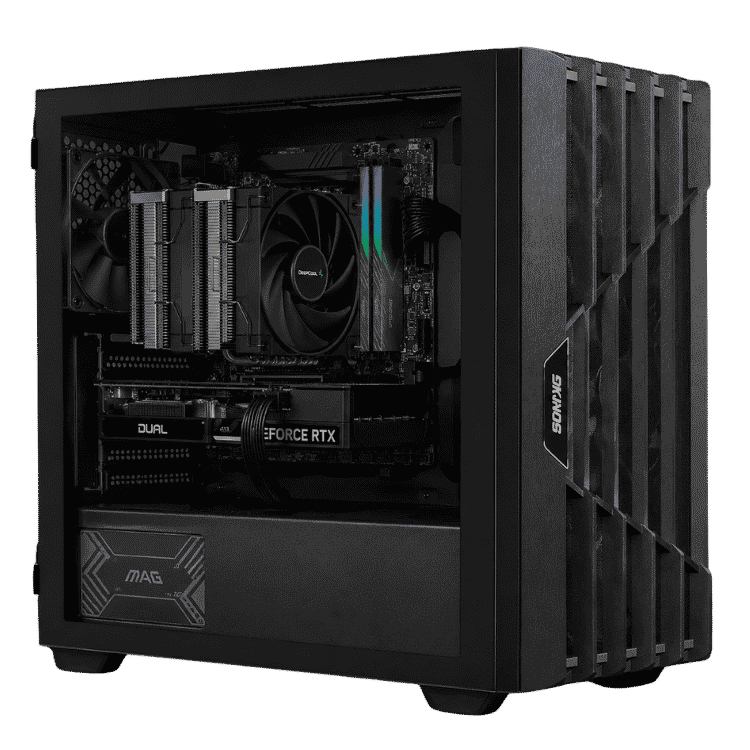
The Core Ultra 7 265KF has 20 cores (8 performance and 12 efficient) and 20 threads, with boost clocks up to 5.5GHz. That mix suits a video editing PC well: the performance cores keep the timeline responsive, while the extra threads help with exports, previews and anything running in the background. The “F” means it has no built-in graphics, which doesn’t matter here because the RTX 5070 handles every display.
It’s cooled by a DeepCool AK400 tower cooler, which keeps temperatures in check during long renders without a lot of fan noise.
Video editing PC specifications
| Processor | Intel Core Ultra 7 265KF (20 cores, 20 threads, up to 5.5GHz) |
|---|---|
| CPU cooler | DeepCool AK400 |
| Motherboard | MSI PRO B860M-A WIFI |
| Graphics card | PNY GeForce RTX 5070 12GB ARGB EPIC-X RGB OC |
| Memory | 16GB Crucial DDR5-5600 |
| Storage | 1TB PNY CS1031 NVMe SSD |
| Power supply | MSI MAG 750W, PCIe 5 ready |
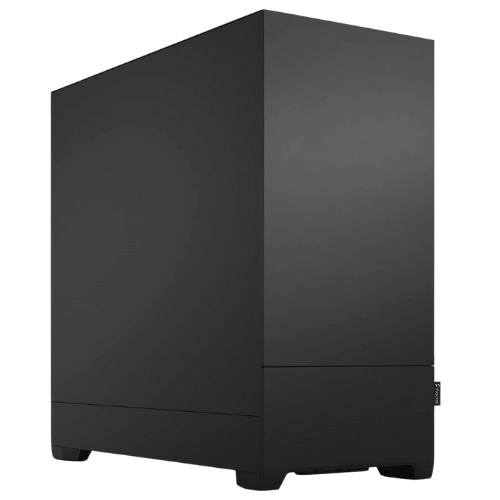
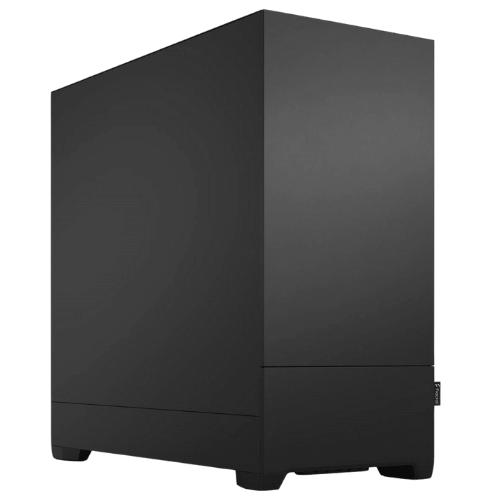
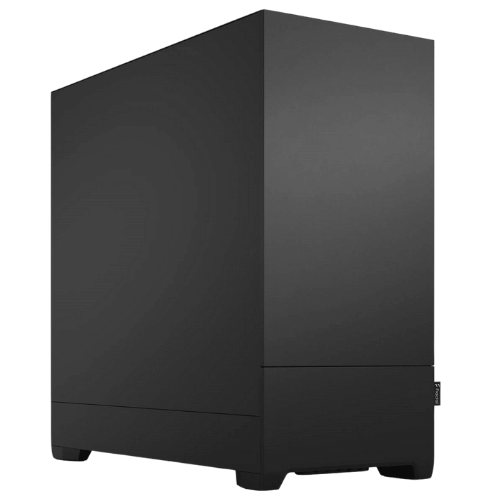
| Case | Fractal Design Pop Silent, black |
| Wireless | Wi-Fi built into the motherboard |
What editing on this PC for video editing is like
For most YouTube, social and client work, this machine is comfortable. Here’s an honest guide to what you can expect:
- 1080p projects: smooth editing with multiple layers, titles and colour correction.
- 4K H.264 and HEVC footage: responsive timelines thanks to hardware decoding, with quick exports through NVENC.
- Heavier 4K timelines: long projects with lots of effects, noise reduction, Fusion or After Effects work will benefit from 32GB of memory.
- RAW and 6K+ footage: workable with proxies. If that’s your daily work, a higher-tier workstation is a better fit.
Memory and storage: the honest trade-offs
The 16GB of Crucial DDR5-5600 is enough for 1080p editing and lighter 4K work, and it keeps the price down. If you regularly edit long 4K projects, run After Effects alongside Premiere, or keep lots of apps open at once, 32GB is the sweet spot. We can fit it before shipping, or you can add it later.
Storage is a 1TB PNY CS1031 NVMe SSD for Windows, your apps and active projects. Video fills drives quickly, so most editors add a second SSD for footage and cache files, plus a bigger hard drive or a NAS for archives. There’s room in the case for more drives, and we can add them when you order.
A quiet case for long sessions
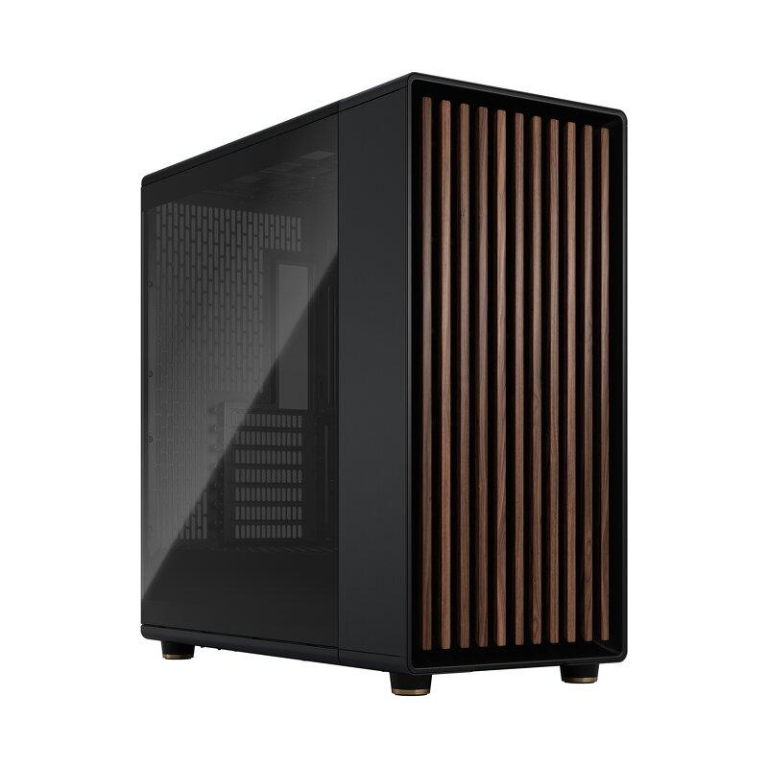
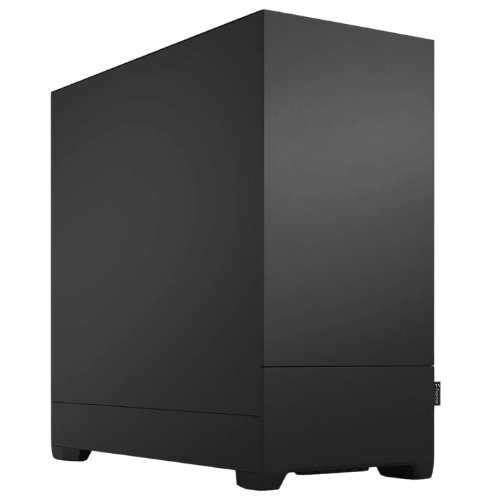
Editing means hours at your desk, so we’ve built this PC for video editing in Fractal Design’s Pop Silent. It has sound-dampening material on its panels and a solid front, which keeps fan noise down while you’re checking audio or on a client call. The MSI MAG 750W power supply is PCIe 5 ready and leaves headroom for future upgrades.
Choosing a monitor for your video editing PC
A 27-inch 1440p IPS monitor with close to 100% sRGB coverage is a good start for YouTube and web content. If you deliver 4K or grade colour for clients, a 4K monitor with good factory calibration makes a real difference. The RTX 5070 drives multiple displays, so you can put the timeline on one screen and the preview, bins or scopes on another.
Apps our customers run on it
Most people buying a computer for video editing from us run some mix of the following:
- Adobe Premiere Pro and After Effects
- DaVinci Resolve, both the free version and Studio
- CapCut and Filmora for quick social content
- Photoshop and Lightroom for thumbnails and stills
- OBS Studio for recording and streaming
If you rely on a particular plugin, such as Neat Video or a Red Giant tool, send us the details and we’ll check this PC for video editing suits it before you buy.
Built for client work and deadlines
For paid work, a reliable video editing PC matters more than chasing benchmark numbers. Exports finish faster with NVENC, previews render quicker, and the system has already been tested under sustained load, so it shouldn’t fall over halfway through a render the night before a deadline. Add a backup drive or cloud backup and you’ve got a dependable setup for client jobs.
Design, CAD and streaming too
It’s set up as a computer for video editing, but the same hardware is good at related work: Photoshop, Lightroom, Illustrator, Blender modelling and rendering, and 2D or lighter 3D CAD. NVENC also makes it a capable streaming machine with OBS, and it plays games well once the work is done.
Why buy a prebuilt video editing PC?
Building your own can save a little, but you also take on the parts sourcing, the troubleshooting and the warranty claims. A prebuilt video editing PC from a local builder arrives ready to work. We update the BIOS, enable the memory’s rated speed, install drivers and test the system under load. If something goes wrong, you deal with one team here in Australia instead of chasing several part manufacturers.
Upgrading your computer for video editing
- Memory: step up to 32GB or 64GB for heavier timelines.
- Storage: add a second NVMe SSD for footage and cache.
- Graphics: the 750W power supply leaves headroom for a graphics card upgrade.
One thing to know: Intel changes processor sockets more often than AMD. If a longer processor upgrade path matters to you, our CAD workstation with a Ryzen 9 uses AMD’s AM5 platform, which AMD has committed to supporting with future processors.
When it arrives
- Remove any packing material from inside the case.
- Plug your monitor into the RTX 5070, not the motherboard. The Core Ultra 7 265KF has no integrated graphics, so the motherboard’s video ports won’t work.
- Finish the operating system setup and run all updates.
- Install the NVIDIA Studio Driver through the NVIDIA app.
- Point your editor’s cache and media folders at the SSD.
How it compares with our other workstations
- Vision Starter Workstation: an RTX 5060 at a lower price, for lighter editing and study.
- Vision Creator Pro: the same Core Ultra 7 265KF with 32GB of DDR5 and an RTX 5060. More memory, a less powerful graphics card.
- Vision Performance Workstation: a 12-core Ryzen 9 9900X with 32GB of DDR5 and an RTX 5070, for heavier multitasking.
Browse all of our mid-tier workstations.
Built and tested in Sydney
- assembled by our team with tidy cable management
- BIOS updated and the memory profile enabled
- stress tested for stability and temperatures
- packed carefully and shipped Australia-wide
PC for video editing FAQs
Is 16GB of RAM enough for video editing?
For 1080p and lighter 4K projects, yes. For long 4K timelines or After Effects work, we recommend 32GB, which we can fit before shipping.
Can this video editing PC handle 4K?
Yes. The RTX 5070 decodes common 4K formats in hardware, so H.264 and HEVC timelines stay responsive.
Is it better for Premiere Pro or DaVinci Resolve?
Both run well. Resolve leans more on the graphics card, Premiere uses both the processor and the GPU.
Is this a good PC for video editing if I’m a beginner?
Yes. It’s powerful enough that you won’t outgrow it quickly, and it’s ready to use from day one.
Does it come with Windows?
The listed spec doesn’t include an operating system. Message us before you order if you’d like Windows installed and activated.
Can I add more storage later?
Yes. Adding a second SSD or a hard drive is straightforward, and we’re happy to recommend drives that suit your footage.
Do you deliver Australia-wide?
Yes, to every state and territory, including regional areas.