
What is a CPU cache, and why do gamers get so excited about it? If you’ve looked at a gaming processor recently, you’ve probably seen AMD’s X3D chips advertised with huge amounts of cache, and heard that they’re the best gaming CPUs you can buy. Cache sounds like a minor spec, but it has a surprisingly big effect on how smoothly games run.
This guide explains it from the ground up. We’ll start with what a CPU is and what it does, then get into cache: the different levels, why it matters so much for games, and what makes AMD’s 3D V-Cache different. No engineering degree required.
Quick answer
A CPU cache is a small amount of very fast memory built into the processor. It holds the data and instructions the CPU is most likely to need next, so it doesn’t have to wait for slower system RAM. Most processors have three levels: L1, L2 and L3. Games benefit from a large L3 cache, which is why AMD’s X3D chips, with their extra stacked cache, are so fast in games.
In this guide
What is a CPU?
Before we get to cache, let’s cover the basics. What is a CPU? It’s the main processor in your computer, the chip that runs your operating system, your apps and the logic of your games. Every click, keystroke and calculation passes through it at some point.
What does CPU stand for?
CPU stands for central processing unit. It’s “central” because it coordinates everything else in the computer, from the graphics card and memory to your storage and USB devices. You’ll also hear people call it the processor or, in older slang, the chip.
What does a CPU do?
At its simplest, a CPU follows a loop billions of times a second. It fetches an instruction, works out what the instruction means, carries it out, and stores the result. Modern processors do this on several cores at once, and each core can juggle more than one task, called threads.
Three numbers describe most of what a CPU does in practice:
- Cores: independent processing units. More cores help with tasks that can be split up, like video exports and 3D rendering.
- Clock speed: how many cycles each core runs per second, measured in gigahertz. Higher is faster, all else being equal.
- Cache: the processor’s own fast memory, which keeps the cores fed with data. This is the one we’re here to talk about.
What does a CPU do in a gaming PC?
In a gaming PC, the work is split between the CPU and the graphics card. The graphics card draws the image you see. The CPU handles almost everything else: the game’s logic and rules, physics, enemy AI, sound, network data in online games, and preparing instructions that tell the graphics card what to draw for each frame.
That last job is the key. For every frame the graphics card draws, the CPU has to prepare it first. At 60 frames a second that’s manageable. At 240 frames a second, the CPU has to do the same work four times as often, and that’s where a fast processor, and a big cache, makes a real difference.
What is a CPU cache?
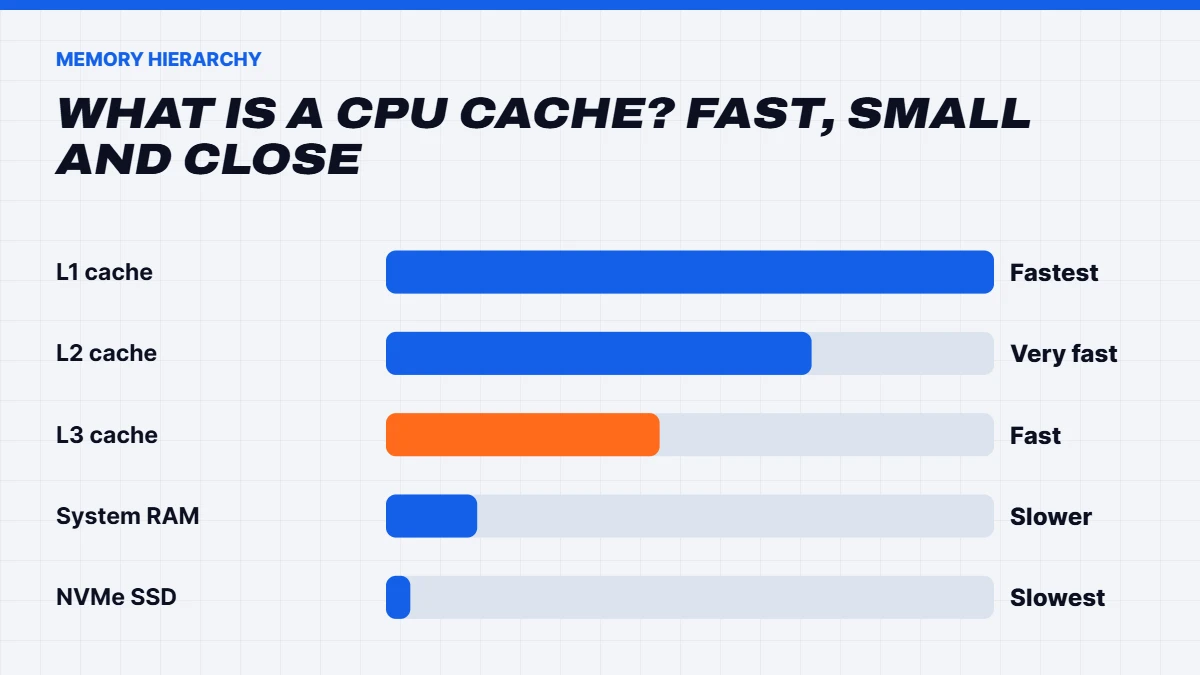
So, what is a CPU cache in plain terms? It’s a small pool of extremely fast memory built right into the processor. Your computer’s main memory, the RAM, is large but comparatively slow for the CPU to reach. Cache sits between the cores and the RAM and holds copies of the data and instructions the CPU is using right now or is likely to need next.
Here’s an analogy we like. Imagine you’re working at a desk. The papers on your desk are your cache: tiny space, instant to reach. The filing cabinet next to you is your RAM: much more space, but you have to get up and look. The warehouse across town is your SSD: enormous, but a trip there takes ages. The more of what you need is already on your desk, the faster you work.
When the CPU finds what it needs in the cache, that’s called a cache hit. When it doesn’t and has to go to RAM, it’s a cache miss, and the core can sit idle for what is, in processor terms, a very long time.
L1, L2 and L3 cache explained
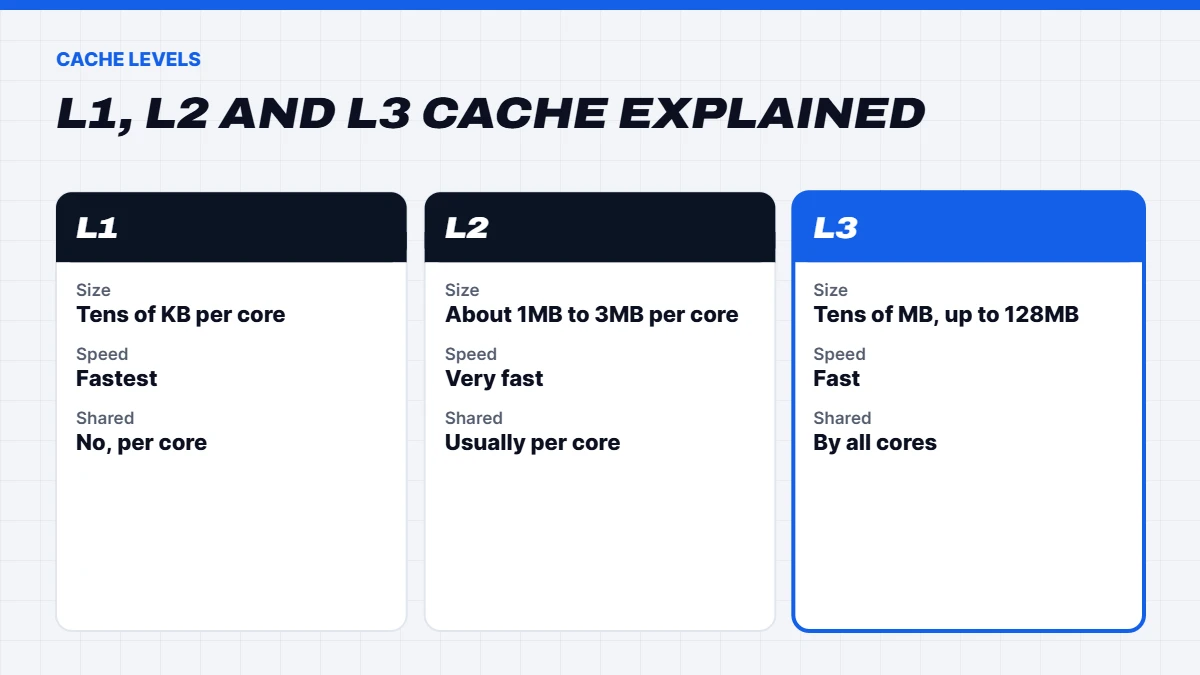
Processors have several levels of cache, each larger and a little slower than the one before:
| Level | Typical size per core | Speed | Shared? |
|---|---|---|---|
| L1 cache | Tens of kilobytes | Fastest | Private to each core |
| L2 cache | About 1MB to 3MB | Very fast | Usually private to each core |
| L3 cache | Tens of megabytes in total | Fast | Shared by all cores |
| System RAM | Gigabytes | Much slower than cache | Shared by everything |
L1 cache is tiny and sits right next to each core’s calculating units. It’s split into a part for instructions and a part for data.
L2 cache is larger and slightly slower. On modern chips each core has its own.
L3 cache is the big shared pool that all the cores can use. It’s the last stop before the CPU has to go out to RAM, and it’s the level that matters most for gaming.
You can see your own processor’s cache sizes in Windows 11 by opening Task Manager, choosing Performance, then CPU. The L1, L2 and L3 figures are listed under the graph.
Why cache matters so much for games
Games are unusually demanding on cache. A game world has thousands of objects, each with positions, physics, AI states and sounds, and the CPU jumps around between them constantly and unpredictably. That kind of work causes lots of cache misses on processors with a smaller L3, and every miss means waiting for RAM.
A bigger L3 cache means more of the game’s working data fits on the chip at once. The CPU waits less, so it can prepare frames faster and, just as importantly, more consistently. That shows up as higher frame rates and fewer stutters, especially in busy scenes, big multiplayer matches and strategy or simulation games.
Most everyday software, like web browsers and office apps, isn’t as cache-hungry, which is why big-cache chips shine mainly in games.
What is 3D V-Cache?
AMD’s 3D V-Cache is a way of adding a lot more L3 cache without making the chip much bigger. Instead of spreading the cache out flat, AMD stacks an extra 64MB layer of cache vertically onto the processor die. On an eight-core chip like the Ryzen 7 9800X3D, that brings the total L3 cache to 96MB, about three times what a standard Ryzen 7 has.
The first X3D chips put the extra layer on top of the cores, which trapped heat and meant lower clock speeds. The second generation, starting with the 9800X3D, moved the cache layer underneath the cores, so they sit closer to the cooler and can run faster. Our guide to the 9800X3D compares the current X3D chips in detail.
What is a CPU cache made of?
What is a CPU cache physically? It’s made from a type of memory called SRAM, static random-access memory. SRAM is extremely fast and doesn’t need constant refreshing, but each bit takes up far more space on the chip than the DRAM used in your RAM sticks. That’s the trade-off that shapes every processor: cache is wonderfully fast, but it’s expensive in chip area, so designers can only fit a limited amount.
That’s exactly why AMD’s stacking approach was such a clever idea. Rather than making the processor die much bigger to fit more SRAM, AMD built a separate slice of cache and bonded it onto the chip, adding a large amount of fast memory without redesigning the cores.
What is a CPU bottleneck?
You’ll often hear that a processor is “bottlenecking” a graphics card. It means the CPU can’t prepare frames as fast as the graphics card can draw them, so the graphics card sits partly idle. Think back to the answer to “what does a CPU do” in a game: it runs the logic and prepares every frame. If that takes too long, frame rates hit a ceiling, no matter how powerful the graphics card is.
Bottlenecks show up most at lower resolutions and higher refresh rates, and in games with lots going on. Cache helps directly here, because fewer trips to RAM means the CPU prepares each frame faster. That’s why an X3D chip can lift frame rates with the same graphics card, especially in processor-heavy games. At 4K, the graphics card is usually the bottleneck instead, which is why the processor matters less at that resolution.
A short history of CPU cache
Cache has been part of personal computers for decades. Early PCs had small amounts of cache on the motherboard. Over time it moved onto the processor itself, first as a single level, then as the L1, L2 and L3 hierarchy we have today. Each generation has added more, because processor cores have become far faster than RAM, and the gap needs bridging.
AMD’s first consumer stacked-cache processor, the Ryzen 7 5800X3D, arrived in 2022 and surprised a lot of people by beating much more expensive chips in games. It proved that for gaming, a large L3 cache could matter more than extra cores or higher clocks, and every X3D chip since has built on that idea.
Does more cache always mean better performance?
Not always. Cache is one piece of the puzzle. Clock speed, the number of cores and the design of each core all matter too. For video editing, 3D rendering and code compiling, more cores and higher clocks often matter more than extra cache. That’s why a 16-core processor without stacked cache can beat an eight-core X3D chip at those tasks.
In games, extra cache helps most when the CPU is the limiting factor: at 1080p and 1440p with a fast graphics card, at high refresh rates, and in processor-heavy games. At 4K with a mid-range graphics card, the graphics card is usually the limit, and cache makes little difference.
Cache vs RAM vs storage
It’s easy to mix these up, so here’s how they relate:
- Cache is on the processor, measured in kilobytes and megabytes, and extremely fast. You can’t upgrade it separately.
- RAM is on sticks plugged into the motherboard, measured in gigabytes. It holds everything your open apps and games are using. Our guide to what RAM is explains how much you need.
- Storage, like an SSD, holds everything permanently, measured in hundreds of gigabytes or terabytes. It’s the slowest of the three but keeps data when the power is off.
Data flows down this ladder: from storage into RAM when you load a game, and from RAM into cache when the CPU needs it.
What about Intel?
Intel’s desktop processors also have L1, L2 and L3 cache, and recent Core Ultra chips have generous L2 caches. Their L3 caches are smaller than AMD’s X3D chips, though, and Intel hasn’t had a stacked-cache desktop rival during this generation. That’s a big part of why AMD has held the gaming lead, while Intel’s chips remain strong for productivity. Our AMD vs Intel guide compares the two in more depth.
L3 cache on popular processors
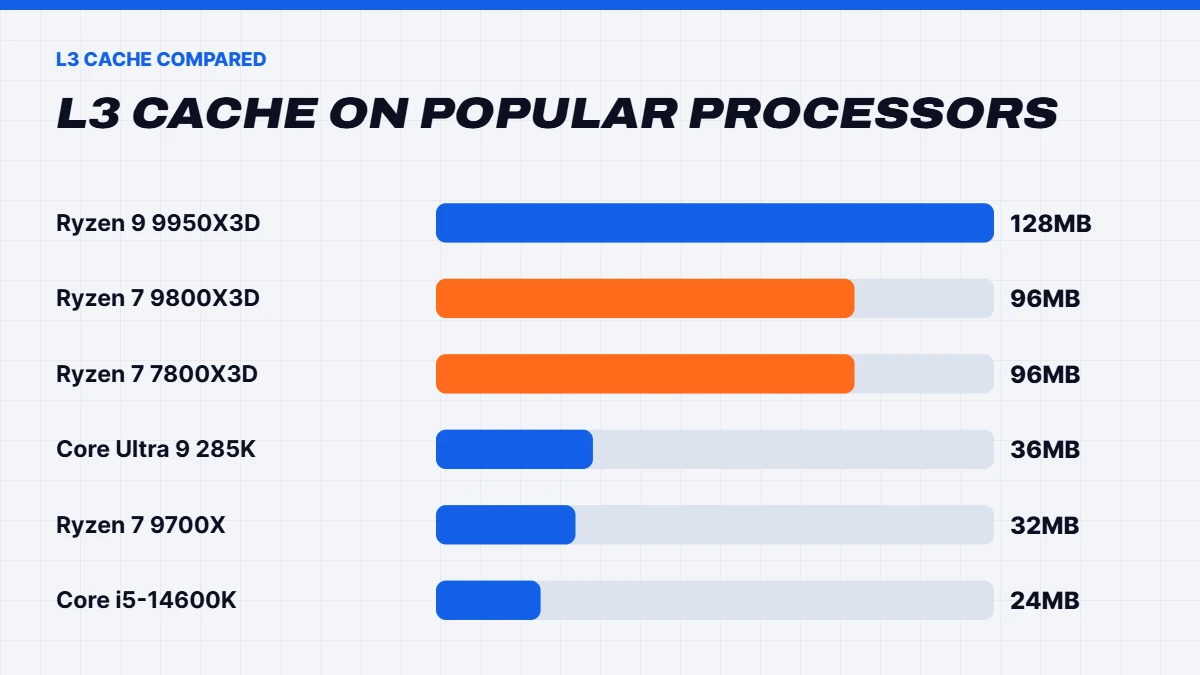
To put the numbers in context, here’s the L3 cache on some popular gaming and work processors, taken from AMD’s and Intel’s published specifications:
| Processor | Cores | L3 cache |
|---|---|---|
| Ryzen 5 7500F | 6 | 32MB |
| Ryzen 7 9700X | 8 | 32MB |
| Ryzen 7 7800X3D | 8 | 96MB |
| Ryzen 7 9800X3D | 8 | 96MB |
| Ryzen 9 9950X3D | 16 | 128MB |
| Intel Core i5-14600K | 14 | 24MB |
| Intel Core Ultra 7 265K | 20 | 30MB |
| Intel Core Ultra 9 285K | 24 | 36MB |
The X3D chips stand out immediately. An eight-core X3D processor has three times the L3 cache of a standard eight-core Ryzen, and more than double that of Intel’s flagship desktop chips. That’s the simplest way to see why they lead in games.
Quick recap: what is a CPU cache, and why care?
If you remember one thing from this guide, make it this. What is a CPU cache? It’s the processor’s own tiny, ultra-fast memory, and the more of a game’s working data it can hold, the less time the processor spends waiting. That’s why cache size has become one of the most important specs for gaming processors, and why AMD’s X3D chips are so popular in gaming PCs.
And if someone asks you what is a CPU, or what does a CPU do, you can now give a solid answer: it’s the central processing unit, the brain of the computer that runs your apps and game logic, and its cache is what keeps it fed.
Should you buy an X3D chip?
If gaming is your priority and you play at 1080p or 1440p on a high-refresh monitor, or you love simulation and strategy games, an X3D processor is one of the best upgrades you can make. If you mostly game at 4K on a TV, a cheaper processor and a faster graphics card may serve you better. If you do lots of rendering or video work, consider a high-core-count chip, or the 16-core Ryzen 9 9950X3D, which offers both.
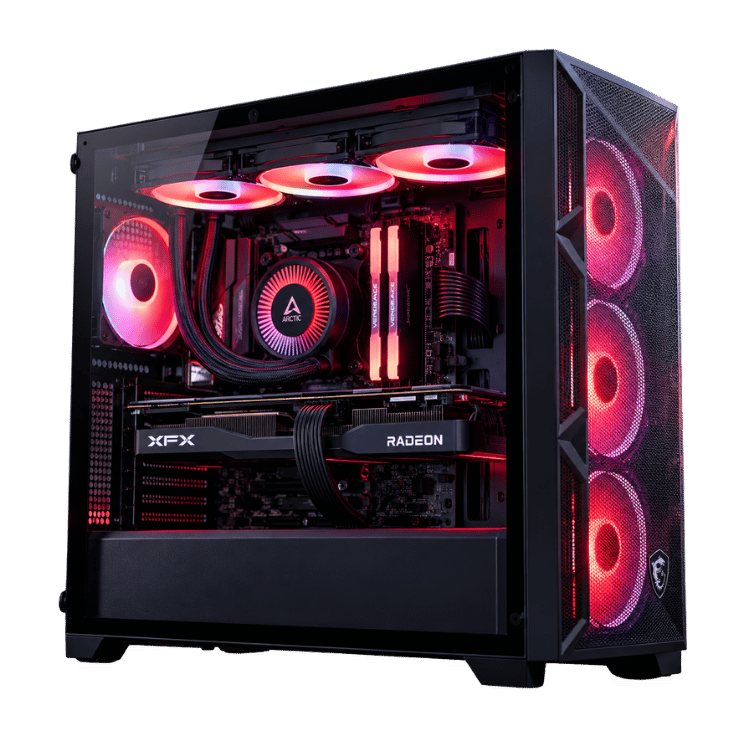
Many of our Ryzen gaming PCs use X3D chips. The Vision Vector pairs the Ryzen 7 7800X3D with an RTX 5070 for high-refresh 1440p, and the Vision Phantom XT pairs it with an RX 9070 XT.
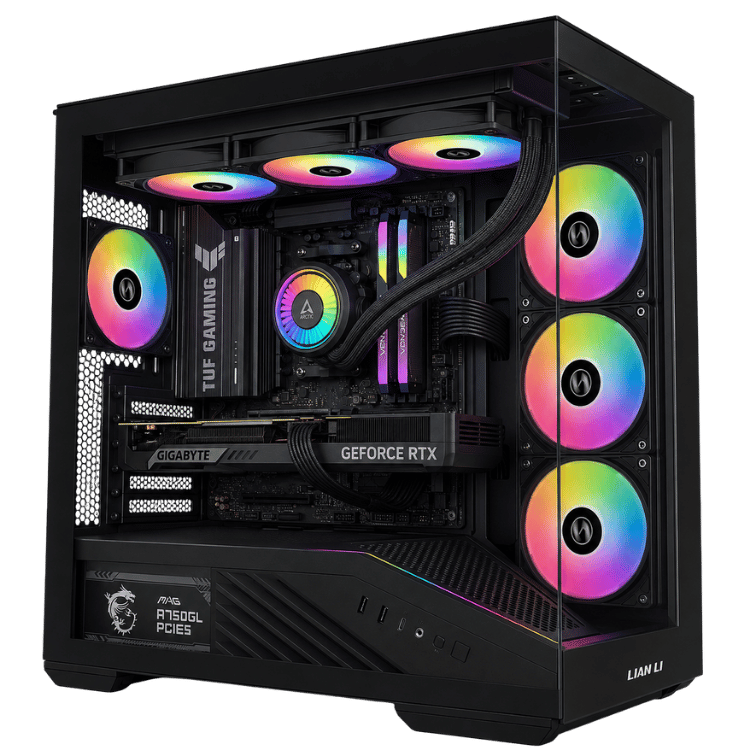
 Vision Vector – 7800X3D PC with RTX 5070, 32GB DDR5 Original price was: $4,399.00.$3,299.00Current price is: $3,299.00.See the build
 Vision Phantom XT – 9070 XT PC, Ryzen 7 7800X3D Original price was: $4,100.00.$3,075.00Current price is: $3,075.00.See the build
 Vision Phantom X3D – 9070 XT Prebuilt, Ryzen 7 9800X3D Original price was: $4,499.00.$3,374.00Current price is: $3,374.00.See the build
CPU cache FAQs
What is a CPU cache used for?
It stores the data and instructions the processor needs most often, so it doesn’t have to wait for slower system RAM.
What is a CPU and what does a CPU do?
A CPU is the central processing unit, the main chip that runs your operating system, apps and game logic. It fetches, decodes and executes instructions billions of times a second.
What does CPU stand for?
Central processing unit.
What is a CPU cache miss?
A cache miss happens when the data the processor needs isn’t in the cache, so it has to fetch it from RAM. Misses slow the CPU down, and a bigger cache means fewer of them.
What is a CPU core?
A core is an independent processing unit within the CPU. A modern eight-core processor can work on eight sets of instructions at once, or sixteen with simultaneous multithreading.
Is more L3 cache better for gaming?
Usually, yes, especially at 1080p and 1440p with a fast graphics card and in processor-heavy games. It matters less at 4K.
Can I upgrade my CPU cache?
No. Cache is built into the processor. To get more, you need a different processor, such as an X3D chip.