
Not everyone browsing a Black Friday computer sale wants a gaming PC with glowing fans. Most people need something simpler: a reliable family computer for homework and photos, a quiet machine for working from home, or a desktop that gets a student through the next few years of study. Those computers get far less attention in the Black Friday noise, but the Black Friday computer deals on them are some of the best-value buys of the season.
This guide is for that kind of buyer. We’ll work out what you actually need, compare towers, all-in-ones and mini PCs, cover the specs that matter, explain Windows 11 Home vs Pro and new vs refurbished, and share our picks for home, office and study. No jargon you don’t need.
Our Black Friday sale is on now: 25% off original prices on every PC and laptop, until 11:59pm Cyber Monday, 30 November (Sydney time). Shop the deals.
Quick answer
For home, office and study, look for a current Ryzen 5, Core i5 or Core Ultra 5 processor, 16GB of RAM, a 512GB or larger SSD and Windows 11. Choose a tower for upgrades, an all-in-one for a tidy desk, or a mini PC if space is tight. Skip anything with 8GB of RAM or a hard drive as the main drive.
In this guide
What kind of computer do you actually need?
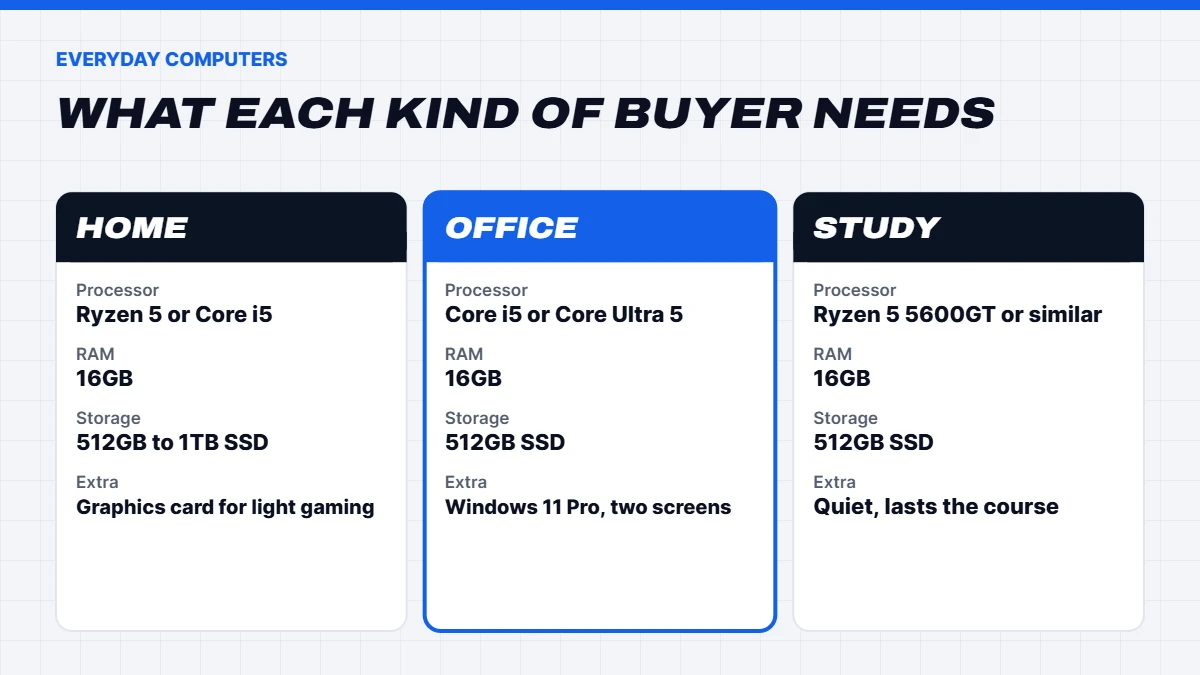
Before you look at any Black Friday computer deals, think about who’ll use it and for what. Most everyday computers fall into one of three groups.
The family or home computer. Web browsing, email, photos, video calls, online banking, homework and the odd game. It needs to be quick and reliable, and it’ll probably be used by several people. A capable processor, 16GB of RAM and a decent SSD cover all of that comfortably.
The home office or business computer. Spreadsheets, documents, video meetings, a dozen browser tabs and possibly two monitors. Reliability and quiet operation matter, and features like Windows 11 Pro can be useful if your work needs them.
The study computer. Research, writing, presentations, online classes and some creative software. A student desktop should last the length of the course, so it’s worth buying a little more than the minimum now rather than replacing it halfway through.
If anyone in the house plays newer games, that changes the picture. Even light gaming benefits from a dedicated graphics card, which is where a budget gaming PC can make more sense than a plain office machine.
Tower, all-in-one or mini PC?
Everyday computers come in three main shapes, and each suits a different kind of home.
| Type | Best for | Trade-offs |
|---|---|---|
| Tower desktop | Upgrades, performance, families | Takes up floor or desk space |
| All-in-one | Tidy desks, kitchens, shared spaces | Hard to upgrade, screen is fixed |
| Mini PC | Small desks, offices, mounting behind a monitor | Fewer ports, limited upgrades |
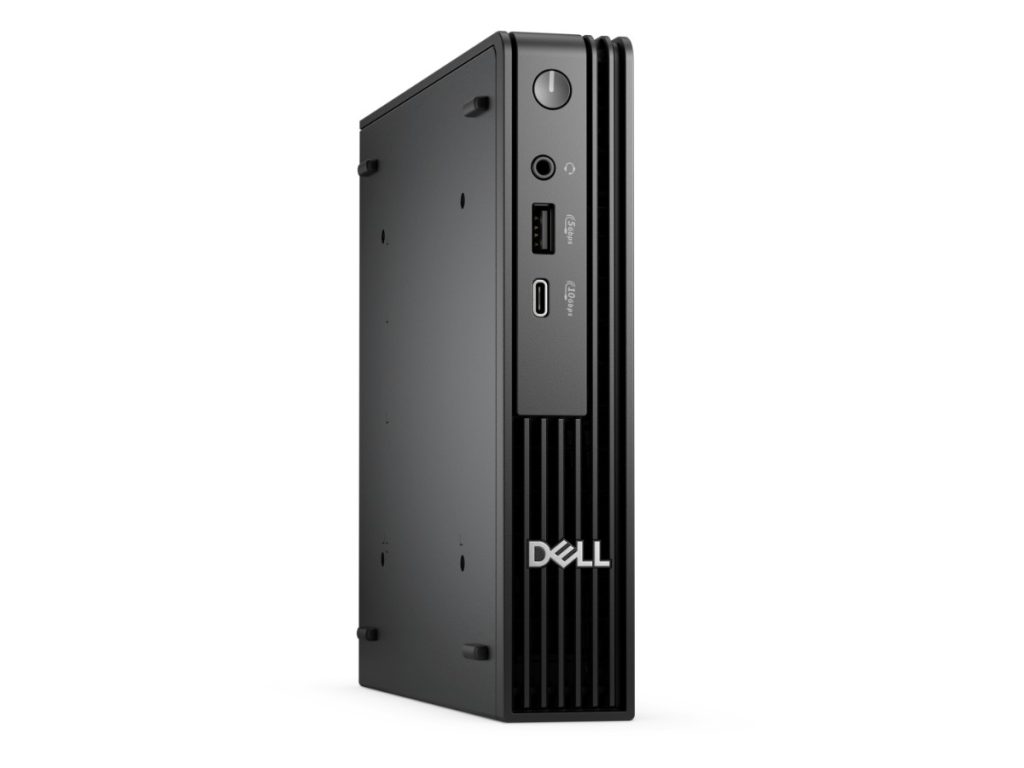
Towers are the most flexible. You can add memory, storage or a graphics card later, and they’re the easiest to repair. All-in-ones build the computer into the screen, so there’s just one cable and a keyboard on the desk. They look neat but you’re stuck with the screen. Mini PCs, like the Dell Pro Micro, are about the size of a hardback book and can even mount on the back of a monitor. They’re excellent office machines as long as you don’t need a graphics card.
The specs that matter for everyday computers
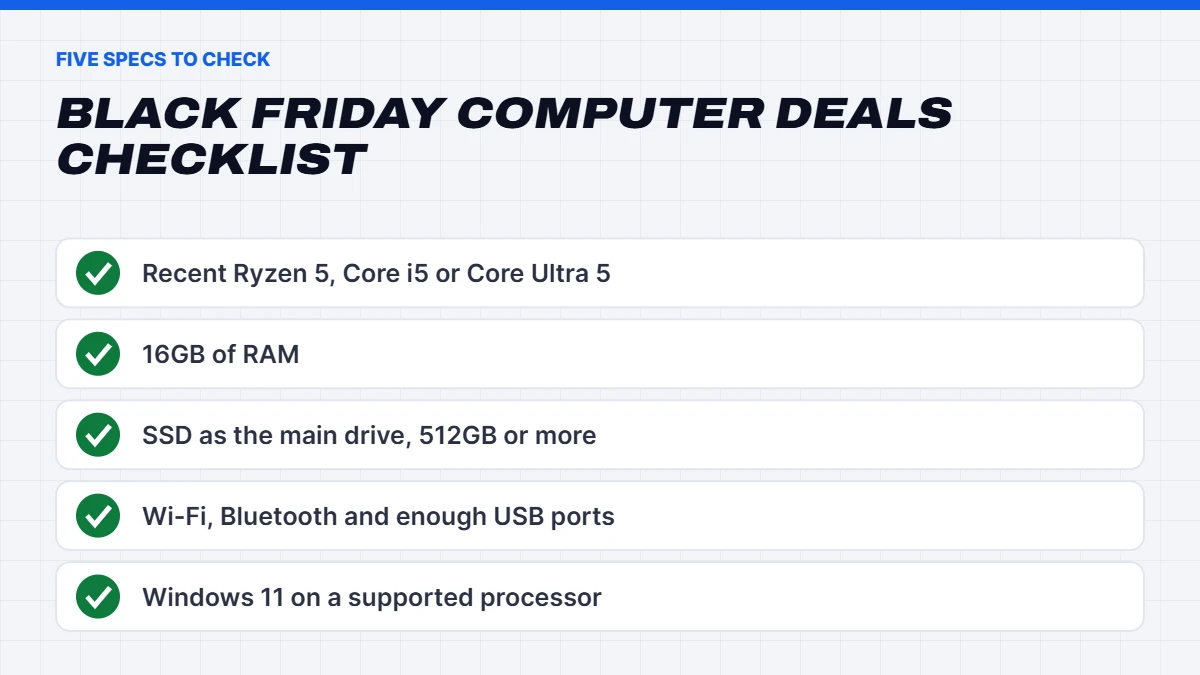
You don’t need to understand every number on a spec sheet. These five are the ones to check when you compare computer Black Friday deals:
- Processor. A recent Ryzen 5, Core i5 or Core Ultra 5 is plenty for home, office and study work. Processors like the Ryzen 5 5600GT and Core i5-12400 are older designs but still very capable for everyday tasks.
- RAM. 16GB is the sweet spot in 2026. 8GB works, but Windows 11 with a few apps open will use most of it, and the computer will slow down over time.
- Storage. An SSD, not a hard drive, as the main drive. 512GB is the minimum we’d recommend, and 1TB gives room for photos and files.
- Connectivity. Wi-Fi and Bluetooth if the computer won’t be near the router, plus enough USB ports for a printer, webcam and phone charger.
- Windows 11. Make sure it’s installed and the processor officially supports it. Windows 10 no longer gets free security updates.
Windows 11 Home vs Pro
Most computers in a Black Friday computer sale come with Windows 11 Home or Windows 11 Pro. For a family computer or a student, Home does everything you need. Pro adds features that matter mainly in workplaces: BitLocker drive encryption, the ability to be controlled through Remote Desktop, and tools for IT teams to manage many computers at once.
If you run a small business, handle sensitive client information or connect to a work network, Pro is worth having. Otherwise, don’t pay extra for it. You can always upgrade from Home to Pro later through the Microsoft Store if your needs change.
What about Microsoft Office?
Some computers come bundled with Microsoft Office, which sounds like a bonus but is worth checking closely. Office 2021 reached the end of its support from Microsoft in October 2026, so a bundle with that version won’t get new security updates. A Microsoft 365 subscription stays up to date, and students can often get it free or discounted through their school or uni. Ask exactly which version is included before you count it as part of the deal.
New or refurbished?
Refurbished computers in the Black Friday computer sales can be great value, especially business-grade desktops that were built to run all day for years. The catch is Windows. Many older processors don’t officially support Windows 11, and a computer stuck on Windows 10 no longer gets free security updates. Before you buy refurbished, check the processor against Microsoft’s Windows 11 requirements, the warranty length and the condition of the drive.
New computers cost more but come with full warranties and current processors that will be supported for years. For a computer you’ll rely on daily, new is usually the safer choice. Every computer we sell says clearly whether it’s new or refurbished, so you always know what you’re getting.
Black Friday computer deals: what’s a good price?
Knowing roughly what an everyday computer should cost helps you spot the genuine Black Friday computer deals. These ranges are for complete desktops without a monitor, and they move with the market:
| Type of computer | Typical spec | Rough price range |
|---|---|---|
| Basic home or school desktop | Ryzen 5 5600GT or similar, 16GB, 512GB SSD | Around $800 to $1,100 |
| Home office desktop | Core i5 or Core Ultra 5, 16GB, 512GB to 1TB SSD | Around $1,000 to $1,500 |
| Compact business mini PC | Core i5, 16GB, 512GB SSD, Windows 11 Pro | Around $1,000 to $1,400 |
| Family desktop with light gaming | Ryzen 5 with an entry graphics card | Around $1,300 to $1,800 |
If a Black Friday computer deal sits well below these ranges with a current processor and 16GB of RAM, it’s worth a close look. If it’s in the range but has 8GB of RAM or a hard drive, the discount isn’t as good as it seems. Memory and SSD prices have risen this year because of a global chip shortage, so computers with 16GB and a decent SSD carry more value than they used to.
Computer Black Friday deals to avoid
Some computer Black Friday deals look cheap for a reason. Skip anything with these warning signs:
- 8GB of RAM and no way to add more. Fine for a few months, frustrating after a year.
- A hard drive as the only drive. Windows 11 on a hard drive is painfully slow to start and update.
- An unsupported processor running Windows 11. It may work today, but it can miss updates later.
- No brand or model for the processor. “Quad-core processor” tells you nothing.
- Very old refurbished stock. A ten-year-old business desktop at a low price is rarely the bargain it looks like.
The best Black Friday computer sales list every part clearly. If a listing is vague, ask before you buy, or move on.
Black Friday computer sales vs the rest of the year
Is Black Friday really the best time to buy an everyday computer? For most households, yes. Black Friday computer sales cover more stores at once than any other event, and complete desktops tend to get bigger discounts than individual parts. Back-to-school sales in January can be good for student laptops, and end of financial year sales in June suit businesses buying several computers. But for a family or home office computer, late November is usually the strongest window, and you have it set up well before Christmas.
The one exception is when you don’t need a new computer yet. If your current one still runs Windows 11 and does what you need, a clean-up and an SSD upgrade might buy you another year or two for far less money.
Buying for an older relative
Plenty of Black Friday computer deals end up as gifts for parents or grandparents. For that buyer, simplicity matters more than speed. An all-in-one or a compact desktop with a large, clear monitor is easier to live with than a laptop. Set it up before you hand it over: install updates, add bookmarks for the sites they use, set up video calling, and make the text size bigger in Windows settings. A short printed guide for the basics goes a long way.
Think about support too. A computer from a shop that answers questions is worth more than a slightly cheaper one from a store you can’t contact. If you’re buying from us, the person you’re buying for can message us on live chat with questions after it arrives.
Our picks from the Black Friday computer sale
Here’s how we’d choose from our own range for each kind of buyer. All of these are 25% off their original price during our sale, or less where they were already discounted further.
For the family
The Home & Study Desktop pairs a Ryzen 5 7500F with an RTX 5050 graphics card, so it handles homework, photos and family video calls, plus Minecraft, Roblox and lighter games for the kids. It’s a good fit if you want one computer that does a bit of everything. Browse more in our home desktop computers.
For the home office
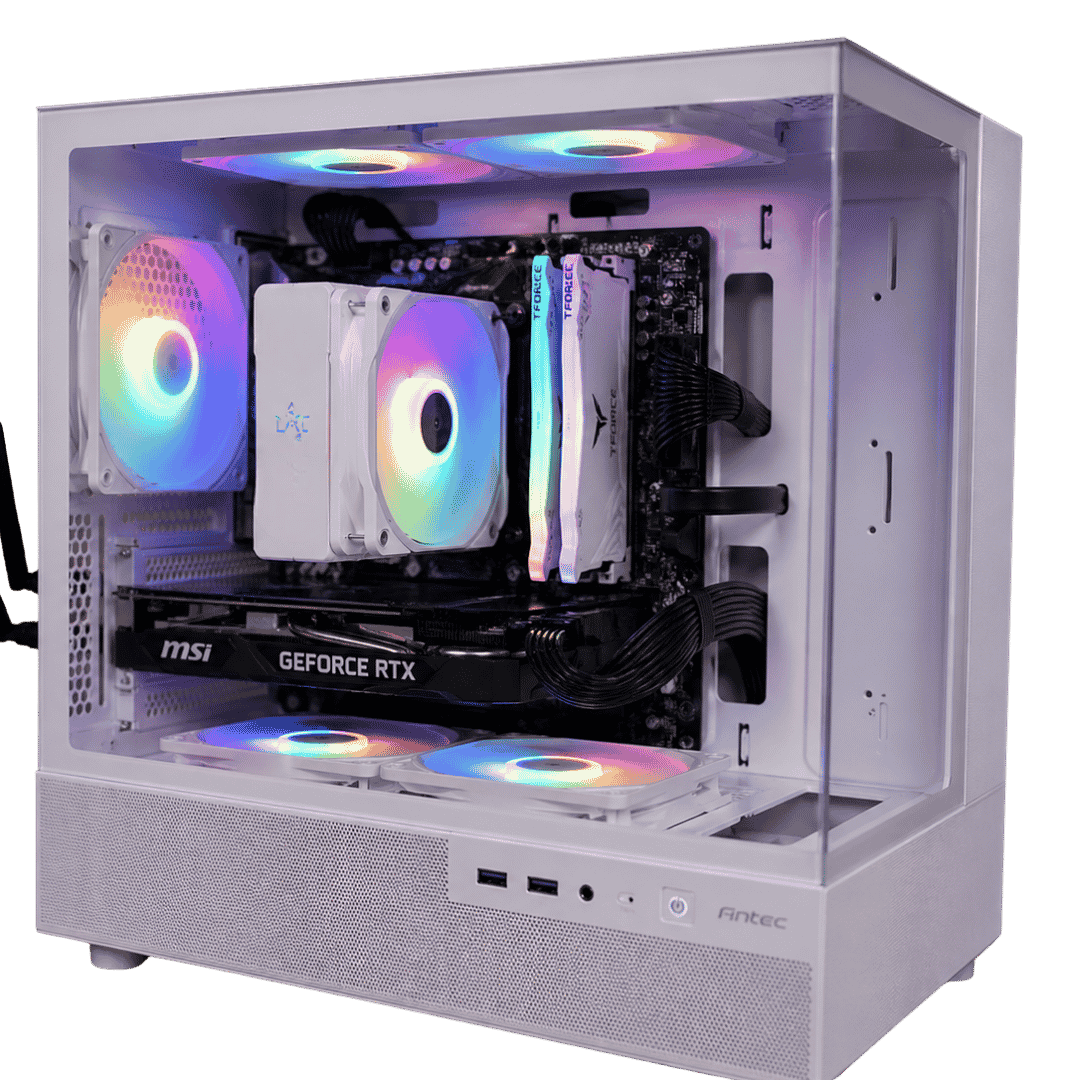
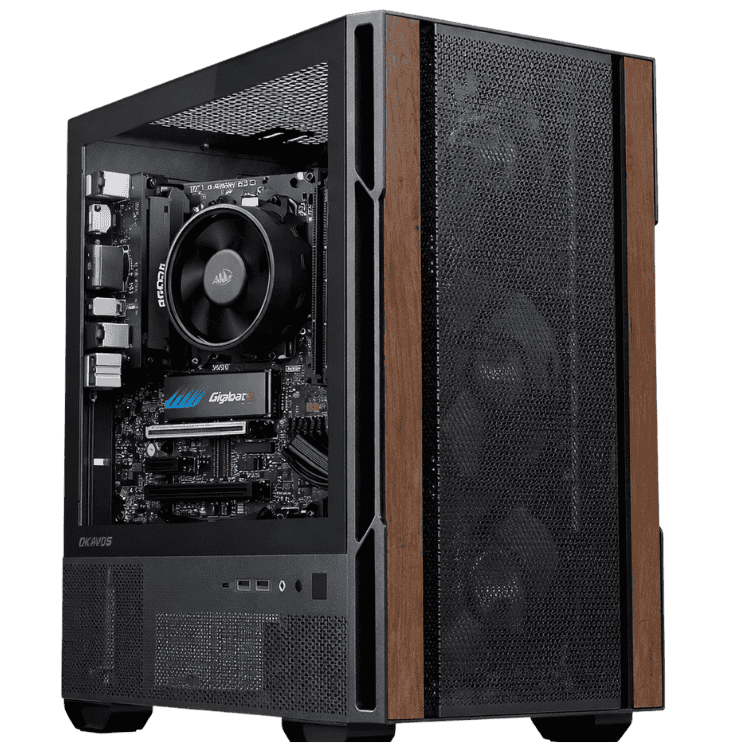
The Home Office Desktop PC uses an Intel Core Ultra 5 225, a current processor that’s quick for office work and multitasking. If desk space is tight, the Dell Pro Micro packs a Core Ultra 5 235T, 16GB of DDR5, a 512GB SSD and Windows 11 Pro into a tiny case that can sit behind your monitor. For heavier office work with several screens, the Vision High Performance Office Desktop adds a Core Ultra 5 and an RTX 5050. See them all in our office computers.
For study
The Budget School Desktop PC uses a Ryzen 5 8500G, which has capable built-in graphics, so it handles schoolwork, research and video without a separate graphics card. It’s a sensible first computer for high school students. If your student will do design, video or engineering work, step up to something with a dedicated graphics card.
Don’t forget the screen and keyboard
A desktop from the Black Friday computer sales needs a monitor, keyboard and mouse, and these make a bigger difference to daily comfort than most people expect. A 24-inch Full HD monitor suits most home and study setups. For office work, a 27-inch 1440p screen or two 24-inch monitors side by side give you far more room for spreadsheets and documents. Add a comfortable keyboard and a mouse that fits your hand, and position the screen at eye level to save your neck.
If you’re replacing an old computer, you may be able to keep the monitor. Just check it has an HDMI or DisplayPort input that matches the new computer.
Setting up your new computer
Once your Black Friday computer arrives, a few steps make the switch painless:
- Move your files. Copy documents and photos from the old computer to an external drive or a cloud service like OneDrive, then copy them across.
- Sign in with your Microsoft account. It brings across some settings and makes setting up Office and OneDrive easier.
- Run Windows Update. Let it install any updates before you start using the computer properly.
- Set up backups. OneDrive or an external drive with Windows Backup protects you if anything goes wrong.
- Wipe the old computer. Use “Reset this PC” in Windows settings before you give it away or recycle it.
How our Black Friday computer sale works
Our Black Friday computer sale covers every desktop and laptop on the site. Each one is 25% off its original price until 11:59pm on Cyber Monday, 30 November (Sydney time), and computers already discounted by more than that keep their lower price. Every listing shows the processor, RAM, storage and Windows version, and says whether the computer is new or refurbished.
A few everyday computers worth a look:
 Budget School Desktop PC – School Computer, Ryzen 5 8500G Original price was: $999.00.$749.00Current price is: $749.00.See the build
 Home Office Desktop PC – Home Office Computer, Intel Core Ultra 5 225 Original price was: $1,299.00.$974.00Current price is: $974.00.See the build
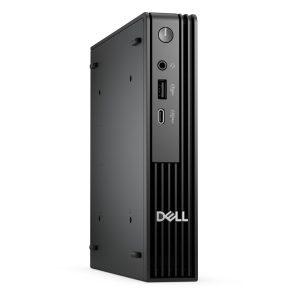 Dell Pro Micro – Mini PC, Core Ultra 5 235T, 16GB RAM, 512GB SSD, Windows 11 Pro Original price was: $1,299.00.$974.00Current price is: $974.00.See the build
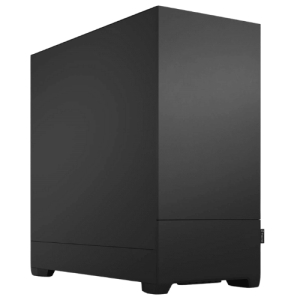 Vision High Performance Office Desktop – Core Ultra 5 + RTX 5050 Original price was: $2,099.00.$1,574.00Current price is: $1,574.00.See the build
Not sure which one suits your household? Message us on live chat with who’ll use it and what for, and we’ll recommend the right one.
Black Friday computer FAQs
Is Black Friday a good time to buy a computer?
Yes. Black Friday computer deals are among the best of the year, and everyday desktops often get discounts as big as gaming PCs, with much less competition for stock.
How much RAM does a home computer need?
16GB is the sweet spot for a home, office or study computer in 2026. 8GB works for light use but will feel slow sooner.
Do I need Windows 11 Pro?
Only if you need business features like BitLocker encryption, Remote Desktop hosting or IT management tools. Windows 11 Home suits most families and students.
Should I buy a laptop or a desktop?
If the computer stays on one desk, a desktop gives you more performance and comfort for the money. If you need to carry it around, see our guide to Black Friday laptop deals.
What are the best computer Black Friday deals for students?
For high school, a desktop with a Ryzen 5 5600GT or similar, 16GB of RAM and a 512GB SSD covers everything. For uni, think about whether a laptop suits better. The best Black Friday computer deals for students are the ones that last the whole course, so don’t skimp on memory.
Are Black Friday computer sales only online?
No. Many stores run their Black Friday computer sales online and in store, though online usually starts earlier and has a wider range. Our sale is online, with help available on live chat.
When does the Black Friday computer sale end?
Our sale ends at 11:59pm on Cyber Monday, 30 November 2026, Sydney time. Most Black Friday computer sales in Australia finish the same night.