Description
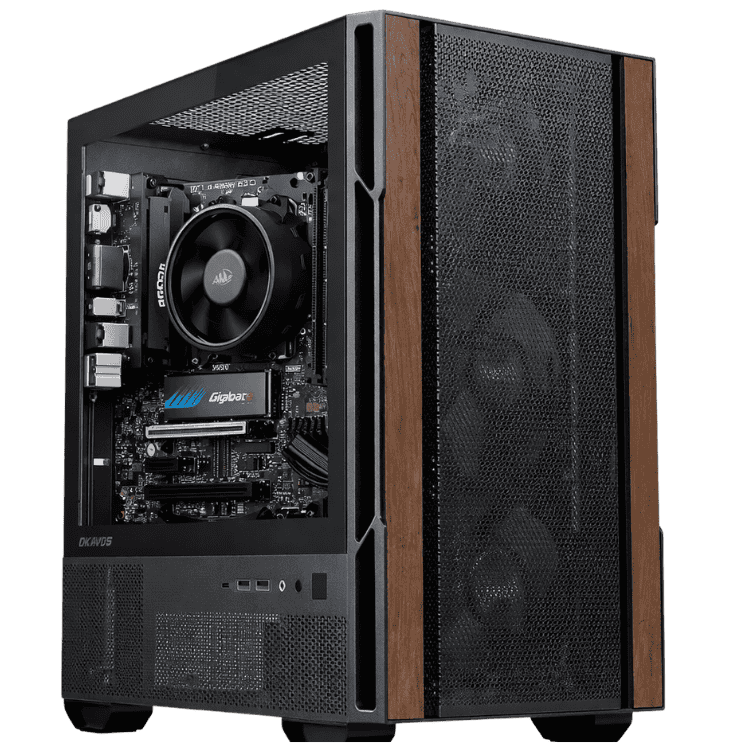
The Budget School Desktop is a school computer built to handle homework, research and online classes without the price tag of a premium PC. It’s powered by AMD’s 6-core Ryzen 5 8500G with built-in Radeon graphics, 16GB of DDR5 memory and a 1TB NVMe SSD, with Wi-Fi built in and Windows 11 installed. It’s compact, quiet and ready to go when it arrives.
Every one is assembled and stress tested by our team in Sydney and comes with a 12-month warranty.
Who this computer for school suits
- primary and high school students doing homework and research
- families who want one reliable computer for study and everyday use
- students starting to learn coding with Scratch, Python or HTML
- parents replacing a slow old family computer
Want Microsoft Office included? Our student computer with Office comes with Word, Excel, PowerPoint, Outlook and OneNote installed. If the family wants to play games too, see our family computer with an RTX 5050.
A 6-core Ryzen 5 with built-in graphics
The Ryzen 5 8500G has 6 cores and 12 threads, with boost speeds up to 5.0GHz. That’s a lot of performance for a school computer: research tabs, Word, Google Classroom and a video lesson can all run at once without lag. The “G” means it has Radeon graphics built in, so you don’t need to pay for a separate graphics card to run a monitor, play videos or use creative apps such as Canva.
School computer specifications
| Processor | AMD Ryzen 5 8500G (6 cores, 12 threads, up to 5.0GHz) |
|---|---|
| Graphics | Integrated AMD Radeon graphics |
| Motherboard | ASUS PRIME B650M-A WIFI II micro ATX (built-in Wi-Fi) |
| Memory | 16GB (2 × 8GB) DDR5-5600 |
| Storage | Lexar NM620 1TB NVMe SSD |
| Wi-Fi | Wi-Fi 6 built into the motherboard |
| Power supply | Thermaltake 550W 80+ Bronze, or equivalent |
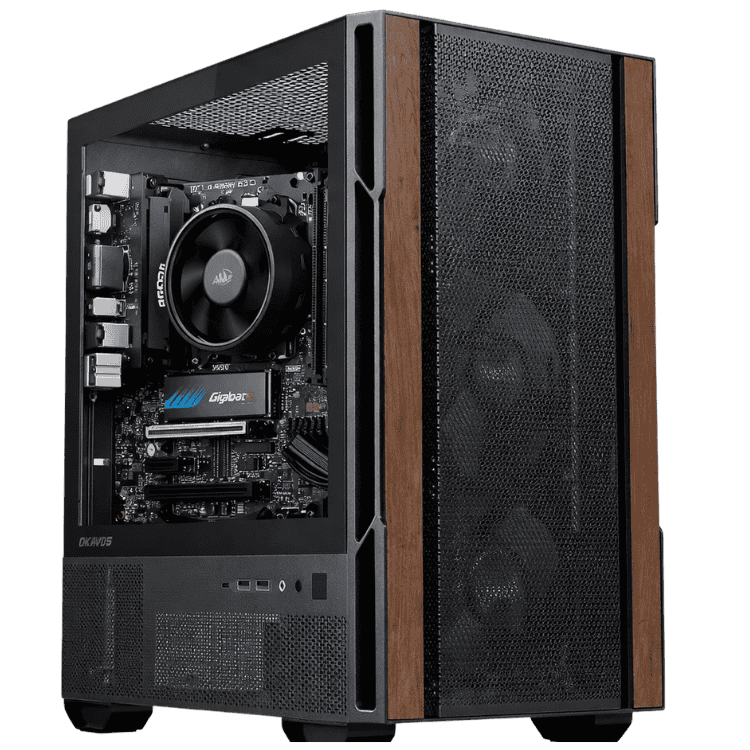
| Case | Okinos Cypress 3 Wood mini tower |
| Operating system | Windows 11 Home, installed with drivers |
| Warranty | 12 months |
What this school computer handles well
- Schoolwork: Word, Excel, PowerPoint, Google Docs and online learning platforms.
- Online classes: Zoom and Microsoft Teams, with a USB webcam and headset.
- Research: plenty of browser tabs and PDF readers.
- Creative work: Canva, basic photo editing and simple video projects.
- Coding: Scratch, Python, HTML and Java for beginners.
- Light games: Minecraft and Roblox at modest settings.
Honest notes on memory, storage and Wi-Fi
- Memory: 16GB of dual-channel DDR5 keeps lots of tabs and video lessons running smoothly, and it helps the built-in graphics too.
- Storage: the 1TB NVMe SSD is fast and has plenty of room for school files, photos and apps, with OneDrive or Google Drive as a handy backup.
- Wi-Fi: Wi-Fi 6 is built into the ASUS motherboard for online classes and video calls, and there’s a wired network port for the most stable connection.
A compact, quiet computer for school
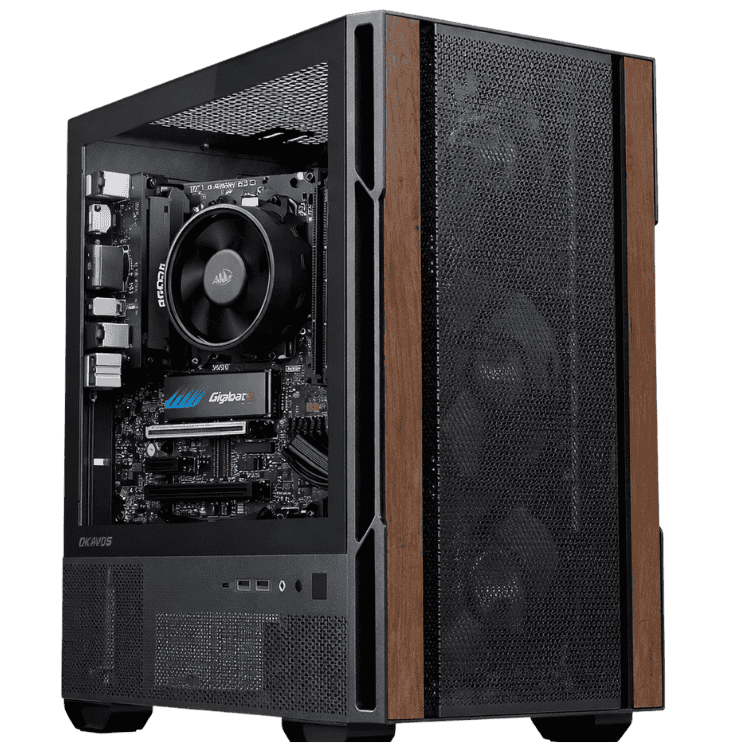
The Okinos Cypress 3 Wood is a compact mini tower with a wood-effect strip on the front and a glass side panel. It fits easily under or beside a study desk, and the processor’s efficient design keeps the fans quiet during homework.
A school computer for every year level
Primary school
Younger students mostly need a computer for school for typing, reading and maths programs, and simple research. Keeping it in a shared family space makes it easier for parents to help and to keep an eye on screen time.
High school
From Year 7, students write longer essays, build presentations, submit work online and join video lessons. A desktop with a 6-core processor and a fast SSD keeps up with all of that, even with lots of tabs open.
Senior years
Years 11 and 12 bring bigger research projects and, for some subjects, specialised software. Send us the requirements for subjects like design or multimedia and we’ll confirm this school computer suits them, or suggest an upgrade.
Free software for students
You don’t need to spend much on software. Many Australian schools give students free access to Microsoft 365, which includes Word, Excel and PowerPoint. Google Docs, Sheets and Slides are free with a Google account, Canva offers free education accounts, and coding tools such as Scratch and Python are free too. Check with your school to see what’s included.
Coding and STEM at home
Digital technologies is part of the Australian Curriculum, and many students now learn to code from primary school. This computer for school runs Scratch, Python, Visual Studio Code and web tools for HTML and CSS without any trouble, so students can practise at home what they learn in class.
School computer or Chromebook?
Chromebooks are cheap and simple, and some schools use them. But they can’t run full desktop versions of Word, Excel or many specialised programs. A Windows school computer runs almost any software a school might ask for, from full Microsoft Office to coding tools and design apps, which gives students more options as they move through school.
Keeping school files safe
Set up OneDrive or Google Drive so assignments save to the cloud automatically. That way, work is safe even if something happens to the school computer, and students can open their files at school or on another device.
Online safety and screen time
Give your student their own Windows account, then use Microsoft Family Safety to set screen time limits, filter websites and see weekly activity reports. Keeping the computer for school in a shared space also helps younger students stay on task.
Setting up a good study space
Pair the computer with a 24-inch Full HD monitor at eye level, a keyboard and mouse that suit the student’s size, a USB webcam and headset for online classes, and a chair that supports good posture. We can suggest affordable accessories when you order.
Why a desktop school computer?
Entry-level laptops at this price often have slow processors, small screens and batteries that wear out. A desktop puts the money into performance, and lets your student use a proper monitor, keyboard and mouse, which is better for posture during long study sessions. It’s also harder to drop, lose or break.
Why buy a prebuilt computer for school?
We install Windows and the drivers, then stress test every system before it ships. When it arrives, you plug it in, sign in and start studying. If something goes wrong, you deal with a local team in Australia. Pickup is also available, so message us to arrange it.
Upgrading the school computer as your student grows
- Memory: add a second 8GB module for 16GB.
- Storage: add a larger NVMe SSD.
- Graphics: a graphics card can be added later for gaming or creative subjects. A more powerful card may need a larger power supply.
Accessories worth adding
- a 24-inch Full HD monitor
- a keyboard and mouse sized for the student
- a USB webcam and headset for online classes and recorded presentations
- a USB drive for taking work between home and school
- a surge-protected power board
Buying for a classroom or tutoring centre?
Identical machines make life much easier for teachers and tutors. Tell us how many you need and which software you use, and we’ll quote matching systems.
When it arrives
- Remove any packing material from inside the case.
- Plug the monitor into the motherboard’s video port. This system uses the processor’s built-in graphics.
- Connect the keyboard and mouse, then switch on.
- Connect to Wi-Fi and sign in to Windows.
- Run Windows Update and set up OneDrive or Google Drive.
How it compares with our other study PCs
- Vision Student Success PC: comes with Windows 11 and Microsoft Office installed.
- Home & Study Desktop: a Ryzen 5 7500F with an RTX 5050 and 16GB for study and gaming.
- Vision Budget Office PC: a Ryzen 5 8500G with Windows 11 and built-in Wi-Fi.
Browse all of our home desktop computers.
Support for parents
Not sure how to set up accounts, Wi-Fi or parental controls? Message our team on live chat and we’ll walk you through it.
School computer FAQs
Is it a good computer for school in high school?
Yes. It handles essays, research, presentations and online classes comfortably, and it can be upgraded later if subjects need more power.
Can it run Minecraft?
Yes, at modest settings using the built-in graphics. It’s a study computer first, not a gaming PC.
Can I pick it up instead of having it delivered?
Yes, pickup is available. Message us to arrange a time.
Does it come with Microsoft Office?
No. Many schools provide Microsoft 365 for free, or you can choose our student computer with Office included.
Does it have Bluetooth?
The listing doesn’t include Bluetooth. A small USB Bluetooth adapter is an inexpensive add-on if you need it for wireless headphones or a controller.
Does it include a monitor, keyboard and mouse?
No. Ask us if you’d like help choosing them.
How long will it last?
With its 6-core processor and fast SSD, it should handle schoolwork comfortably for years, and adding memory or storage later can extend its life further.
Is Windows activated?
Windows is installed with all drivers before it ships. Message us if you’d like to confirm the Windows edition.
Do you deliver Australia-wide?
Yes, to every state and territory, including regional areas.