Description
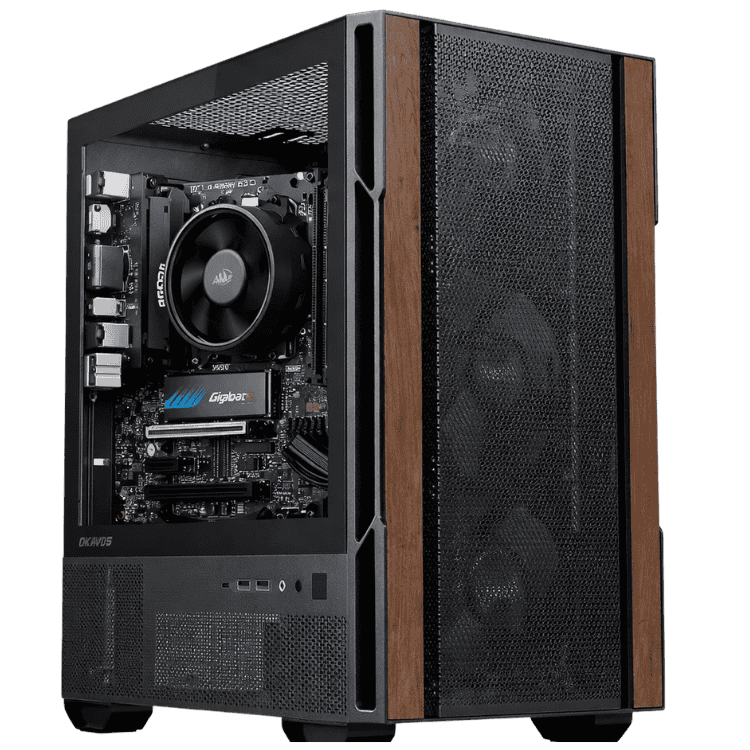
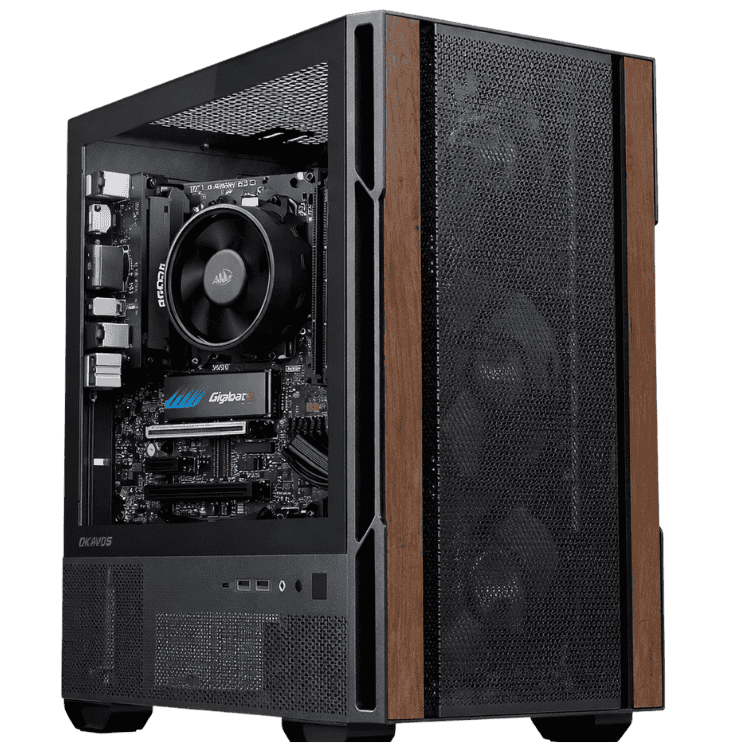
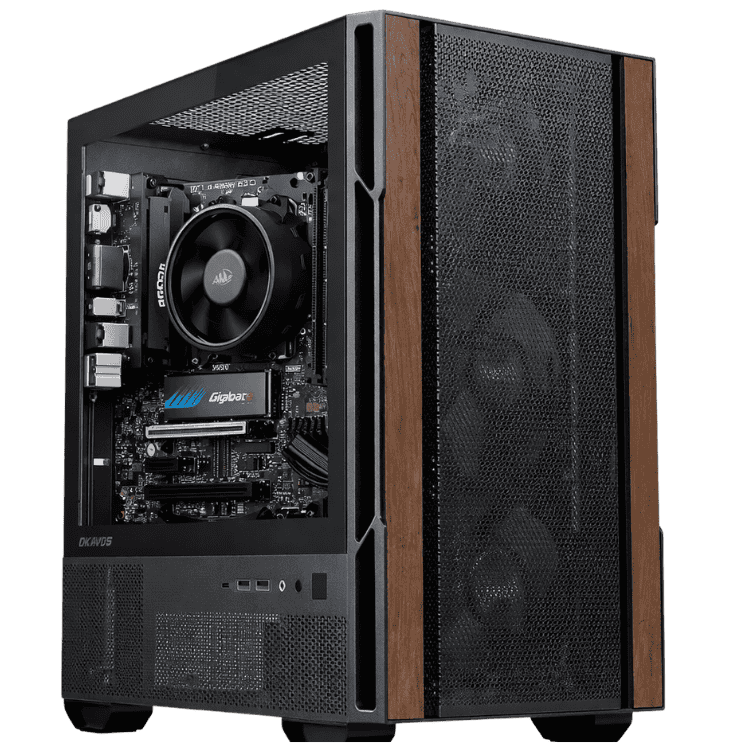
The Home Office Desktop PC is a home office computer for people who work from home and want a fast, reliable machine without paying for features they’ll never use. It runs Intel’s 10-core Core Ultra 5 225 with 16GB of DDR5 memory, a 1TB NVMe SSD and built-in Wi-Fi, all in a compact Okinos Cypress 3 Wood case. Windows 11 is installed and activated, with drivers and updates done.
It’s assembled and stress tested by our team in Sydney before it ships.
Who this home office PC suits
- remote and hybrid workers who spend the day in Teams, Outlook and the browser
- freelancers, consultants and sole traders running their business from home
- bookkeepers and admin staff working in Xero, MYOB and spreadsheets
- households that want a dependable shared computer for work and study
Need a graphics card for design work or more monitors? Our office desktop with an RTX 5050 steps up. Want something cheaper? See our cheap desktop computer with a Ryzen 5.
A 10-core Intel Core Ultra 5
The Core Ultra 5 225 has 10 cores (6 performance and 4 efficient), with turbo speeds up to 4.9GHz. It’s quick and responsive for office work: Teams calls, a busy inbox, spreadsheets and a browser full of tabs can all run together without lag. It also has Intel Graphics built in, so you don’t need a separate graphics card to run your monitors. Intel lists the full details on its Core Ultra 5 225 specifications page.
Home office computer specifications
| Processor | Intel Core Ultra 5 225 (10 cores, 10 threads, up to 4.9GHz) |
|---|---|
| Graphics | Integrated Intel Graphics |
| Motherboard | MSI PRO B860M-A WIFI, with built-in Wi-Fi |
| Memory | 16GB DDR5 |
| Storage | Lexar NM620 1TB M.2 NVMe SSD |
| Power supply | MSI MAG A650BN, 650W 80+ Bronze |
| Case | Okinos Cypress 3 Wood mini tower |
| Operating system | Windows 11, installed and activated |
What this home office computer handles well
- Communication: Teams, Zoom, Slack and Outlook running all day.
- Office apps: Microsoft 365 and Google Workspace, with large spreadsheets.
- Business software: Xero, MYOB, QuickBooks and browser-based CRMs.
- Light creative work: Canva, simple photo edits and presentations.
- Family use after hours: homework, streaming and browsing.
16GB of DDR5 and fast NVMe storage
16GB of memory is the sweet spot for working from home. You can keep your browser, email, Teams and a few documents open without the system slowing down. The 1TB NVMe SSD makes Windows start quickly and apps open almost instantly, with plenty of room for your work files, photos and downloads.
Wi-Fi built into your home office PC
The MSI PRO B860M-A WIFI motherboard includes Wi-Fi, so you can set up your home office in any room within range of your router. There’s also a wired network port for the most stable connection on calls.
A compact case that suits a home
The Okinos Cypress 3 Wood is a compact mini tower with a wood-effect accent and a glass side panel. It looks at home in a study or spare room, and it fits neatly under or beside a desk.
Home office computer or work laptop?
Many people working from home use the laptop their employer gave them on a cramped screen at the kitchen table. A dedicated home office computer gives you a proper desk setup: larger monitors, a full-size keyboard, more performance for the money and nothing to carry around. If you travel or hot-desk a lot, keep the laptop for those days and use the desktop at home. Plenty of our customers do exactly that.
Setting up a productive home office
The computer is the engine, but the rest of the setup matters just as much:
- Monitors: two 24-inch Full HD screens, or one 27-inch, at eye level.
- Webcam: mounted on top of your main screen so you’re looking at the camera on calls.
- Headset: a USB headset with a good microphone makes a big difference to how you sound.
- Lighting: face a window or add a small desk light so your face isn’t in shadow.
- Chair and desk: a supportive chair and a desk at elbow height prevent aches over long days.
- Power: a surge-protected power board protects the computer and monitors.
We’re happy to suggest monitors and accessories that suit your home office PC and budget.
Video calls that look and sound professional
Calls are a big part of remote work. With 6 cores and 16GB of memory, this computer runs Teams or Zoom smoothly while you share your screen and keep other apps open. Pair it with a 1080p webcam and a headset, and you’ll look and sound better than you would on most laptops.
Security for remote work
- Use multi-factor authentication for your work and Microsoft accounts.
- Connect through your employer’s VPN if they require one.
- Give family members their own Windows accounts, separate from your work account.
- Keep Windows Update and Windows Security switched on.
- Back up work files to OneDrive, SharePoint or Google Drive.
A home office PC for small businesses
If you run a small business from home, this home office PC handles the core jobs: invoicing in Xero or MYOB, email, quotes, bookings and social media. Windows 11 is activated and up to date, so you’re on a secure, supported system from day one. If you need Windows 11 Pro for BitLocker or Remote Desktop, ask us when you order.
Who should choose something else
If you edit video, work in CAD or design, or use three or more monitors, a home office computer with integrated graphics isn’t the best fit. Look at our office desktop with an RTX 5050 or one of our workstations instead. For email, documents and calls, this machine is right on the money.
Running costs
With integrated graphics and an efficient 65W processor, this home office computer uses modest power during a normal working day, which helps keep your electricity bill in check.
Why buy a prebuilt home office computer?
We install and activate Windows 11, update the drivers and stress test every system before it ships. When it arrives, you plug it in, sign in to your work account and start. If anything goes wrong, you deal with one local team in Australia.
Upgrading your home office PC
- Memory: step up to 32GB if you work with very large files.
- Storage: add a second NVMe SSD for more space.
- Graphics: the 650W power supply can run a graphics card later if your work changes.
It’s built on Intel’s current LGA1851 platform, and memory, storage and graphics are the easiest upgrades later.
Setting up your home office computer
- Remove any packing material from inside the case.
- Plug your monitor into the motherboard’s video output. This system uses the processor’s built-in graphics.
- Connect your keyboard, mouse, webcam and headset.
- Connect to Wi-Fi and sign in to Windows 11.
- Sign in to Microsoft 365 or your work account and set up backups.
How it compares with our other office computers
- Vision High Performance Office Desktop: a Core Ultra 5 with an RTX 5050, 1TB SSD and Windows 11 Pro.
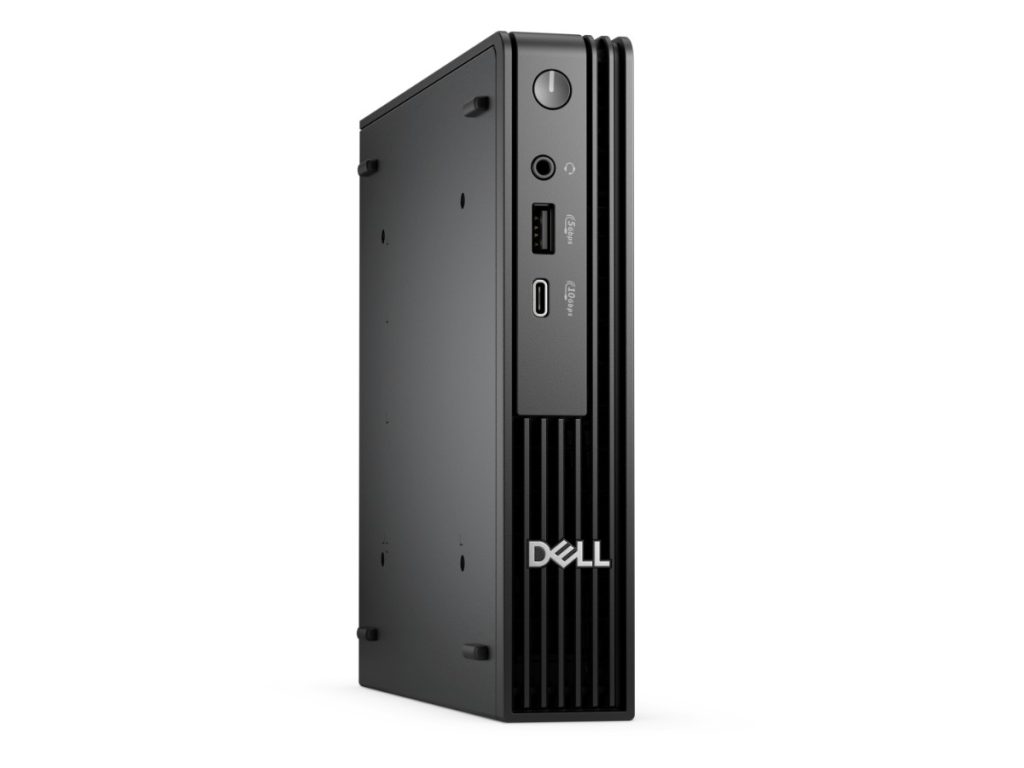
- Dell Pro Micro: a compact business mini PC with a 14-core Core Ultra 5.
- Vision Budget Office PC: a Ryzen 5 8500G with 16GB, for less.
Browse all of our home desktop computers.
Accessories worth adding
- two 24-inch Full HD monitors
- a 1080p USB webcam
- a USB headset with a noise-cancelling microphone
- a wireless keyboard and mouse set
- an external drive for local backups
Buying for a team?
If your staff work from home, sending everyone the same home office computer makes support and training much easier. Tell us how many you need and we’ll quote identical systems, ready to ship to each address.
Support after you buy
If you have questions about setup, Wi-Fi, monitors or anything else after it arrives, message our team on live chat and we’ll help.
Home office computer FAQs
Can it run two monitors?
Yes, the integrated graphics support more than one display through the motherboard’s video outputs. Message us to confirm the ports match your monitors.
Can the family use it too?
Yes. Set up a separate Windows account for each person, and your home office PC doubles as the family computer for homework and browsing after hours.
Does it include Microsoft Office?
No, but it’s ready for Microsoft 365. Ask us if you’d like Office included.
Is it good for large Excel files?
Yes. The 10-core Core Ultra 5 and 16GB of DDR5 handle big spreadsheets and pivot tables comfortably. For very large data models, 32GB is an easy upgrade.
Is Windows 11 activated?
Yes. Windows 11 is installed and activated, with drivers and updates done.
Does it come with a monitor, keyboard and mouse?
No. Ask us if you’d like help choosing them.
How quiet is it?
Very quiet during normal office work. There’s no separate graphics card, so there are fewer fans, and you won’t hear it on calls.
Can I add Wi-Fi to a second room?
The built-in Wi-Fi connects to your router from anywhere in range. If the signal is weak where your desk is, a mesh Wi-Fi system or a network cable will help.
Do you deliver Australia-wide?
Yes, to every state and territory, including regional areas.