
A new gaming PC is only half the setup. The gaming accessories around it, your headset, keyboard, mouse and maybe a controller, are what you actually touch for hours every day, and they make a bigger difference to how a PC feels than most people expect. A great PC with a cheap, mushy keyboard and a crackly headset is like a sports car with worn-out tyres.
We see the same pattern with customers all the time: they spend weeks choosing the right graphics card, then grab whatever peripherals are on special at the checkout. This guide is about getting that part right, which gaming accessories are worth spending on, which aren’t, and what to look for in each.
Quick answer
The gaming accessories most worth buying with a new PC are a comfortable headset with a clear microphone, a keyboard you enjoy typing on, a mouse that suits your grip, and a large mousepad. Add a controller if you play racing, sports or action games. VR is a fun extra if your PC has a strong graphics card. Spend the most on the things you touch most.
In this guide
Which gaming accessories matter most?
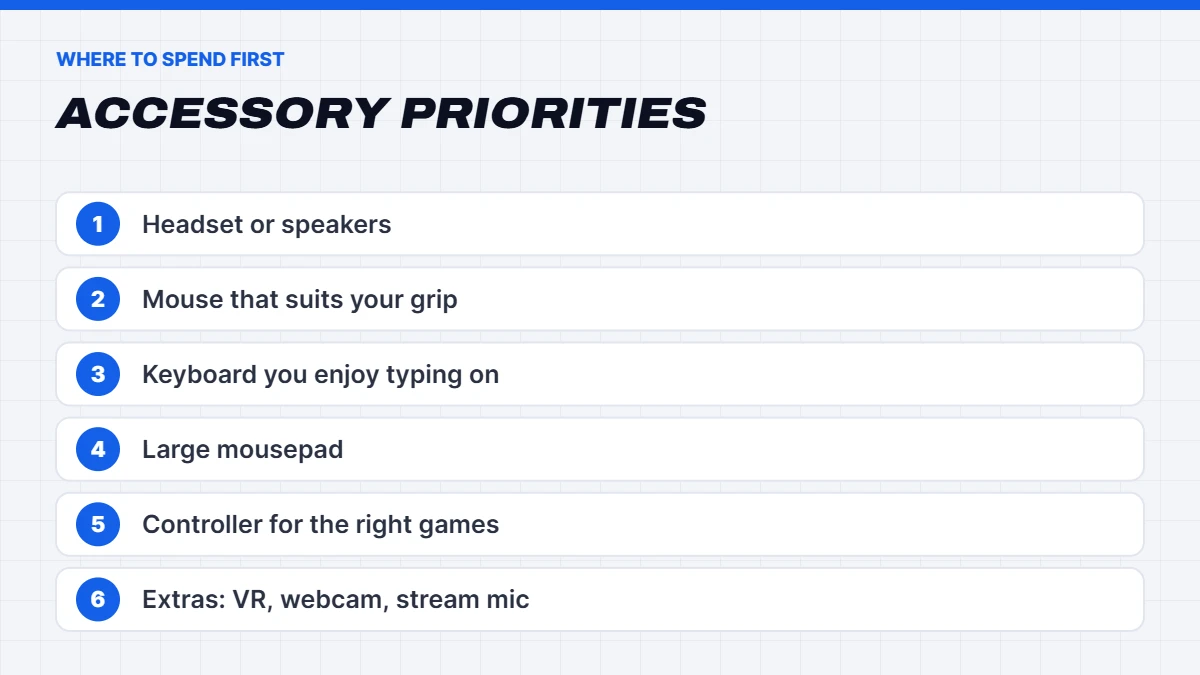
If you’re on a budget, here’s roughly where we’d put the money first:
- Headset or speakers. Sound matters for immersion and for hearing footsteps in competitive games, and a decent mic makes you easier to talk to.
- Mouse. For most PC games, the mouse is your main input. Comfort and a reliable sensor matter more than flashy features.
- Keyboard. You’ll type on it every day, not just game on it.
- Mousepad. A cheap upgrade that makes a real difference to mouse control.
- Controller. Essential for some genres, optional for others.
- Extras: VR, a webcam, a stream mic, lighting and a better chair.
The monitor is the most important accessory of all, but it’s a big topic of its own. Our guide to matching a monitor to your new PC covers the key choices.
Finding the best gaming headset for you
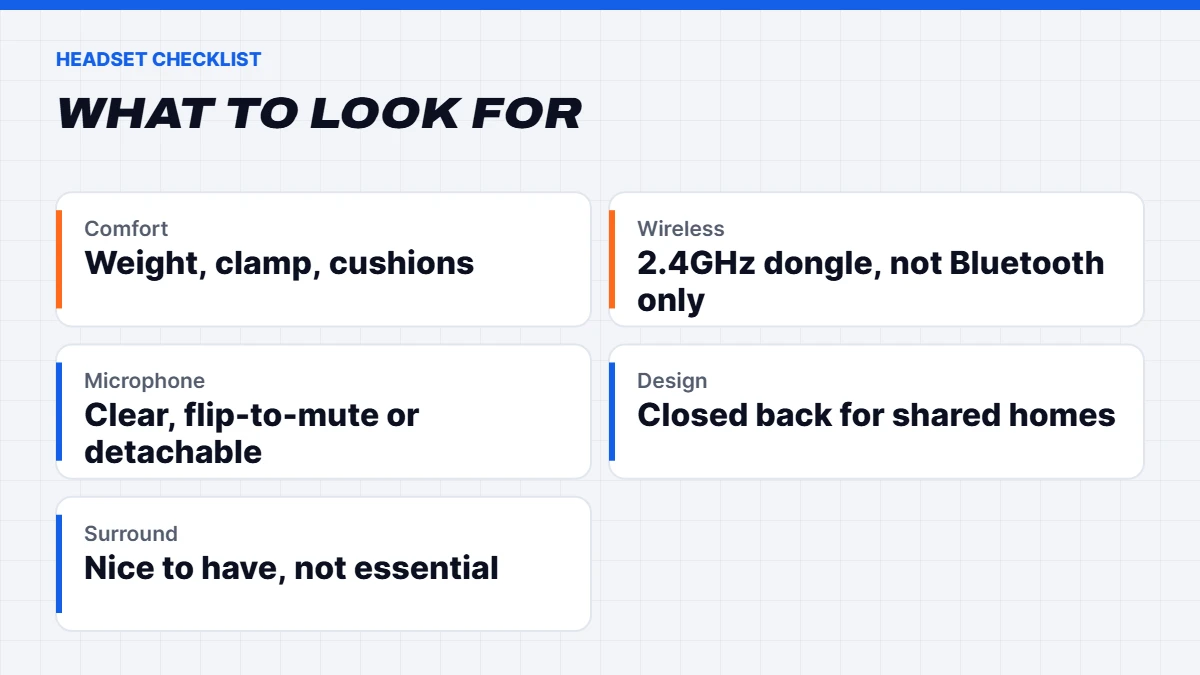
The best gaming headset is the one that’s comfortable for long sessions, sounds clear, and has a microphone your friends can actually understand. Here’s what to look for:
Wired or wireless. Wired headsets are cheaper, never need charging and have no lag. Wireless headsets are lovely for freedom of movement, but look for a 2.4GHz wireless model with its own USB dongle rather than Bluetooth only, as Bluetooth usually adds noticeable audio delay in games. Many wireless headsets offer both.
Comfort. This matters more than anything on a spec sheet. Look at weight, clamping force and the ear cushion material. Fabric cushions are cooler in an Australian summer, while leatherette blocks more outside noise but can get warm.
Closed or open back. Closed-back headsets block outside noise and keep your audio in. Open-back headsets sound more spacious and natural, but leak sound and let room noise in. For most people gaming in a shared house, closed-back is the safer pick.
Microphone. A detachable or flip-to-mute boom mic is ideal. If you stream or record, a separate USB microphone will sound noticeably better than any headset mic.
Surround sound. Virtual surround can help with positional audio in some games, but a good stereo headset is often just as effective. Don’t pay extra for surround alone.
The best keyboard for gaming
The best keyboard for gaming is one you’ll enjoy typing on as much as gaming on, because you’ll do both. A few things to consider:
Mechanical or membrane. Mechanical keyboards use individual switches under each key, so they feel more precise, last longer and are easy to clean. Membrane keyboards are cheaper and quieter but feel softer. Most PC gamers who try a good mechanical keyboard don’t go back.
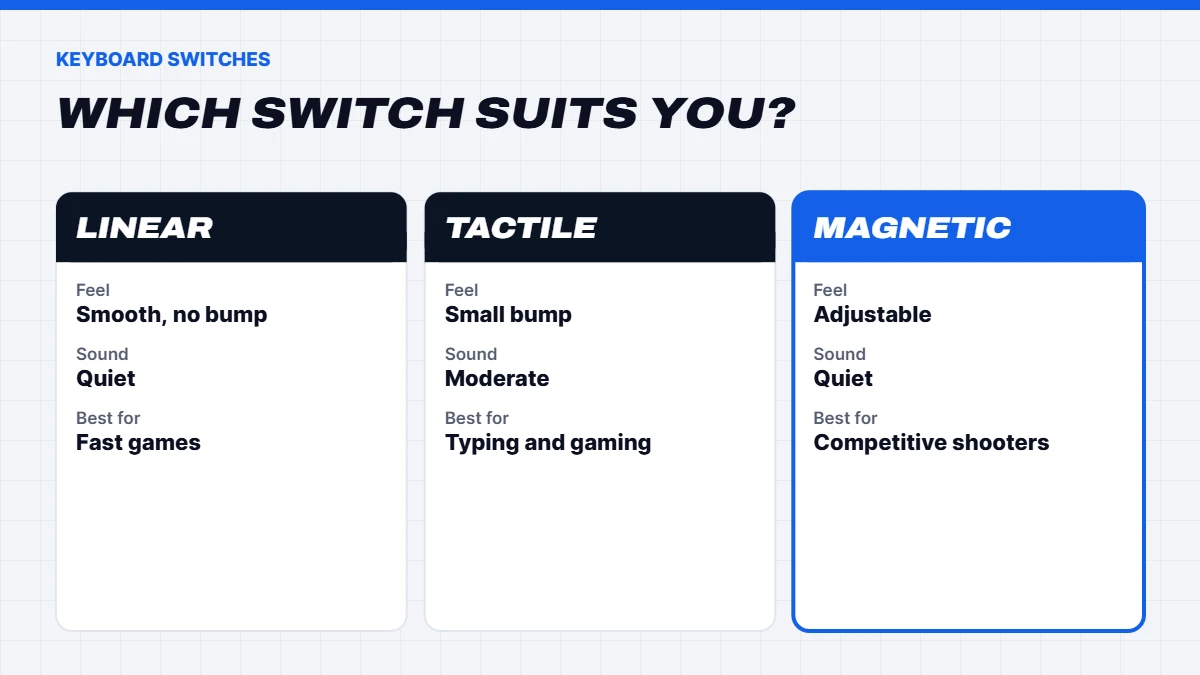
Switch type. Linear switches are smooth and quiet, popular for fast games. Tactile switches have a small bump you can feel, which many people like for typing. Clicky switches are loud and satisfying, though your housemates may disagree. If you can, try a few in person before buying.
Magnetic or Hall effect switches. These have become very popular. They let you set how far a key needs to be pressed before it registers, and many support rapid trigger, which resets a key the instant you start to release it. That’s a genuine advantage in fast competitive shooters, but less important for other genres.
Size. Full-size keyboards include a number pad. Tenkeyless (TKL) drops the number pad, giving your mouse more room. 75% and 65% layouts are more compact still. For gaming, a TKL or 75% board is a great balance.
Hot-swappable sockets let you change switches without soldering, which is handy if you want to experiment later.
In short, the best keyboard for gaming is a well-built mechanical or magnetic board in a size that leaves your mouse plenty of room.
Speakers or a headset?
Not everyone likes wearing a headset for hours. A good pair of desktop speakers can sound more natural and is more comfortable, especially for single-player games, music and movies. The trade-offs are that everyone in the room hears what you’re playing, your mic may pick up game audio during voice chat, and positional audio isn’t quite as precise as a headset in competitive games.
Plenty of players use both: speakers for relaxed sessions, and a headset for late nights and online matches. If you go with speakers, a separate USB microphone with good noise rejection makes voice chat much cleaner.
Choosing a gaming mouse
Shape and grip matter most. Think about whether you hold the mouse with your whole palm, with a claw-like grip, or with just your fingertips, and pick a shape that suits your hand size. Lighter mice are popular for fast-paced shooters, while heavier ones can feel more stable for general use.
Wireless gaming mice using 2.4GHz dongles are now as responsive as wired ones, and many last weeks on a charge. Avoid Bluetooth-only mice for gaming.
The sensor in almost any reputable gaming mouse is excellent now, so don’t pay extra for huge DPI numbers. What matters is a consistent, reliable sensor and comfortable buttons.
Extra buttons are handy for MMOs and productivity, but most players only need the two side buttons.
Don’t skip the mousepad
A good mousepad is one of the cheapest upgrades you can make. A large desk mat gives your mouse room to move and protects your desk. Cloth pads are the most popular, with “speed” surfaces that glide easily and “control” surfaces that help with precise aiming. Hard pads are fast but can be noisy and wear mouse feet faster.
Do you need a PC gaming controller?
A PC gaming controller isn’t essential, but for some games it’s simply the better way to play. Racing games, sports titles, platformers, fighting games and many action games feel more natural on a controller, and they’re great for playing from the couch on a TV.
Xbox controllers are the easiest option on Windows. They work straight away with most PC games, wired or with Microsoft’s wireless adapter or Bluetooth.
PlayStation controllers work well too, especially through Steam, which supports the DualSense and DualShock 4. Some PC games even support the DualSense’s adaptive triggers and haptics. Our guide on how to connect a PS5 controller to your PC walks through every method, including PS4 and Xbox controllers.
Third-party controllers can be good value, and some offer extras like back paddles or Hall effect sticks that resist stick drift. Check reviews for build quality and PC compatibility before buying.
If you mainly play shooters or strategy games, a mouse and keyboard is usually the better choice, and you can skip the PC gaming controller for now.
The best VR headset for PC
VR is one of the most impressive things a gaming PC can do. The best VR headset for PC depends on whether you want something simple or the highest image quality.
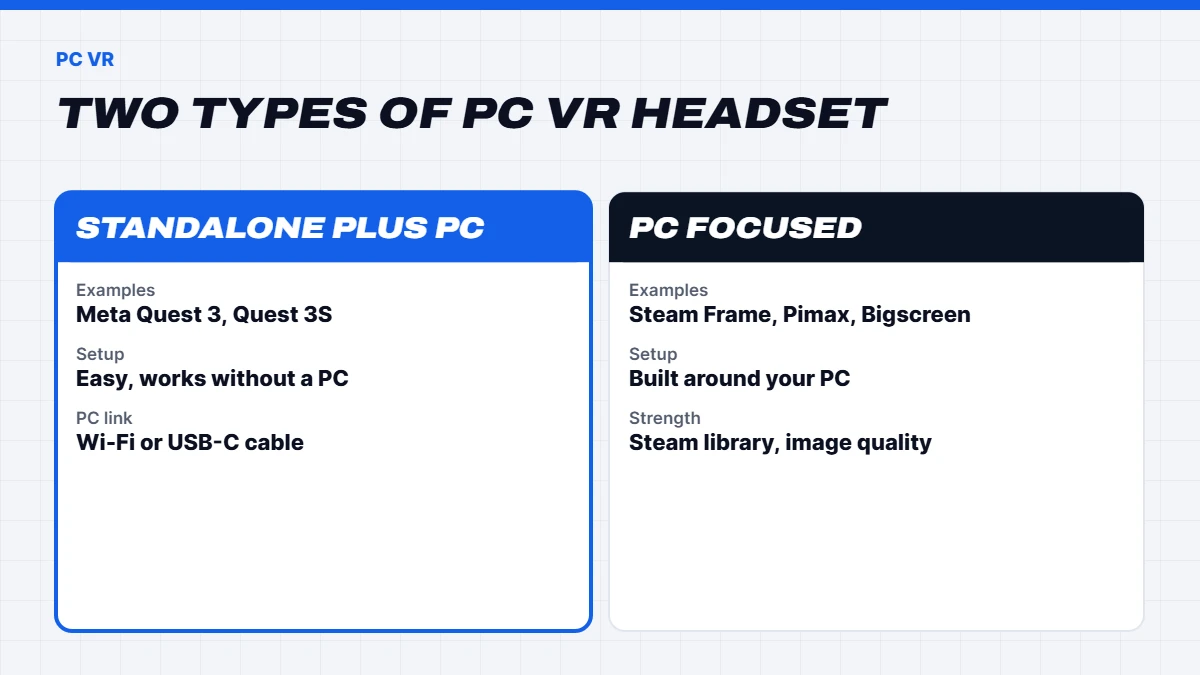
Standalone headsets that also connect to a PC, like the Meta Quest 3 and Quest 3S, are the easiest way in. They work on their own, and you can stream PC VR games from your computer over Wi-Fi or connect with a USB-C cable. They’re the most popular choice for good reason.
PC-focused headsets like Valve’s Steam Frame, which launched in September 2026 as the successor to the Valve Index, are built around streaming your Steam library to the headset. Enthusiast headsets from brands like Pimax and Bigscreen push resolution and image quality further, at a higher price.
Choosing the best VR headset for PC comes down to how much you value convenience versus image quality. PC Gamer’s VR headset buying guide compares the current options in detail. Whichever you choose, remember that VR is demanding: high-resolution headsets need a strong graphics card, and we’d suggest an RTX 5070 or RX 9070 class card or better for a smooth experience. For wireless PC VR, a good Wi-Fi 6 or Wi-Fi 6E router, or a wired connection between your PC and router, helps a lot.
Wired or wireless: the honest trade-offs
Wireless gaming accessories have come a long way. A good 2.4GHz wireless mouse or headset is now effectively as responsive as a wired one for almost everyone, and the freedom from cables is lovely. The downsides are price, charging, and a bit more weight in the case of mice.
Wired accessories cost less, never run flat and have nothing to pair. If you’re on a budget, wired is perfectly good. If you do go wireless, keep the USB dongle close to the device, ideally on the front of the PC or with a short extension cable, rather than at the back of a case under the desk, which can cause dropouts.
Streaming and content creation gear
If you want to stream or make videos, a few extras make a real difference:
- A USB microphone sounds much better than a headset mic, and it’s the single most noticeable upgrade for viewers.
- A webcam with 1080p resolution and decent low-light performance. Lighting matters more than the camera itself, so a small LED light can help a lot.
- A capture card only if you want to stream console games through your PC. You don’t need one to stream PC games.
Your PC also matters here. Streaming while gaming uses extra processing power, so a modern 8-core processor and 32GB of RAM make life easier.
Comfort: chair, desk and lighting
It’s easy to overlook, but the chair and desk you use every day affect how long you can play comfortably. A supportive office-style chair with good lumbar support is often more comfortable than a racing-style gaming chair, and usually cheaper. A desk deep enough for your keyboard and a large mousepad, at the right height, helps avoid wrist and shoulder strain. Our gaming setup guide covers the desk, chair and lighting in detail.
Bias lighting behind your monitor reduces eye strain in a dark room, and it looks great too. Keep cables tidy with a few Velcro straps and an under-desk tray.
Setting up your new accessories
A few minutes of setup makes new gaming accessories feel much better:
- Install the maker’s software sparingly. It’s useful for updating firmware and setting up buttons, but you often don’t need it running all the time.
- Update firmware for wireless mice, keyboards and headsets, as updates often fix connection issues.
- Set your mouse polling rate and sensitivity once, then leave it alone so your muscle memory can settle.
- Turn off “Enhance pointer precision” in Windows mouse settings if you want consistent aiming in games.
- Set your headset as the default device for both playback and communications in Windows sound settings.
How much should you spend?
There’s no right answer, but as a rule of thumb, setting aside around 10 to 20% of your PC budget for gaming accessories gives you a comfortable, well-rounded setup. Spend the most on the things you touch the most. A comfortable headset and a mouse that suits your hand will make more difference day to day than a premium keyboard with features you’ll never use.
Accessories that aren’t worth the money
A few things we’d usually skip, or at least not prioritise:
- Expensive cables with gold-plated or premium claims. A standard certified cable works just as well.
- Ultra-high DPI mice marketed on numbers alone.
- RGB for the sake of RGB if it costs much more. Lighting is fun, but comfort and quality come first.
- “Gaming” versions of ordinary products that simply cost more for the label.
Accessories on a budget
If your budget is mostly spent on the PC itself, start with a comfortable wired headset, a reliable wired mouse and a large mousepad. You can type on almost any keyboard to begin with and upgrade later. Gaming accessories also make great gifts, so it’s worth dropping hints before birthdays and Christmas. Our guide to gifts for gamers has ideas for every budget.
Getting the most from a new PC
The best gaming accessories in the world won’t help if the PC can’t keep up. If you’re shopping for the whole setup, start with a balanced machine from our gaming PCs range, then add accessories that suit how you play. If you’re still deciding between building and buying, our guide on whether to build a PC or buy prebuilt explains the trade-offs honestly.
Not sure what suits your games? Message us on live chat and tell us what you play, and we’ll point you in the right direction.
Gaming accessories FAQs
What gaming accessories do I need for a new PC?
At minimum: a monitor, a headset or speakers, a keyboard, a mouse and a mousepad. A controller is worth adding for racing, sports and action games.
What is the best gaming headset?
The best gaming headset is one that’s comfortable for hours, has a clear mic, and uses 2.4GHz wireless or a cable rather than Bluetooth only.
Is a mechanical keyboard worth it for gaming?
For most people, yes. Mechanical keyboards feel more precise, last longer and are nicer to type on.
Can I use a PS5 controller on PC?
Yes. It works over USB or Bluetooth, and Steam supports it well.
What do I need for VR on a PC?
A VR headset that supports PC VR, a strong graphics card, and either a fast Wi-Fi connection or a cable for the headset.