
The quickest way to contact us at Vision Gaming PC is live chat, but you can also email the team or fill in the form on this page. However you get in touch, a real person reads your message and writes back. No bots, no ticket numbers you’ll never hear about again.
Contact details
Email: support@visiongamingpc.com.au
Live chat: use the chat button on any page of our site
Location: Sydney NSW 2000
Fill in your name, email address and message, and add a phone number if you’d like us to call you back. The phone number is optional. Everything else helps us reply properly the first time.
In this guide
How to contact us
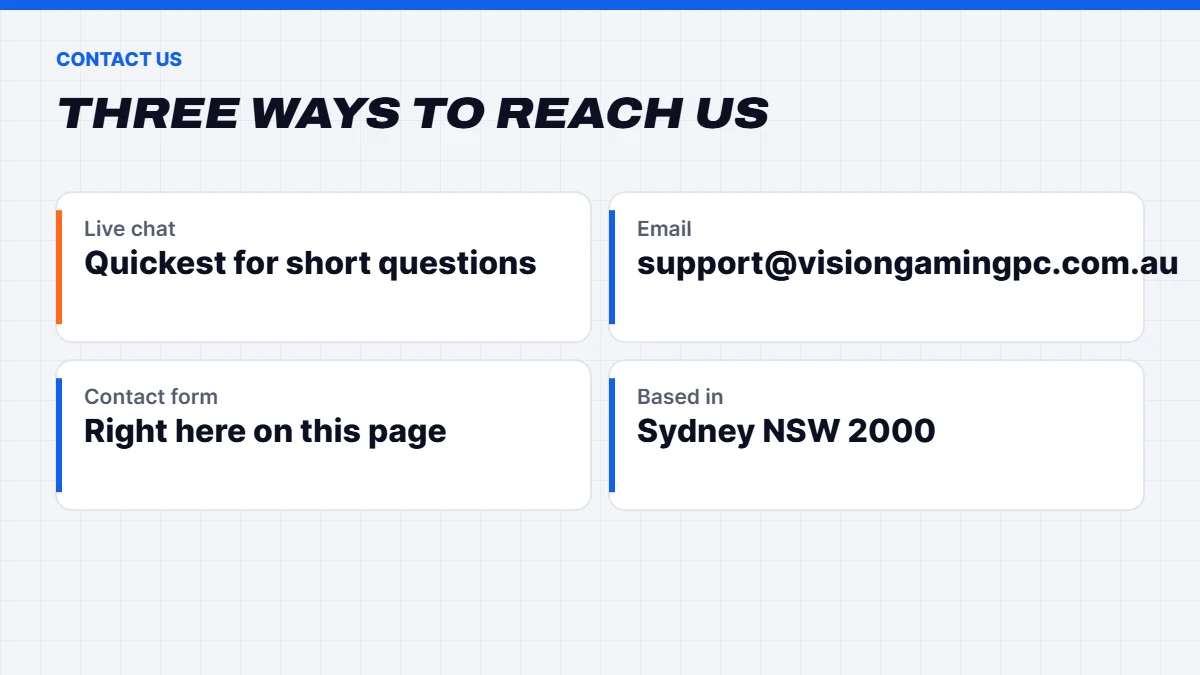
There are three ways to reach Vision Gaming PC. They all land with the same people, so pick whichever suits you.
Live chat
Live chat is the fastest option for quick questions. Is this build in stock? Will it run the game my son keeps talking about? Can you swap the case for a white one? Questions like those are perfect for chat. Look for the chat button on any page and start typing.
Email suits longer questions, or anything where you want a written record. Send it to support@visiongamingpc.com.au. It’s also the address our order emails and bank details come from, so if you’re replying about an order, replying to one of those emails is fine too.
The contact form
The form at the top of this page goes straight to the same inbox. It’s handy if you’re on a work computer without your email open, or you’d rather not copy the address across. Leave a phone number if you’d prefer a call back, and tell us a good time to ring.
Where we’re based
Vision Gaming PC is based in Sydney NSW 2000. Our gaming PCs are built and tested in our Sydney workshop, and we deliver Australia-wide from there, regional areas included.
What to include when you contact us
A little detail up front saves a lot of back and forth. Here’s what helps, depending on why you’re writing.
If you’re choosing a PC
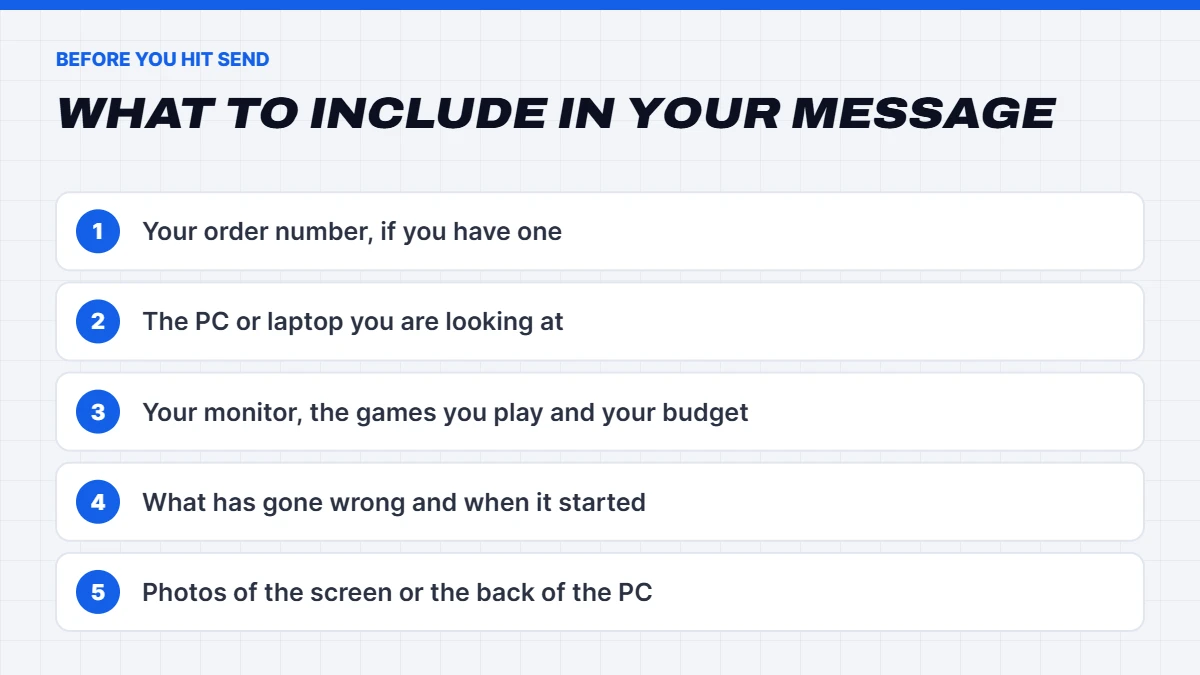
Tell us three things: the monitor you have (or plan to buy), the games or software you use, and roughly what you want to spend. With those, we can usually point you to the right build in one reply. If you’ve already found a PC on our site that you like, include the name or paste the link.
If you’ve already ordered
Include your order number and the name the order was placed under. That lets us find it straight away instead of searching. If your question is about payment, let us know the date you made the transfer and the reference you used.
If something isn’t working
Describe what’s happening, when it started and anything that changed just before, like a Windows update, a new game or a new monitor. Photos help a lot. A shot of an error message, the back of the PC with the cables plugged in, or the lights on the motherboard can tell us more than a long description.
Questions before you buy
Plenty of people get in touch before they order, and we’d much rather answer a question now than have you guess.
Changing parts on a build
Like a build but want more storage, more memory or a different case colour? Message us with the PC you’re looking at and what you’d change. Many changes are simple, and we’ll tell you honestly if a change isn’t worth the money.
Not sure which PC suits you
That’s the most common reason people contact us, and there’s no such thing as a silly question. Start with your monitor, because resolution and refresh rate decide how much graphics card you need. Our guide to 1080p vs 1440p vs 4K is a good primer, and our round-up of the best gaming PCs in Australia picks a build at each budget.
Buying for a business, school or studio
If you need several computers for an office, a classroom or a studio, tell us how many you need and what they’ll be used for. Our office computers and workstation PCs are good starting points, and it’s easier for us to help when we know the whole picture. Let us know if the machines need Windows 11 Pro for business features like BitLocker and joining a work domain. Our guide to Windows 11 Home vs Pro explains the difference if you’re not sure.
Buying a PC as a gift
Gaming PCs make a great present, but timing matters. If it’s for a birthday, Christmas or a graduation, get in touch before you order and tell us the date. We’ll give you an honest dispatch estimate for your postcode. At checkout you can send the order to a different delivery address from your billing address, which helps if you want it to land at a grandparent’s place or your work instead of the house where the surprise lives.
Not sure what they’d like? Tell us the games they play, the screen they have and your budget. That’s enough for us to suggest something they’ll actually use.
Replacing an older computer
Since Windows 10 support ended, a lot of people have found their old PC can’t move to Windows 11. If that’s you, tell us what you use the computer for, whether that’s email and banking, school work, photo editing or gaming, and we’ll suggest something that fits without overdoing it. Our guide to upgrading to Windows 11, or replacing your PC explains how to check whether your current machine can make the jump.
Choosing a laptop
Laptops are a different conversation from desktops. Battery life, weight and screen size matter as much as raw speed. If you’re buying for uni, TAFE or school, our best laptop for students guide is a good place to start, and for work there’s our best laptop for work guide. Then get in touch with what you’ve narrowed it down to, and we’ll help you pick.
Matching a monitor and accessories
Happy to help here too. Tell us the PC you’re considering and how you play, and we’ll suggest a sensible resolution and refresh rate. Our guide to gaming accessories worth buying with a new PC covers headsets, keyboards and controllers.
Help with an existing order
Here’s how an order with Vision Gaming PC works, so you know what to expect and when it’s worth getting in touch.
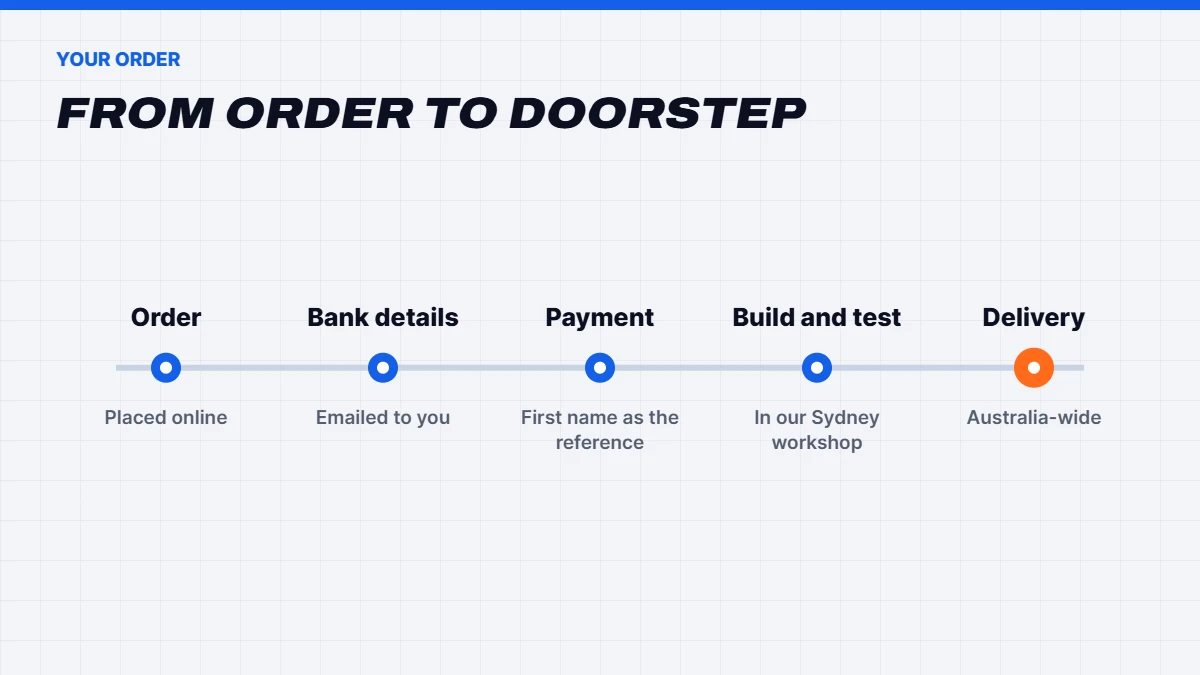
- You place your order. It shows as awaiting payment while we wait for your transfer.
- Our bank details arrive by email. They come from support@visiongamingpc.com.au.
- You make the transfer. Use only your first name as the payment reference so we can match it to your order.
- We start on your order. Processing begins as soon as your payment arrives.
- Your PC is built and tested. Custom PCs are assembled and stress-tested in our Sydney workshop.
- It’s on its way. We deliver Australia-wide, regional areas included.
Can’t find the email with our bank details?
Check your junk or spam folder first, and search your inbox for support@visiongamingpc.com.au. If it’s not there, contact us with your order number and we’ll resend the details.
Paid with the wrong reference?
It happens. Get in touch with your order number, the date of the transfer and the reference you used, and we’ll match it up by hand.
Need to change your address or your order?
Contact us as soon as you can with your order number. It’s much easier to change an order before your PC is built than after it’s shipped, so the earlier you tell us, the better.
Wondering when your PC will ship?
Because each custom PC is built and tested before it leaves, timing depends on the build and on what’s in stock. Message us on live chat with your order number and postcode and we’ll give you a current estimate.
Delivery questions
We deliver to every state and territory, regional areas included. Standard and express shipping are both available, and you’ll see the cost for your address at checkout before you pay. We also ship to New Zealand, the Pacific and further afield, with the rate shown at checkout.
If you’re working to a deadline, like a birthday or the start of semester, get in touch before you order. We’d rather give you a straight answer up front than have you counting days.
When your PC arrives
Have a look at the box before you open it. If it’s badly dented, crushed or wet, take a few photos, unpack it carefully and contact us the same day with those photos and your order number. Keep the box and packing for now. If anything needs to come back to us, the original packaging is the safest way to send it.
Warranty, returns and technical support
Our custom-built gaming PCs come with a 1-year return-to-base warranty. Everything you buy from Vision Gaming PC is also covered by the consumer guarantees under Australian Consumer Law, which apply automatically and sit alongside any warranty. If you’d like to understand your rights, the ACCC explains when you’re entitled to a repair, replacement or refund.
Something’s wrong with your PC
Please contact us before sending anything back. Plenty of problems turn out to be a loose cable, a monitor plugged into the motherboard instead of the graphics card, or a Windows setting, and those can often be fixed over chat in a few minutes. If it does need to come back, we’ll explain the next steps and what to include.
Quick checks you can try first
A few of our guides cover the most common questions we get after delivery:
- How to check your PC specs in Windows 11
- How to check CPU temperature, and what’s normal
- How to clean a laptop fan and stop overheating
- How to check laptop battery health on Windows
If none of those help, get in touch and tell us what you’ve already tried. It saves you being asked to do it twice.
Setting up your new PC
Most of the messages we get in the first week after delivery are about setup rather than faults, so here’s the short version of what we tell people.
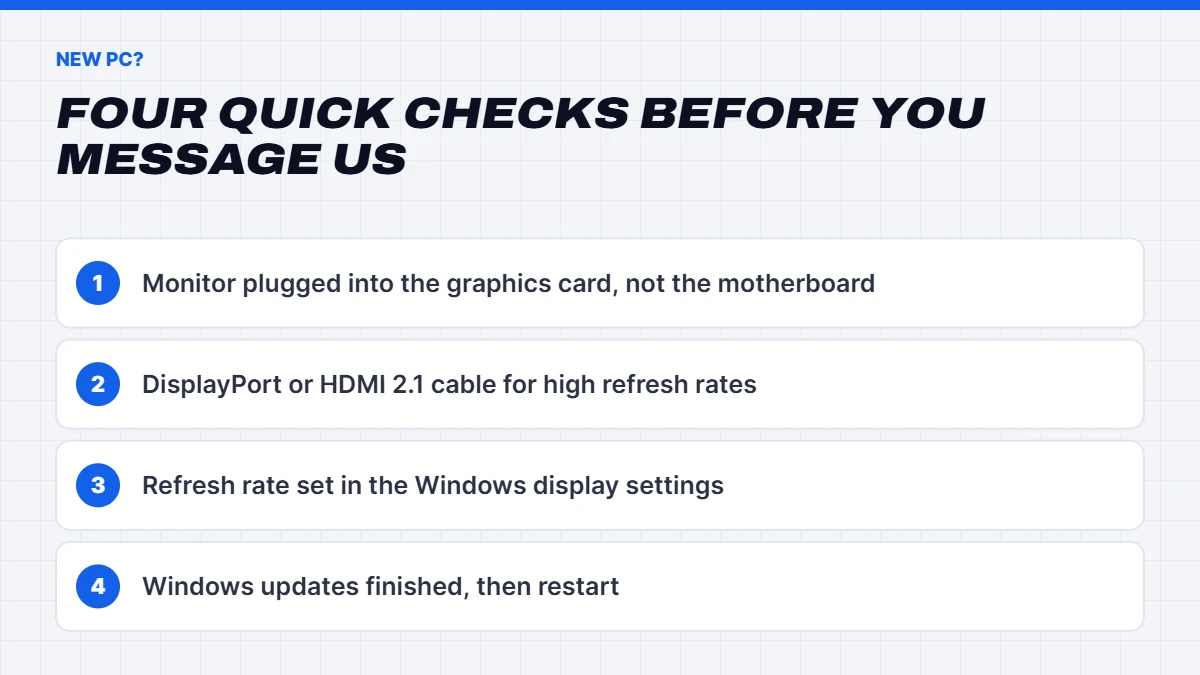
- Plug the monitor into the graphics card. The video ports on the back of the motherboard sit higher up and are easy to grab by mistake. On a gaming PC, your screen should connect to the ports lower down, on the graphics card itself.
- Use the right cable. A DisplayPort cable, or HDMI 2.1 for TVs and some monitors, lets a high refresh rate screen run at its full speed. Older HDMI cables can quietly hold it back.
- Set the refresh rate in Windows. Go to Settings, then System, then Display, then Advanced display, and choose the highest refresh rate your monitor offers. It sounds obvious, but it’s the most common thing we help people fix.
- Let Windows finish updating. Connect to the internet, sign in and give it some time on the first day. A restart or two is normal.
If the PC still isn’t behaving after those steps, contact us with photos of the back of the PC and the screen, and we’ll take it from there.
Feedback and complaints
If something hasn’t gone the way it should, we want to hear about it. Email support@visiongamingpc.com.au or use the form above, include your order number, and tell us what happened and what you’d like us to do. Be as blunt as you like. It’s the only way we get better.
We’ll look into it properly and come back to you with an answer, not a form letter. Most problems can be sorted out with a quick conversation. If we genuinely can’t agree on a fix, NSW Fair Trading can help you and us work it out, and your rights under Australian Consumer Law apply either way.
Good feedback is welcome too. If your new PC made someone’s Christmas or got you through a tough semester, we’d love to hear it.
How we handle your details
When you contact us through the form, we use your name, email address and (if you give it) your phone number only to reply to your message. We don’t add you to a mailing list because you asked a question. Please don’t send card numbers or passwords through the form, by email or on live chat. We’ll never ask for them.
Contact us FAQs
How quickly will you reply?
We answer messages in the order they arrive. Live chat is the quickest way to reach us, and email and the form are best for anything longer or more detailed.
Can I call Vision Gaming PC?
We don’t list a phone number at the moment. If you’d rather talk it through, leave your number in the form, tell us a good time, and ask for a call back.
Can I contact you about a PC I haven’t bought yet?
Absolutely. Most of the questions we get are from people still deciding. Send us your monitor, games and budget, and we’ll point you in the right direction.
Do you build custom PCs from scratch?
Usually we start from one of our existing builds and change what you need, which keeps things quicker and easier to price. If you have something specific in mind, get in touch and describe it.
Can I pay by card, PayPal or Afterpay?
Not at the moment. Direct bank transfer is the only payment option for now. Our bank details are emailed to you after you place your order, and we start processing it once the payment arrives.
Do you ship outside Australia?
Yes. We ship to New Zealand and the Pacific, and further afield too. The shipping cost for your address shows at checkout, so you’ll know the total before you pay.
What if my PC is damaged in transit?
Contact us the same day it arrives, with photos of the box and the damage, and your order number. Don’t try to fix it yourself. We’ll work out the next steps with you.
Is it safe to pay by bank transfer?
Yes, as long as the details come from us. Our bank details are only ever sent from support@visiongamingpc.com.au after you place an order. If you ever get a message that claims to be from Vision Gaming PC and asks you to pay into a different account, don’t pay it. Contact us first so we can check.
Can I get help with a PC I bought somewhere else?
We’re happy to point you in the right direction if it’s a quick question, and our blog has plenty of free guides. For hands-on support, though, the shop you bought it from is your best first stop.
Who will I be talking to?
The Vision Gaming PC team in Sydney: the same people who choose the parts, build the PCs and test them. If we don’t know the answer straight away, we’ll find out rather than guess.
What’s the best way to contact you about an order?
Reply to one of your order emails, or contact us with your order number in the message. Either way we’ll find it quickly.
Thanks for taking the time to get in touch. Whether you’re still browsing, waiting on a delivery or setting up your new PC, we look forward to hearing from you.