
The best laptop for work isn’t the flashiest one. It’s the one that starts quickly every morning, lasts through a day of meetings, has a keyboard you don’t mind typing on for hours, and keeps company data safe if it’s left in a taxi. Those qualities rarely make the headline of a spec sheet, but they’re what separate a good work laptop from a frustrating one.
We supply laptops and desktops to people working from home, sole traders and small offices, so we see what holds up and what doesn’t. To help you find the best laptop for work in your situation, this guide covers what to look for, why business laptops are built differently, how much to spend, and our honest picks.
Quick answer
For most people, the best laptop for work has a recent Intel Core Ultra 5 or 7, or AMD Ryzen 5 or 7, 16GB of RAM, a 512GB SSD, a comfortable keyboard, a 1080p webcam and all-day battery life. Small businesses should choose Windows 11 Pro for BitLocker and device management. Business-grade models cost a little more but are built to last longer and are easier to repair.
In this guide
What makes the best laptop for work?
Work laptops have a different job from gaming or entertainment laptops. Here’s what we’d prioritise:
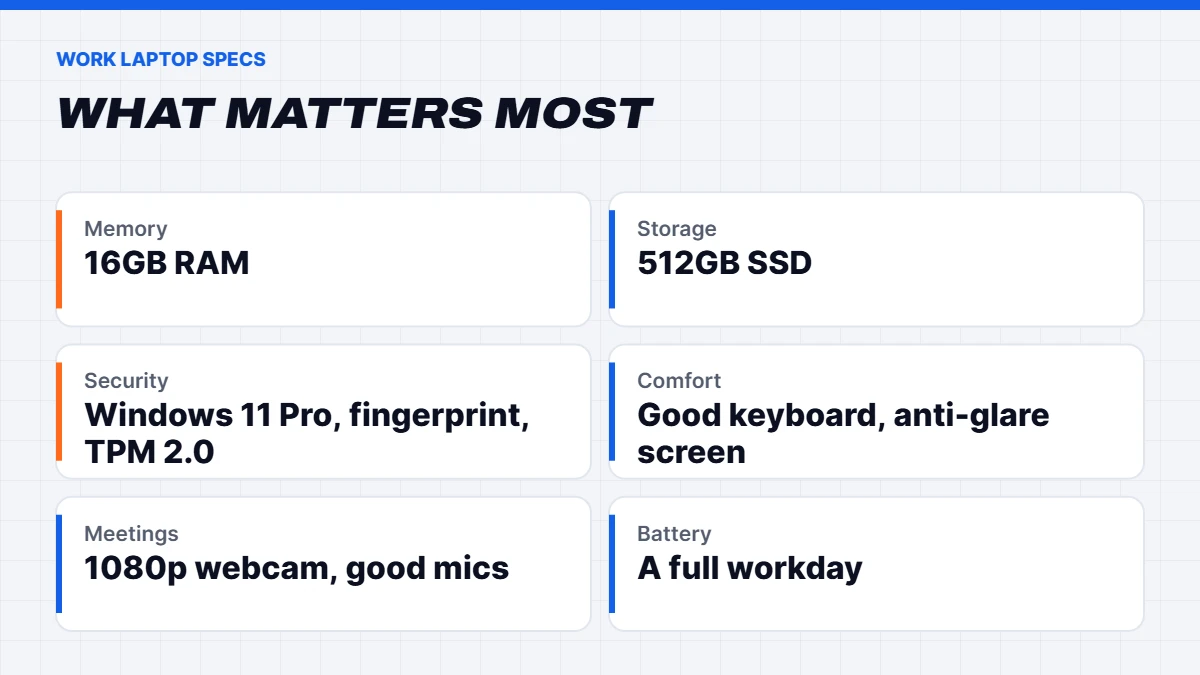
- Processor: a recent Intel Core Ultra 5 or 7, Core i5 or i7, or AMD Ryzen 5 or 7. Plenty for Office, browsers, video calls and multitasking.
- Memory: 16GB of RAM. With Teams, a browser full of tabs and a few documents open, 8GB fills up fast.
- Storage: a 512GB SSD, or 256GB if everything lives in OneDrive or SharePoint.
- Keyboard and trackpad: you’ll use them all day, so they matter more than almost anything else.
- Webcam and microphones: a 1080p webcam and noise-reducing mics make a real difference in meetings.
- Screen: an anti-glare Full HD screen, ideally with a 16:10 shape for more vertical space.
- Battery: enough for a full workday away from a desk.
- Security: a fingerprint reader or face sign-in, TPM 2.0 and Windows 11 Pro for business use.
Why business laptops are different
Business laptops, from ranges like Dell Pro (formerly Latitude) and Lenovo ThinkBook and ThinkPad, are designed for daily commuting and long working hours rather than flashy looks. In practice, that means:
- Tougher builds, often tested against drops, vibration and temperature extremes.
- Better keyboards, with more travel and spill resistance on many models.
- More ports, like HDMI, USB-A and sometimes Ethernet, so you need fewer adapters.
- Easier repairs and upgrades, with replaceable memory or storage on many models.
- Security features like fingerprint readers, webcam privacy shutters and TPM 2.0.
- Windows 11 Pro included, with business management tools.
That’s why we often suggest a business laptop as the best work laptop even for home users who type a lot. They tend to feel plainer, but they’re built to keep going.
Ports and docking explained
Ports are easy to overlook until you’re hunting for an adapter five minutes before a presentation. Here’s what the common ones mean for a work laptop:
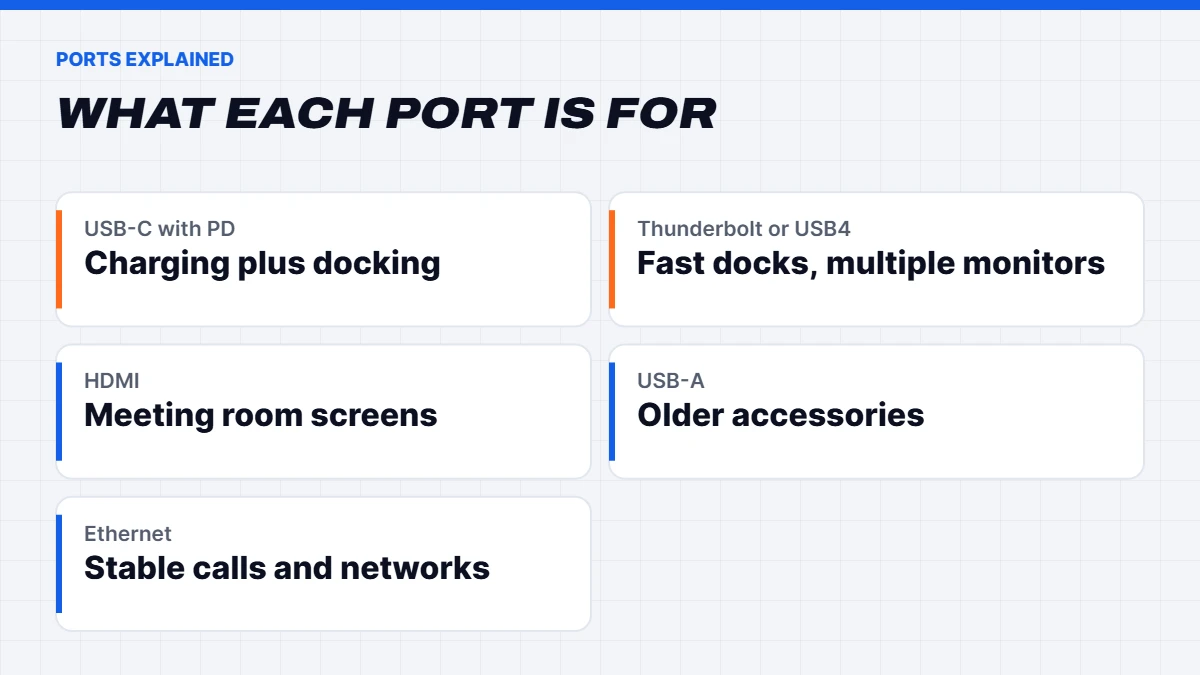
- USB-C with Power Delivery lets you charge the laptop and connect a dock or monitor through one cable.
- Thunderbolt 4 or 5, or USB4, offers the fastest connections and the best docking, including multiple monitors through a single cable.
- HDMI is still the easiest way to plug into meeting room screens and TVs.
- USB-A remains handy for older accessories, keyboards and USB drives.
- Ethernet is useful for stable video calls and secure office networks, though few thin laptops include it.
If you’ll work at a desk with a monitor, a single-cable USB-C or Thunderbolt dock is one of the best upgrades you can make. Plug in one cable when you sit down, and everything just works.
Screen, keyboard and webcam: the daily comfort trio
These three things decide how a work laptop feels day to day, far more than processor benchmarks. An anti-glare screen with decent brightness is easier on the eyes under office lights and near windows. A 16:10 screen shape gives you a few more lines of a document or spreadsheet. A keyboard with good key travel and a sensible layout makes long typing sessions less tiring.
The webcam matters more than it used to. A 1080p camera with decent low-light performance makes you look far more professional on calls than an old 720p one, and a privacy shutter gives peace of mind. Good noise-reducing microphones mean colleagues hear you rather than the dishwasher.
Best laptop for business: Windows 11 Pro and security
If you’re choosing the best laptop for business use, security should be near the top of the list. A lost laptop is an inconvenience. A lost laptop with unencrypted client data can be a serious problem.
Windows 11 Pro adds full BitLocker encryption, the ability to join Microsoft Entra ID or a company domain, and support for device management, so you can lock or wipe a lost laptop remotely. Our guide to Windows 11 Home vs Pro explains the differences in plain terms. For any laptop holding business data, we’d treat Pro as essential.
Also look for Windows Hello sign-in with a fingerprint reader or face camera. It’s faster than typing a password, and people are far more likely to keep a laptop locked when unlocking it takes a second.
Best laptop for small business: what to plan for
For the best laptop for small business needs, think beyond the laptop itself:
- Consistency. Buying the same model for everyone makes support, chargers and docks simpler.
- Warranty and support. Understand who handles repairs and how quickly. Downtime costs a small business real money.
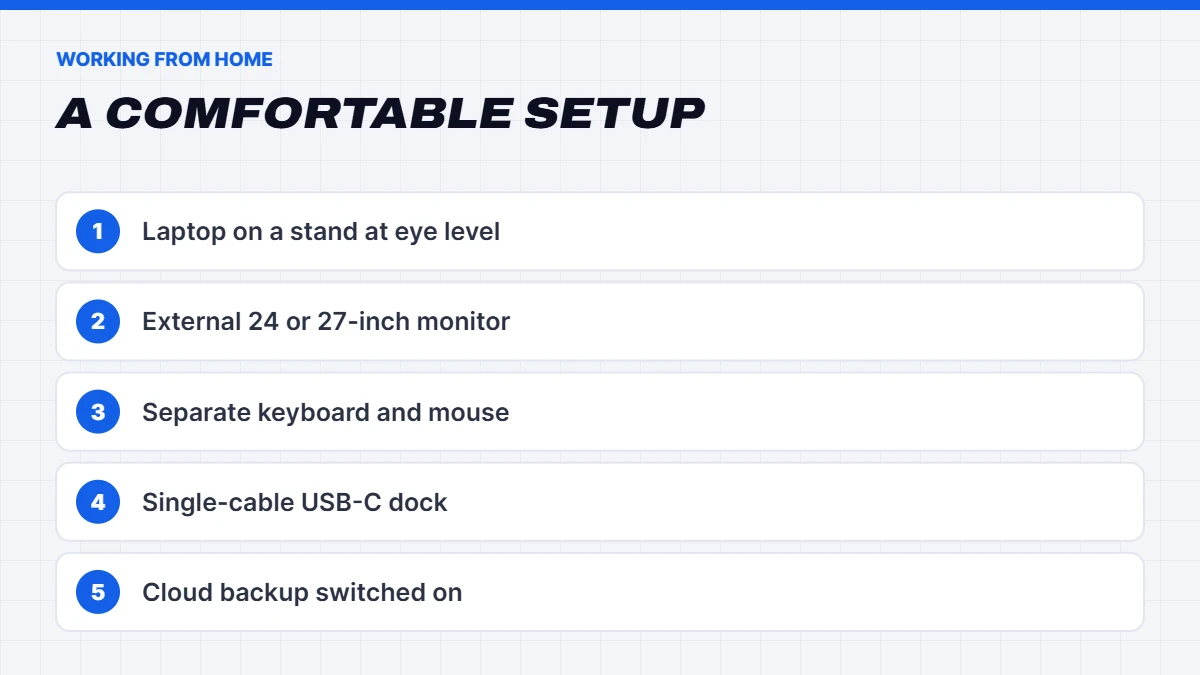
- Docking. A USB-C or Thunderbolt dock lets staff plug in one cable for power, screens, keyboard and network at their desk.
- Backups. Set up OneDrive or another cloud backup from day one.
- Lifespan. Plan for a four to five year life, and buy specs that will last that long.
Best laptop for working from home
The best laptop for working from home is a little different again, because it often spends most of its time on a desk:
- Pair it with a monitor. A laptop screen is fine for travel, but a 24 or 27-inch monitor makes a full day of work far more comfortable.
- Use a separate keyboard and mouse at your desk to avoid hunching over the laptop.
- Raise the laptop on a stand so the webcam sits at eye level for calls.
- Check the webcam and mics, as you’ll probably spend more time on video calls than in an office.
- Consider a bigger screen. If it rarely leaves home, a 16-inch laptop gives you more space without a second monitor.
If you work from home as an employee, you may be able to claim some running costs. The ATO’s guide to the fixed rate method notes that the hourly rate doesn’t cover the decline in value of equipment like a laptop, which is claimed separately. We’re not tax advisers, so check with the ATO or your accountant.
The best work laptop for different jobs
The best work laptop varies a lot by role:
- Sales and travel: a light 14-inch business laptop with long battery life and strong Wi-Fi.
- Finance and admin: a 16-inch screen with a number pad makes spreadsheets much easier.
- Developers: 32GB of RAM and a fast processor if you run virtual machines or containers.
- Designers and video editors: a dedicated graphics card and a colour-accurate screen, or a workstation PC at the desk.
- Trades and field work: a tough business-grade build, ideally with a protective case.
Battery life for a full workday
All-day battery life is one of the most common requests we hear. Manufacturer ratings are measured under light conditions, so expect less with video calls, a bright screen and many browser tabs. For a full day away from a charger, look for strong real-world battery reviews and a model that charges quickly over USB-C. Recent Intel Core Ultra and AMD Ryzen processors are generally efficient, which helps a lot.
Our best work laptop picks
Here’s how we’d match our current range to different kinds of work. Live prices are shown in the product cards.
Lenovo ThinkBook 16 G7. Our top pick for most office, hybrid and small business users. It has an Intel Core Ultra 7, 16GB of RAM, a 512GB SSD and a 16-inch anti-glare screen in a 16:10 shape, with Windows 11 Pro, a fingerprint reader and TPM 2.0. The bigger screen is great for spreadsheets and side-by-side documents. It’s a little larger to carry than a 14-inch model.
Dell Pro 14 Plus. The modern successor to the Latitude range, with a 14-inch FHD+ screen, an Intel Core Ultra 5 236V with vPro, 16GB of LPDDR5x, a 512GB SSD and Windows 11 Pro, plus a fingerprint reader and IR camera. It’s light, well built and a Copilot+ PC. The honest trade-off is that the memory is built in, so 16GB is what you’ll have for the life of the laptop. It’s brand new, not ex-lease.
ASUS Vivobook 18. If you want the best laptop for working from home and it rarely moves, the 18-inch 16:10 screen, Ryzen 7, 16GB of RAM and 1TB SSD make it almost a desktop replacement. It comes with Windows 11 Home, so add Pro if you need business features.
ASUS Vivobook Go 15. A budget option with a Ryzen 5, 16GB of RAM and a 512GB SSD, fine for admin, email and web-based work. It’s a consumer laptop, so it’s less rugged than a business model.
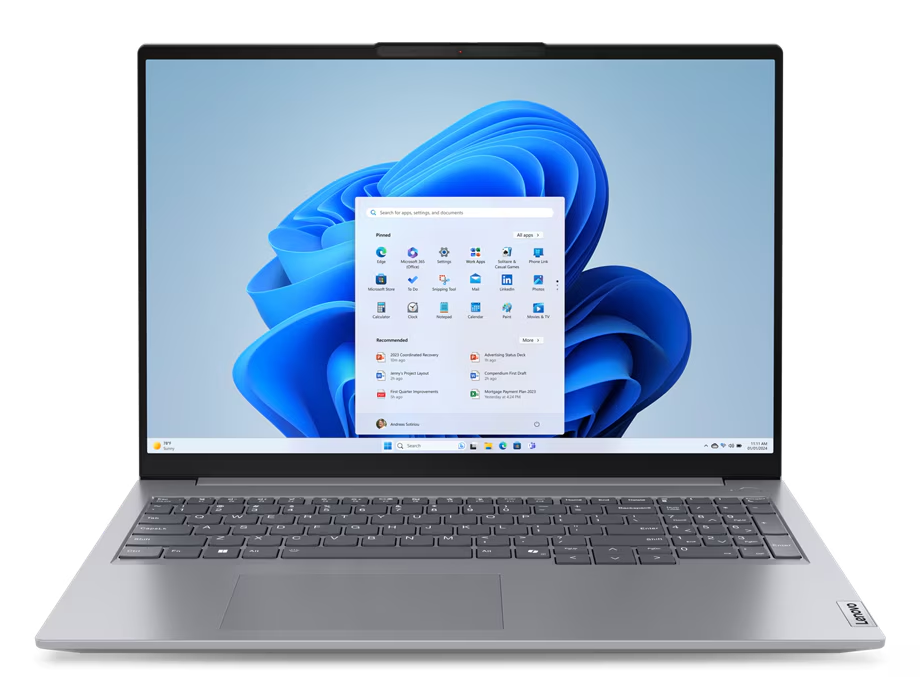
 Lenovo ThinkBook 16 G7 – Core Ultra 7 155U, 16GB RAM, 512GB SSD, Windows 11 Pro Original price was: $2,149.00.$1,599.00Current price is: $1,599.00.See the build
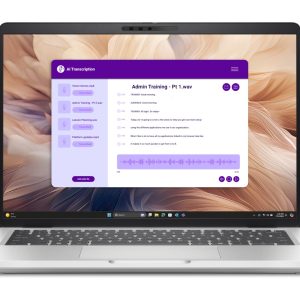 Dell Pro 14 Plus – 14-inch Business Laptop, Core Ultra 5, 16GB RAM, Windows 11 Pro Original price was: $2,299.00.$1,699.00Current price is: $1,699.00.See the build
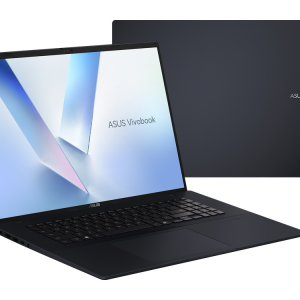 ASUS Vivobook 18 – 18-inch Laptop, Ryzen 7 260, 16GB RAM, 1TB SSD, Quiet Blue Original price was: $1,999.00.$1,499.00Current price is: $1,499.00.See the build
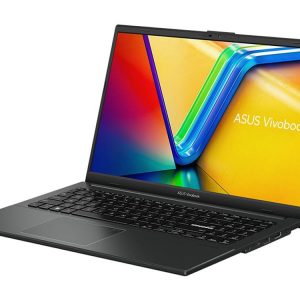 ASUS Vivobook Go 15 – Ryzen 5 7520U, 16GB RAM, 512GB SSD Original price was: $1,099.00.$824.00Current price is: $824.00.See the build
Laptop or desktop for work?
If you always work at the same desk, a desktop gives you more performance for the money, a bigger screen and easier upgrades. Our office computer range covers compact business desktops with Windows 11 Pro. A laptop makes sense if you move between home, office and client sites, or need to work while travelling. Many small businesses use both: desktops at fixed workstations and a few laptops for people who travel.
What about AI features and Copilot+ PCs?
Many new laptops are marketed as AI PCs, with a dedicated NPU (neural processing unit) to run some AI features locally. Windows 11 offers extra Copilot+ features on laptops with powerful enough NPUs. They can be handy, such as better background blur and noise suppression on calls, but for most work they’re a bonus rather than a requirement. Don’t pay a big premium for AI features unless you know you’ll use them.
Setting up a work laptop securely
However good the laptop, a few setup steps make the biggest difference to keeping work safe:
- Turn on Windows Hello with fingerprint or face sign-in, and set the screen to lock quickly when idle.
- Turn on BitLocker (Windows 11 Pro) and save the recovery key somewhere safe.
- Use multi-factor authentication for email and business apps.
- Set up cloud backup with OneDrive or SharePoint for work files.
- Keep Windows and apps updated automatically.
- Use a password manager rather than reusing passwords.
These are the basics that matter most, whether you’re a sole trader or a team of twenty. Get them right and even a modest laptop becomes the best laptop for business security in your office.
How much should you spend on a work laptop?
As a rough guide:
- Entry level: fine for email, web apps and documents. Look for 16GB of RAM even here if you can.
- Mid-range: the sweet spot for most office and hybrid workers, with a business-grade build, Windows 11 Pro and a better webcam.
- Premium: lighter, brighter screens and longer battery life, worth it if you travel constantly.
Remember that a work laptop is a tool you use eight hours a day. Spread over four or five years, the difference between an entry and mid-range model is small per working day. If you’re on a tight budget, our guide to the best budget laptop explains where it’s safe to save.
Mistakes to avoid when buying a work laptop
- 8GB of soldered RAM. It may feel fine on day one but struggles within a year or two of Teams and browser tabs.
- Windows 11 Home for business data. You lose BitLocker management and device management tools.
- A glossy screen if you work near windows. Anti-glare is much easier on the eyes.
- Ignoring the keyboard. Try it if you can, or read reviews focused on typing.
- Buying a gaming laptop for office work. They’re heavier, louder and have shorter battery life.
- No backup plan. Set up cloud backup before you need it.
Need help choosing for your team? Message us on live chat with how many people you’re equipping and what they do, and we’ll suggest a sensible setup.
Our verdict
The best laptop for work is a reliable, comfortable machine with 16GB of RAM, a 512GB SSD, a good keyboard and webcam, and Windows 11 Pro if it holds business data. For most office and hybrid workers, a business-grade 14 or 16-inch laptop is the best work laptop choice, because it’s built to handle years of daily use. Spend where you’ll feel it every day, and don’t pay extra for features you won’t use.
Work laptop FAQs
What is the best laptop for work?
For most people, a business-grade laptop with a recent Core Ultra, Core i5 or i7, or Ryzen 5 or 7, 16GB of RAM, a 512GB SSD, a good keyboard and Windows 11 Pro.
Is 8GB of RAM enough for a work laptop?
For light use, just. For video calls, lots of browser tabs and multitasking, 16GB is much better.
Do I need Windows 11 Pro for work?
For business data, yes. Pro adds BitLocker, device management and the ability to join a work network.
What’s the best laptop for working from home?
A laptop with a good webcam, 16GB of RAM and plenty of ports, paired with an external monitor, keyboard and mouse at your desk.
What’s the best laptop for small business owners?
A business-grade laptop with Windows 11 Pro, 16GB of RAM, a 512GB SSD and good security features, ideally the same model across your team for simpler support.
Are business laptops worth the extra cost?
Usually, yes. They’re tougher, easier to repair and come with better keyboards and security features.