Description
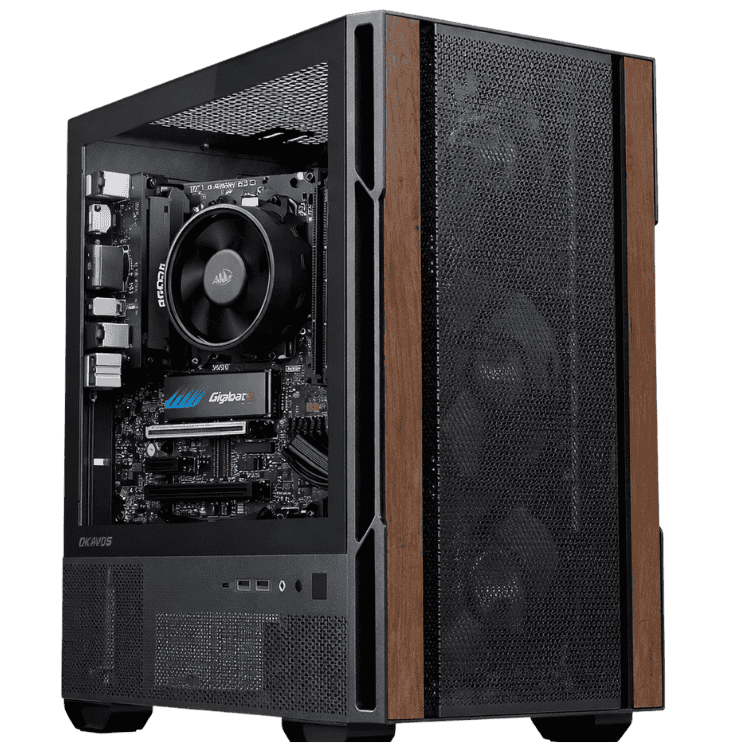
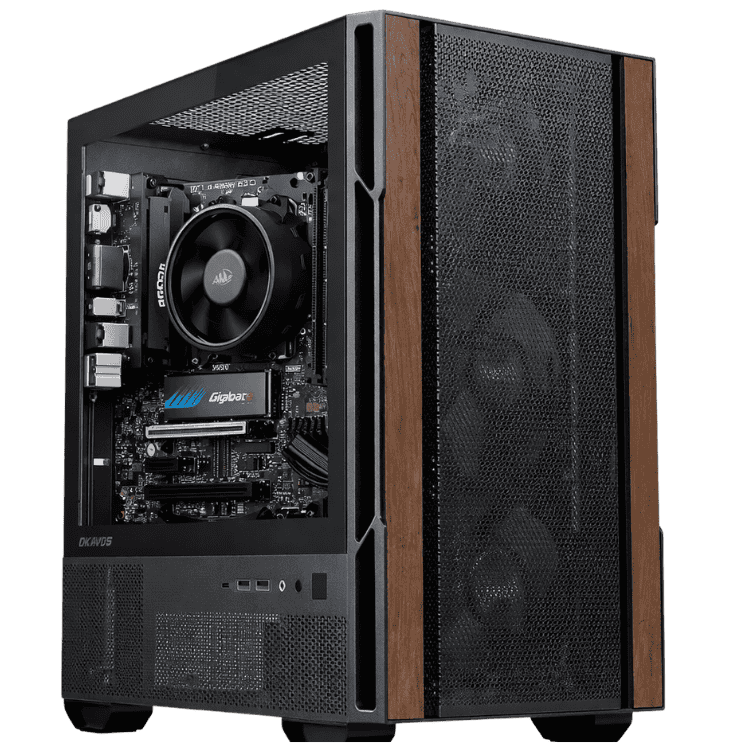
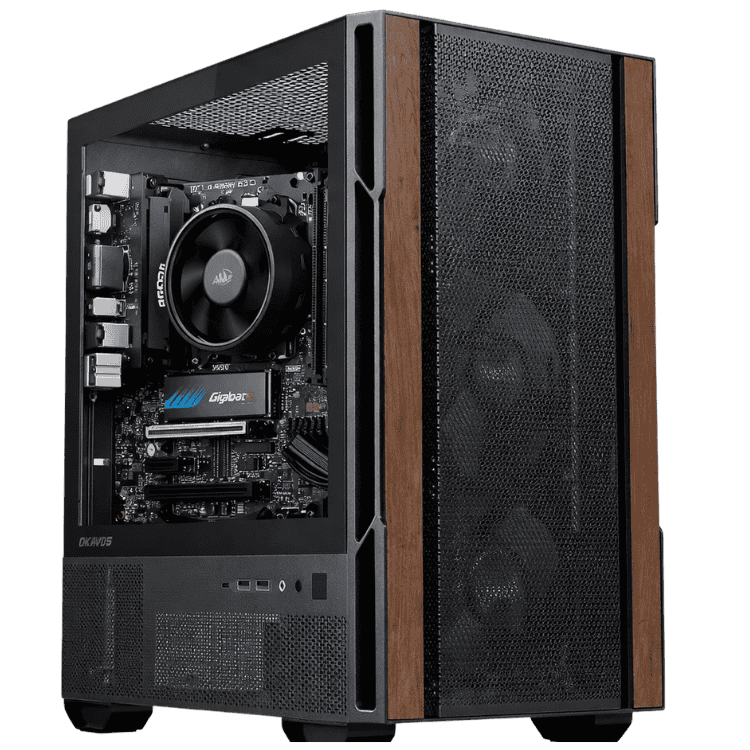
This business computer arrives ready for work, with Windows 11 Pro installed and activated and Microsoft Office Home & Business 2024 included, so you get Word, Excel, PowerPoint, Outlook and OneNote without a separate purchase. Inside, there’s AMD’s 6-core Ryzen 5 8500G with built-in Radeon graphics, 16GB of DDR5 in dual-channel, a 1TB NVMe SSD and Wi-Fi, all in a compact Okinos Cypress 3 Wood case.
It’s assembled and tested by our team in Sydney and includes a 1-year return-to-base warranty.
Who this computer for business suits
- small businesses, sole traders and family businesses
- front offices, reception desks and admin teams
- bookkeepers and accountants working in Excel and accounting software
- businesses that want Office without a monthly subscription
- anyone who needs Windows 11 Pro features without paying for a high-end PC
Don’t need Office? Our cheap desktop computer with the same Ryzen 5 costs less. Need a graphics card for multiple monitors or design work? See our office desktop with an RTX 5050.
Office Home & Business 2024, supported until 2029
Office Home & Business 2024 is a one-off licence, not a subscription, and it’s licensed for business use. Microsoft supports it with security updates until October 2029, so it’s a current, fully supported version of Office.
If you’d rather have the always-latest version with cloud storage, we can set this computer up with a Microsoft 365 subscription instead. Windows 11 Pro is current and receives regular security updates too.
Windows 11 Pro for business
Windows 11 Pro is installed and activated, not Home. That gives a small business the features it actually uses: BitLocker drive encryption to protect data if the computer is lost or stolen, Remote Desktop to access it from elsewhere, and the ability to join a company domain or Microsoft Entra ID for central management.
A 6-core Ryzen 5 with built-in graphics
The Ryzen 5 8500G has 6 cores and 12 threads, with boost speeds up to 5.0GHz. That’s plenty for office work, and the built-in Radeon graphics mean you don’t need a separate graphics card for your monitor, videos or Office. It’s cooled by AMD’s stock cooler, which is quiet during everyday work.
Business computer specifications
| Processor | AMD Ryzen 5 8500G (6 cores, 12 threads, up to 5.0GHz) |
|---|---|
| CPU cooler | AMD stock cooler |
| Motherboard | ASUS PRIME B650M-A WIFI II, with built-in Wi-Fi |
| Memory | Kingston FURY Beast 16GB DDR5-5600 (2 x 8GB) |
| Storage | Lexar NM620 1TB PCIe 3.0 NVMe SSD |
| Graphics | Integrated AMD Radeon graphics |
| Power supply | MSI MAG A650BN, 650W 80+ Bronze |
| Case | Okinos Cypress 3 Wood micro ATX mini tower |
| Operating system | Windows 11 Pro, installed and activated |
| Office software | Microsoft Office Home & Business 2024: Word, Excel, PowerPoint, Outlook and OneNote |
| Warranty | 1-year return-to-base |
What this business computer handles well
- Office work: Word, Excel, PowerPoint and Outlook all day.
- Databases: Microsoft Access for customer lists, stock and job tracking.
- Accounting: Xero, MYOB and QuickBooks.
- Business portals: banking, ATO and supplier websites.
- Video calls: Teams and Zoom with a USB webcam and headset.
16GB of DDR5 in dual-channel and a 1TB NVMe SSD
The 16GB of memory is installed as two 8GB modules, so it runs in dual-channel mode. That helps multitasking and also gives the built-in graphics a useful boost. The 1TB NVMe SSD makes Windows start quickly and apps open fast, with plenty of room for business documents, photos and accounts files.
Wi-Fi built into your business computer
The ASUS PRIME B650M-A WIFI II motherboard includes Wi-Fi, so you can set this up anywhere in the office within range of your router. There’s also a wired network port.
What makes the best computer for business?
For most small businesses, the best computer for business isn’t the most powerful one. It’s the one that’s reliable, secure and ready to use, at a price that makes sense across several desks. We look for:
- A genuine, activated Windows 11 Pro licence with BitLocker and Remote Desktop.
- An SSD so everything opens quickly.
- Enough memory for email, spreadsheets and a browser open together. 16GB is the sweet spot.
- Built-in Wi-Fi for flexible desk placement.
- A name-brand power supply and motherboard for long-term reliability.
- Local support when something goes wrong.
Need Microsoft Access?
Office Home & Business 2024 doesn’t include Access. If your business relies on an Access database for customer records, stock or job tracking, a Microsoft 365 Business Standard subscription includes it, and we can set that up for you instead. Message us on live chat before you order.
Business computer or laptop?
Laptops suit people who move around. For a fixed desk, a business computer gives you more performance for the money, a proper monitor and keyboard, and parts that are easy to repair or upgrade. There’s no battery to wear out and it’s much harder to lose. Many small businesses use desktops at the office and a laptop only for those who travel.
Security essentials
- Turn on BitLocker in Windows 11 Pro.
- Use multi-factor authentication for email, banking and accounting software.
- Give staff standard user accounts rather than administrator accounts.
- Back up business files to OneDrive, SharePoint or another secure service.
- Keep Windows Update switched on.
Rolling out several
Using the same business computer on every desk makes support, training and spare parts much simpler. Tell us how many you need and which software you use, and we’ll quote identical systems.
Video calls and hybrid work
Add a 1080p USB webcam and a headset, and Teams or Zoom calls run smoothly while you share your screen and keep Outlook and Excel open. The 16GB of dual-channel memory keeps everything responsive during a busy day of meetings.
Running costs
With an efficient 65W processor and no separate graphics card, this business computer uses modest power during a normal working day, which helps keep running costs down across several desks.
Who should choose something else
If your team works in design, CAD or video, or needs three or more monitors, a computer for business with integrated graphics isn’t the right fit. Our office desktop with an RTX 5050 or one of our workstations will serve you better.
Accessories worth adding
- a 24-inch Full HD monitor, or two for a dual-screen setup
- a wireless keyboard and mouse
- a USB webcam and headset for meetings
- a surge-protected power board
Why buy a prebuilt computer for business?
We install and activate Windows 11 Pro, install Office, update the drivers and test the system before it ships. When it arrives, you connect your monitor, keyboard and mouse and start working. If something goes wrong, you deal with a local team in Australia.
Upgrading a computer for business
- Storage: add a second SSD for more space.
- Memory: step up to 32GB for heavier multitasking.
- Graphics: the 650W power supply can run a graphics card later if your needs change.
This system uses AMD’s current AM5 platform, so a faster Ryzen processor can drop straight in later.
How it compares with our other office computers
- Vision Budget Office PC: the same Ryzen 5 8500G with Windows 11, without Office.
- Home Office Desktop PC: an Intel Core Ultra 5 225 with 16GB of DDR5.
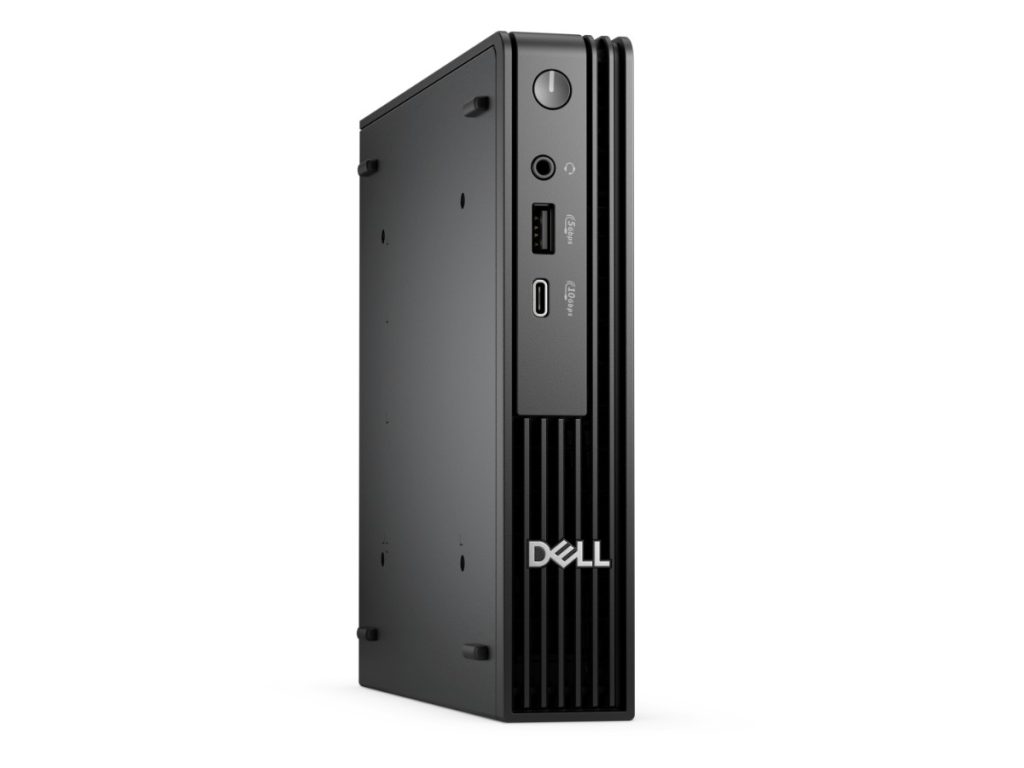
- Dell Pro Micro: a compact business mini PC with Windows 11 Pro.
Browse all of our office computers.
Setting it up on day one
- Remove any packing material from inside the case.
- Plug your monitor into the motherboard’s video output. This system uses the processor’s built-in graphics.
- Connect your keyboard, mouse, webcam and headset, then switch on.
- Connect to Wi-Fi and sign in to Windows 11 Pro.
- Open Outlook to set up email, then turn on BitLocker and your backups.
Support after you buy
If you have questions about setup, Office, Windows 11 Pro features or upgrades, message our team on live chat and we’ll help.
Business computer FAQs
Is this the best computer for business on a budget?
For everyday office work with Office and Windows 11 Pro included, it’s very good value. If you need fully supported Office or a graphics card, ask us about other options.
Can it run two monitors?
The built-in graphics can drive more than one display through the motherboard’s video outputs. Message us to confirm the ports match your monitors.
Is Office a subscription?
No. Office Home & Business 2024 is a one-off licence, not a Microsoft 365 subscription, so there’s nothing to renew.
Will it run Xero, MYOB and QuickBooks?
Yes. This business computer runs browser-based and desktop accounting software comfortably.
Does it include a monitor, keyboard and mouse?
No. Ask us if you’d like help choosing them.
Can I get a longer warranty?
A 1-year return-to-base warranty is included. Message us before you order to ask about longer cover.
How quiet is it?
Very quiet during normal office work. There’s no separate graphics card, so there are fewer fans running.
Is Windows 11 Pro activated?
Yes. It’s installed and activated, with drivers and updates done before it ships.
Do you deliver Australia-wide?
Yes, to every state and territory, including regional areas.