

Finding the best laptop for students is less about raw power and more about the boring stuff: battery life, weight, a keyboard you can type on for hours, and enough memory that it still feels quick in third year. A laptop that’s perfect for an engineering student can be overkill and a pain to carry for someone studying law, and a school laptop has a different job again.
To help you find the best laptop for students in your situation, this guide covers what students actually need, how to check your uni, TAFE or school requirements, and our honest picks for different courses and budgets. We sell Windows laptops, so that’s our focus, but we’ll be straight about where a different option might suit you better.
Quick answer
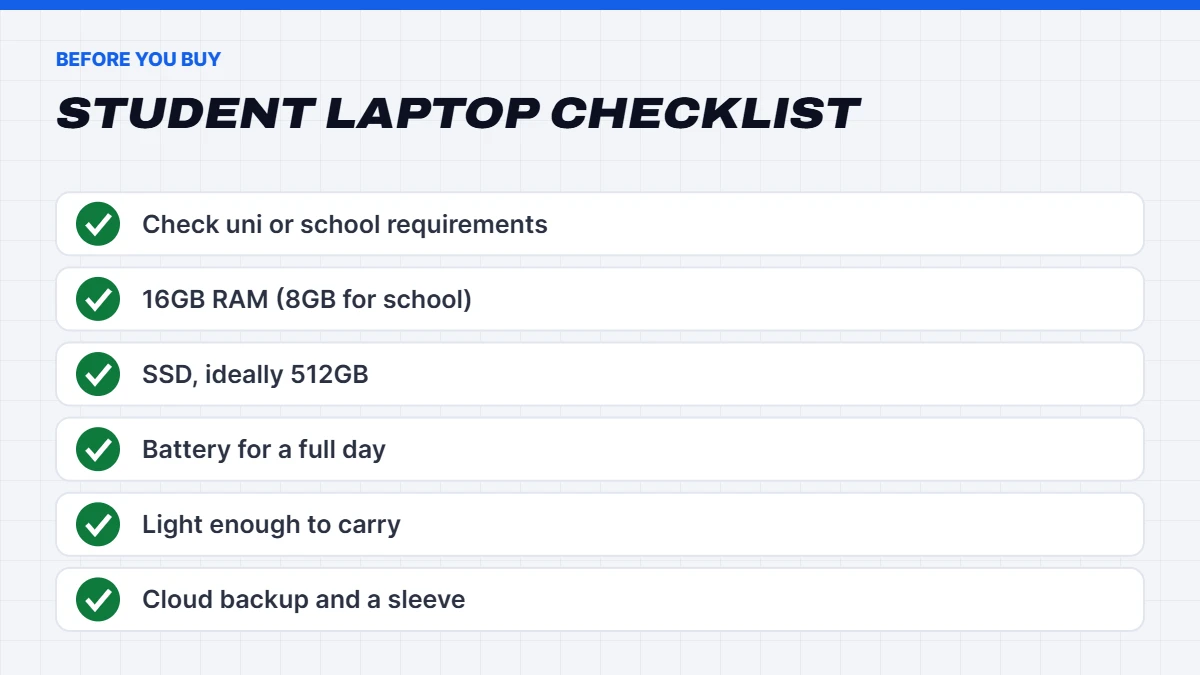
For most uni and TAFE students, the best laptop for students is a light 14 to 16-inch Windows laptop with a recent Core i5 or Ryzen 5, 16GB of RAM, a 512GB SSD and all-day battery life. High school students can usually get by with 8GB of RAM. Engineering, design and media students may need a dedicated graphics card, so check your course requirements first.
In this guide
What students actually need
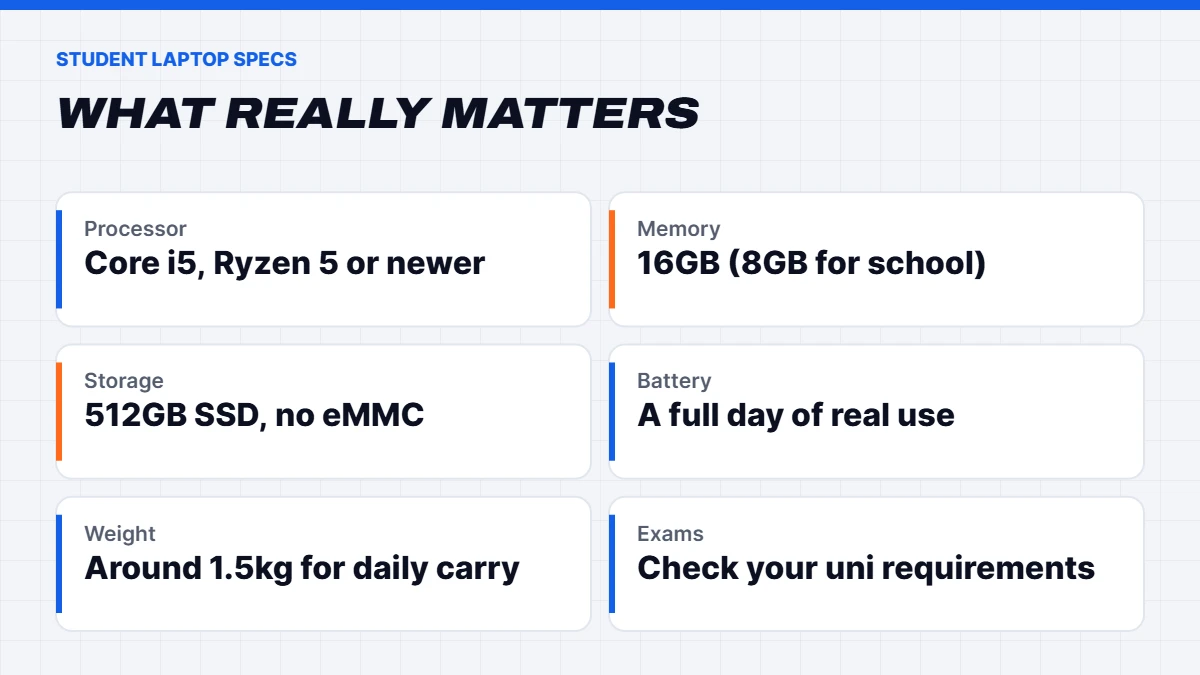
Most study is web browsing, documents, video lectures, online exams and a bit of multitasking. That doesn’t need a powerful laptop, but it does need a well-balanced one, which is why the best laptop for university students usually isn’t the most powerful one. Here’s what we’d look for:
- Processor: a recent Intel Core i5, Core Ultra 5, AMD Ryzen 5 or better.
- Memory: 16GB of RAM. 8GB works for school and light study, but 16GB keeps it quick for years.
- Storage: a 512GB SSD. Avoid slow eMMC storage and spinning hard drives.
- Battery: enough for a full day on campus. Look at real-world reviews, not just the maker’s rating.
- Weight and size: a 14-inch laptop around 1.5kg is much easier to carry all day than a heavy 16 or 17-inch one.
- Screen: Full HD at least, ideally bright enough to use near a window.
- Webcam and microphone: needed for online classes and some remote exams.
Check your uni or school requirements first
Before buying anything, look up your institution’s computing requirements. Most Australian unis publish minimum and recommended specs, and some courses add their own. The University of Queensland’s bring your own device guide is a good example of what to expect: a minimum spec for everyday study, and a recommended spec that should comfortably last a three-year degree.
Pay attention to anything about online exams. Some institutions use lockdown browsers or proctoring software that only runs on Windows or macOS, and some specifically say iPads, Android tablets and Chromebooks aren’t suitable for exams. Some even advise against gaming laptops for daily use because of their shorter battery life. Check before you buy, not the week before your first exam.
Battery life: what to really expect
Battery life is where the best laptop for uni students really earns its keep. Battery life claims are usually measured under light, ideal conditions, so real-world use is often noticeably shorter. Video lectures, a bright screen, lots of browser tabs and Wi-Fi all drain it faster. As a rough guide, if a laptop is rated for 10 hours, plan on six to eight hours of real study.
For a full day on campus, look for good real-world battery reviews rather than the headline figure, and carry a compact charger. Many newer laptops charge over USB-C, so one small charger can top up your laptop and phone. Lecture theatres and libraries have power points, but they’re never where you’re sitting.
Weight and size: why 14 inches is the sweet spot
You’ll carry your laptop more than you think: to lectures, the library, work, the bus and home again. A 14-inch laptop around 1.3 to 1.6kg is comfortable to carry all day, and the screen is still big enough for writing and reading. A 15 or 16-inch model gives you more screen and often a number pad, but adds bulk. Seventeen and 18-inch laptops are best left on a desk.
If you’re torn between sizes, think about where you’ll do most of your work. If it’s mostly at home, a bigger screen is lovely. If you’re on campus most days, smaller and lighter wins every time, and you can always plug into a monitor at home.
Best laptop for university students by course
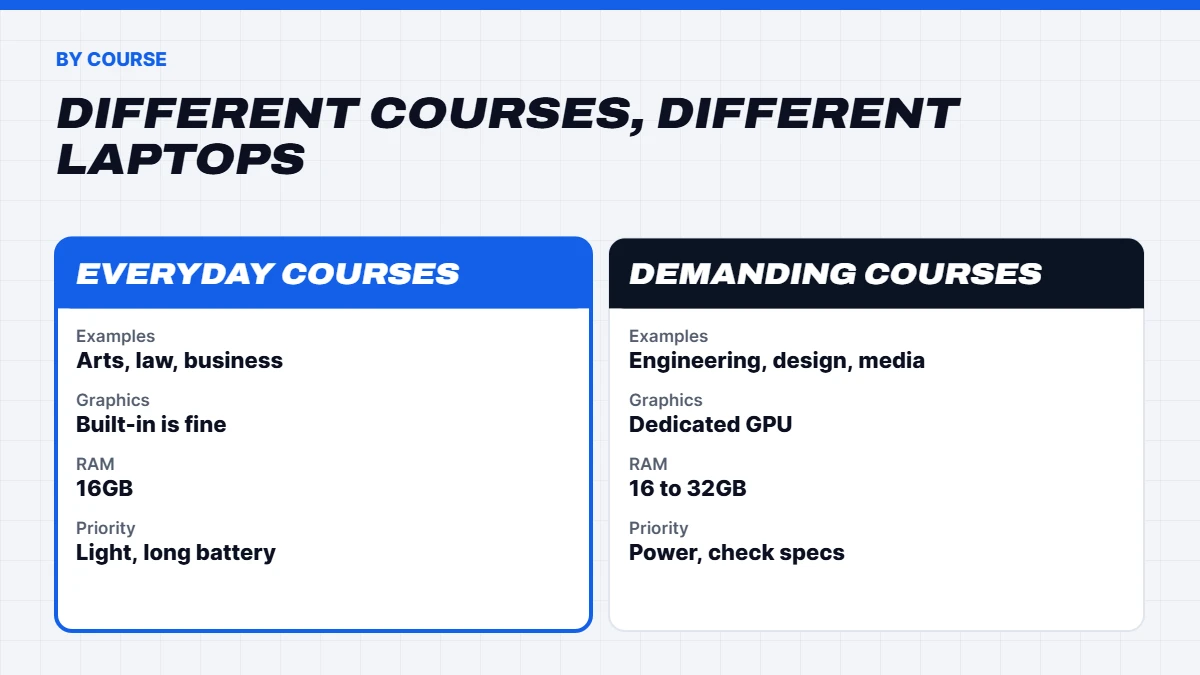
The best laptop for university students depends a lot on what you’re studying. Here’s a rough guide:
| Course | What to look for | RAM |
|---|---|---|
| — | — | — |
| Arts, law, business, education | Light, long battery, good keyboard | 16GB |
| Nursing and health | Light and durable, good webcam | 16GB |
| IT and computer science | Strong processor, 512GB SSD or more | 16 to 32GB |
| Engineering | Windows, dedicated graphics for CAD | 16 to 32GB |
| Architecture and design | Dedicated graphics, good colour screen | 32GB |
| Film, media and music | Dedicated graphics, 1TB SSD | 32GB |
A few notes: popular engineering software like SolidWorks is Windows-only, so a Mac can make life harder for engineering students. Architecture and design students often run demanding 3D software, so check the faculty’s recommended specs, as they can be quite high.
Best laptop for uni students: our picks
Here’s how we’d match our current range to different students. If you’re looking for the best laptop for uni students on a budget or with specific course needs, one of these should fit.
Lenovo IdeaPad 5 2 in 1. A 14-inch 2-in-1 with a touchscreen that folds into a tablet, a Ryzen AI 7 350, 24GB of RAM, a 1TB SSD and a 1080p webcam, in a body around 1.5kg. It’s great for handwritten notes and reading on the go, and it’s a Copilot+ PC. The honest catch is the price, which is higher than a basic study laptop, and the memory can’t be upgraded later.
ASUS Vivobook Go 15. A simple, light everyday laptop with a Ryzen 5, 16GB of RAM and a 512GB SSD. For arts, business, education and similar courses, it covers everything you need without paying for power you won’t use.
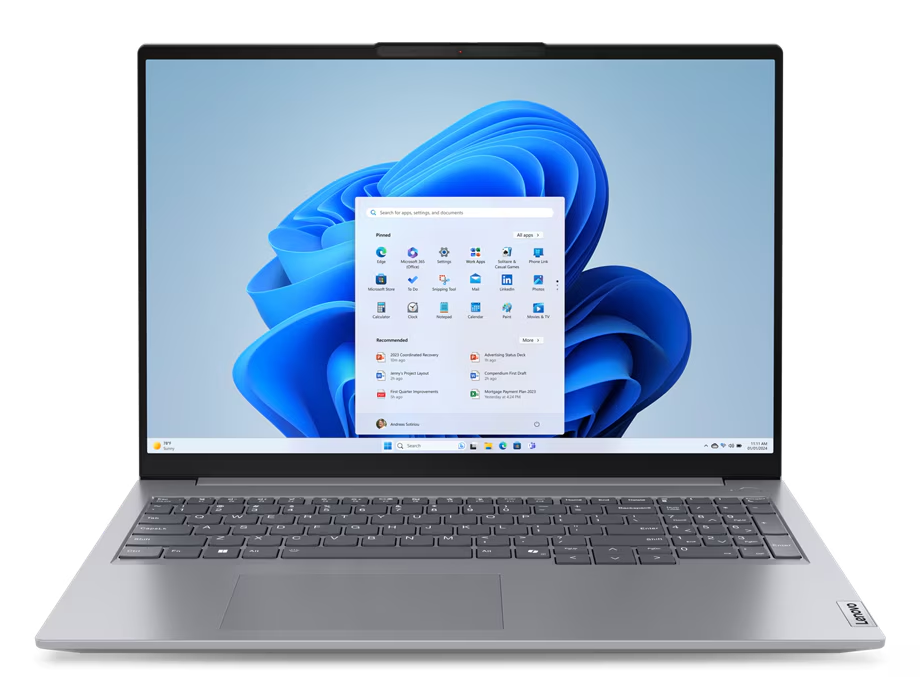
Lenovo ThinkBook 16 G7. An Intel Core Ultra 7, 16GB of RAM, a 512GB SSD and a 16-inch anti-glare 16:10 screen, which gives you more vertical space for documents and code. It also has Windows 11 Pro and a fingerprint reader. It’s an excellent pick for IT, business and postgraduate students, though the 16-inch size makes it a bit bigger to carry.
Dell Pro 14 Plus. A business-grade 14-inch laptop with an Intel Core Ultra 5, 16GB of RAM, a 512GB SSD and Windows 11 Pro. Business laptops are built to take daily knocks and have excellent keyboards, and this one is light with long battery life. The trade-off is that the memory is built in, so 16GB is fixed.
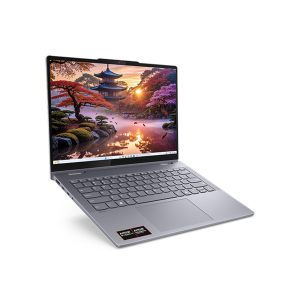 Lenovo IdeaPad 5 2 in 1 – 14-inch Touchscreen Laptop, Ryzen AI 7, 24GB RAM, 1TB SSD Original price was: $899.00.$674.00Current price is: $674.00.See the build
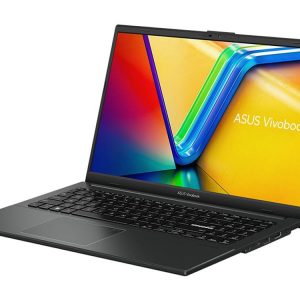 ASUS Vivobook Go 15 – Ryzen 5 7520U, 16GB RAM, 512GB SSD Original price was: $1,099.00.$824.00Current price is: $824.00.See the build
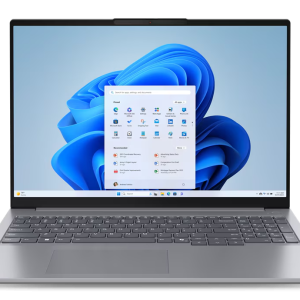 Lenovo ThinkBook 16 G7 – Core Ultra 7 155U, 16GB RAM, 512GB SSD, Windows 11 Pro Original price was: $2,149.00.$1,599.00Current price is: $1,599.00.See the build
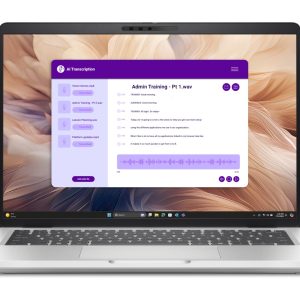 Dell Pro 14 Plus – 14-inch Business Laptop, Core Ultra 5, 16GB RAM, Windows 11 Pro Original price was: $2,299.00.$1,699.00Current price is: $1,699.00.See the build
For students who want a big screen at a desk, the ASUS Vivobook 18 has an 18-inch display, a Ryzen 7 and a 1TB SSD, though it’s more of a home laptop than one to carry every day. And for engineering or design students who also game, the ASUS TUF A16 has an RTX 5050 for CAD and games, with the honest caveat that it’s heavier and has shorter battery life than a regular laptop.
Best budget laptop for students
If money is tight, the best budget laptop for students is one that gets the basics right rather than one with the biggest discount. When shortlisting the best budget laptop for students, prioritise:
- An SSD, even if it’s only 256GB. Avoid eMMC storage.
- 8GB of RAM at the very least, and 16GB if you can stretch to it.
- A recent processor. Check it’s supported by Windows 11 and meets your uni’s minimum.
- A decent battery so you’re not hunting for power points.
It’s worth knowing about student discounts too. Many software makers offer free or discounted student licences, and most universities give students Microsoft 365 through their student account, so check before paying for Office. Our guide to the best budget laptop goes deeper on where it’s safe to save.
Laptop for school: what high school students need
Choosing a laptop for school is a bit different. Most Australian high schools run a bring your own device program with their own list of requirements, often including the operating system, minimum battery life and screen size, so always start there.
For high school, we’d focus on:
- Durability. A sturdy build and a protective case or sleeve. School bags are rough on laptops.
- Battery life for a full school day without charging.
- A good keyboard, as students type a lot of assignments.
- 8GB of RAM is usually enough for school work, with 16GB better for senior years or subjects like design and media.
- A 2-in-1 or touchscreen can be handy for younger students and note-taking.
The right laptop for school is one that survives the school bag and lasts until Year 12. Accidental damage cover is worth considering for younger students. Ask what the warranty includes and whether your home contents insurance covers a laptop away from home.
TAFE and vocational students
TAFE students’ needs vary more than most. Business, community services and health courses need much the same as uni: a light, reliable laptop with 16GB of RAM. Design, media and IT courses can need more power, so check the course information. For trades and apprenticeships, durability matters most, so a business-grade laptop with a tough build, or a good protective case, makes sense if it’s coming to work sites.
Many TAFE courses also involve online assessments, so the same advice applies: check whether your institute has specific requirements for exams or software before you buy.
When to buy a student laptop
Timing can save you a fair bit. The big sales periods for laptops in Australia are Black Friday in late November, the back-to-school and back-to-uni period in January and February, and end of financial year in June. Our guide to Black Friday laptop deals covers how to tell a genuine discount from a fake one.
That said, don’t leave it until the night before semester starts. Give yourself a week or two to set everything up, install your uni’s software and make sure it all works, especially anything needed for exams.
Windows, Mac or Chromebook?
We only sell Windows laptops, but we’ll be honest: a MacBook Air is a strong choice for many students, with excellent battery life and build quality. Windows makes more sense if you’re studying engineering, need specific Windows-only software, want to game, or want more choice at lower prices. Chromebooks are cheap and simple, but they don’t run full desktop apps, and some unis and schools don’t allow them for exams.
Whichever you choose, check it meets your course requirements before buying. In the end, the best laptop for students is the one that runs everything their course needs.
Should students buy a gaming laptop?
If you’re a keen gamer and only want one machine, a gaming laptop can cover study and play. Just be realistic about the trade-offs: gaming laptops are heavier, louder and have shorter battery life, which matters when you’re carrying it between lectures all day. Our guide to the best gaming laptop for every budget explains what to look for. Some students find a light laptop for uni plus a gaming PC at home is the better combination.
Making a student laptop last
A few habits keep a student laptop running well for the whole degree:
- Back up automatically with OneDrive or another cloud service. Losing an assignment the night before it’s due is a rite of passage nobody needs.
- Use a padded sleeve or bag. Most laptop damage happens in transit.
- Turn on the battery charge limit if your laptop has one. Many let you cap charging at around 80%, which helps the battery last longer if it’s often plugged in.
- Keep Windows updated and restart regularly.
- Keep the vents clear and don’t use it on a bed for long periods.
If it does slow down later in your degree, our guide on how to fix a slow laptop covers the free fixes worth trying first.
Common mistakes students make
We see the same few mistakes every semester, and they’re all easy to avoid:
- Buying too much laptop. A gaming laptop or a heavy 17-inch model looks great on paper but is a burden to carry every day.
- Buying too little. 4GB of RAM and eMMC storage might be cheap, but you’ll regret it by second semester.
- Ignoring the requirements. Not checking whether your course or exam software runs on your laptop.
- Forgetting backups. Set up cloud backup on day one.
- Skipping a case. A sleeve costs very little compared with a new screen.
Avoid these and you’re already most of the way to the best laptop for students in your situation.
Our verdict
For most students, the best laptop for students is a light, reliable Windows laptop with 16GB of RAM, a 512GB SSD and a battery that lasts the day. Spend extra only where your course needs it, such as dedicated graphics for engineering or design. You’ll find our full laptop for students range with specs listed clearly, and if you’re not sure which suits your course, message us on live chat and tell us what you’re studying.
Student laptop FAQs
What is the best laptop for students in Australia?
For most students, a light 14 to 16-inch laptop with a recent Core i5 or Ryzen 5, 16GB of RAM and a 512GB SSD. Engineering and design students may need dedicated graphics.
How much RAM does a student laptop need?
16GB for uni and TAFE. 8GB is usually enough for high school.
Is 256GB enough for a student laptop?
It can work with cloud storage, but 512GB is more comfortable, especially if you install large software.
What’s the best laptop for uni students on a budget?
Look for an SSD, at least 8GB of RAM and a recent processor that meets your uni’s minimum. Don’t pay for a dedicated graphics card unless your course needs it.
What’s the best laptop for university students doing engineering?
A Windows laptop with a dedicated graphics card, at least 16GB of RAM and a strong processor, as software like SolidWorks is Windows-only. Check your faculty’s recommended specs, as they can be demanding.
Is a refurbished laptop good for uni?
It can be good value, especially business-grade models, as long as it has a warranty, an SSD, enough RAM and a processor that’s supported by Windows 11 and meets your uni’s minimum.
Is a 2-in-1 the best laptop for students who take handwritten notes?
For many, yes. A 2-in-1 with a pen lets you write notes and annotate slides. Make sure the pen is supported and the laptop still meets your course requirements.
Do I need a laptop for school or will a tablet do?
Check your school’s BYOD requirements. Many require a laptop or a tablet with a keyboard that runs a full operating system.